Understanding the Private Internet Network: How a VPN Works and Why It Matters
A Virtual Private Network (VPN) is a service that establishes a secure, encrypted tunnel between your device and a remote server operated by a VPN provider. By masking your original IP address and encrypting your data traffic, a VPN pr...
A Virtual Private Network (VPN) is a service that establishes a secure, encrypted tunnel between your device and a remote server operated by a VPN provider. By masking your original IP address and encrypting your data traffic, a VPN prevents third parties, including internet service providers and malicious actors, from monitoring your online activity and geographical location.
Contents
Core Architecture and Mechanisms of VPNs
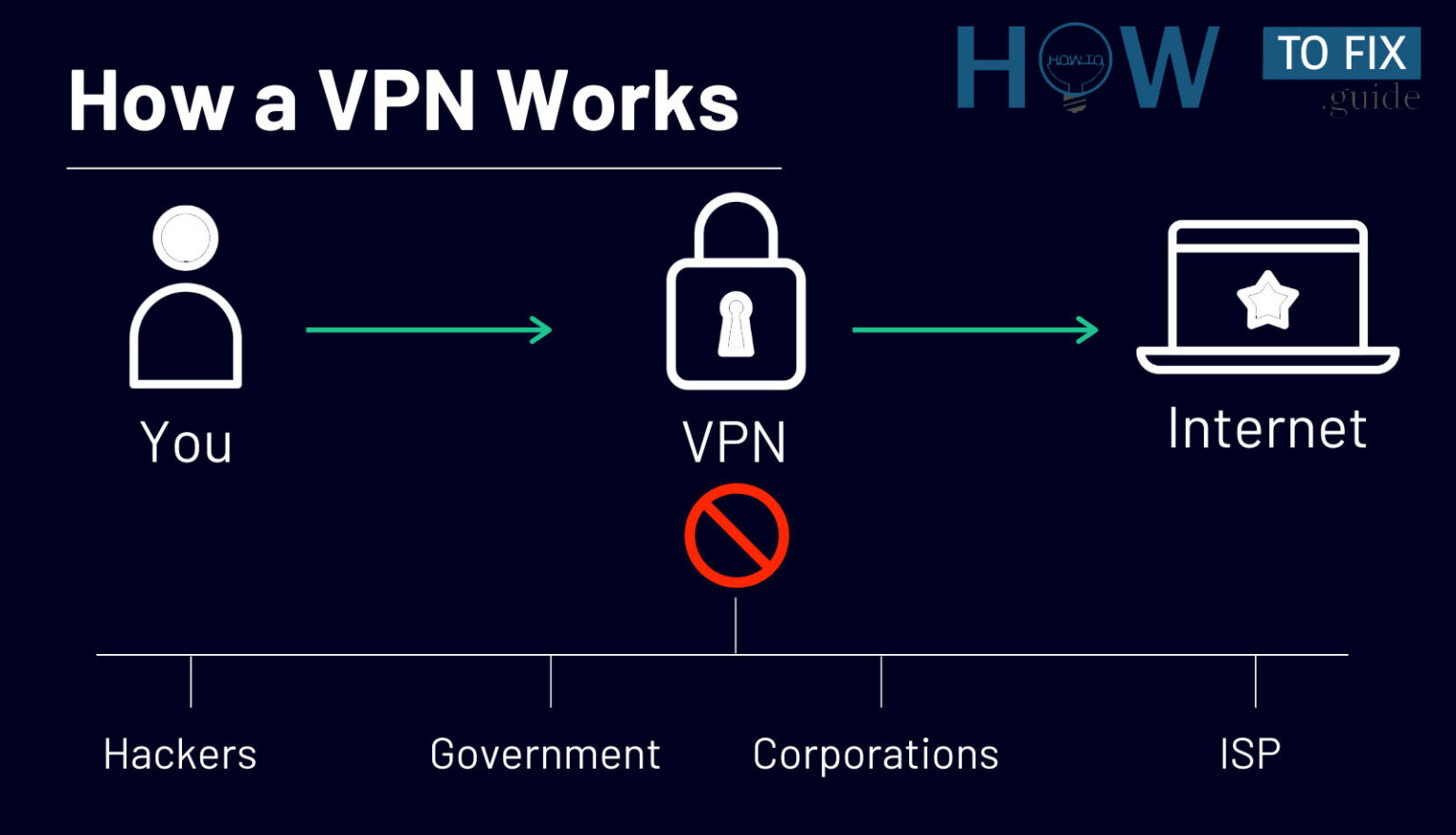
At its most fundamental level, a VPN acts as an intermediary layer between your local machine and the broader internet. Without a VPN, your data requests—such as loading a website—travel directly from your device through your Internet Service Provider (ISP) to the destination server. This means your ISP can see exactly which websites you visit, the duration of your session, and potentially the contents of your traffic if it is not otherwise encrypted (e.g., via HTTPS).
When you enable a VPN, your device establishes a connection to a specific VPN server. This connection is secured through an encryption protocol, such as OpenVPN, WireGuard, or IKEv2/IPsec. Once the secure tunnel is established, all your outgoing data is encapsulated, meaning your request is wrapped in a protective layer of code. To your ISP, it appears that you are simply sending encrypted data to a single server—the VPN server—without any visibility into the destination or the nature of your request.
Once the data reaches the VPN server, the server decrypts it and forwards it to the final destination on the internet. Crucially, the web server you are visiting sees the request as coming from the VPN server’s IP address rather than your own. This process effectively swaps your digital identity, granting you a level of privacy that mirrors a private, local network connection despite being on the public internet.
Common VPN Protocols and Their Roles
The security and performance of a private internet network depend heavily on the underlying protocol. Protocols are the set of instructions that dictate how the connection is built and how data is handled.
- WireGuard: Widely considered the modern standard for 2026, WireGuard is designed to be lean, fast, and highly secure. It uses state-of-the-art cryptography and is significantly easier to audit due to its smaller codebase compared to legacy protocols.
- OpenVPN: A mature, open-source protocol that remains highly popular due to its balance between security and versatility. It can be configured to run over TCP or UDP, making it highly effective at bypassing firewalls.
- IKEv2/IPsec: Often favored for mobile devices, this protocol is excellent at re-establishing connections when switching between network types, such as moving from Wi-Fi to cellular data.
- IPsec (Internet Protocol Security): Often used in enterprise environments, this suite of protocols authenticates and encrypts the packets of data to ensure communication integrity.
Strategic Use Cases for Private Internet Networks
While many users adopt VPNs for privacy, the technology is also essential for functional and secure networking in modern digital operations.
- Public Wi-Fi Protection: Public networks in coffee shops, airports, or hotels are often unencrypted, making them prime targets for "man-in-the-middle" attacks. A VPN encrypts your traffic before it even leaves your device, rendering intercepted data unreadable.
- Accessing Geo-Restricted Content: Because a VPN masks your IP address with one from a different region, it allows users to access content that may be locked to specific geographical areas. This is frequently used for international travel or accessing region-specific academic and research databases.
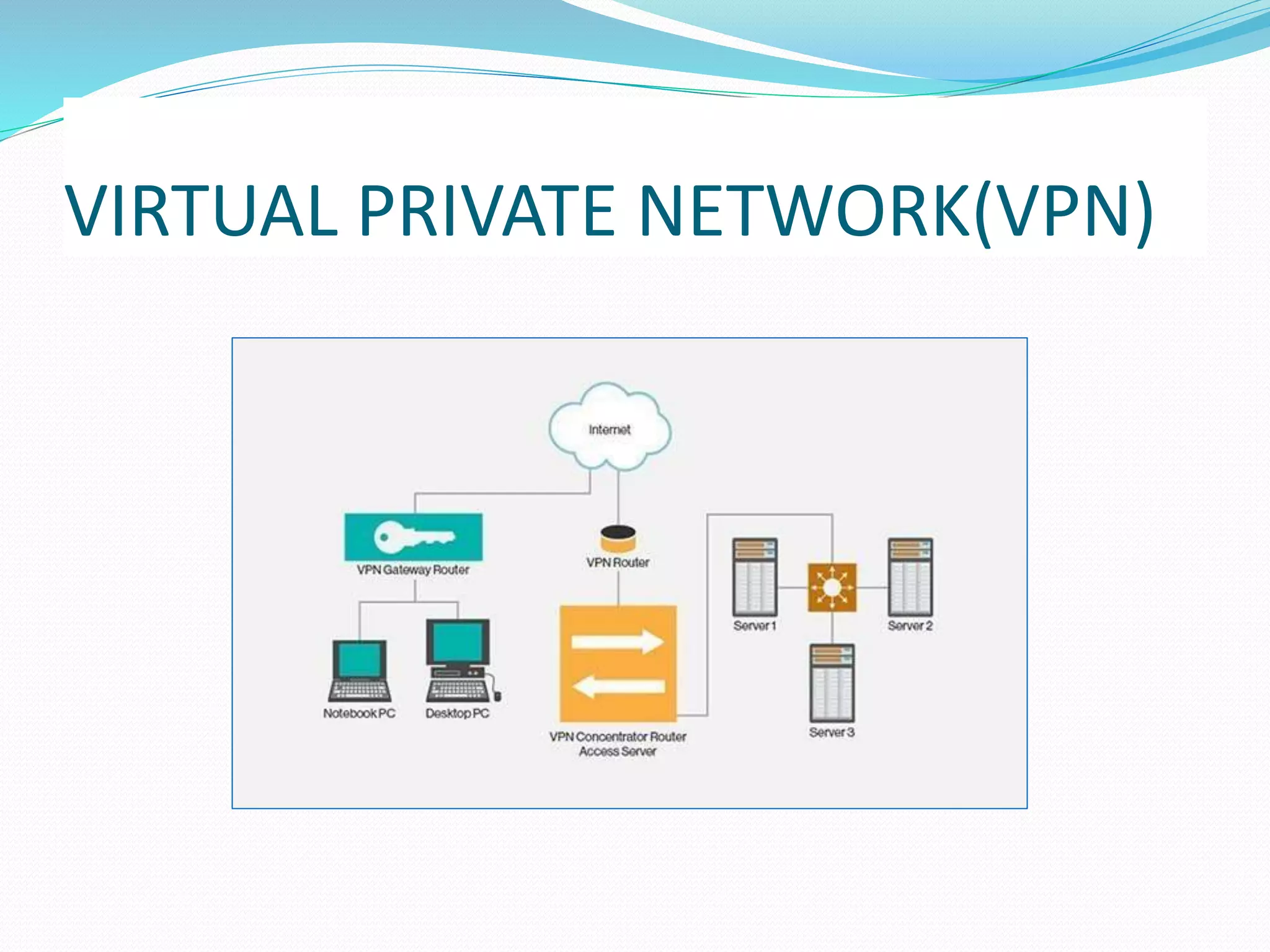
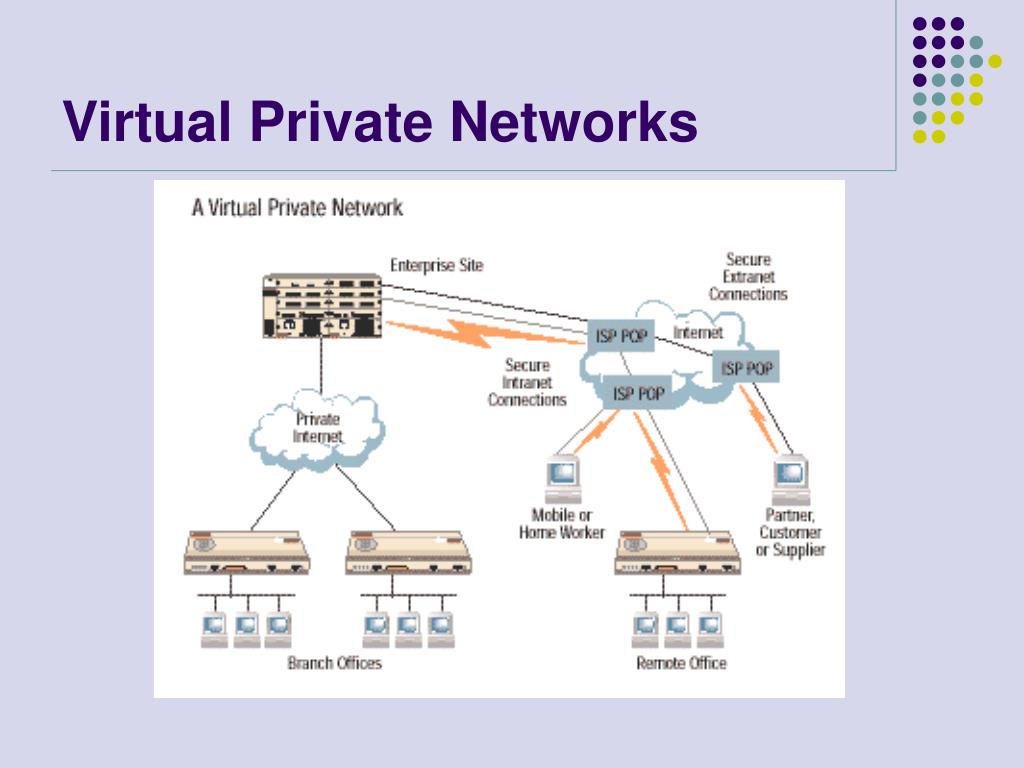
- Remote Corporate Access: Businesses often utilize VPNs to allow employees to connect to internal, private networks from remote locations. This ensures that sensitive corporate data remains behind the company firewall even when accessed from off-site.
- Avoiding Bandwidth Throttling: Some ISPs monitor traffic patterns to artificially throttle speeds for high-bandwidth activities like streaming or gaming. By hiding your specific activity, a VPN can sometimes help maintain consistent connection speeds.
Comparison of VPN Operational Models
| Feature | Consumer VPN | Corporate/Business VPN |
|---|---|---|
| Primary Goal | Privacy and content access | Network security and resource access |
| Server Control | Shared, public servers | Dedicated or private gateways |
| Management | User-managed | IT department-managed |
| Logging Policy | Often "no-logs" (for privacy) | Audit logging (for security/compliance) |
| Complexity | Simple, app-based | Complex configuration required |
Important Limitations and Security Considerations
A VPN is a powerful tool, but it is not a panacea for all digital security risks. It is important to distinguish between what a VPN secures and what it does not.
- Trusting the Provider: When you use a VPN, you are essentially shifting the trust from your ISP to your VPN provider. If a provider keeps detailed logs of your activity, they possess the same (or more) data as your ISP. Always research a provider’s "no-logs" policy, which should be verified by third-party audits.
- Web-Based Tracking: A VPN changes your IP address, but it cannot prevent tracking conducted via browser cookies, canvas fingerprinting, or logged-in accounts on websites like Google or Facebook. For maximum privacy, a VPN should be paired with privacy-focused browsers and ad-blockers.
- Performance Latency: Because your data must travel through an extra server, you may notice a slight drop in speed or an increase in latency (ping). This is generally negligible with high-quality services in 2026, but it can be a factor for real-time activities like competitive online gaming.
- Legal Jurisdictions: VPN providers are subject to the laws of the countries where their servers—and their headquarters—are located. Be aware that some jurisdictions require providers to keep data for a certain period or comply with surveillance requests.
Frequently Asked Questions
Does a VPN make me completely anonymous online? No. A VPN hides your IP address and encrypts your traffic, but it does not stop websites from identifying you if you log into accounts, nor does it protect against advanced browser fingerprinting techniques. It is one layer of a broader privacy strategy.
Will a VPN slow down my internet connection? It may. Because the data has to travel through a remote server and be encrypted/decrypted, there is an inherent processing overhead. However, with modern protocols like WireGuard and premium providers, this impact is often imperceptible for most daily tasks.
Is it safe to use free VPN services? Free services often monetize their operations by selling user data to third-party advertisers or by displaying intrusive ads. Because maintaining a high-quality global network of servers is expensive, "free" usually implies that you are the product rather than the customer.
Can I use a VPN on multiple devices simultaneously? Most modern VPN services support multiple simultaneous connections under a single account. However, you should check your specific provider's terms of service, as policies regarding device limits vary significantly in the 2026 market.
Does a VPN protect me from malware or phishing? While some advanced VPNs include "threat protection" or "cyber-sec" features that block known malicious domains, a VPN is not a replacement for antivirus software or good digital hygiene. You must still exercise caution regarding the files you download and the links you click.
Next Steps for Implementation
If you intend to use a VPN for personal or business security, the first step is to assess your threat model. For casual browsing and public Wi-Fi security, a reputable, independently audited consumer VPN with a strict "no-logs" policy is sufficient. For professional use involving access to sensitive company assets, consult with your internal IT department to ensure you are using the approved corporate VPN infrastructure, which is configured specifically for your organization's security requirements. Always verify that your chosen software is up to date to ensure you are protected against the latest known vulnerabilities.
Image Gallery