How Freshservice Handles a Major Incident: A Comprehensive Guide to Modern MIM
Freshservice manages major incidents through a dedicated Major Incident Management (MIM) module that streamlines identification, mobilization, and communication. By promoting high-impact tickets to "Major Incidents," teams trigger auto...
Freshservice manages major incidents through a dedicated Major Incident Management (MIM) module that streamlines identification, mobilization, and communication. By promoting high-impact tickets to "Major Incidents," teams trigger automated workflows, launch collaborative "war rooms," notify stakeholders via status pages, and generate structured Post-Incident Reports (PIR) to ensure continuous service improvement and minimized downtime.
Contents
Understanding the Freshservice Major Incident Management Framework
In the landscape of 2026 IT Service Management (ITSM), the distinction between a standard incident and a major incident is critical for organizational stability. Freshservice, a leading SaaS ITSM solution, treats Major Incidents (MIs) as high-impact, high-urgency events that disrupt core business services. Unlike standard tickets, which follow a linear path toward resolution, a major incident in Freshservice activates a multi-dimensional response strategy.
The framework is built upon the ITIL 4 methodology, emphasizing speed, transparency, and collaboration. Within Freshservice, the MIM module serves as a command center. It allows IT leaders to isolate these critical events from the noise of daily service desk operations, ensuring that the most skilled resources are allocated immediately. The platform’s architecture ensures that while standard agents handle routine requests, a specialized Major Incident Team can focus entirely on restoration.
To utilize these features, organizations typically need to be on the Pro or Enterprise plans. By 2026, the integration of AI-driven insights has become a baseline expectation for the platform, allowing Freshservice to suggest potential major incidents by analyzing patterns in incoming ticket clusters, thereby reducing the Mean Time to Detection (MTTD).
The Lifecycle of a Major Incident in Freshservice
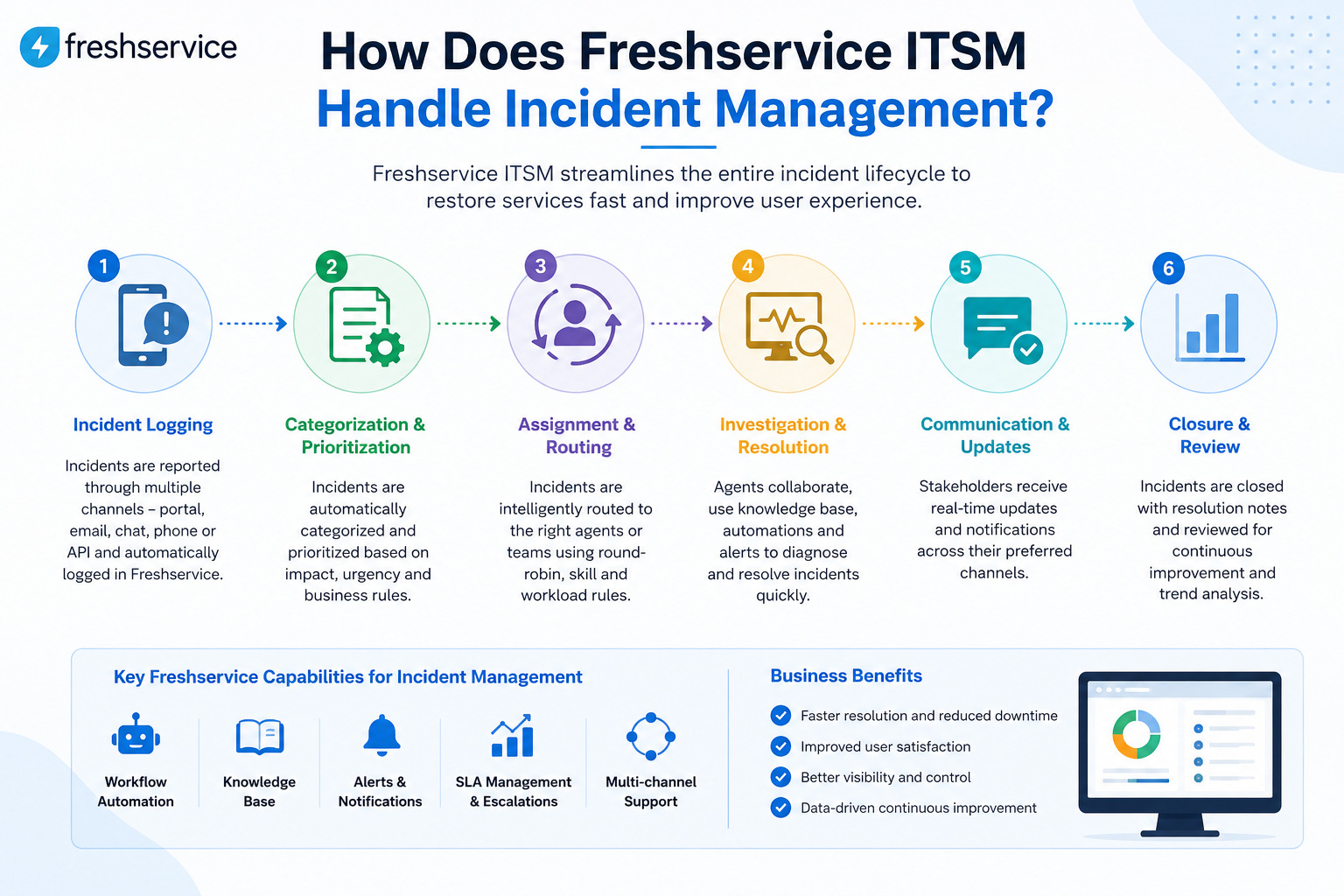
Handling a major incident is a sequential process that requires precision at every stage. Freshservice automates much of the administrative overhead, allowing technical teams to remain focused on the technical resolution.
Identification and Promotion
The lifecycle begins when a high-priority incident is identified. This can happen manually, where an agent identifies a widespread outage and clicks "Promote to Major Incident" on the ticket sidebar. However, the most efficient organizations use the Workflow Automator.
In a typical 2026 setup, if five or more tickets are created within ten minutes relating to the "ERP System" with "High" urgency, Freshservice can automatically flag these as a potential major incident. Once promoted, the ticket gains a unique status and visibility in the Major Incident pane, alerting management and the MIM team. This promotion also allows the system to link "Child Tickets"—individual reports of the same issue—to the master MI ticket, ensuring that a single update on the master ticket resolves or updates all related reports.
Mobilization and the "War Room"
Speed is the primary metric during an MI. Freshservice facilitates immediate mobilization through built-in integrations with communication tools. Upon promotion, the platform can automatically create a War Room—a dedicated bridge for real-time collaboration.
- Slack/Microsoft Teams Integration: Freshservice creates a dedicated channel and invites relevant stakeholders based on the service impacted.
- Zoom/MS Teams Video: A video conferencing link is automatically generated and added to the incident's collaboration section.
- On-Call Management: Freshservice’s internal on-call scheduling (or integrations with tools like PagerDuty) ensures the right subject matter experts (SMEs) are paged immediately via SMS, phone call, or push notification.
Stakeholder Communication and Transparency
One of the most common pitfalls in incident management is the "information vacuum." Freshservice addresses this through its Status Page integration (Freshstatus). As the major incident progresses, the MI manager can push updates directly to a public or private status page. This reduces the "me too" ticket volume because users can see that IT is already aware of the problem and is working on a fix. Internal stakeholders can also be kept in the loop through automated "Stakeholder Communications," which are templated emails or notifications that provide consistent, professional updates at regular intervals.
Technical Configuration and Prerequisites
Before an organization can effectively handle an MI in Freshservice, several technical components must be configured. These are not merely suggestions; they are the pillars of a mature MIM process.
- MIM Roles and Permissions: Administrators must define who has the authority to promote and manage MIs. In 2026, it is best practice to restrict MI promotion to senior agents or dedicated Incident Managers to prevent "priority creep," where minor issues are incorrectly escalated.
- Impact and Urgency Matrix: The platform relies on a well-defined Priority Matrix. If the impact is "Global" and the urgency is "High," the system should be configured to suggest or mandate a Major Incident status.
- Workflow Automator Rules: Custom rules should be established to trigger specific actions. For instance, "If Ticket is Promoted to MI, then Send SMS to IT Director" and "Change Status to Under Investigation."
- Integration Setup: Authentication for Slack, MS Teams, and Zoom must be verified. In 2026, these integrations often utilize OAuth 2.0 for secure, seamless handoffs between the ITSM tool and the communication stack.
Comparison: Standard vs. Major Incident Handling in Freshservice
| Feature | Standard Incident | Major Incident (MIM) |
|---|---|---|
| Workflow | Standard ticketing queue | Dedicated MIM workspace |
| Collaboration | Internal notes / Agent-to-Agent | Dedicated War Rooms (Slack/Zoom) |
| Stakeholder Comms | Direct response to requester | Status Page updates & Bulk notifications |
| SLA Management | Individual Ticket SLA | Incident-wide Resolution Targets |
| Resolution Goal | Fix for one user | Service restoration for the enterprise |
| Post-Incident | Closure of ticket | Mandatory Post-Incident Report (PIR) |
| Ownership | Assigned Service Desk Agent | Major Incident Manager / Cross-functional team |
Investigation, Diagnosis, and Resolution
While the MIM team manages communications, the technical team uses Freshservice's Timeline View to track every action taken. This is a chronological audit trail that records when the incident was detected, who joined the war room, what changes were implemented, and when service was restored.
During the investigation, Freshservice allows teams to link the Major Incident to the CMDB (Configuration Management Database). By identifying the specific Configuration Item (CI) that is failing—such as a specific database cluster or network switch—teams can see upstream and downstream dependencies. This visual map helps in understanding the true scope of the outage and prevents "tunnel vision" during troubleshooting.
Once a fix is identified and tested, the status is changed to "Resolved." In Freshservice, resolving the Major Incident can automatically resolve all hundreds of linked child tickets, sending a customized "Service Restored" message to every affected end-user simultaneously.
Post-Incident Activity: The Post-Mortem and PIR
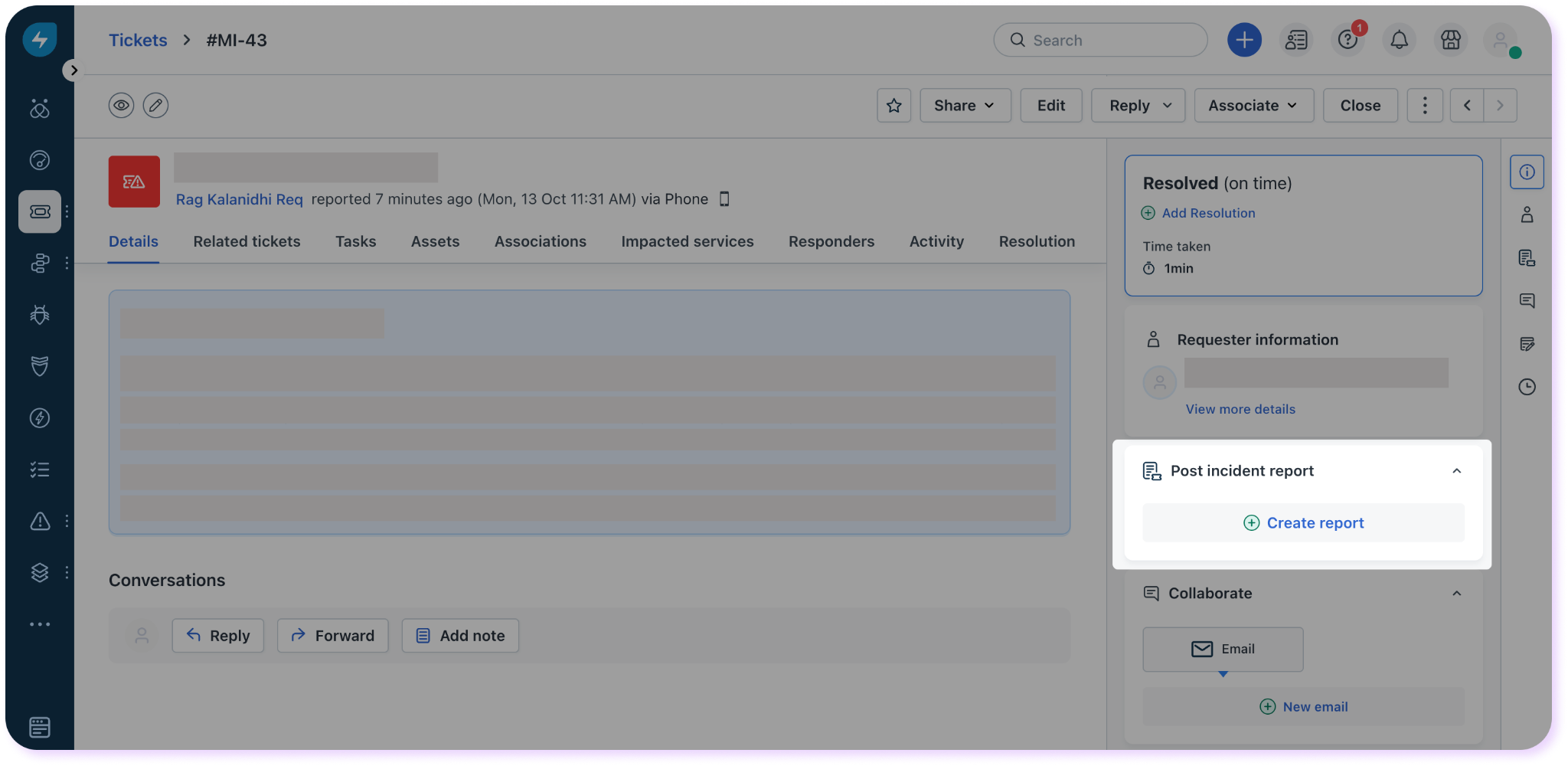
The "Resolution" of a major incident is not the end of the process. Freshservice emphasizes the importance of the Post-Incident Report (PIR). This is a structured document that analyzes the "What," "Why," and "How" of the incident.
In the 2026 version of Freshservice, the PIR generation is significantly automated. The platform pulls data from the incident timeline to create a draft report including:
- Total downtime duration.
- Timeline of key events.
- Stakeholders involved.
- Communication logs.
The Major Incident Manager then adds the Root Cause Analysis (RCA). If the incident was caused by a recurring problem, Freshservice allows the manager to convert the Major Incident into a Problem Ticket. This ensures that the underlying cause is addressed through the Problem Management workflow, preventing future occurrences. The final PIR is then shared with leadership to demonstrate accountability and a commitment to continuous service improvement.
Common Challenges and Troubleshooting Freshservice MIM
Even with a robust tool like Freshservice, things can go wrong. Understanding these potential friction points is essential for a smooth response.
- Notification Fatigue: If the system is configured to alert too many people for every high-priority ticket, staff may begin to ignore notifications. Fine-tuning the Workflow Automator to only alert the "On-Call" group for specific services is the solution.
- Status Page Desynchronization: Sometimes, an incident is resolved in Freshservice, but the Status Page remains in an "Investigating" state. This usually happens if the agent forgets to toggle the "Update Status Page" checkbox during the resolution step. Ensuring this is a mandatory field in the resolution form can mitigate this.
- Role Confusion: In the heat of an incident, multiple people may try to take charge. Freshservice helps manage this by clearly displaying the "Incident Manager" in the MI header. Organizations must train staff to respect this hierarchy during an active MI.
- Missing Data in PIR: If agents do not use the "Internal Notes" feature or the integrated War Room effectively, the PIR will be sparse. Encouraging real-time documentation within the Freshservice ticket (rather than just in private DMs) is vital for a useful audit trail.
Best Practices for 2026
To maximize the value of Freshservice for major incidents, organizations should adopt several forward-looking strategies:
- Leverage AI for Impact Analysis: Use Freddy AI (Freshservice’s AI engine) to surface similar past incidents during a live MI. This can provide immediate clues to a resolution.
- Simulated Drills: Conduct "Game Days" where a major incident is simulated in a sandbox environment. This ensures that the Workflow Automator, Zoom links, and Status Page updates work as expected before a real crisis occurs.
- Data-Driven Reviews: Use the "Analytics" module to track Mean Time to Respond (MTTR) trends. If the mobilization phase is taking too long, it may be time to automate more of the initial communication steps.
- User-Centric Communication: Ensure that status updates are written in business language, not technical jargon. The goal of the status page is to reassure the business, not to explain the intricacies of a SQL deadlock.
FAQs
Which Freshservice plans include Major Incident Management?
The dedicated Major Incident Management (MIM) module is primarily available on the Pro and Enterprise plans. While basic incident management is available on lower tiers, the advanced mobilization features, war rooms, and automated PIR generation are reserved for the higher-tier enterprise offerings.
Can I automate the promotion of a ticket to a Major Incident?
Yes, using the Workflow Automator, you can set specific criteria (such as "Impact = Global" AND "Urgency = High") to automatically promote a ticket. You can also use "Ticket Velocity" triggers, which promote an incident if a certain number of similar tickets are created within a specific timeframe.
How does Freshservice handle internal communication during an MI?
Freshservice integrates directly with Slack and Microsoft Teams to create dedicated incident channels. It also features a "Stakeholder Communication" tool that allows managers to send bulk updates via email or SMS to specific groups (like the C-suite or Department Heads) without cluttering the main technical ticket.
What is the difference between a Major Incident and a Problem in Freshservice?
A Major Incident is a reactive process focused on restoring service as quickly as possible. A Problem is a proactive or reactive process focused on identifying and eliminating the root cause of one or more incidents. Often, a Major Incident will lead to the creation of a Problem ticket once service is restored.
Does Freshservice support mobile MI management?
Yes, the Freshservice mobile app allows Incident Managers to promote tickets, view the incident timeline, and send stakeholder updates from their mobile devices. This is crucial for 2026 distributed teams who may need to coordinate a response while away from their desks.
Practical Recommendation
To successfully implement Freshservice Major Incident Management, start by mapping your internal escalation matrix before configuring the tool. Technology is an accelerant, but it cannot fix a broken process. Once your roles and response tiers are defined, build your Workflow Automator rules to handle the "grunt work" of mobilization—notifying on-call staff and creating war rooms—so your engineers can focus on technical recovery from the first minute of the outage.
Image Gallery