Mastering the Auto Build Mod Simplified for Enhanced Gameplay
The Auto Build Mod Simplified is a specialized modification primarily designed for The Legend of Zelda: Tears of the Kingdom that streamlines the Autobuild mechanic by removing resource costs and expanding construction limits. It allow...
The Auto Build Mod Simplified is a specialized modification primarily designed for The Legend of Zelda: Tears of the Kingdom that streamlines the Autobuild mechanic by removing resource costs and expanding construction limits. It allows players to instantly recreate saved structures without consuming Zonaite or requiring physical parts to be present in the immediate environment.
Contents
Since its introduction, the Autobuild ability has been a cornerstone of creative gameplay, yet the "Vanilla" experience often imposes strict limitations on resource management and blueprint storage. By 2026, the modding community has refined the "Simplified" suite of tools to ensure they are compatible with the latest game versions and high-performance emulators. This guide explores how to implement these modifications, the technical requirements for stability, and the impact they have on the overall gameplay loop.
Understanding the Need for Simplified Autobuild Mechanics
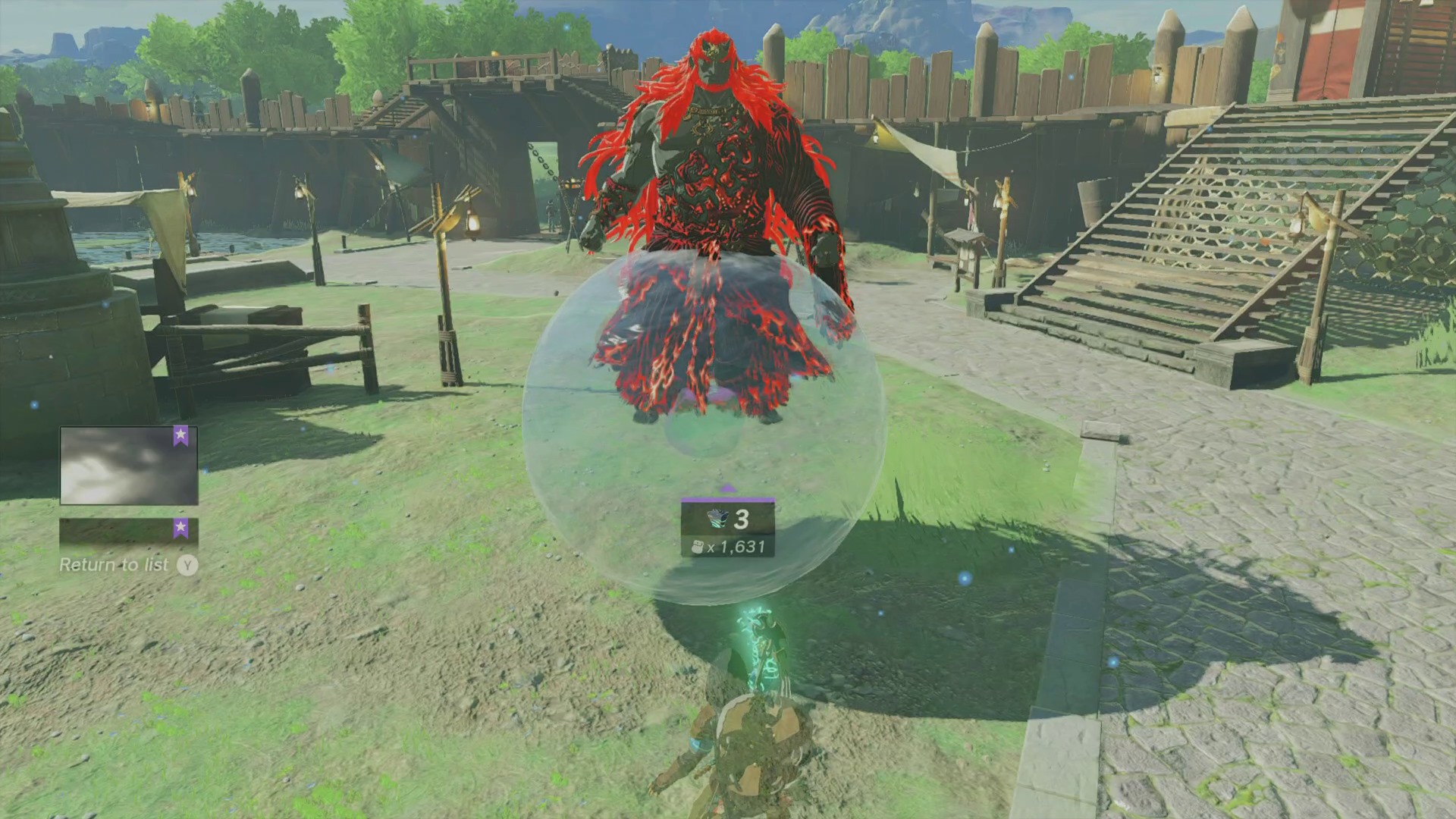
In the standard version of the game, the Autobuild ability is an essential tool acquired in the Great Abandoned Central Mine. It records the history of player-created Ultrahand constructions, allowing for rapid reproduction. However, this convenience comes at a price: if the necessary physical components (fans, wings, beams) are not nearby, the game demands Zonaite—a precious mineral—to manifest "green" versions of those parts.
For players focused on large-scale engineering or rapid exploration, the constant need to farm Zonaite becomes a significant bottleneck. The Auto Build Mod Simplified addresses this by altering the game's internal logic regarding resource consumption. Instead of checking for available materials or currency, the mod forces a "true" value on the construction requirement, effectively making every blueprint free to build. This shift transforms the game from a survival-resource hybrid into a pure creative sandbox.
Key Features of the Simplified Mod Suite
The term "Simplified" refers to a collection of quality-of-life improvements that target specific pain points in the construction system. While different creators may offer varying packages, the core features of a 2026-standard simplified mod typically include:
- Zero-Cost Construction: Removes the Zonaite requirement entirely. Whether you are building a simple hoverbike or a complex multi-stage mech, the cost remains zero.
- Expanded Blueprint Favorites: The base game limits players to 30 favorite slots. Simplified mods often extend this to 60 or even 100 slots by optimizing the way the
game_data.savfile handles schema history. - Instant Snap-to-Grid: Reduces the animation delay when summoning a blueprint, allowing for tactical use during combat or time-sensitive puzzles.
- Indestructible Manifestations: Normally, items created via Autobuild (the green-tinted parts) disappear if detached or if they take significant damage. The simplified mod can adjust the "Actor" properties to treat these parts as physical entities that persist longer.
Technical Prerequisites and Installation
To use the Auto Build Mod Simplified in 2026, you must have a platform capable of running layered modifications. This generally involves a "modded" Nintendo Switch console running Atmosphere or a high-end PC utilizing emulators like Ryujinx or the legacy builds of Yuzu.
Software Requirements
- Game Version: Ensure your game is updated to at least version 1.2.1, as most modern simplified mods are built on the offsets found in this revision.
- File Access: You will need a way to access the
atmosphere/contents/folder (on hardware) or the "Mod Data Location" (on emulators). - The Mod Package: Usually delivered as a folder containing a
romfsorexefsdirectory.
Installation Steps
Installing the mod is a matter of file placement rather than complex coding. Follow these steps to ensure the mod initializes correctly:
- Locate the Title ID: The Title ID for Tears of the Kingdom is typically
0100F2C0115B6000. - Create the Directory: On your SD card or emulator mod folder, navigate to the directory where mods are stored. Create a folder named "Autobuild Simplified."
- Place the Files: Drop the
romfsfolder provided by the mod creator into the "Autobuild Simplified" folder. The path should look like:.../0100F2C0115B6000/Autobuild Simplified/romfs/. - Verify the PCHTXT (Optional): Some versions of this mod use
.pchtxtfiles to patch the game's executable in real-time. If your mod includes anexefsfolder, ensure the file matches your specific game build version (e.g.,1.2.1).
Comparing Vanilla Autobuild vs. Simplified Mod
The following table highlights the primary differences between the standard gameplay experience and the modified experience as of 2026.
| Feature | Vanilla Experience | Simplified Mod Experience |
|---|---|---|
| Zonaite Cost | 3 Zonaite per small part; up to 100+ for large builds | Always 0 Zonaite |
| Favorite Slots | 30 Slots | 60 to 100 Slots (depending on version) |
| Part Persistence | Disappears when detached or timed out | Persistent until manually deleted |
| Build Speed | 2-3 second animation | Near-instantaneous manifestation |
| Material Requirement | Requires physical parts or currency | No physical or currency requirements |
| Compatibility | Standard Nintendo Switch firmware | Requires CFW or PC Emulation |
Customizing the Experience via Configuration Files
Experienced users often want to go beyond the basic "Simplified" settings. Many mod packages include a config.ini or a JSON file within the romfs folder. By editing these files with a standard text editor, you can fine-tune the "Simplified" nature of the mod.
For instance, if you find that "Zero Cost" makes the game too easy, you can often find a "Half Cost" toggle. This maintains the need for some resource gathering while making the endgame builds more accessible. Additionally, some simplified mods allow for the adjustment of the "Build Radius." Increasing this value allows you to pull physical parts from a much larger distance, which is useful when building near construction depots or supply caches.
Troubleshooting and Stability
While the Auto Build Mod Simplified is generally stable, several issues can arise, especially when mixing it with other gameplay-altering mods.
- Game Crashes on Launch: This is usually due to a version mismatch. If the mod is designed for version 1.1.2 and you are running 1.2.1, the game will fail to boot because the memory offsets for the Autobuild ability have changed. Always check the
version.txtor the mod description for compatibility. - Blueprints Not Saving: If you find that your favorite slots are not increasing, the mod may be conflicting with a save-game editor or another mod that affects the
game_dataarchives. Ensure that the Autobuild mod has "priority" in your emulator's mod list. - Visual Glitches: Sometimes, "Instant Build" can cause physics glitches where the object spawns inside the ground. If this happens, try disabling "Instant Build" in the config file while keeping the "Zero Cost" features active.
The Impact on Gameplay Balance
It is important to acknowledge that using the Auto Build Mod Simplified fundamentally changes the game's progression. The search for Zonaite mines in the Depths is a major part of the mid-game loop. By removing this requirement, the player essentially bypasses the "industrial" phase of the game.
However, for players who have already completed the main story and wish to focus on the community-driven "Zelda Engineering" scene, these mods are indispensable. They allow for the testing of complex flying machines, automated battle bots, and elaborate transport systems without the tediousness of repetitive resource grinding.
FAQ
Does the Auto Build Mod Simplified work on the latest Nintendo Switch firmware? Yes, provided you are using an up-to-date version of custom firmware (CFW) like Atmosphere. The mod itself relies on the game version rather than the system firmware, but the ability to load the mod requires the console to be in a modified state.
Will using this mod get my account banned? Modding is generally safe as long as you remain offline. Nintendo's telemetry can detect modified save files or altered game code if you connect to Nintendo Switch Online services while the mod is active. It is highly recommended to use a separate "EmuNAND" or stay offline while using gameplay mods.
Can I use this mod with a 60FPS or 4K graphics mod? Absolutely. The Auto Build Mod Simplified affects logic and resource parameters, not rendering. It is fully compatible with visual enhancement mods. In fact, many players in 2026 use "Mod Collections" that bundle these together for the ultimate technical experience.
What happens to my builds if I delete the mod? Any "Favorite" blueprints that exceed the original 30-slot limit may become inaccessible or be deleted from your save file if you revert to the vanilla game. However, any physical objects you built and saved while the mod was active will remain as they are in your current save state.
Is there a version of this mod for Minecraft or other games? While "Autobuild" is a term most associated with Zelda, Minecraft has similar mods like "Litematica" or "Schematica." However, the "Auto Build Mod Simplified" specifically refers to the Zelda: TotK modding ecosystem. If you are looking for Minecraft alternatives, you should search for "Easy Place" functions within those specific mods.
Final Recommendation
For those looking to maximize their creative potential in a sandbox environment, the Auto Build Mod Simplified is a transformative addition. It removes the friction of resource management, allowing your imagination to be the only limit to your constructions. To get started, ensure your game version is 1.2.1 or higher, download a verified mod package from a reputable community source, and always keep a backup of your save data before installation.
Image Gallery