How to Create a Web Developer CV: Example and Complete Guide
To create an effective web developer CV, structure your document around a clean, single-column layout that highlights your core technical stack, key web development projects, and quantifiable professional accomplishments. Focus on demo...
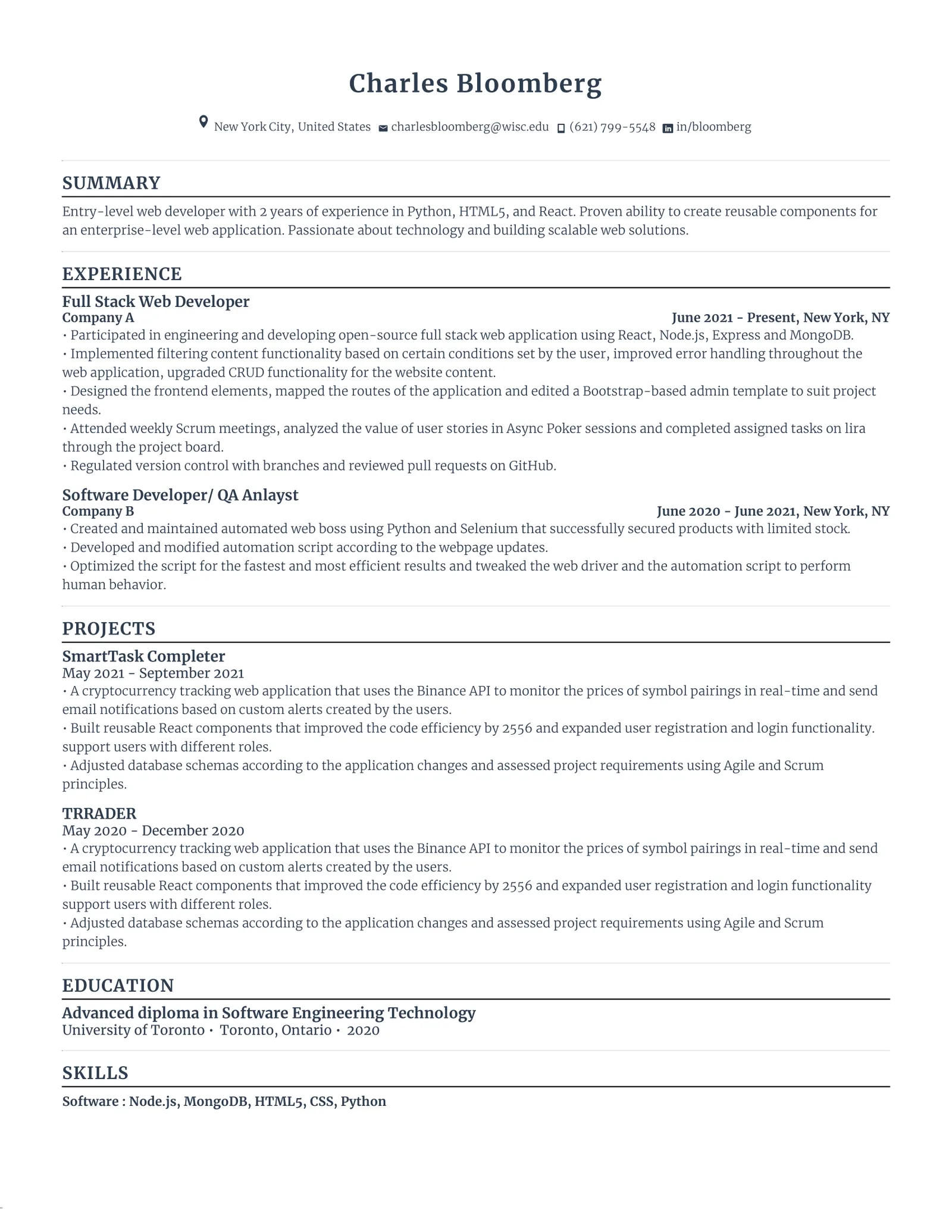
To create an effective web developer CV, structure your document around a clean, single-column layout that highlights your core technical stack, key web development projects, and quantifiable professional accomplishments. Focus on demonstrating how your code solves real business problems—such as improving page load speed, scaling API endpoints, or increasing user conversion rates—while ensuring your formatting remains fully readable by automated Applicant Tracking Systems (ATS).
Contents
Technical Expectations for Web Developer CVs
Technical recruiters and engineering managers evaluate web developer CVs under tight time constraints. A typical initial scan lasts fewer than ten seconds. During this window, reviewers look for immediate clarity on your core stack, the complexity of the applications you have built, and direct links to code repositories or live applications.
Modern technical hiring balances automated parsing with peer review. Before a senior engineer reads your CV, an Applicant Tracking System (ATS) parses your document for specific programming languages, frameworks, libraries, and architectural concepts. If your CV uses complex visual elements, multi-column tables, or embedded images, the parser may misread your skills or discard the application altogether.
To satisfy both automated tools and human reviewers, your web developer CV must combine structured technical sections with clear evidence of your engineering impact.
Core Sections of a Web Developer CV
Every standard web developer CV requires a predictable, logical hierarchy. Ordering your information standardizes the review process, making it easy for hiring managers to spot essential technical capabilities.
- HEADER & CONTACT INFO
- Name | Target Role | Email | Location | GitHub | Portfolio
- PROFESSIONAL SUMMARY
- 3-4 sentence elevator pitch highlighting stack & impact
- CORE TECHNICAL SKILLS
- Languages | Frontend | Backend | Databases | DevOps
- PROFESSIONAL EXPERIENCE
- Reverse-chronological history with metric-led bullets
- KEY DEVELOPMENT PROJECTS
- Featured web applications, architecture & repo links
- EDUCATION & CERTIFICATIONS
- Degrees, technical bootcamps & cloud/vendor credentials
1. Contact Information & Online Presence
Keep your header clean and minimal. Include your full name, professional title (e.g., Full-Stack Web Developer or Frontend Engineer), phone number, professional email address, city/state or region, and links to your professional profiles.
- GitHub / GitLab Profile: Must show recent code activity or organized pinned repositories.
- Portfolio Website: Ensure your portfolio loads quickly, is mobile-responsive, and hosts deployed versions of your projects.
- LinkedIn Profile: Make sure your experience matches your CV dates and titles exactly.
2. Professional Summary
Write a focused three-to-four-sentence summary. Avoid soft-skill buzzwords like "hardworking team player." Instead, summarize your total years of engineering experience, primary tech stack (e.g., React, TypeScript, Node.js), and major domain contributions (e.g., enterprise SaaS applications, high-traffic e-commerce systems, or accessible public web infrastructure).
3. Core Technical Skills
Group your skills by technical domain rather than presenting a long, unstructured list. Grouping helps hiring managers verify your compatibility with their technical requirements at a glance.
- Languages: JavaScript (ES6+), TypeScript, HTML5, CSS3/SASS, Python, SQL
- Frontend Development: React, Next.js, Vue.js, Redux Toolkit, Tailwind CSS, Web Vitals, Webpack/Vite
- Backend & APIs: Node.js, Express.js, RESTful APIs, GraphQL, PostgreSQL, MongoDB, Redis
- DevOps & Tooling: Git, Docker, CI/CD (GitHub Actions), AWS (S3, Lambda), Jest, Cypress
4. Professional Experience
List your work history in reverse-chronological order. Each entry must list your job title, employer name, location (or Remote), and employment dates. Under each role, write 3 to 5 bullet points structured around concrete technical achievements and business metrics.
5. Technical Projects
If you are an entry-level developer, transitioning from another career, or have worked primarily on proprietary corporate software that cannot be publicly shared, a dedicated Projects section is essential. Highlight 2 to 3 applications, describing the problem solved, the architectural choices made, and direct links to live demos or source repositories.
6. Education & Credentials
List formal academic degrees in Computer Science, Software Engineering, or related fields. If self-taught or a bootcamp graduate, list the relevant training program alongside completed vendor certifications (such as AWS Certified Developer, Meta Frontend Developer Certificate, or MongoDB Certified Professional).
Full-Text Web Developer CV Example
Below is a production-ready text template of a full-stack web developer CV. You can adapt this layout directly into plain text, Markdown, or standard word-processor documents.
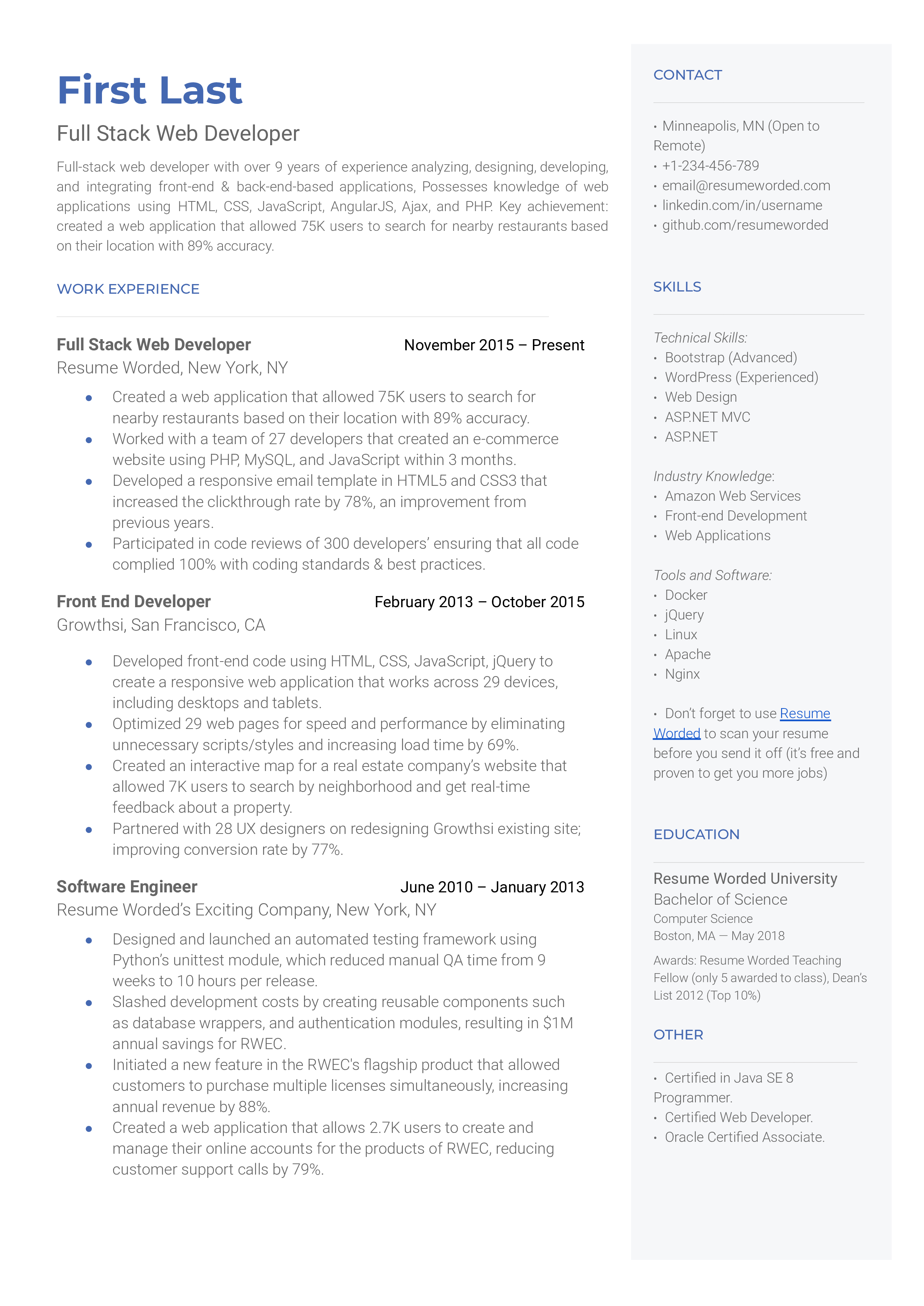
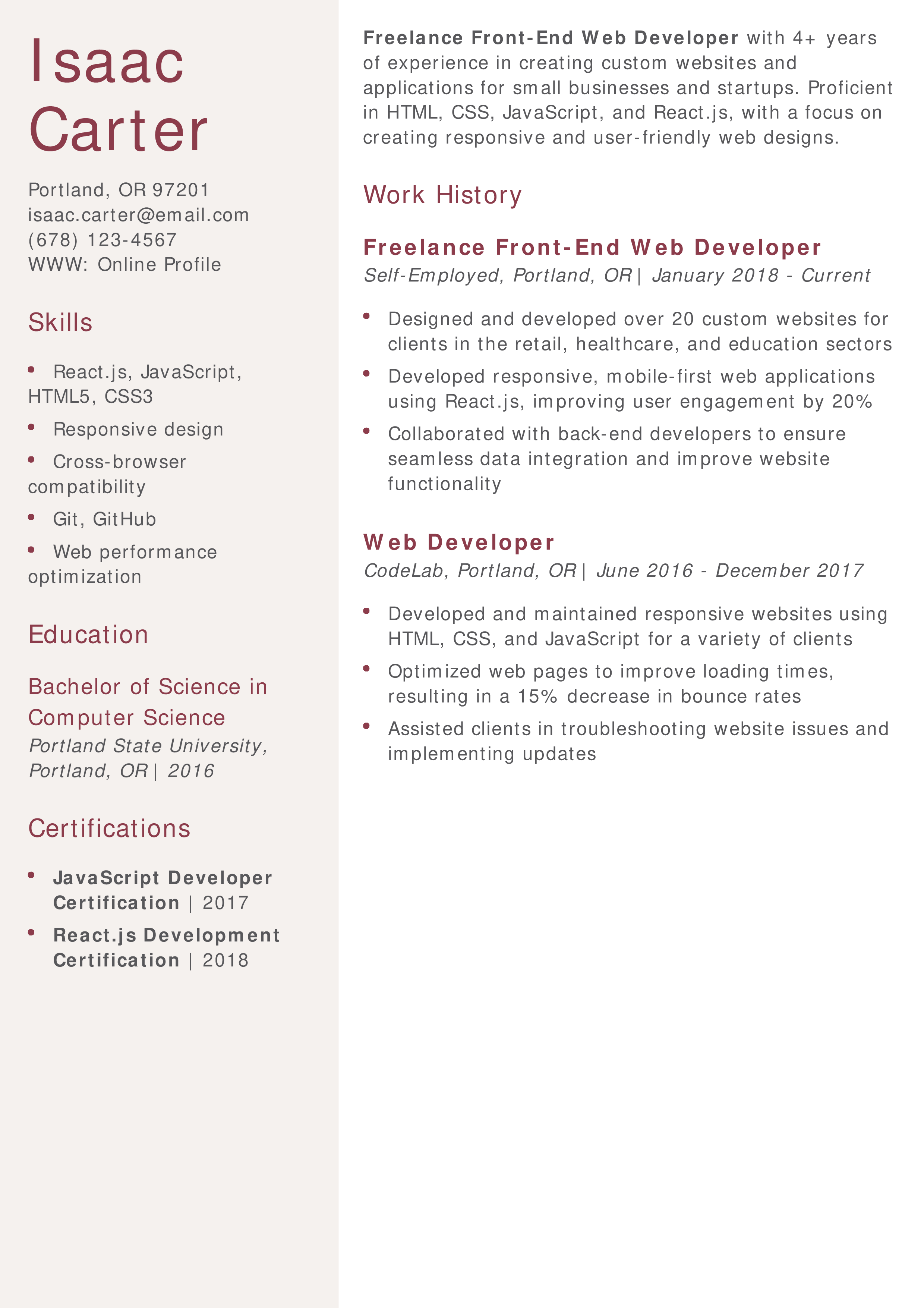
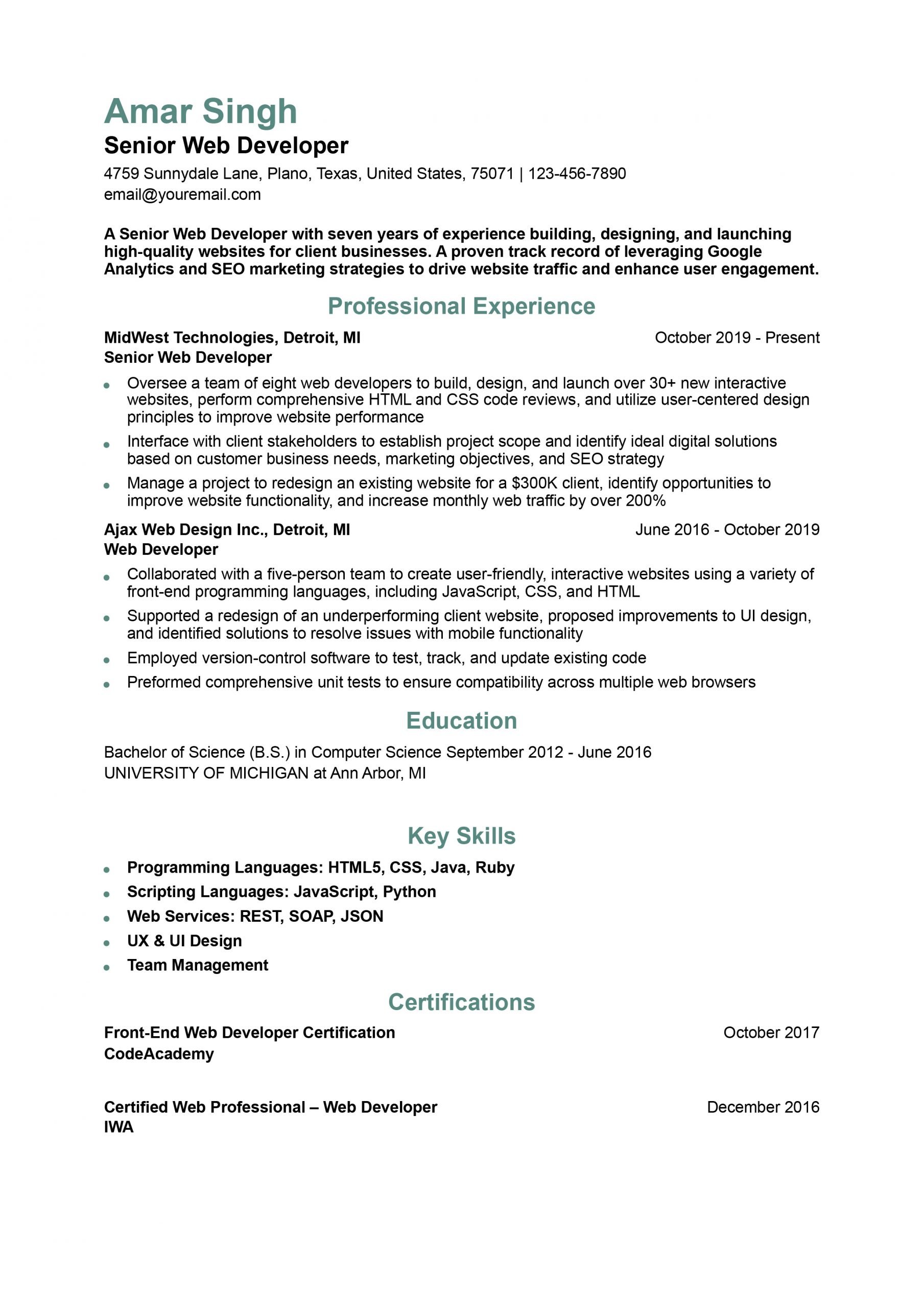
ALEXANDER CHEN Full-Stack Web Developer | React & Node.js Specialist Seattle, WA | (555) 019-2834 | alex.chen.dev@email.com Portfolio: alexchendev.com | GitHub: github.com/alexchen-dev | LinkedIn: linkedin.com/in/alexchen-dev
PROFESSIONAL SUMMARY Full-Stack Web Developer with over 5 years of experience building accessible, high-performance web applications using React, TypeScript, and Node.js. Specialized in web performance optimization, modern state management, and building RESTful/GraphQL APIs for scalable cloud environments. Proven track record of reducing bundle sizes, improving Core Web Vitals, and leading front-end architectural migrations for SaaS platforms handling 500k+ monthly active users.
TECHNICAL SKILLS
- Languages: JavaScript (ES6+), TypeScript, HTML5, CSS3, SQL
- Frontend: React, Next.js, Redux Toolkit, Tailwind CSS, HTML Accessibility (ARIA), Jest, Playwright
- Backend: Node.js, Express, GraphQL, REST APIs, PostgreSQL, Redis, Prisma ORM
- DevOps & Tools: Git, Docker, GitHub Actions, AWS (S3, CloudFront), Vite, Postman
PROFESSIONAL EXPERIENCE
Senior Web Developer | CloudScale Solutions | Remote January 2024 – Present
- Re-architected a legacy client enterprise dashboard using Next.js, React, and TypeScript, improving Google Lighthouse performance scores from 58 to 94.
- Engineered a server-side caching strategy utilizing Redis and GraphQL, reducing average API response times by 40% across 15 core microservices.
- Mentored 4 junior frontend developers on accessibility standards (WCAG 2.1 AA compliant) and comprehensive unit testing with Jest, increasing team code coverage from 62% to 88%.
- Integrated automated CI/CD pipelines via GitHub Actions to run linting, end-to-end Cypress tests, and automated AWS S3 deployments upon pull request merge.
Web Developer | Apex Digital Studio | Seattle, WA June 2021 – December 2023
- Built custom, responsive e-commerce web applications for 12 client projects using React, Node.js, and Stripe API integration, generating over $2M in client revenue.
- Optimized image delivery assets and implemented dynamic route-based code splitting, reducing initial JavaScript bundle payload size by 45%.
- Authored reusable UI component libraries using Tailwind CSS and Storybook, shortening developer execution time on new feature requests by 25%.
- Collaborated with UI/UX designers to translate Figma mockups into fully accessible, cross-browser compatible single-page applications (SPAs).
KEY PROJECTS
DevMetrics Analytics Platform | Next.js, TypeScript, PostgreSQL, Tailwind CSS Live Demo: devmetrics-demo.com | Repository: github.com/alexchen-dev/devmetrics
- Developed an open-source Web Vitals tracking dashboard that aggregates real-user performance data via custom browser extension payloads.
- Implemented real-time chart rendering with Chart.js and WebSockets, supporting data rendering speeds under 100ms for concurrent browser sessions.
TaskFlow Collaboration Tool | React, Express, MongoDB, Socket.io Live Demo: taskflow-app.com | Repository: github.com/alexchen-dev/taskflow
- Built a multi-user, real-time kanban board application featuring optimistic UI updates and persistent offline fallback state handling via IndexedDB.
EDUCATION & CERTIFICATIONS
Bachelor of Science in Computer Science University of Washington, Seattle, WA | Graduated May 2021
AWS Certified Developer – Associate Amazon Web Services | Issued September 2024
Technical Skills Matrix by Developer Role
Depending on whether your background focuses on user interfaces, server infrastructure, or end-to-end system design, prioritize technologies relevant to your specific specialization:
| Feature / Metric | Frontend Web Developer | Backend Web Developer | Full-Stack Web Developer |
|---|---|---|---|
| Primary Languages | JavaScript, TypeScript, HTML, CSS/SASS | Node.js, Python, Go, Java, SQL | JavaScript, TypeScript, SQL, Python |
| Core Frameworks | React, Next.js, Vue.js, Angular | Express, NestJS, Django, Spring Boot | Next.js, React, Express, Node.js |
| Database Expertise | Client Storage (IndexedDB, LocalStorage) | PostgreSQL, MongoDB, Redis, MySQL | PostgreSQL, Redis, MongoDB |
| Key Performance Metric | Core Web Vitals (LCP, CLS, INP), Bundle Size | API Latency, Throughput (RPS), Uptime % | Time-to-Market, End-to-End System Performance |
| Testing Tools | Jest, React Testing Library, Playwright | Mocha, Chai, Supertest, PyTest | Jest, Cypress, Postman |
| Architecture Focus | Component Architecture, State Management | Microservices, Database Schema Design, Caching | API Design, Serverless Architecture, Full Lifecycle |
Writing Impactful Bullet Points: The Action-Metric Framework
Bullet points should clearly demonstrate your contributions rather than listing generic job duties. A common pitfall is describing what was assigned instead of how it was implemented and what outcome it produced.
Use the structure: Action Verb + Technical Implementation + Measurable Result.
- Action Verb: "Refactored data pipeline"
- Technical Implementation: "using Node.js streams and Redis"
- Measurable Outcome: "reducing memory usage by 60%"
Weak vs. Strong Bullet Point Examples
- ❌ Weak: Responsible for updating company websites and fixing bugs in JavaScript code.
- ✔ Strong: Debugged and refactored critical payment processing modules in vanilla JavaScript, reducing checkout error rates by 18% over three months.
- ❌ Weak: Built backend APIs for front-end consumption using Express.
- ✔ Strong: Designed and deployed 14 RESTful API endpoints using Express and Node.js, implementing JWT authentication and rate limiting to secure data transmission for over 50k users.
- ❌ Weak: Worked on front-end styling and made pages responsive.
- ✔ Strong: Standardized mobile-first CSS styling across 30+ views using Tailwind CSS, reducing CSS file size by 35KB and achieving full WCAG 2.1 AA accessibility compliance.
Optimizing Your Web Developer CV for ATS
Applicant Tracking Systems serve as automated gatekeepers for many web development positions. These tools parse document text, break it down into searchable fields, and match the content against the job description.
- Plain PDF/DOCX (Simple Formatting)
- ATS Text Parser (Standard Headings)
- Keyword & Skill Matching Engine
- Candidate Scored & Ranked High
- Engineering Lead Human Review
- Interview Request Scheduling Step
To ensure your CV parses cleanly:
- Use Plain File Formats: Upload standard
.pdffiles exported directly from a word processor, or plain.docxfiles. Avoid sending image files (.png,.jpg) or design files created in graphic editing platforms, as ATS parsers cannot extract structured text from flattened image layers. - Use Standard Section Titles: Stick to standard titles such as Work Experience, Technical Skills, Projects, and Education. Non-standard headings like Where I've Been or My Code Journey confuse parsing algorithms.
- Align Technical Keywords: Match your CV's technical terms to the exact casing and phrasing used in the job description. If the posting specifies
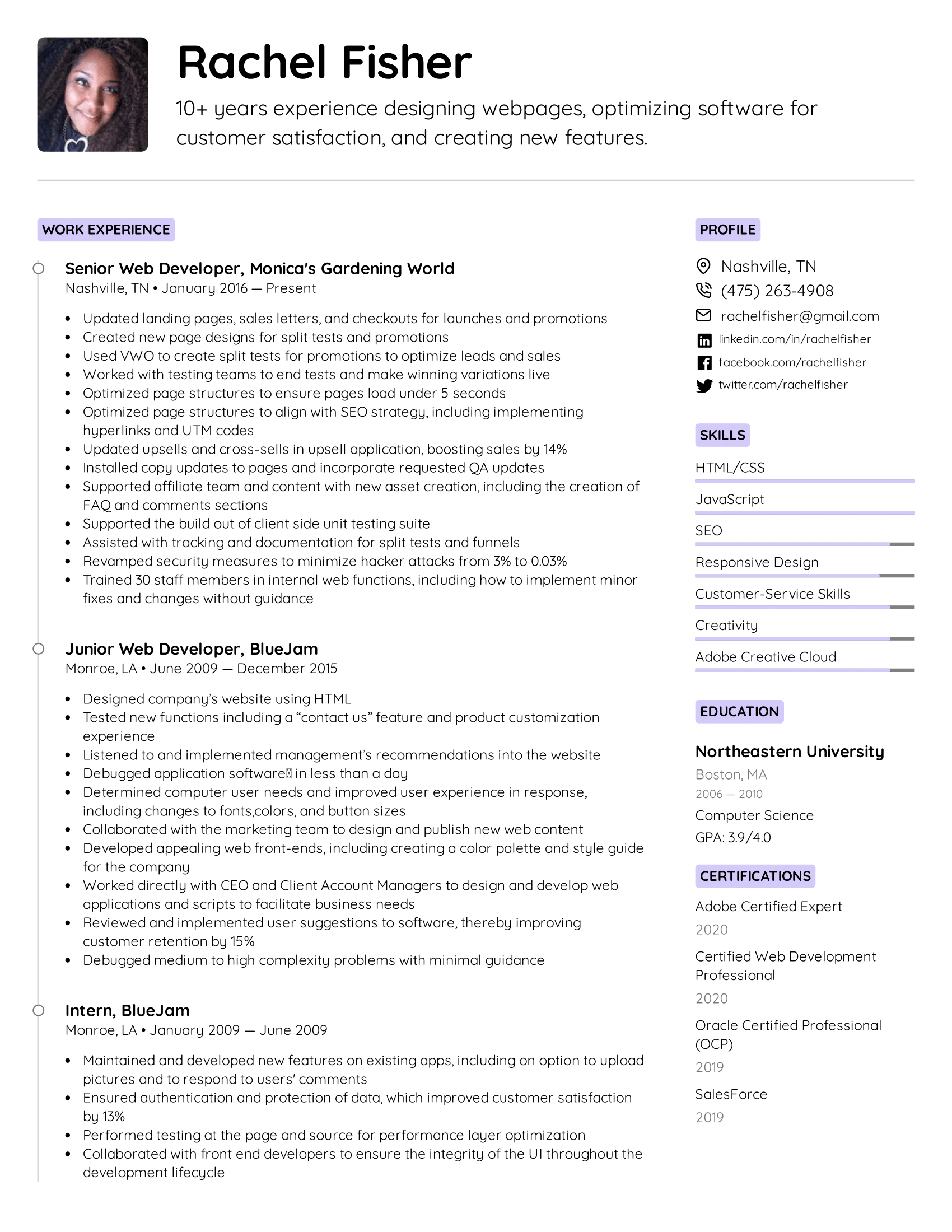
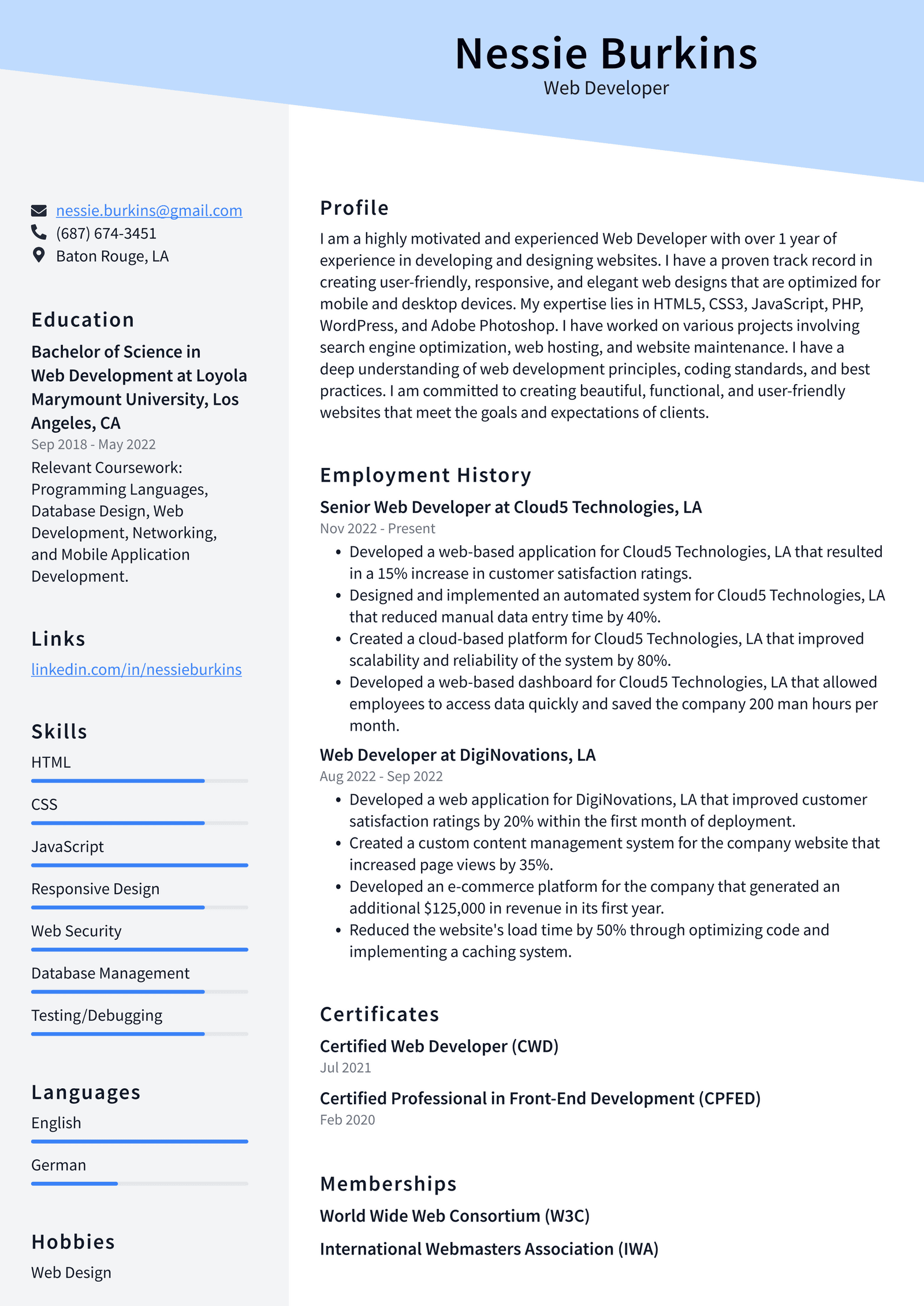
TypeScript, writeTypeScriptrather than simplyTSorJavaScript. - Avoid Parsing Obstacles: Do not use headers, footers, text boxes, multi-column tables, or visual skill rating graphics (such as 4 out of 5 stars). Parsers often skip header text, mix up column reading orders, or drop rating graphics entirely.
Common Mistakes to Avoid
Even technically sound candidates can be sidelined by simple errors on their CVs. Avoid these common mistakes:
1. Visual Skill Meters
Never use progress bars, star ratings, or percentage meters to showcase your technical skills (e.g., "Python: 80%"). These metrics lack standard definitions—an "80% in React" conveys no concrete information to an engineering manager. List your technologies clearly under grouped skill headings instead.
2. Broken or Unprofessional Portfolio Links
Broken links create an immediate negative impression. Test every link in your CV before submitting your application. Ensure your GitHub links point directly to public repositories containing structured, clean code with detailed README.md documentation.
3. Listing Ancient or Outdated Technologies as Primary Skills
If you worked with deprecated libraries or legacy technologies years ago, keep them off your primary skills list unless the job posting explicitly asks for them. Prioritize modern standards like ES6+, modern state management, and active web frameworks.
4. Excessive Page Length
Keep your CV focused:
- 1 Page: Entry-level developers, bootcamp graduates, or developers with less than 5 years of experience.
- 2 Pages: Senior developers, lead engineers, or developers with 6+ years of specialized industry experience.
Web Developer CV FAQs
How long should my web developer CV be?
For developers with under five years of experience, a single-page CV is best. Keep your content targeted by including only relevant technical experience and active projects. Senior engineers with extensive experience across multiple roles can extend their CV to two pages, provided every line details meaningful achievements.
Should I include non-developer work experience on my CV?
Include non-developer experience if it highlights transferable skills—such as project management, client communications, technical writing, or team collaboration—or prevents unexplained gaps in your work history. Keep non-technical descriptions brief, emphasizing soft skills and business outcomes.
How should I list self-taught or bootcamp experience on my CV?
List your bootcamp or self-taught background under the Education & Training section. Highlight intensive coursework, core projects, and relevant certifications. Emphasize completed web projects with clean code and live links to demonstrate your practical technical skills.
Is PDF or DOCX format better for web developer applications?
A cleanly exported PDF file is usually best because it preserves your document's layout, fonts, and spacing across different operating systems. However, if an application specifically requests a Word document (.docx), provide that format to ensure their specific parser handles the file correctly.
How do I list open-source contributions on my CV?
If you contribute regularly to open-source software, create a dedicated Open Source Contributions section, or include these highlights in your Projects section. Outline the project name, the pull requests merged, the bugs fixed, or the features implemented, and link directly to your merged pull requests.
Practical Action Plan
Follow these steps to finalize your web developer CV:
- Draft Your Content in Plain Text: Focus on clear phrasing, precise technical terms, and measurable metrics without worrying about design formatting first.
- Organize Core Technical Skills: Group your skills clearly into categories: Languages, Frontend, Backend, Databases, and DevOps/Tools.
- Apply the Action-Metric Bullet Formula: Ensure every professional experience bullet point opens with a strong action verb, names the technology used, and highlights a clear outcome.
- Verify Your Links: Confirm that your GitHub profile, deployed portfolio, and live application demos are public, functional, and fully responsive across both desktop and mobile views.
- Export and Test Your File: Save your document as an ATS-compliant PDF. Copy and paste the text from your final file into a basic text editor to verify that all content parses cleanly without scrambling the reading order.
Image Gallery