Email to RSS: How to Turn Newsletters and Inbound Mail into RSS Feed Streams
Converting email into RSS feed streams transforms inbox-bound newsletters, updates, and automated alerts into standard syndication feeds. By assigning a custom email address to a parsing service or RSS reader, incoming mail is automati...
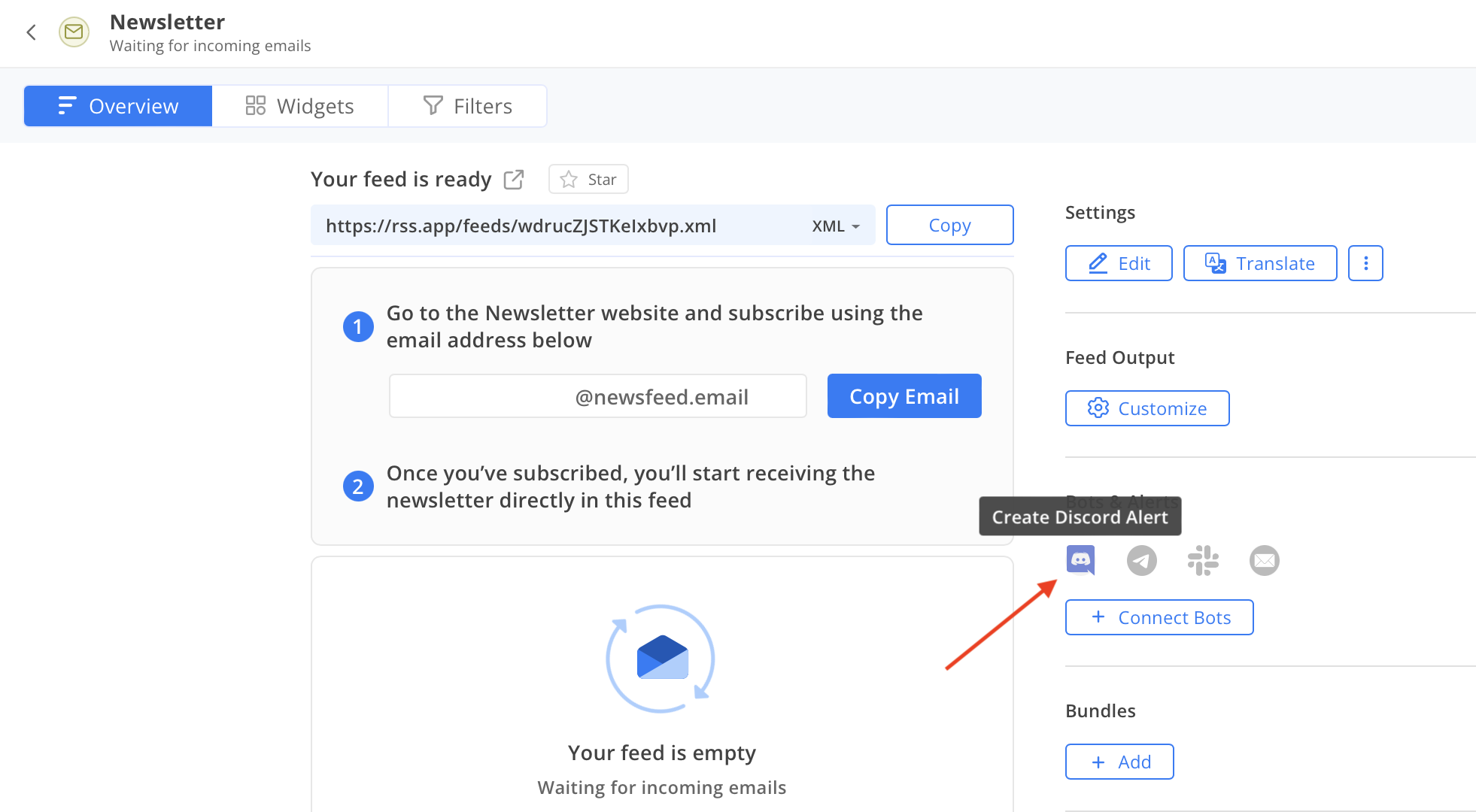
Converting email into RSS feed streams transforms inbox-bound newsletters, updates, and automated alerts into standard syndication feeds. By assigning a custom email address to a parsing service or RSS reader, incoming mail is automatically converted into XML or JSON feed items. This allows you to consume inbox content alongside traditional web feeds without inbox clutter.
Contents
Understanding Email-to-RSS Conversion: Core Mechanics
The bridge between email protocols and web syndication feeds relies on automated translation between two distinct internet standards: Simple Mail Transfer Protocol (SMTP) and syndication formats such as RSS 2.0, Atom, or JSON Feed.
- Incoming Email (SMTP)
- Conversion Engine / Ingestion Service
- Extracts headers, body HTML/text, & attachments
- Strips tracking pixels & malicious scripts
- Formats payload into standard XML/JSON schema
- RSS / Atom Feed Stream
- Your Feed Reader
When an email is sent to a dedicated conversion address, an inbound mail server receives the SMTP payload. Instead of storing the message in a traditional mail database (like IMAP or POP3), a daemon or script intercepts the incoming message. The parser extracts key email components:
- Header Data: The email subject line becomes the feed item title, the sender's address or display name maps to the author field, and the timestamp becomes the publication date (
in RSS 2.0 orin Atom). - Body Payload: The conversion engine extracts both the plain text (
text/plain) and HTML (text/html) versions of the email body. The engine sanitizes raw HTML to prevent cross-site scripting (XSS), strips tracking scripts, and converts relative image links into absolute URLs. - Attachments & Media: Inline images and external assets are re-linked or proxied so they display correctly inside feed readers.
Once parsed, the system appends the structured data as a new entry in an XML document or a items object in a JSON Feed. Your RSS reader polls this generated feed URL at regular intervals, retrieving new email messages just like any standard website update.
Core Benefits of Moving Email to Feed Streams
Shifting content from an email inbox to an RSS reader resolves fundamental friction points in digital information management.
- Traditional Inbox
- Mixed personal & promotional mail
- Embedded tracking pixels
- Manual folder sorting
- Unsubscribe clutter & spam risks
- Email-to-RSS Stream
- Dedicated, focused reading view
- Stripped tracking scripts & pixels
- Unified sorting by feed / topic
- Simple feed removal (no reply spam)
Inbox Zero and Reduced Context Switching
Email inboxes are designed for asynchronous, bi-directional communication. When newsletters, industry digests, software updates, and marketing emails mix with urgent personal or professional messages, context switching creates cognitive fatigue. Moving passive reading material into an RSS stream reserves the inbox exclusively for actionable correspondence.
Enhanced Privacy and Tracker Elimination
Modern email newsletters often contain web beacons, open-tracking pixels, and personalized link wrappers designed to monitor reading behavior, IP addresses, and device signatures. Many Email-to-RSS conversion engines automatically strip tracking pixels, rewrite link shorteners, and scrub tracking parameters (such as utm_* tags or custom user identifiers) before generating the feed item, protecting reader privacy.
Centralized Content Consumption
Consolidating newsletters, blogs, news outlets, YouTube channels, and podcasts into a single RSS client streamlines information intake. Readers can apply uniform keyboard shortcuts, custom typography, dark mode preferences, and offline caching across all content sources without dealing with inconsistent email layouts.
Frictionless Subscription Management
Subscribing to newsletters via an Email-to-RSS alias insulates your primary email address from potential data breaches, third-party spam lists, and difficult unsubscribe processes. If a newsletter becomes low quality or spammy, you simply delete the RSS feed or regenerate the email alias, immediately severing the content stream without needing to interact with unsubscription links.
Primary Methods to Convert Email into Feed Streams
Depending on technical preference, privacy requirements, and existing toolsets, several architecture options exist for converting email into feed streams.
Method 1: Built-In RSS Reader Email Ingestion
Many modern RSS readers provide native inbound email capabilities. Premium tiers of feed aggregators automatically assign users a private, unique email address (e.g., user-xyz@inoreader.com or alias@feedbin.me).
- How it Works: You subscribe to newsletters directly using the provided email alias. Incoming mail automatically creates a feed entry within a designated "Newsletters" or "Email Inbox" folder inside the reader.
- Supported Platforms: Platforms such as Feedly (Pro+), Inoreader, Feedbin, NewsBlur, and Readwise Reader natively support this feature.
- Pros: Seamless integration, zero configuration required beyond subscribing, native search and filtering.
- Cons: Often requires a paid subscription to the RSS service provider.
Method 2: Dedicated Email-to-RSS Bridge Services
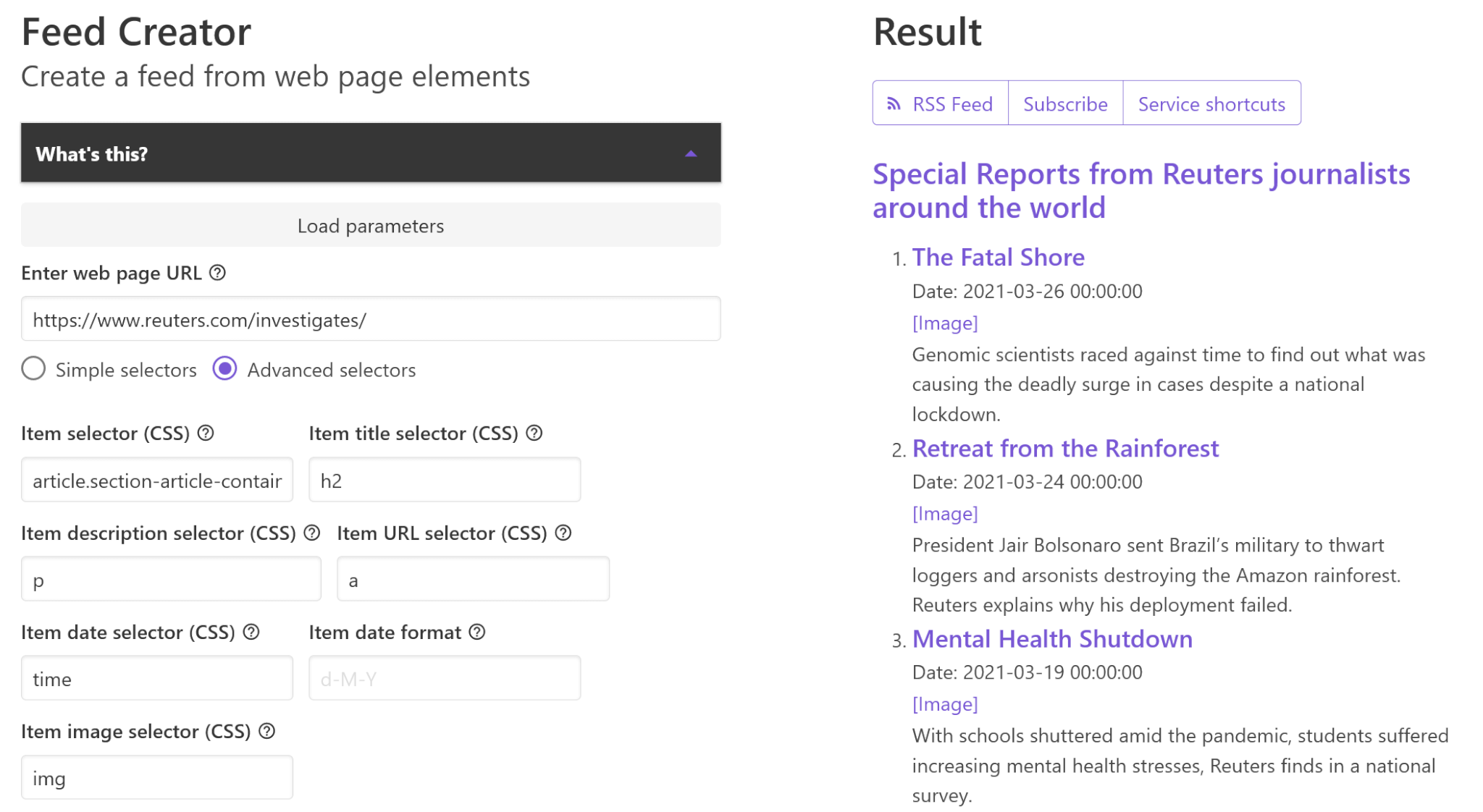
For users of open-source or free local feed readers (such as NetNewsWire, FreshRSS, or Thunderbird), third-party bridging services act as middleware.
- How it Works: Web-based services generate a unique public or semi-private email address paired with a corresponding RSS/Atom feed URL. Incoming emails to that address update the generated URL.
- Key Examples:
- Kill the Newsletter!: A popular free, open-source service that provides an instant email address and Atom feed URL pair without requiring user registration or account creation.
- FeedMail: A dedicated service designed to turn email subscriptions into privacy-focused RSS streams with customizable delivery frequencies.
- ForwardEmail: Offers email-to-webhook and email-to-RSS capabilities integrated with custom domain management.
- Pros: Works with any feed reader, independent of reader subscription tiers, often free or low-cost.
- Cons: Relies on third-party uptime; public feed URLs must be kept private if sensitive data is received.
Method 3: Automated Workflow Engines (Zapier, Make, n8n)
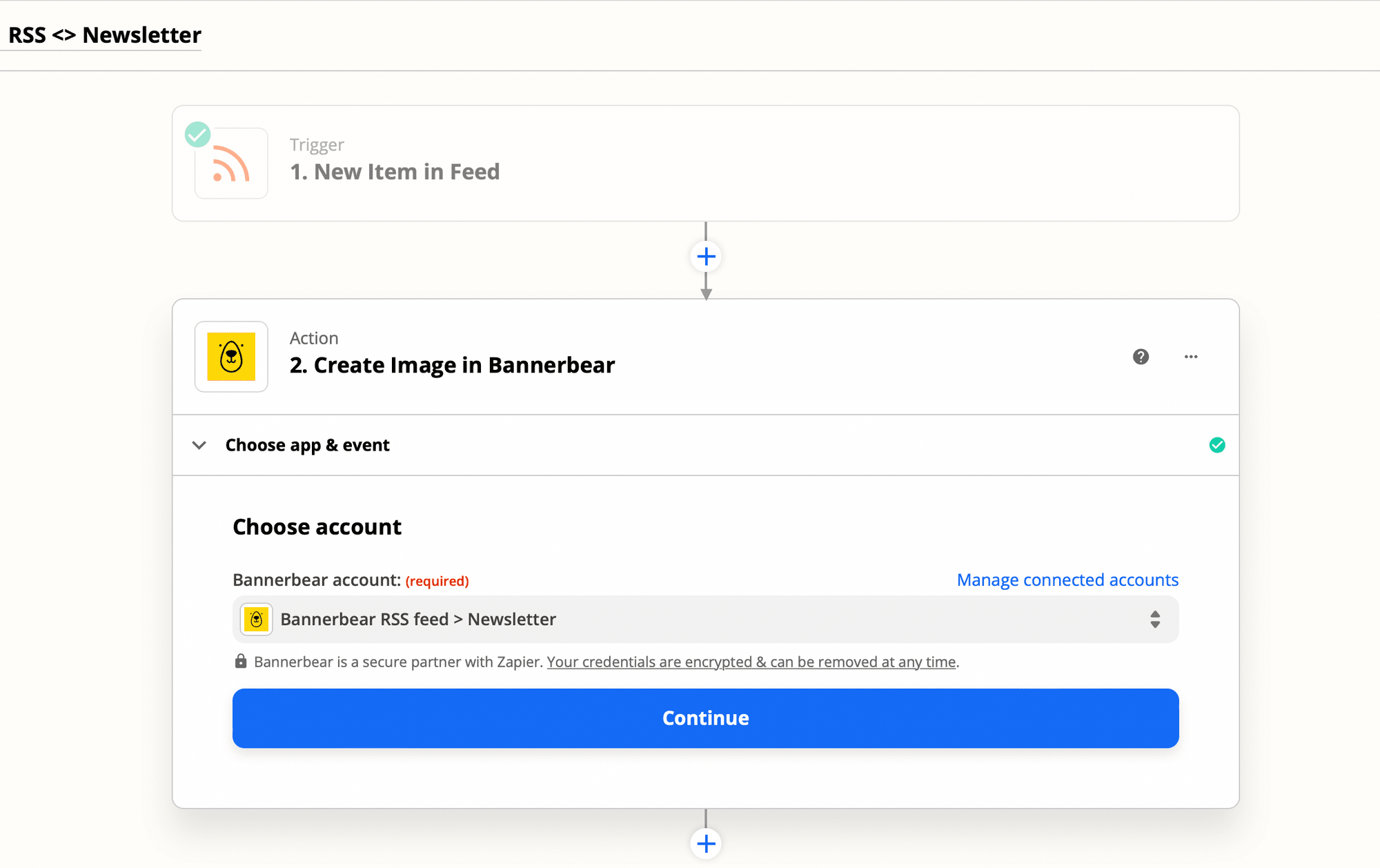
Power users requiring custom filtering, keyword rules, or multi-destination routing can build email-to-feed pipelines using automation platforms.
- How it Works: An automated workflow monitors an IMAP inbox or accepts incoming webhook emails (via Mailgun, SendGrid, or native platform email parsers). The platform parses the message body and appends it to a custom RSS feed hosted via built-in RSS integrations or cloud storage (e.g., AWS S3, Google Cloud Storage).
- Pros: Complete control over filtering logic, customizable XML output schemas, conditional routing, and aggregation rules.
- Cons: Requires technical setup, ongoing maintenance, and potential subscription fees for high-volume automation tasks.
Method 4: Self-Hosted and Open-Source Converters
For privacy-conscious individuals and enterprise teams, self-hosted applications process incoming mail on private infrastructure.
- How it Works: Solutions like RSS-Bridge (which includes email bridge capabilities), Huginn, or self-hosted instances of Kill the Newsletter! run on private servers. Mail is forwarded via local Postfix/Dovecot instances or webhooks directly into the parsing service.
- Pros: Complete data privacy, zero third-party logging, unlimited throughput, customizable retention policies.
- Cons: Requires server maintenance, domain management, SPF/DKIM configuration, and self-hosting expertise.
Technical Comparison of Email-to-RSS Solutions
| Solution Type | Setup Complexity | Privacy Level | Data Control | Cost Structure | Best Use Case |
|---|---|---|---|---|---|
| Native Reader Ingestion | Very Low | High | Medium (Platform Hosted) | Integrated with Paid Reader ($5–$15/mo) | Users wanting an all-in-one reader experience without managing extra tools. |
| Public Bridge Services | Low | Medium | Low (Public/Tokenized URLs) | Free / Donation / Low Tier | Quick, anonymous subscription to public newsletters and blogs. |
| Automation Platforms | Medium to High | High | High (Custom Managed) | Free Tiers to Paid Usage ($10–$50+/mo) | Advanced users needing conditional filters, multi-source merging, or webhooks. |
| Self-Hosted Infrastructure | High | Maximum | Complete | VPS Cost ($3–$10/mo) | Privacy purists, developers, and corporate environments handling internal alerts. |
Step-by-Step Implementation Guide
Follow these steps to establish an email-to-RSS feed stream using an email bridge approach.
- Step 1: Obtain Alias & Feed URL
- Step 2: Subscribe to Newsletter
- Step 3: Handle Verification
- Step 4: Add Feed to Reader
Step 1: Generate Your Ingestion Alias
Select an Email-to-RSS bridge service or access your feed reader's settings page. Generate a unique email alias.
- Example (Kill the Newsletter!): Navigate to the service page, enter a descriptive feed name (e.g., "Tech-Newsletters"), and click generate. The service will output an email address (such as
tech-newsletters-12345@kill-the-newsletter.com) and a corresponding XML feed URL. - Example (Feedbin/Inoreader): Copy your account's private inbound email alias from the account settings menu.
Step 2: Subscribe or Configure Forwarding
You can supply your generated email alias directly to newsletter subscription forms, or set up automated forwarding rules within your primary email client (such as Gmail, Microsoft Outlook, or Apple Mail).
To set up automatic forwarding in Gmail:
- Open Settings > See all settings > Forwarding and POP/IMAP.
- Click Add a forwarding address and enter your generated Email-to-RSS alias.
- Create a Filter specifying conditions (e.g.,
from:newsletter@example.comorsubject:"Daily Digest"). - Select the action Forward it to: and choose your generated alias. Optionally, select Skip the Inbox (Archive it) to keep your primary inbox clean.
Step 3: Complete Double Opt-In Confirmations
Most legitimate email newsletters utilize double opt-in verification. When you sign up using an Email-to-RSS alias, the confirmation email will be converted into the first entry of your newly generated RSS feed.
- Copy your generated XML feed URL.
- Add the URL to your preferred RSS reader.
- Refresh the feed inside your reader to locate the incoming confirmation email.
- Click the verification link directly inside the RSS item body to confirm the subscription.
Step 4: Organize and Categorize the Stream
Once active, organize your inbound email feeds using folders or tags within your reader (e.g., Newsletters, Tech Digests, Vendor Alerts). Apply reader-side rules or auto-archiving policies to keep reading lists organized.
Security, Privacy, and Technical Considerations
While converting emails to RSS streams provides clear productivity gains, several technical constraints and security factors must be managed.
Access Control and Feed Confidentiality
Standard RSS and Atom feeds distributed over HTTPS are generally unencrypted plain-text documents accessible to anyone who possesses the specific feed URL. If your conversion service generates a public XML link (e.g., https://service.com/feeds/abc123xyz.xml), anyone who acquires that link can read the incoming messages.
- Security Rule: Never send sensitive personal correspondence, financial statements, security tokens, or password reset emails to public Email-to-RSS services.
- Best Practice: Use services that support HTTP Basic Authentication, tokenized secret strings, or self-host your conversion bridge behind authenticated access controls for sensitive alerts.
Sender Authentication (SPF, DKIM, and DMARC)
Modern email infrastructure relies heavily on validation protocols like Sender Policy Framework (SPF), DomainKeys Identified Mail (DKIM), and Domain-based Message Authentication, Reporting, and Conformance (DMARC) to block spoofed messages.
When setting up custom automated forwarding rules from a personal inbox to an RSS service, ensure your mail server preserves original headers or rewrites sender headers safely (such as using Sender Rewriting Scheme - SRS). If your forwarder alters body contents or breaks DKIM signatures without proper SRS mapping, receiving ingestion daemons may flag incoming emails as spam or drop them entirely.
HTML Parsing, CSS Rendering, and Embedded Assets
Email formatting can vary widely. Newsletters frequently rely on complex inline CSS, table-based layouts, custom web fonts, and dynamic images.
- Render Inconsistencies: RSS readers enforce their own stylesheet rules. As a result, emails converted into feed items may lose complex visual styling, appearing as simplified structured text. In most cases, this improves readability, but newsletters relying heavily on precise layout design may experience display glitches.
- Media Proxies: Ensure your conversion service properly rewrites image sources. Some email designs rely on relative asset paths or authenticated URLs that fail when rendered inside external feed readers.
Frequently Asked Questions
How do I confirm newsletter subscriptions sent to an Email-to-RSS address?
When you sign up for a newsletter using a generated RSS email alias, the confirmation email arrives directly inside the newly generated feed. Add the feed URL to your RSS reader, wait for the verification email to appear as a feed item, open the item, and click the confirmation link inside the content view.
Do Email-to-RSS conversion services strip tracking pixels?
Many dedicated services and native RSS reader parsers automatically strip transparent 1x1 tracking pixels, dynamic scripts, and known analytics beacons during the HTML parsing phase. However, basic open-source scripts may pass raw HTML directly. Check your chosen service's privacy policy and feature documentation to verify whether tracking pixel stripping is supported.
Can I convert emails containing PDF or media attachments into RSS feeds?
Handling attachments depends on the specific conversion tool. Native RSS readers (like Feedbin or Readwise Reader) typically strip raw email attachments or convert them into downloadable web links within the feed entry. Advanced automation engines (such as Zapier or custom n8n workflows) can be configured to upload attachments to cloud storage and append direct download links to the metadata.
What happens if an Email-to-RSS service goes offline?
If a third-party bridging service goes offline, any newsletters sent to that service's email aliases will bounce or be dropped, and your RSS reader will fail to fetch updates. To minimize this risk, use established RSS reader ingestion capabilities (such as Feedly or Inoreader), maintain personal domain forwarding, or use open-source self-hosted converters where you control the infrastructure.
Is it possible to reply to emails from inside an RSS reader?
No. Standard RSS, Atom, and JSON feeds are strictly one-way read syndication formats and do not support outbound SMTP mail transmission. If an email requires a reply, you must open your primary email client and compose a response directly, or click an embedded mailto/contact link within the feed item text if provided by the author.
Strategic Recommendation and Next Actions
Converting inbound email into feed streams simplifies digital content consumption by isolating passive reading material from active communications.
- For Casual Readers: Start with a simple, account-free bridge tool like Kill the Newsletter! to test converting 2–3 non-essential marketing digests into Atom feeds.
- For Power Readers: Upgrade to an RSS aggregator with built-in email ingestion (such as Inoreader, Feedly, or Feedbin). This provides centralized search, automated tagging, and reliable uptime without managing external conversion links.
- For Technical Teams & Privacy Advocates: Deploy a self-hosted instance of RSS-Bridge or build a custom serverless function using inbound email webhooks. This ensures full ownership over data parsing, privacy filtering, and authentication protocols.
By separating actionable mail from background information, you establish an organized, low-distraction reading workflow tailored to your priorities.
Image Gallery