How the SOS Apple Feature Reshapes Emergency Calls
Apple’s SOS feature reshapes emergency calls by integrating satellite communication, automated sensor-based triggers like Crash Detection, and location sharing into a unified safety ecosystem. It bypasses cellular dead zones and reduce...
Apple’s SOS feature reshapes emergency calls by integrating satellite communication, automated sensor-based triggers like Crash Detection, and location sharing into a unified safety ecosystem. It bypasses cellular dead zones and reduces human intervention requirements, fundamentally shifting emergency response from a manual, signal-dependent process to an automated, ubiquitous safety net that functions even in the most remote environments.
Contents
The Evolution of Emergency SOS: From Manual Triggers to Intelligent Detection
For decades, the concept of an "emergency call" remained static: a user dialed a three-digit number, hoping for a stable cellular signal and the ability to speak. Apple’s SOS ecosystem, which has matured significantly by 2026, has dismantled these historical limitations. What began as a simple button shortcut on the iPhone has evolved into a multi-layered safety infrastructure that utilizes hardware sensors, machine learning, and orbital satellites.
The "reshaping" of this process occurs in two primary ways: accessibility and automation. Accessibility refers to the ability to contact help regardless of terrestrial infrastructure. Automation refers to the device's ability to "know" an emergency is happening before the user does—or even if the user is unconscious. By 2026, these features are standard across the iPhone 14 through iPhone 17 lineups and modern Apple Watches, creating a baseline expectation for personal safety technology.
The Shift to Proactive Response
Traditional emergency systems are reactive. They rely on a conscious victim or a witness to initiate contact. Apple’s Crash Detection and Fall Detection technologies have introduced a proactive model. Using high-G accelerometers and sophisticated gyroscopes, these devices can identify the specific physics of a high-impact car accident or a hard fall. If the user does not respond to an on-screen prompt within a set timeframe, the device automatically initiates the SOS sequence. This is particularly vital in solo accidents where the victim might be incapacitated.
Technical Foundations: How Apple SOS Functions in 2026
To understand how these features reshape the landscape, one must look at the technical stack. The SOS feature is not a single tool but a suite of technologies working in tandem.
Emergency SOS via Satellite
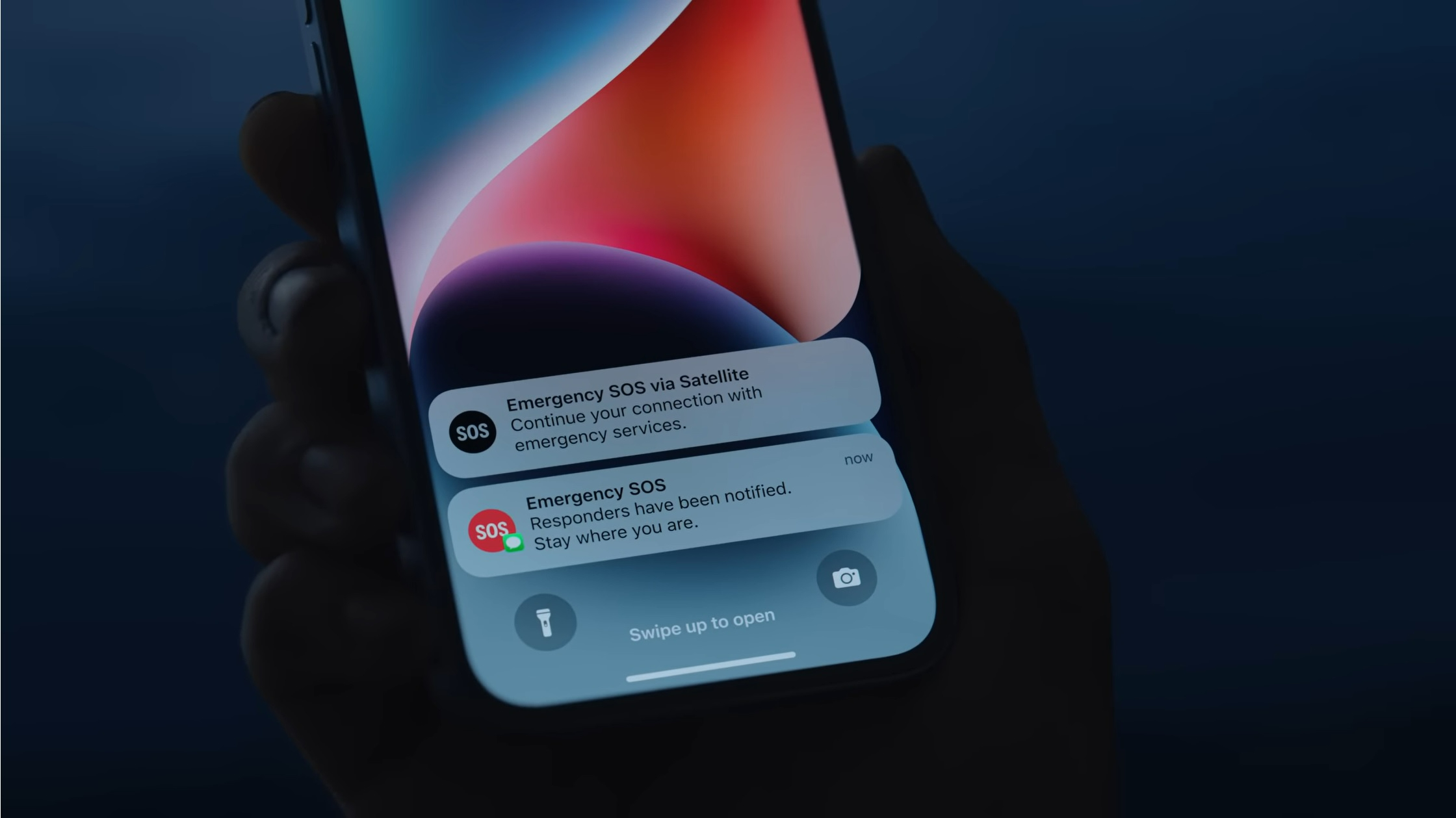
One of the most significant leaps in consumer technology is the integration of L-band satellite frequencies into standard smartphones. When a user attempts to call emergency services in an area with no cellular or Wi-Fi coverage, the iPhone 14 and later models offer the option to "Emergency Text via Satellite."
This process involves a specialized interface that guides the user to point their phone toward a passing satellite. Because satellite bandwidth is extremely narrow compared to 5G, Apple uses a proprietary compression algorithm to reduce the size of text messages. These messages include the user's Medical ID, location, altitude, and iPhone battery level. The data is sent to a satellite, which relays it to a ground station (Teleport). From there, if the local emergency center cannot receive text messages, the data is routed to an Apple-staffed relay center where trained specialists call the authorities on the user's behalf.
Sensor-Based Triggers
The hardware inside the iPhone and Apple Watch is calibrated to distinguish between a dropped phone and a vehicular collision.
- High-G Accelerometer: Capable of sensing extreme increases or decreases in momentum up to 256 Gs.
- Barometer: Detects changes in cabin pressure caused by airbag deployment.
- Microphone: Listens for the specific high-decibel sounds of a crash.
- Advanced Fusion Algorithms: Apple’s motion algorithms, trained on over a million hours of real-world driving and crash data, process these inputs simultaneously to confirm an emergency.
| Feature | Primary Trigger | Connectivity Required | Hardware Requirement |
|---|---|---|---|
| Standard SOS | Manual Button Press | Cellular or Wi-Fi | iPhone 8 or later |
| SOS via Satellite | Manual (No signal found) | Satellite Line-of-Sight | iPhone 14 or later |
| Crash Detection | Impact Sensors | Cellular/Wi-Fi/Satellite | iPhone 14 / Watch S8+ |
| Fall Detection | Impact/Motion Sensors | Cellular/Wi-Fi/Satellite | Watch Series 4 or later |
| Check In | Timer/Location Deviation | Cellular or Wi-Fi | iOS 17 or later |
Reshaping the "Golden Hour" in Emergency Medicine
In emergency medicine, the "Golden Hour" refers to the critical period immediately following a traumatic injury during which prompt medical treatment has the highest likelihood of preventing death. Apple’s SOS features are specifically designed to compress the time between the incident and the arrival of first responders.
Immediate Data Transfer
When an SOS call is placed, the device doesn't just send a voice signal. It can automatically share a "verified location" with the Public Safety Answering Point (PSAP). In the past, dispatchers often struggled to locate callers on highways or in large parks. By providing precise GPS coordinates and altitude data, Apple’s system removes the guesswork, allowing rescuers to navigate directly to the victim.
Medical ID Integration
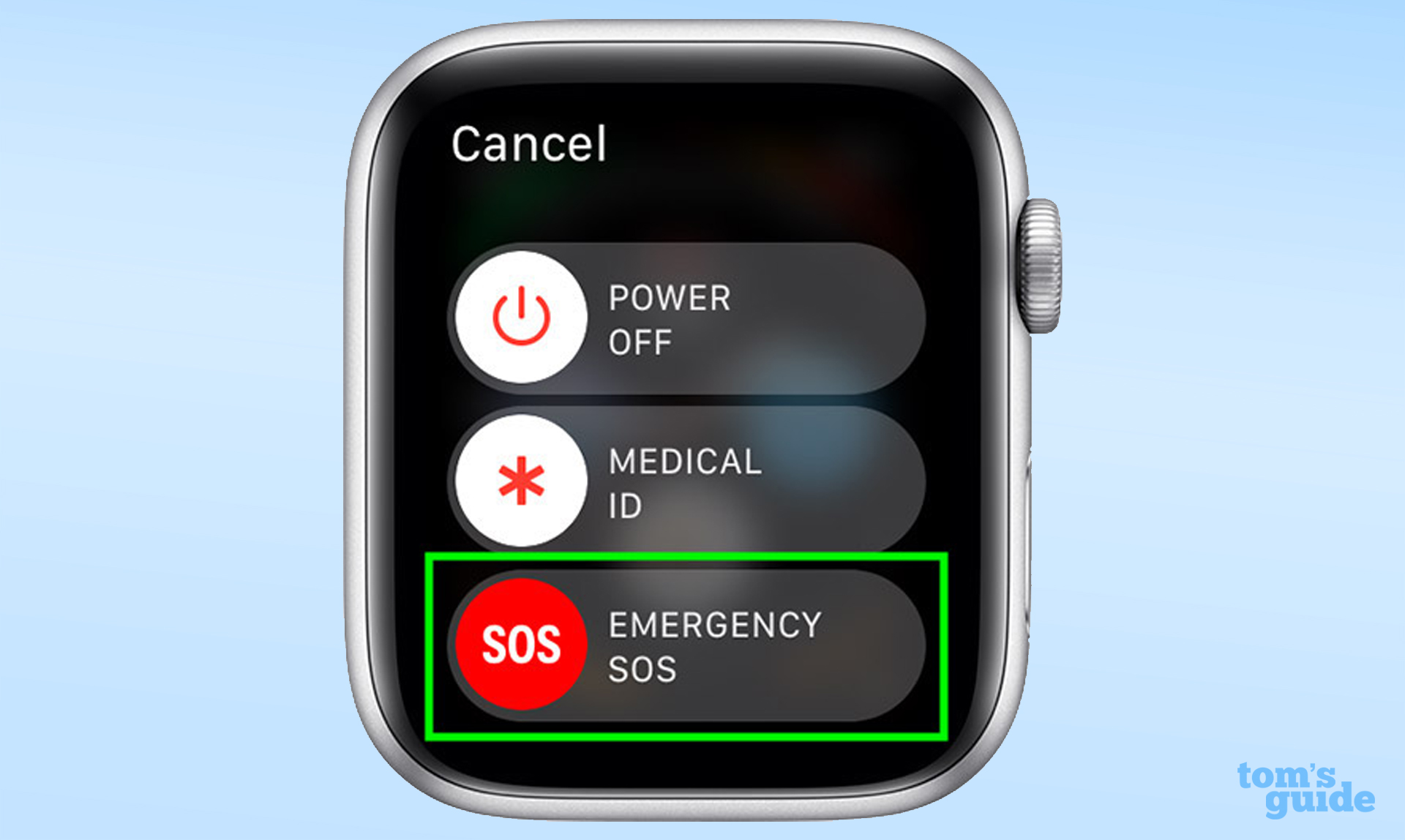
Reshapers of emergency calls also focus on what happens when help arrives. If a user has configured their Medical ID, emergency responders can access critical information—such as blood type, allergies, and existing medical conditions—directly from the iPhone’s Lock Screen or the Apple Watch. In 2026, this data can often be digitally transmitted to the dispatch center alongside the SOS signal, ensuring that paramedics are prepared for specific patient needs before they even reach the scene.
The Role of Satellite Relay Centers
A common misconception is that all emergency dispatch centers are equipped to handle satellite data. In reality, many local jurisdictions still rely on legacy analog systems. Apple bridges this gap through its dedicated relay centers.
When a satellite SOS is triggered, and the local 911 (or equivalent) center is not equipped to receive the specialized data packets, the signal is intercepted by Apple’s relay team. These specialists are trained to handle emergency communications. They act as the human link, verbally relaying the GPS coordinates and the nature of the emergency to the local dispatcher. This "human-in-the-loop" model ensures that the SOS feature is effective regardless of the technological state of the local government's emergency infrastructure.
Operational Limitations and Best Practices
While the SOS feature is revolutionary, it is not infallible. Users must understand its constraints to use it effectively.
- Line of Sight: Satellite SOS requires a relatively clear view of the sky. Heavy forest canopy, deep canyons, or being indoors can prevent the phone from connecting to a satellite.
- Latency: Unlike cellular calls, satellite messages can take 15 seconds to a minute to send, depending on the orbit of the satellites.
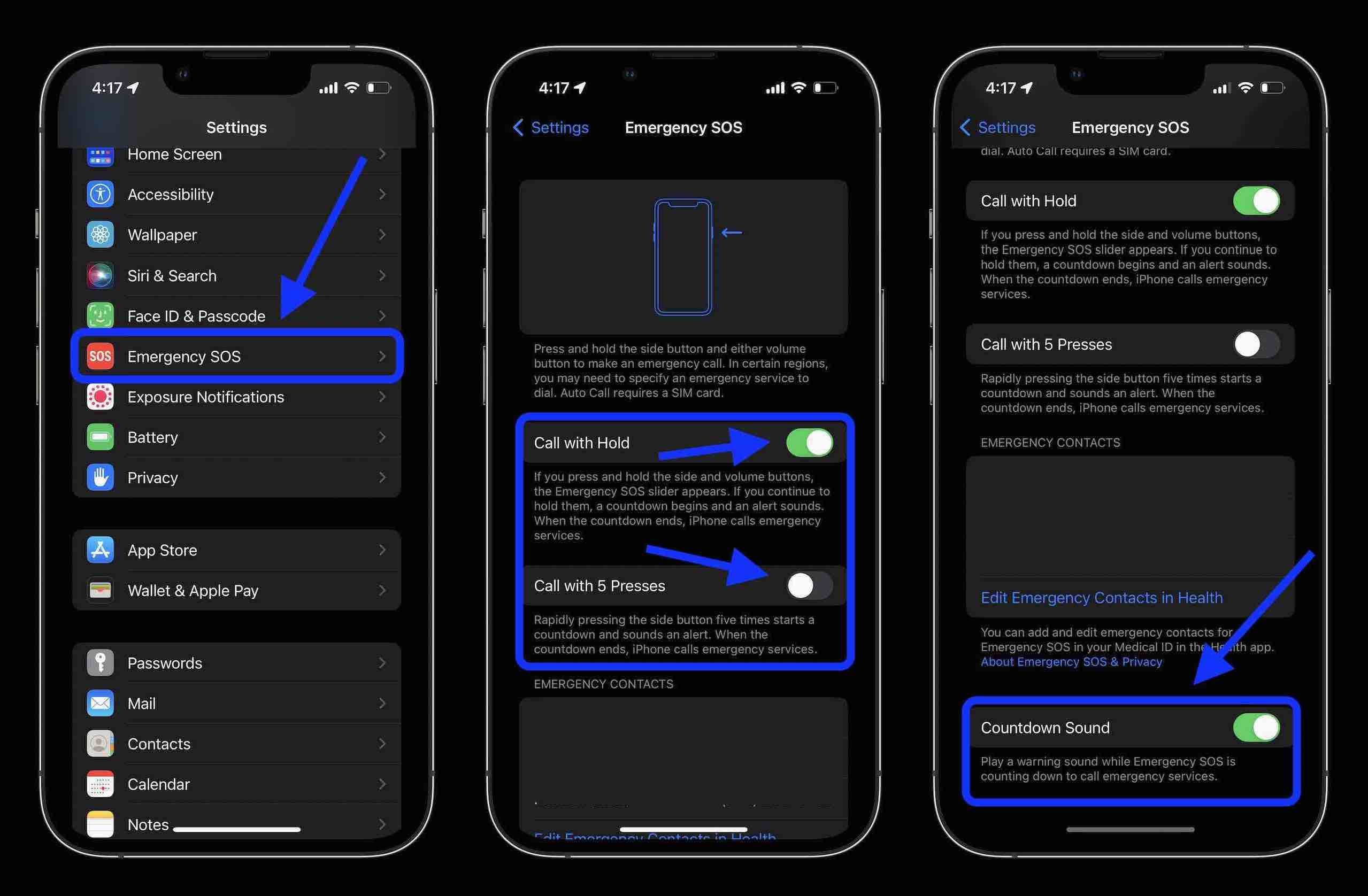
- Subscription Models: By 2026, the initial "free" periods for satellite services provided with new iPhone purchases may have transitioned into paid models or inclusion in premium service bundles like Apple One. Users should verify their current coverage status in the Settings app under "Emergency SOS."
- Battery Management: Using satellite features consumes significant battery power. In an emergency, the iPhone will automatically attempt to dim the screen and reduce background tasks to prioritize the emergency signal.
How to Configure Your Device for Maximum Safety
To ensure the SOS features reshape your safety experience effectively, certain settings must be optimized.
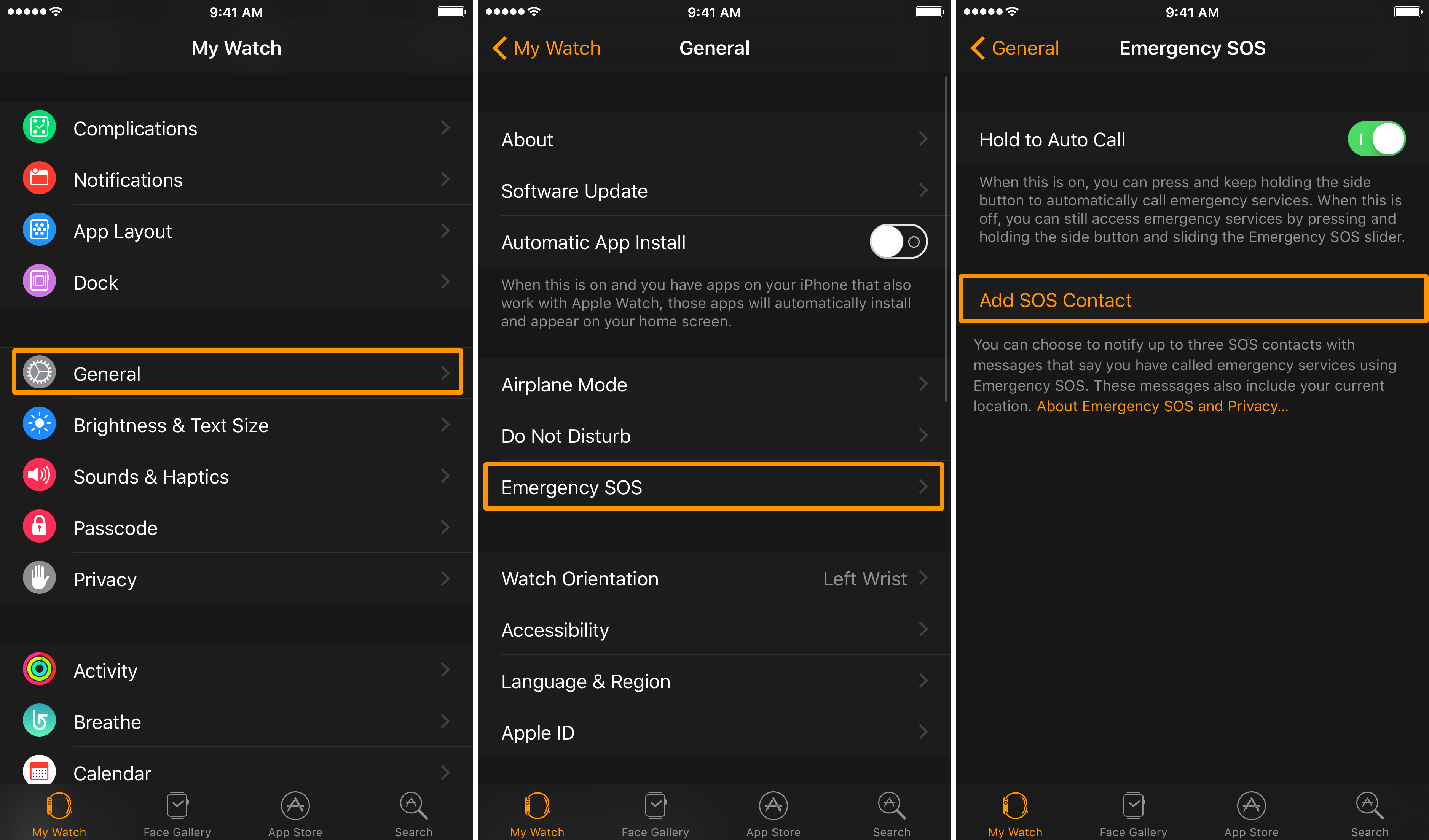
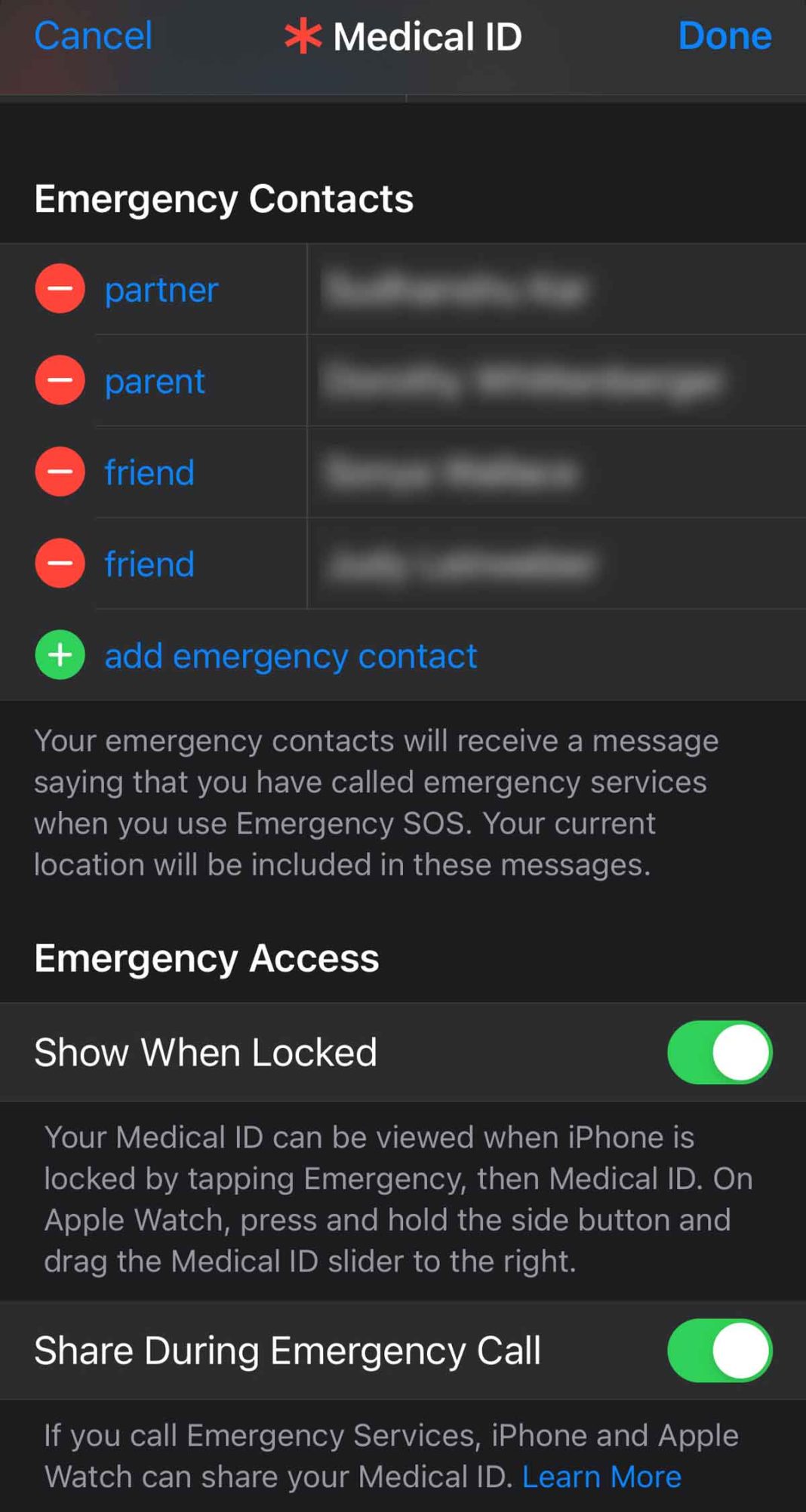
- Set Up Emergency Contacts: These individuals are automatically notified with your location after an SOS call ends. In iOS 16 and later, they also receive your satellite transcript if that medium was used.
- Enable "Call Quietly": If you are in a situation where you do not want an alarm to sound (such as a home intrusion), you can enable "Call Quietly" in settings. This prevents the countdown warning sound from alerting others.
- Practice with the Demo: Apple provides a "Satellite Connection Demo" in the Settings menu. This allows users to practice the process of connecting to a satellite without actually calling emergency services. It is highly recommended for hikers and those traveling to remote areas.
- Update Medical ID: Ensure your allergies and medications are current. This is the single most important piece of data for an unconscious patient.
Impact on Search and Rescue (SAR) Operations
The reshaping of emergency calls extends to the organizations that perform rescues. Search and Rescue teams have reported a significant shift in their operational efficiency due to Apple’s satellite features. Historically, SAR missions often began with a broad search based on a last-known location. Now, many missions begin with a pinpoint GPS coordinate.
This precision does more than just save lives; it saves resources. SAR teams can deploy via helicopter directly to a site rather than spending days on a ground-based search. However, this has also led to an increase in calls for non-life-threatening situations (such as hikers getting tired or lost but not injured), prompting authorities to remind the public that the SOS feature should be reserved for genuine life-and-death emergencies.
Frequently Asked Questions
Does Emergency SOS via Satellite work if I don't have a subscription?
As of 2026, Apple offers a tiered approach. New devices typically come with a multi-year trial. After the trial, a subscription or a qualifying Apple service plan is generally required to maintain the satellite connection functionality. However, standard SOS via cellular remains free and mandatory for all carriers to support, regardless of your plan.
Can the iPhone detect a car crash if it is in my pocket?
Yes. Crash Detection utilizes the high-G accelerometer and other internal sensors that function regardless of whether the phone is in a mount, a pocket, or a bag. The key is the physics of the impact, which the sensors are tuned to detect across the entire vehicle frame.
Will Emergency SOS notify my family?
Only if you have designated them as "Emergency Contacts" in the Health app. After an emergency call or satellite message is completed, the iPhone sends a text message to your contacts with your current location and updates them if your location changes for a period of time.
Is my location shared with Apple when I use SOS?
When using Satellite SOS, your location is shared with Apple and its relay partners to facilitate the rescue. This data is encrypted and used only for the duration of the emergency response. Apple does not maintain a permanent history of your location through this feature for marketing or other purposes.
Can I use Satellite SOS for non-emergencies?
No. The satellite interface is strictly designed for emergency services. For non-emergency satellite communication, Apple has introduced "Satellite Messaging" for standard iMessage and SMS, though this may require a different service tier or a newer hardware model (iPhone 16 or later).
Final Recommendation for Users
To maximize the benefits of Apple’s SOS features in 2026, users should take three immediate actions: first, run the Emergency SOS via Satellite Demo to understand the physical requirements of satellite alignment; second, audit your Emergency Contacts to ensure they are current; and third, verify that Fall and Crash Detection are enabled in the "Emergency SOS" section of your Settings app. These tools are most effective when they are configured before an incident occurs, transforming your device from a simple communication tool into a sophisticated life-saving instrument.
Image Gallery