How to Use an Annual Salary Calculator per Hour: A Comprehensive Guide for 2026
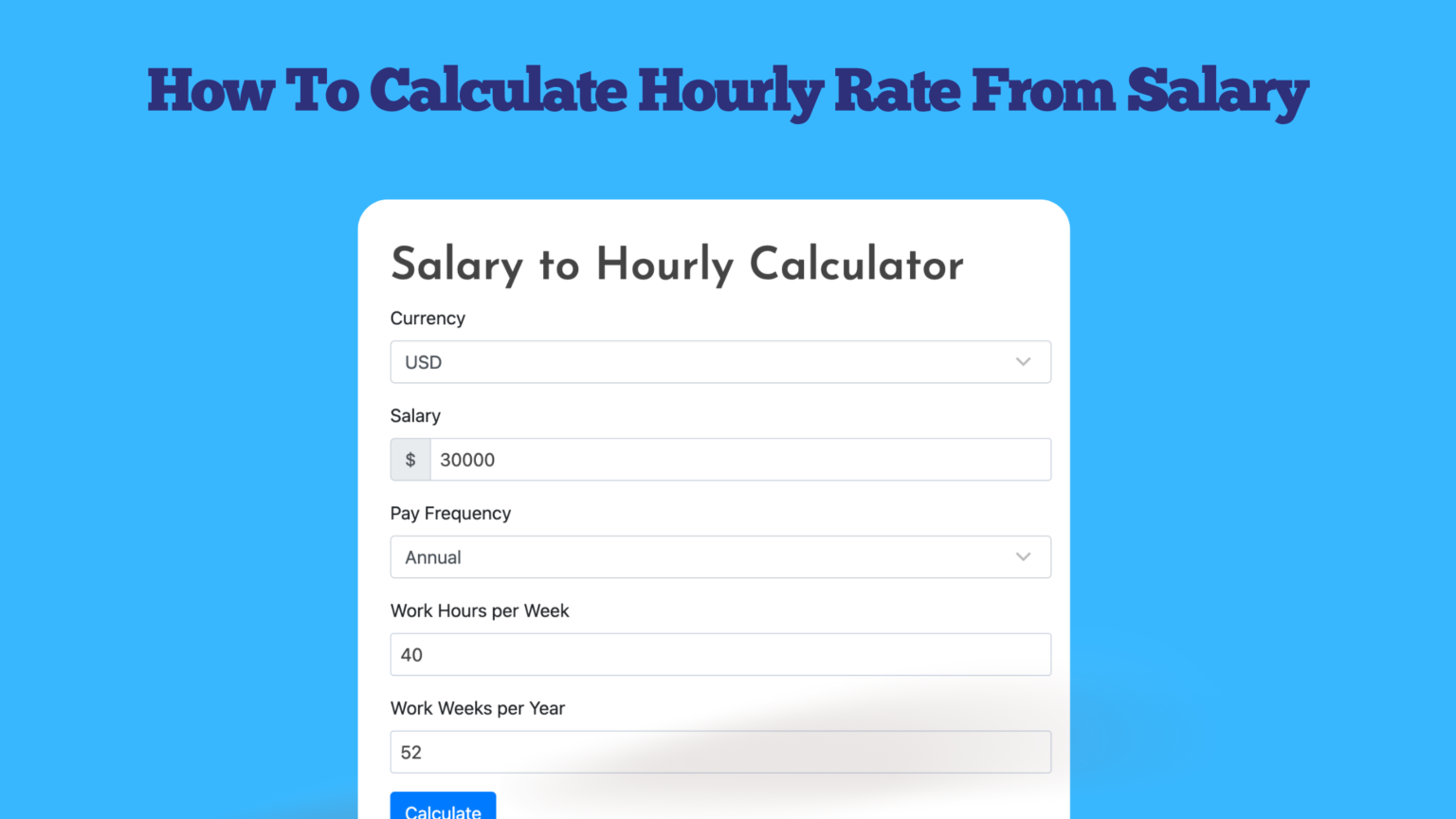
To use an annual salary calculator per hour, enter your total gross yearly income, specify the number of hours you work per week (typically 40), and the number of weeks you work per year (usually 52). The tool divides your total pay by...
To use an annual salary calculator per hour, enter your total gross yearly income, specify the number of hours you work per week (typically 40), and the number of weeks you work per year (usually 52). The tool divides your total pay by total annual hours to reveal your hourly rate.
Contents
Understanding the relationship between a yearly salary and an hourly wage is essential for budgeting, negotiating job offers, and evaluating the true value of your time. Whether you are transitioning from a salaried position to a freelance role or simply trying to understand how much your "time" is worth during a standard workday, an annual salary calculator is an indispensable tool. As we navigate the professional landscape of 2026, where flexible work arrangements and hybrid models are the norm, knowing exactly how to calculate these figures ensures you remain financially informed and empowered.
Why You Need an Annual Salary Calculator
Many professionals receive their compensation as a lump sum figure, such as $75,000 or $120,000 per year. While this provides a clear picture of annual earnings, it obscures the granular reality of daily work. Using a calculator to break this down into an hourly rate allows for a more precise comparison between different employment opportunities. For instance, a job offering $80,000 a year might seem superior to one offering $75,000, but if the higher-paying job requires 50 hours a week instead of 40, the hourly rate is actually lower.
Furthermore, hourly calculations are vital for determining overtime eligibility under various labor laws. In 2026, with many jurisdictions updating their "white-collar" overtime exemptions based on salary thresholds, knowing your precise hourly equivalent helps you verify if you are being compensated fairly for extra hours worked. It also assists in personal financial planning, allowing you to see exactly how much an hour of your time contributes to your savings goals or debt repayment.
Prerequisites and Necessary Data Points
Before you input numbers into a calculator, you must gather specific data to ensure the result is accurate. Using "default" numbers can lead to misleading results if your work schedule does not follow a traditional pattern.
1. Gross Annual Salary
This is your total pay before taxes and deductions. It should include your base pay. Whether or not you include bonuses or commissions depends on your goal. If you want to know your "guaranteed" hourly rate, use only your base salary. If you want to see your total "earning power," include all predictable annual compensation.
2. Hours Worked Per Week
While 40 hours is the standard full-time measurement, many modern contracts specify 35, 37.5, or even 45 hours. If you are a salaried employee who regularly works 50 hours despite a 40-hour contract, using 50 in the calculator will give you a "real-world" hourly rate, which is often eye-opening for those considering a career change.
3. Weeks Worked Per Year
Most calculators default to 52 weeks. However, if you take two weeks of unpaid leave annually, you should adjust this to 50 weeks. If you receive paid time off (PTO), you still count those weeks as "worked" for the purpose of the calculation because you are being compensated for them.
Step-by-Step Instructions for Using the Calculator
Using a digital salary calculator is straightforward, but following a systematic approach prevents errors in data entry that could skew your financial planning.
Step 1: Input Your Gross Salary
Locate the field labeled "Annual Salary" or "Yearly Income." Enter the total gross amount. Ensure you do not enter your "take-home" or net pay here, as most calculators are designed to provide the gross hourly rate. If you wish to find your net hourly rate, you would perform the same steps using your after-tax annual income.
Step 2: Define the Work Period
Most calculators offer a dropdown menu or a manual entry field for "Hours per Week." If you work a non-standard schedule—such as four 10-hour shifts—ensure the total (40) is reflected correctly. Then, verify the "Weeks per Year." If the calculator assumes 52 weeks but you are on a 10-month teaching contract, adjust this to approximately 43 weeks to get an accurate reflection of your hourly value during your active work months.
Step 3: Review the Breakdown
Standard calculators will instantly generate several figures. Look for the "Hourly Rate" result. In addition to the hourly figure, most tools will also display:
- Daily Pay: Based on an 8-hour day.
- Weekly Pay: Your gross check before taxes.
- Monthly Pay: Useful for comparing against monthly rent or mortgage obligations.
Step 4: Account for Overtime and Bonuses (Optional)
Advanced calculators in 2026 often include toggle switches for "Overtime" or "Performance Bonuses." If you are using the calculator to estimate future earnings, inputting a 1.5x multiplier for expected overtime hours can provide a more comprehensive view of your potential annual income.
The Mathematics Behind the Calculation
While a calculator is convenient, understanding the manual formula is beneficial for quick mental estimates. The standard calculation used by most tools is based on the 2,080-hour work year (40 hours per week × 52 weeks).
The Formula:
Hourly Rate = Annual Salary / (Hours per Week × Weeks per Year)
For example, if you earn $60,000 per year and work a standard 40-hour week:
- 40 hours × 52 weeks = 2,080 total annual hours.
- $60,000 / 2,080 = $28.85 per hour.
If your schedule is different—perhaps a 35-hour work week—the denominator changes:
- 35 hours × 52 weeks = 1,820 total annual hours.
- $60,000 / 1,820 = $32.97 per hour.
This discrepancy highlights why using a calculator is so important; a 5-hour difference in the work week increases your hourly value by over $4.00, even though the annual salary remains identical.
Comparison Table: Annual Salary to Hourly Wage (2,080 Hour Year)
The following table provides a quick reference for common salary points based on the standard 2,080-hour work year (40 hours per week for 52 weeks). These figures represent gross pay before taxes.
| Annual Salary | Monthly Pay | Weekly Pay | Hourly Rate (Gross) |
|---|---|---|---|
| $30,000 | $2,500.00 | $576.92 | $14.42 |
| $45,000 | $3,750.00 | $865.38 | $21.63 |
| $60,000 | $5,000.00 | $1,153.85 | $28.85 |
| $75,000 | $6,250.00 | $1,442.31 | $36.06 |
| $90,000 | $7,500.00 | $1,730.77 | $43.27 |
| $110,000 | $9,166.67 | $2,115.38 | $52.88 |
| $150,000 | $12,500.00 | $2,884.62 | $72.12 |
| $200,000 | $16,666.67 | $3,846.15 | $96.15 |
Variables and Distinctions to Consider
When using an annual salary calculator, it is crucial to distinguish between different types of compensation and time. Failing to account for these variables can lead to a misunderstanding of your actual financial position.
Gross vs. Net Hourly Rate
The primary "Hourly Rate" result is almost always gross pay. To understand your actual purchasing power, you must consider taxes, Social Security contributions, and healthcare premiums. In 2026, tax brackets and local deductions vary significantly. Using a calculator that includes a "Location" or "Tax Filing Status" field will provide a "Net Hourly Rate," which is what actually enters your bank account.
Paid vs. Unpaid Time Off
If your contract includes 3 weeks of paid vacation, you are still "earning" during those weeks. Therefore, you should use 52 weeks in your calculation. However, if you are a contractor who only gets paid for hours billed, and you plan to take 4 weeks off, you must use 48 weeks in your calculation. This significantly raises the hourly rate you need to charge to meet your annual income goals.
The "All-In" Hourly Value
For a truly technical analysis, some professionals calculate their "Total Compensation Hourly Rate." This involves adding the cash value of employer-sponsored health insurance, 401(k) matching, and stock options to the annual salary before dividing by the hours. This often reveals that a job with a lower base salary but high benefits actually has a higher hourly value than a high-salary job with no benefits.
Common Mistakes When Using Salary Calculators
To ensure the highest level of accuracy, avoid these frequent errors:
- Ignoring the "Leap Year" Effect: While 52 weeks is the standard, a calendar year actually has 52 weeks and 1 day (or 2 days in a leap year). Some payroll departments calculate based on 260, 261, or 262 workdays. For most personal planning, 52 weeks (2,080 hours) is sufficient, but for precise legal or payroll disputes, checking the specific workday count for the current year (2026) is necessary.
- Forgetting Unpaid Lunches: If you are at work from 9:00 AM to 5:00 PM with a one-hour unpaid lunch, you are working 35 hours a week, not 40. Using 40 in the calculator will artificially deflate your hourly rate.
- Miscalculating Part-Time Shifts: If your hours vary weekly, use an average of the last three months of pay stubs to find a representative "Hours per Week" figure.
Frequently Asked Questions
Is an hourly rate of $25 good for a $50,000 salary?
Actually, a $50,000 salary usually equates to roughly $24.04 per hour based on a standard 2,080-hour year. If you are being offered $25 per hour for a 40-hour week, your annual gross would be $52,000. Whether this is "good" depends on your local cost of living and industry standards in 2026, but it is a solid mid-range wage for many entry-to-mid-level professional roles.
How do I calculate my hourly rate if I get a bonus?
To include a bonus, add the total annual bonus amount to your base salary before using the calculator. For example, if your base is $70,000 and you received a $5,000 bonus, enter $75,000 into the calculator. This gives you your "Total Earning Rate" per hour.
Does the calculator account for 2026 tax changes?
Standard salary-to-hourly calculators only perform the mathematical division of gross pay. To account for 2026 tax changes, you must use a specialized "Net Pay" or "Tax" calculator that incorporates current federal and state withholding tables. Always verify your specific tax liability with a professional or updated government tax schedules.
Why does my paycheck not match the weekly pay in the calculator?
Calculators usually show gross weekly pay. Your actual paycheck is your net pay, which is your gross pay minus federal income tax, state tax, FICA (Social Security and Medicare), and any voluntary deductions like health insurance or retirement contributions.
Should I use 50 or 52 weeks if I have two weeks of unpaid vacation?
If the vacation is unpaid, use 50 weeks. This will show you exactly how much you earn for every hour you are actually on the clock. If you use 52 weeks, the calculator "spreads" your earnings over time you aren't working, which might be useful for budgeting but less accurate for understanding your hourly worth.
Final Recommendation
When using an annual salary calculator per hour, accuracy depends entirely on the precision of your inputs. For the most realistic results in 2026, perform two separate calculations: one for your gross hourly rate to compare against industry benchmarks, and one for your net hourly rate (after-tax) to assist with personal budgeting. Always factor in your actual hours worked—including any consistent "unpaid" overtime—to find the true value of your time. If you are negotiating a new contract, use these hourly figures to ensure that an increase in salary isn't being offset by an even larger increase in required work hours.
Image Gallery