How to Find the Local News Channel
Finding your local news channel involves identifying your local media market using your ZIP code or geographic location, then matching it to the corresponding broadcast network affiliate, cable channel position, or live streaming servi...
Finding your local news channel involves identifying your local media market using your ZIP code or geographic location, then matching it to the corresponding broadcast network affiliate, cable channel position, or live streaming service. Because television signals are divided into designated market areas, the correct station depends entirely on your exact physical location and your chosen television provider, whether that is an over-the-air digital antenna, traditional cable, satellite, or a modern live television streaming platform.
Contents
Understanding Designated Market Areas and Local Broadcasters
To successfully find the local news channel for your area, you must first understand how television broadcasting is structured geographically. The Federal Communications Commission (FCC) and media research organizations like Nielsen divide the United States and other territories into distinct geographic regions known as Designated Market Areas (DMAs) or television markets. Each DMA encompasses a specific group of counties that receive the same television and radio broadcast signals.
Within each DMA, major commercial broadcast networks—such as ABC, CBS, NBC, and Fox—operate local affiliate stations. These affiliates are responsible for producing and broadcasting regional news programs, weather reports, and emergency alerts. Because network programming is syndicated locally, a resident living in one county might receive news from a station based in a nearby major city, while a resident two counties over might fall into an entirely different DMA with a completely separate set of local broadcast stations and news anchors.
Identifying your specific DMA is the foundational step for all subsequent methods of finding your news channel. If you know your exact five-digit ZIP code, you possess the primary piece of data required by online directories, station finders, and television guide systems to pinpoint your regional affiliates.
Using Digital Over-the-Air Antennas and Reception Maps
For viewers who rely on a digital television antenna to watch free broadcast television, finding the local news channel requires mapping your location relative to local broadcast towers. Over-the-air (OTA) television relies on radio frequency spectrums broadcast from physical transmission towers, which are typically clustered on high terrain or tall structures near major metropolitan centers.
To determine which local news channels you can receive via antenna and what direction to point your hardware, you can use official signal mapping tools:
- FCC Reception Map Tool: The Federal Communications Commission provides an official mapping application on its website that allows you to enter your street address or ZIP code. It generates a detailed coverage map showing every available digital television station, its distance, its compass heading from your home, and whether the signal strength is predicted to be strong or weak.
- RabbitEars.info: This widely respected community and technical resource offers comprehensive broadcast market data, including exact tower coordinates, transmitter power, frequency allocations, and station network affiliations. It provides an objective view of which local news channels should be viewable in your specific neighborhood.
When evaluating these maps, pay attention to the virtual channel number versus the physical broadcast channel number. Modern digital television tuners automatically map physical frequencies to virtual channels so that an NBC affiliate broadcasting on a UHF frequency still appears on your screen as channel 4 or channel 5, matching its historical branding.
Locating Local News on Cable, Satellite, and IPTV Providers
If you subscribe to a traditional pay-TV provider—such as Comcast Xfinity, Charter Spectrum, DirecTV, or Dish Network—your local news channels are pre-assigned to specific channel numbers within your subscription tier. However, because channel lineups vary significantly by municipality, national channel guides often fail to provide accurate numbers for your specific street address.
To find your local news channels through a subscription provider:
- Consult the Provider’s Online Channel Finder: Most major cable and satellite companies feature localized search tools on their websites. Entering your ZIP code will generate a downloadable or viewable PDF channel lineup tailored to your local headend or fiber node.
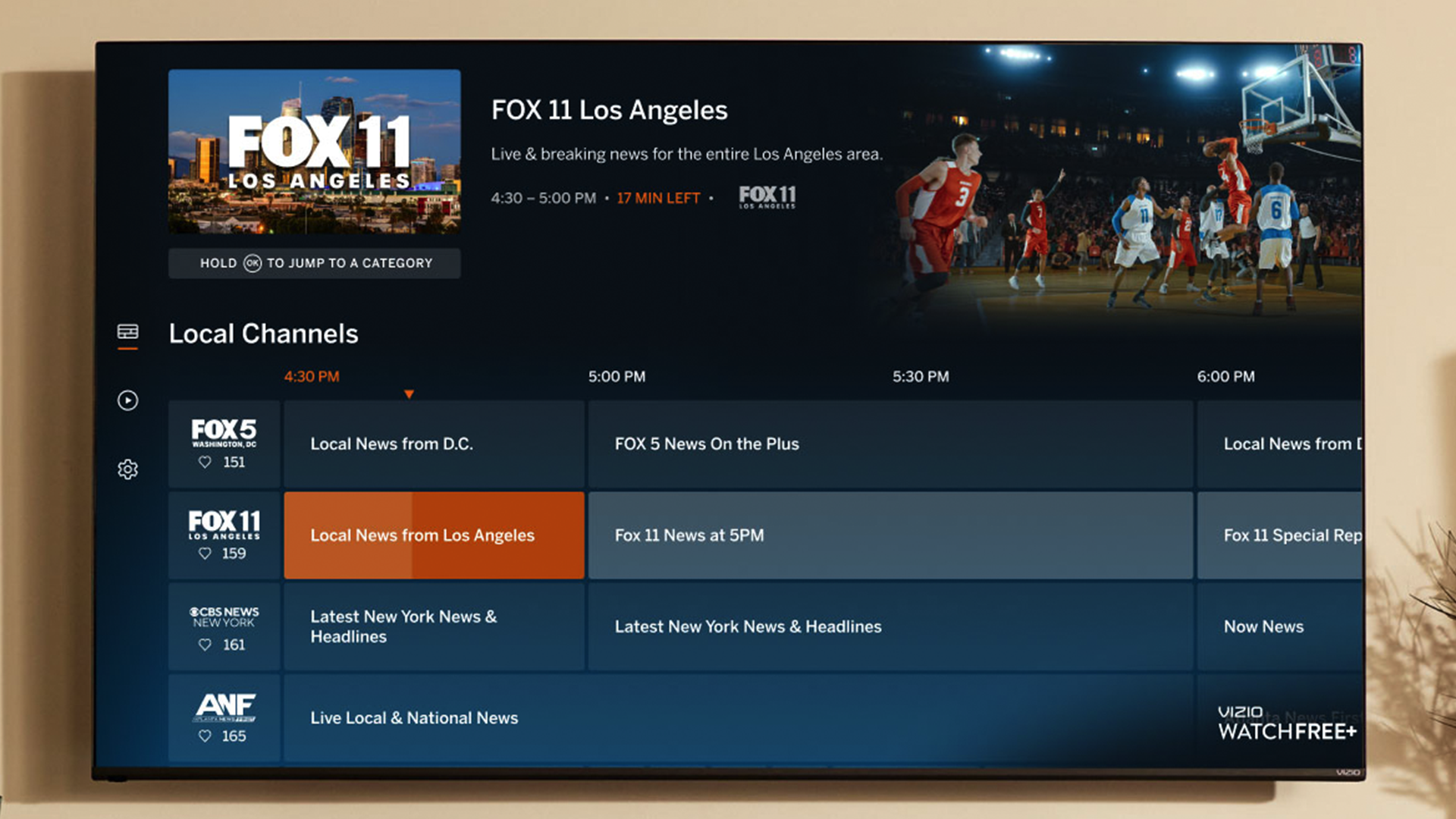
- Review the On-Screen Electronic Program Guide (EPG): Press the "Guide" button on your remote control and scroll to the lower-numbered channels, where network affiliates are traditionally grouped (typically channels 2 through 13).
- Check Public Broadcasting Service (PBS) and Independent Stations: In addition to the "Big Four" commercial networks, remember to look for your regional PBS member station, which frequently broadcasts in-depth local public affairs and legislative reporting.
| Television Delivery Method | Primary Discovery Tool | Key Requirement | Typical Channel Range |
|---|---|---|---|
| Over-the-Air (Antenna) | FCC Reception Maps / RabbitEars | Digital TV Tuner & Antenna | Varies by tower (e.g., 2.1, 5.1, 11.1) |
| Cable TV (e.g., Xfinity, Spectrum) | Provider ZIP Code Channel Lookup | Active Cable Subscription | Standard local tier (usually 2–13 or 100+) |
| Satellite (DirecTV, Dish) | On-Screen Guide / Local Channel Lookup | Local Local-into-Local package | Matches local DMA numbering |
| Live TV Streaming (YouTube TV, Hulu) | Streaming App Location Verification | Internet connection & GPS/IP check | Automatic assignment based on billing ZIP |
Finding Local News on Live TV Streaming Services and Free Ad-Supported Platforms
Cord-cutters who use live television streaming services—such as YouTube TV, Hulu + Live TV, FuboTV, or DirecTV Stream—receive local news channels delivered over the internet rather than through physical cables or broadcast waves. These platforms determine which local news channel to display by verifying your home location through your device's GPS coordinates, IP address, or billing ZIP code during the initial account setup.
If you travel or use mobile streaming devices, your app may temporarily restrict your local feeds or prompt you to update your current playback area. To ensure you receive your home market's news channel while traveling, services generally permit you to update your mobile device's location settings twice per year.
Beyond subscription streaming bundles, free ad-supported streaming television (FAST) platforms—including Tubi, Pluto TV, The Roku Channel, and Amazon Freevee—increasingly feature dedicated local news zones. These apps aggregate 24/7 local news streams from major broadcast groups, allowing you to watch regional reporting without a paid subscription, though they may rely on regional feeds rather than hyper-local neighborhood broadcasts.
Official Network Station Finders and Mobile Applications
Every major broadcast network maintains an official station locator directory on its corporate website. If you are searching for a specific network's local news broadcast, you can bypass third-party guides and use direct network tools:
- ABC Station Finder: Enter your ZIP code on the ABC website to identify your local affiliate, view its broadcast schedule, and find links to its proprietary news streaming app.
- CBS News Local: CBS integrates its regional stations into the broader CBS News streaming network, allowing viewers to access local newscasts from major markets directly through connected television apps.
- NBC Local: NBC provides dedicated portals for its owned-and-operated stations as well as affiliates, often pairing live broadcasts with digital investigative reporting.
- Fox Local: Fox operates dedicated streaming apps for smart TVs called Fox Local, which aggregate local news, weather forecasts, and sports coverage from Fox-affiliated stations across the country.
Most local television stations also develop standalone mobile applications for iOS and Android devices. Downloading the official app of your nearest major network affiliate grants you direct access to live streaming newscasts, breaking news push notifications, and detailed interactive radar maps.
Troubleshooting Common Local News Access Issues
Viewers frequently encounter obstacles when attempting to locate or watch their local news broadcasts. Resolving these issues requires systematic troubleshooting based on your delivery medium:
- Incorrect Market Assignment on Streaming Apps: If a streaming service assigns you the wrong local news channel due to an inaccurate IP geolocation, access your account settings, verify your home ZIP code, and follow the provider's prompt to refresh your mobile or living room device location.
- Antenna Signal Dropouts: If your over-the-air local news channel pixelates or disappears, check your coaxial cable connections, rescan your television's tuner menu for newly added subchannels, or adjust the physical orientation of your indoor antenna.
- Missing Network Affiliates: In smaller or rural television markets, a single local station may broadcast multiple network affiliations via digital subchannels (for example, channel 5.1 for CBS and channel 5.2 for Fox). Review your station's subchannel listings carefully if a primary network appears missing from your lineup.
Frequently Asked Questions
How can I watch my local news channel for free without cable?
You can watch local news for free using a digital television antenna connected to your TV's coaxial input, which captures over-the-air broadcast signals. Additionally, many local news stations offer free 24/7 live streams through their official mobile apps, station websites, and free streaming platforms like Tubi or The Roku Channel.
Why is my streaming service showing the wrong local news channel?
Streaming services determine your local market using your device's IP address or GPS location. If your internet service provider routes your traffic through a server in a neighboring city, the streaming app may assign you that city's news market. You can resolve this by updating your home location in the app settings or contacting your streaming provider's customer support.
Do I need a special antenna to get local HD news channels?
No special antenna is required; modern digital broadcasts are transmitted in high definition (HD) over standard digital frequencies. Any modern indoor or outdoor antenna labeled as "HDTV," "UHF/VHF," or "Digital" will receive local HD news broadcasts, provided you live within signal range of the transmission towers.
Can I watch local news channels from other cities while traveling?
Most subscription live TV streaming services restrict out-of-market viewing of local network affiliates due to syndication and licensing agreements. When you travel, mobile apps may display local news for your current physical location rather than your home billing address, though you can often watch national network feeds or recorded content.
How do I know which television market I live in?
You can determine your television market by entering your five-digit ZIP code into the FCC's DTV reception mapping tool or by checking your local county's media assignments on broadcast databases like RabbitEars.info. Your market name typically corresponds to the nearest major metropolitan area that anchors regional broadcasting.
Next Actions for Finding Your Station
To successfully tune into your local news tonight, begin by confirming your five-digit ZIP code. If you use an antenna, check the FCC coverage map to identify your tower direction. If you subscribe to cable, satellite, or a live streaming service, open your provider's on-screen electronic program guide or online channel finder to verify your local affiliate numbers. Downloading the official mobile or smart TV app for your preferred regional station will also ensure you maintain uninterrupted access to breaking news and weather updates.
Image Gallery