The Business Voicemail Service Landscape: Architecture, Features, and Provider Selection
The business voicemail service landscape encompasses cloud-based Unified Communications as a Service (UCaaS) platforms, standalone virtual answering services, and AI-driven voice intelligence systems. Modern solutions transform traditi...
The business voicemail service landscape encompasses cloud-based Unified Communications as a Service (UCaaS) platforms, standalone virtual answering services, and AI-driven voice intelligence systems. Modern solutions transform traditional audio recordings into actionable digital workflows through automatic speech recognition (ASR), CRM integration, automated routing, and strict security controls compliant with regulatory standards like HIPAA and SOC 2.
Contents
Evolution of Business Voicemail: From Hardware to Cloud Intelligence
Business voicemail has evolved from localized hardware to central cloud platforms. Historically, organizations relied on on-premises Private Branch Exchange (PBX) servers paired with physical tape mechanisms or digital signal processors stored in local telecommunications closets. These legacy systems required dedicated analog lines, physical hardware maintenance, and local network management.
The shift toward Voice over Internet Protocol (VoIP) and Session Initiation Protocol (SIP) trunking decoupled voicemail from physical infrastructure. Today, business voicemail operates primarily on cloud-native architectures. Voice signals are packetized, encrypted, and routed via standard internet protocols to cloud data centers.
This infrastructure transition enabled three structural advances:
- Accessibility Across Endpoints: Voicemails are no longer locked to desk phones. Audio files and metadata sync instantly across desktop applications, mobile clients, web portals, and email inboxes.
- Artificial Intelligence Processing: Advanced automatic speech recognition (ASR) engines process incoming audio streams in real time, executing natural language processing (NLP) to format transcripts, assess caller intent, and generate executive summaries.
- Enterprise Workflow Integration: Rather than functioning as isolated communication silos, voicemail systems now serve as data ingestion nodes for Customer Relationship Management (CRM) databases, ticketing platforms, and enterprise enterprise resource planning (ERP) systems.
Key Categories in the Business Voicemail Ecosystem
The modern landscape splits into four distinct service models. Selecting the correct architecture depends on organizational size, existing telecom infrastructure, budget allocation, and technical workflows.
- Business Voicemail Services
- Integrated UCaaS VoIP Systems
- Standalone Virtual Voicemail
- Mobile-First & Virtual Numbers
- Enterprise Conversational AI Agents
1. Integrated UCaaS Voicemail Systems
Unified Communications as a Service (UCaaS) platforms embed business voicemail directly into comprehensive communication suites alongside voice calling, video conferencing, team messaging, and cloud contact centers. Vendors in this space include enterprise providers such as RingCentral, Nextiva, 8x8, Cisco Webex, and Zoom Phone.
- Primary Use Case: Medium-to-large enterprises requiring unified administrative control across global departments.
- Key Strengths: Single pane of glass for all communications, unified billing, native extension-to-extension forwarding, and shared auto-attendants.
- Operational Considerations: Can be cost-ineffective if an organization only requires voice message intake without broad collaboration features.
2. Standalone Virtual Voicemail Services
Standalone virtual voicemail tools operate independently of standard phone hardware or full-suite cloud PBX subscriptions. Services such as eVoice, VirtualPBX, and Grasshopper provide dedicated business phone numbers with custom voicemail boxes, basic auto-attendants, and forwarding features without requiring complex hardware overhauls.
- Primary Use Case: Solopreneurs, small businesses, and professional services firms that need a dedicated public phone presence without changing existing cellular carriers.
- Key Strengths: Rapid deployment, low overhead, contract flexibility, and simple web management.
- Operational Considerations: Limited scalability for complex enterprise call routing and restricted deep API integrations compared to full UCaaS offerings.
3. Mobile-First & Virtual Number Voicemail Applications
Mobile-first services prioritize smartphone application workflows. Solutions like Google Voice for Workspace, Sideline, and OpenPhone provide business phone numbers that function via native iOS and Android apps, using data networks (LTE/5G/Wi-Fi) to handle calls and messages.
- Primary Use Case: Field service teams, remote sales professionals, and decentralized startups operating on Bring Your Own Device (BYOD) policies.
- Key Strengths: Seamless mobile notification pipelines, separated personal and business contacts on a single handset, and visual voicemail interfaces optimized for mobile touchscreens.
- Operational Considerations: Quality of Service (QoS) depends on cellular data stability and mobile operating system background-app permissions.
4. Enterprise Conversational AI & Autonomous Voice Agents
Representing the advanced tier of voice services, AI-driven voice systems go beyond basic recording. Platforms like Dialpad, Retell AI, and specialized AI call receptionists utilize Large Language Models (LLMs) and real-time speech analytics to interact dynamically with callers before or instead of taking a traditional recording.
- Primary Use Case: High-volume call centers, healthcare triage lines, and service desks requiring automated scheduling, qualification, or instant query resolution.
- Key Strengths: Interactive multi-turn conversations, automatic calendar booking, instantaneous topic tagging, and context-aware sentiment analysis.
- Operational Considerations: Requires configuration, prompt engineering, fine-tuning, and human-in-the-loop fallback procedures to handle edge cases.
Core Technical Features and Capabilities
When evaluating business voicemail services, technical buyers should analyze features across audio processing, workflow routing, security, and interface architecture.
Automatic Speech Recognition (ASR) & Voicemail-to-Text
Voicemail transcription relies on ASR algorithms to convert continuous acoustic waves into written text. Enterprise-grade transcription models achieve word error rates (WER) below 5% on clear audio, though background noise, heavy accents, and low-bandwidth connections can degrade accuracy. Advanced platforms feature custom dictionaries, allowing administrators to train ASR engines on industry terminology, proprietary product names, and legal jargon.
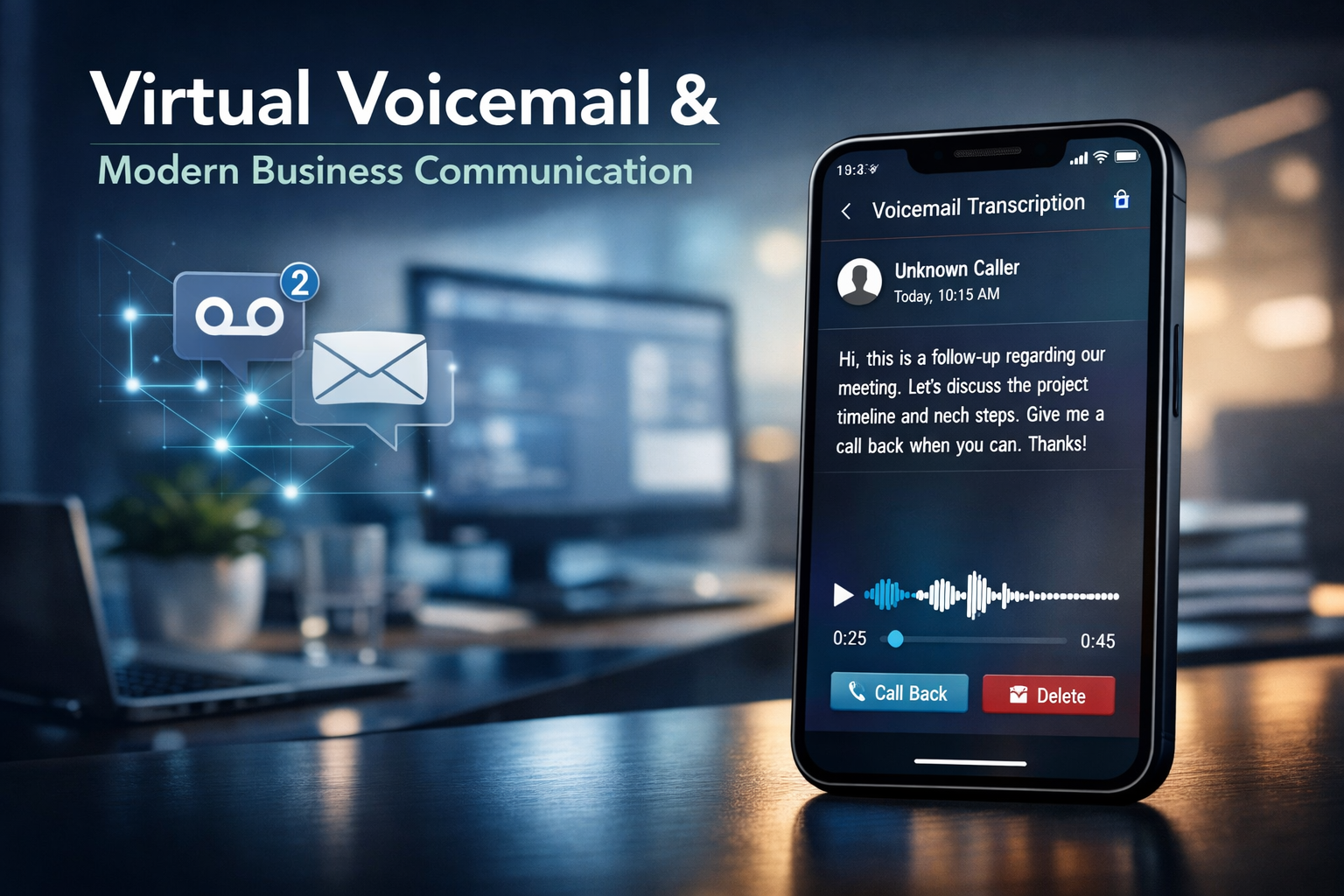
Visual Voicemail Interfaces
Visual voicemail presents recorded messages within a graphical user interface (GUI) rather than requiring sequential touch-tone menu navigation. Users can inspect call metadata—including caller ID, timestamp, audio duration, and transcription snippets—and interact with messages out of order. Standard actions include selective playback, scrubber bar scrubbing, inline deletion, and instant call-back triggers.
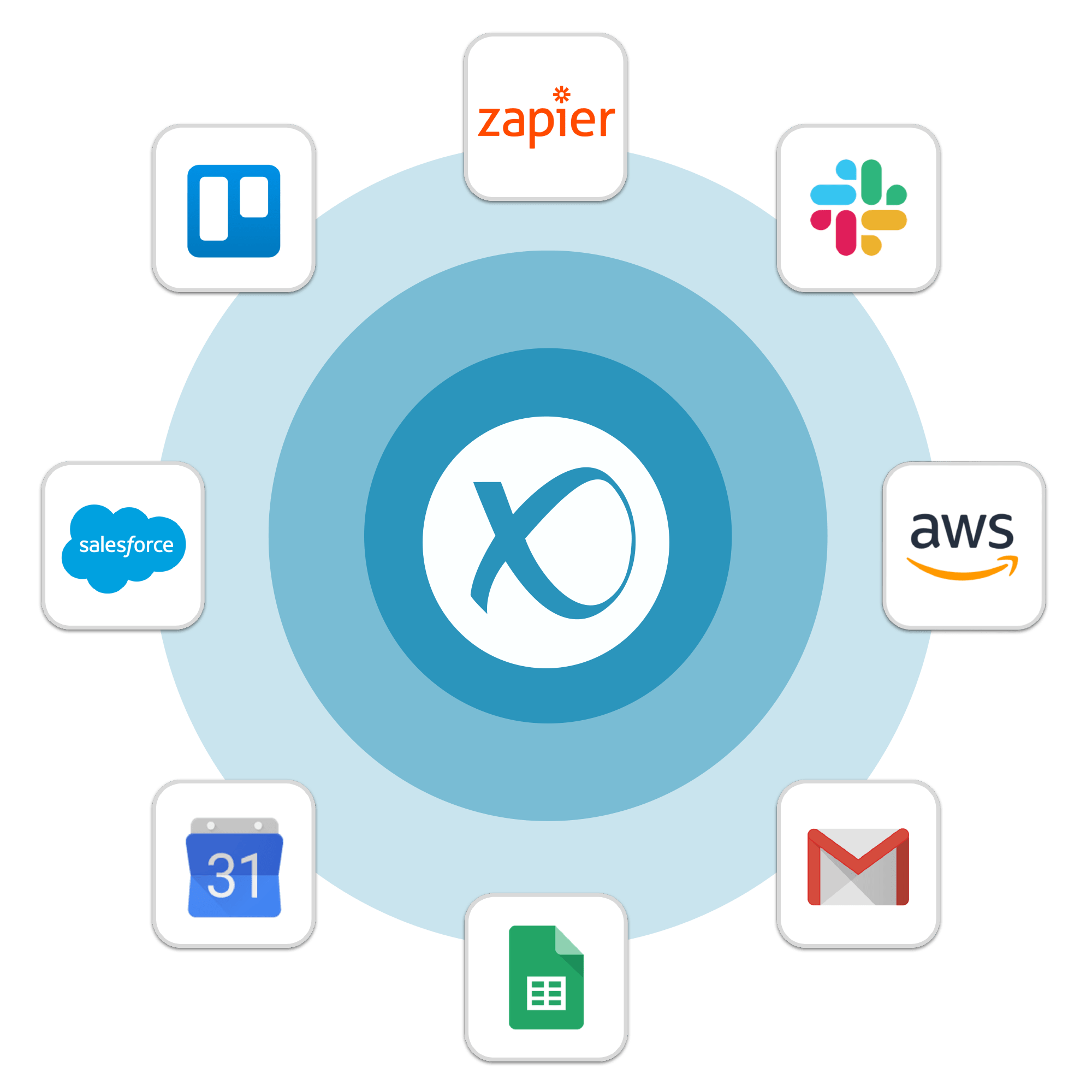
Webhook & CRM Integration Pipelines
Modern voicemail platforms output data via REST APIs and Webhooks. When a caller leaves a voicemail, the service uploads the binary audio file (typically .wav or .mp3) along with JSON-formatted metadata to downstream enterprise software.
- Incoming Call
- Cloud PBX Voicemail Engine
- Audio Storage (.wav / .mp3)
- ASR / NLP Engine (Text Transcript & Sentiment)
- Secure API Gateway / Webhooks
- Enterprise CRM System (Salesforce)
- IT Ticketing (Zendesk / ServiceNow)
- Email & SMS Notification Gateways
These integrations allow systems to perform automated actions:
- Create a customer service ticket in platforms like Zendesk or ServiceNow, linking the audio file and transcript directly to the case record.
- Log incoming caller history directly within CRM records like Salesforce or HubSpot.
- Push real-time alerts to team collaboration channels such as Microsoft Teams or Slack via incoming webhooks.
Multi-Recipient Routing and Escalation Protocols
For urgent business functions (e.g., IT on-call rotations, emergency medical services, property maintenance), static voicemail boxes are insufficient. Enterprise platforms offer escalation sequences:
- Hunt Groups: Simultaneously notify multiple agents of a new voice message via push notification or email.
- Timed Escalation: If a message marked high-priority is not accessed within a set duration (e.g., 15 minutes), the system dials the next designated responder or sends an SMS alert.
- Shared Inboxes: Allow multiple team members to mark voicemails as "In Progress," "Assigned," or "Resolved" to prevent redundant follow-ups.
Technical Comparison of Voicemail Service Categories
The table below outlines technical characteristics, pricing frameworks, and target deployment scenarios across the four business voicemail categories.
| Parameter | Integrated UCaaS Voicemail | Standalone Virtual Voicemail | Mobile-First Applications | AI Conversational Agents |
|---|---|---|---|---|
| Primary Target Market | Mid-Market to Enterprise | SMBs & Sole Proprietors | Mobile Workers & SMBs | High-Volume Service & Support |
| Typical Audio Codecs Supported | G.711 (a-law/u-law), G.722 (HD Voice), Opus | G.711, MP3, WAV | Opus, AMR-WB | Opus, G.711 |
| Transcription Mechanism | Cloud ASR Engine (Proprietary or Third-Party) | Basic Speech-to-Text | Native Mobile OS / Cloud ASR | Deep Learning LLM + ASR |
| Delivery Channels | Email (SMTP), Mobile App, Desk Phone, Desktop GUI | Email (SMTP), Web Portal, SMS | Mobile App, Email | Webhooks, CRM API, Mobile App |
| Compliance Readiness | HIPAA, SOC 2, PCI-DSS, GDPR | Varies by provider | HIPAA options available | HIPAA, SOC 2 Type II |
| Integration Flexibility | High (Pre-built connectors & Open APIs) | Low to Moderate (Zapier, basic Webhooks) | Moderate (Zapier, Native Mobile APIs) | High (Custom REST APIs, SDKs) |
| Average Cost Structure | $20 – $45 per user/month (Bundled) | $10 – $20 per month (Flat or Per-Minute) | $10 – $25 per user/month | Usage-based (Per minute/interaction) |
Security, Privacy, and Regulatory Compliance
Because business voicemails frequently contain Personally Identifiable Information (PII), Protected Health Information (PHI), or confidential financial details, voice storage and transmission protocols must align with strict compliance mandates.
Data Security at Rest and in Transit
- Encryption Standards: Voice data transmitted over public networks must use Transport Layer Security (TLS) for signaling and Secure Real-time Transport Protocol (SRTP) for media streams. Stored voice recordings and text transcriptions must be encrypted at rest using AES-256 standard encryption.
- Access Control & Identity Management: Enterprise voicemail platforms should integrate with Identity Providers (IdPs) via SAML 2.0 or OpenID Connect (OIDC), enforcing Single Sign-On (SSO) and Multi-Factor Authentication (MFA) for administrative and end-user access.
Regulatory Compliance Mandates
Healthcare (HIPAA / HITECH)
Under the Health Insurance Portability and Accountability Act, audio voicemails containing patient names, medical conditions, or callback numbers are classified as Protected Health Information (PHI).
Organizations subject to HIPAA must ensure that their voicemail vendor will execute a Business Associate Agreement (BAA). The service must enforce strict retention limits, encrypt local email attachments containing transcriptions, and maintain secure audit logs showing every time a message is accessed, forwarded, or deleted. Technical standards and guidance for securing electronic health data are maintained by the National Institute of Standards and Technology (NIST).
Financial Services and Telecommunications Standards
Financial services firms must retain voice recordings in compliance with regulatory authorities such as the SEC or FINRA. Telecommunications privacy rules enforced by the Federal Communications Commission (FCC) regulate how Customer Proprietary Network Information (CPNI) is stored and accessed by service providers.
European Union / Global Privacy (GDPR)
Under the General Data Protection Regulation (GDPR), caller voices and phone numbers constitute personal data. Voicemail platforms must support the "Right to be Forgotten" (data erasure), allow explicit data retention controls, and offer data residency options to store recordings within designated geographic regions.
Evaluating and Selecting a Business Voicemail Service
Organizations selecting a voicemail solution should execute a systematic evaluation across four functional operational requirements:
- Step 1: Audit Current Infrastructure (PSTN, SIP, UCaaS, Hardware)
- Step 2: Map Regulatory & Security Requirements (HIPAA, SOC 2, BAA Needs)
- Step 3: Define Technical Workflows (CRM Sync, Webhooks, ASR Accuracy)
- Step 4: Analyze Total Cost of Ownership (TCO: Per-User vs Per-Minute)
1. Audit Infrastructure Compatibility
Determine whether your organization maintains legacy hardware (Analog PBX) or has migrated to IP-based communications. If existing hardware must be preserved, standalone virtual services using call-forwarding rules or Analog Telephone Adapters (ATA) may be required. If the company is migrating to cloud communications, a bundled UCaaS framework usually offers the best long-term efficiency.
2. Establish Compliance Requirements
Identify whether your business processes sensitive data. If healthcare or legal communications occur on the line:
- Verify if the vendor signs a formal Business Associate Agreement (BAA).
- Check if audio files sent via email links require secondary authentication rather than attaching plain
.wavfiles directly to unencrypted SMTP messages. - Confirm that administrative logging captures user access timestamps and IP addresses for audit trails.
3. Evaluate Workflow and Integration Needs
Assess how your operations team handles incoming caller messages:
- Will voice recordings sit unmonitored, or must they automatically trigger support tickets in Zendesk or Salesforce?
- Is custom data processing required via API webhooks?
- Does your team need high transcription accuracy for specific industry jargon? Test the vendor’s ASR engine using representative voice samples during product trials.
4. Analyze Total Cost of Ownership (TCO)
Evaluate pricing structures carefully to avoid hidden operational costs:
- Per-User/Per-Month: Standard for UCaaS platforms; predictable cost, but can become expensive if users only need voicemail capabilities without calling features.
- Per-Minute/Per-Message: Common for standalone virtual services and AI call agents; cost-effective for low-volume users, but costs can scale unpredictably during high-volume periods.
- Add-On Charges: Watch for extra fees related to ASR transcription usage, international call forwarding, additional storage space, or premium API access.
Troubleshooting Common Voicemail Operational Issues
When operating cloud voicemail environments, enterprise network administrators regularly face three distinct technical issues:
1. Inaccurate or Distorted Speech-to-Text Transcription
- Root Cause: Poor audio sampling rates (e.g., standard narrow-band PSTN audio at 8kHz), ambient caller noise, low signal-to-noise ratio, or unsupported accents/dialects.
- Remediation: Configure the SIP trunking infrastructure to prioritize high-definition audio codecs (such as G.722 or Opus). Where supported, train the ASR dictionary by uploading custom domain terms and company-specific vocabulary lists.
2. Voicemail Notification and Email Forwarding Delays
- Root Cause: SMTP email rate limits, aggressive spam/phishing filters flags on
.mp3or.wavattachments, or cloud webhook queue latency. - Remediation: Whitelist the sending IP ranges and domain signatures (SPF, DKIM, DMARC records) of the voicemail provider within your corporate enterprise email gateway (e.g., Microsoft 365 or Google Workspace). Switch from direct email file attachments to secure HTTPS web link access.
3. One-Way Audio or Incomplete Recordings
- Root Cause: Network Address Translation (NAT) traversal failures, misconfigured Session Border Controllers (SBCs), or restrictive firewall rules blocking inbound UDP RTP ports.
- Remediation: Implement STUN (Session Traversal Utilities for NAT) or TURN (Traversal Using Relays around NAT) servers, and verify that firewall rules allow bi-directional UDP traffic across the media port range specified by the telecom provider.
Frequently Asked Questions
How does modern business voicemail support HIPAA compliance?
HIPAA-compliant business voicemail services encrypt audio files and transcriptions both in transit (using TLS/SRTP) and at rest (using AES-256 encryption). Providers must sign a Business Associate Agreement (BAA) with the covered entity, restrict message access behind authenticated portals rather than sending plain unencrypted email attachments, and maintain access logs for auditing purposes.
What is the technical difference between visual voicemail and voicemail transcription?
Visual voicemail is an user interface framework that displays messages as a list with metadata (caller ID, duration, time), allowing non-sequential playback. Voicemail transcription is an underlying process powered by Automatic Speech Recognition (ASR) engines that converts the spoken audio file into written text. Visual voicemail often incorporates transcription within its interface, but the two are distinct technologies.
Can business voicemails automatically create tickets in customer support software?
Yes. Modern enterprise voicemail services offer native integrations or API webhooks that trigger actions upon message receipt. When a caller leaves a voicemail, the system generates a JSON payload containing caller metadata, the audio link, and the text transcript, automatically creating a case or ticket in platforms like Zendesk, ServiceNow, or Salesforce.
What happens to cloud business voicemails during internet or power outages?
Because cloud voicemail systems operate on remote data center infrastructure rather than local on-premises hardware, incoming calls continue to reach the cloud PBX during local site outages. Callers can leave voicemails uninterrupted. Users can access these messages immediately using cellular mobile applications, off-site web portals, or forwarded email notifications.
Is a standalone virtual voicemail service better than a bundled UCaaS platform for small businesses?
A standalone virtual service is better if a business only requires simple call forwarding, a public-facing business number, and message taking without replacing its existing phone hardware or cellular plans. However, if the business requires advanced team calling, video conferencing, internal messaging, and deep CRM integration, a bundled UCaaS platform provides superior long-term integration and scalability.
Recommended Next Steps
To select and optimize your business voicemail architecture:
- Audit Voice Infrastructure: Document your current voice delivery method (PSTN, SIP, UCaaS), active line count, and average monthly call intake volume.
- Define Security Constraints: Establish whether your industry mandates regulatory compliance (HIPAA, SOC 2, GDPR) requiring a signed BAA or specific encryption protocols.
- Execute Vendor Proof-of-Concept: Test candidate systems by processing actual voice samples to measure transcription accuracy, notification speed, and Webhook reliability under realistic operational conditions.
Image Gallery