Understanding Azure Resource Manager: The Definitive Guide for 2026
Azure Resource Manager (ARM) is the central deployment and management service for Microsoft Azure, providing a consistent management layer for all cloud resources. It allows users to create, update, and delete assets through a unified...
Azure Resource Manager (ARM) is the central deployment and management service for Microsoft Azure, providing a consistent management layer for all cloud resources. It allows users to create, update, and delete assets through a unified interface, utilizing resource groups and declarative templates to automate infrastructure deployment while ensuring robust security and governance across subscriptions.
Contents
As organizations move deeper into cloud-native architectures in 2026, the complexity of managing distributed systems has scaled exponentially. Managing individual virtual machines, databases, or web apps in isolation is no longer a viable strategy for enterprise-grade stability. This is where Azure Resource Manager (ARM) becomes indispensable. It acts as the backbone of the Azure ecosystem, ensuring that every action—whether performed through the Azure Portal, Command Line Interface (CLI), PowerShell, or various Software Development Kits (SDKs)—is validated, authorized, and orchestrated uniformly.
The Architectural Foundation of Azure Resource Manager
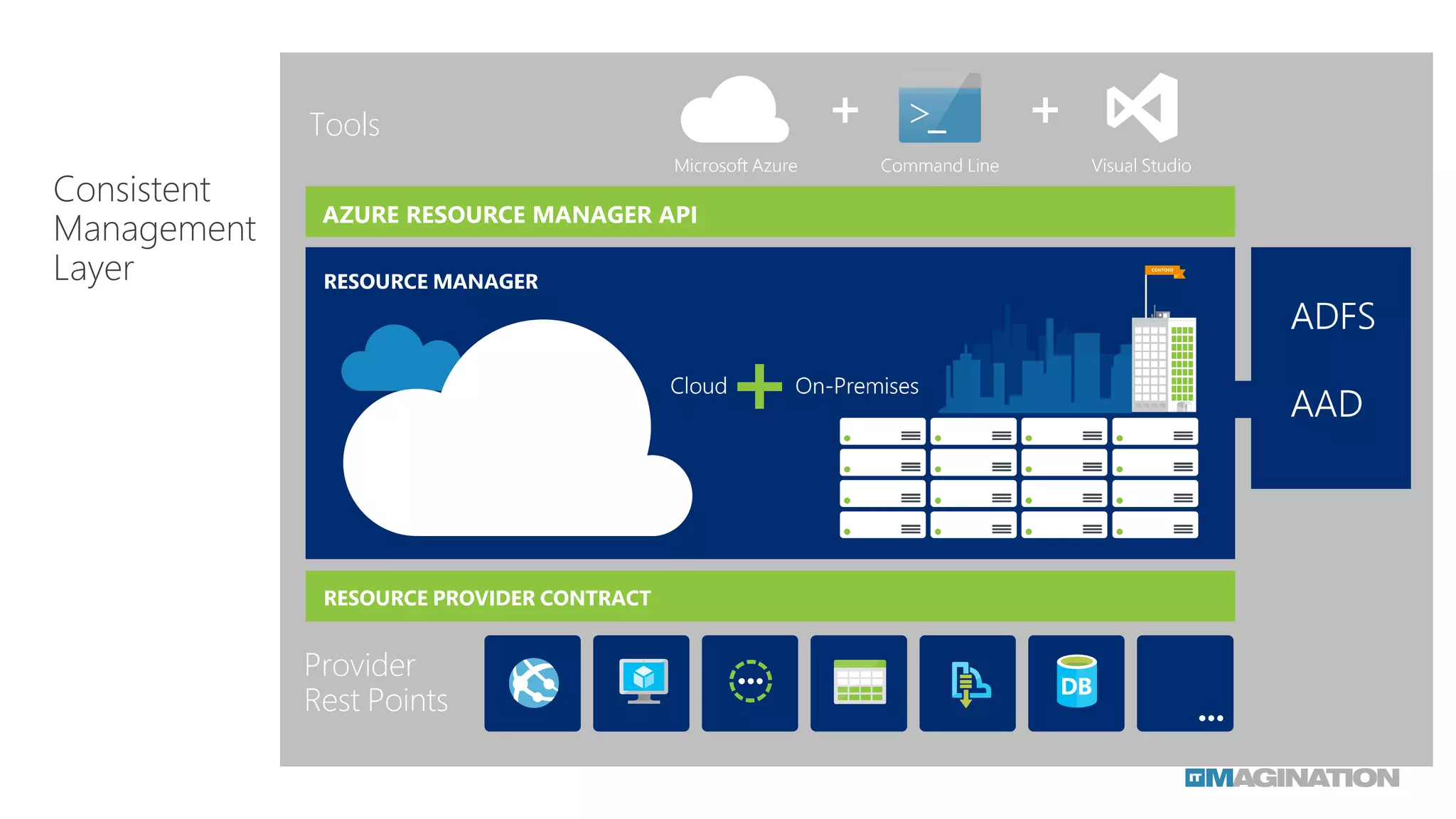
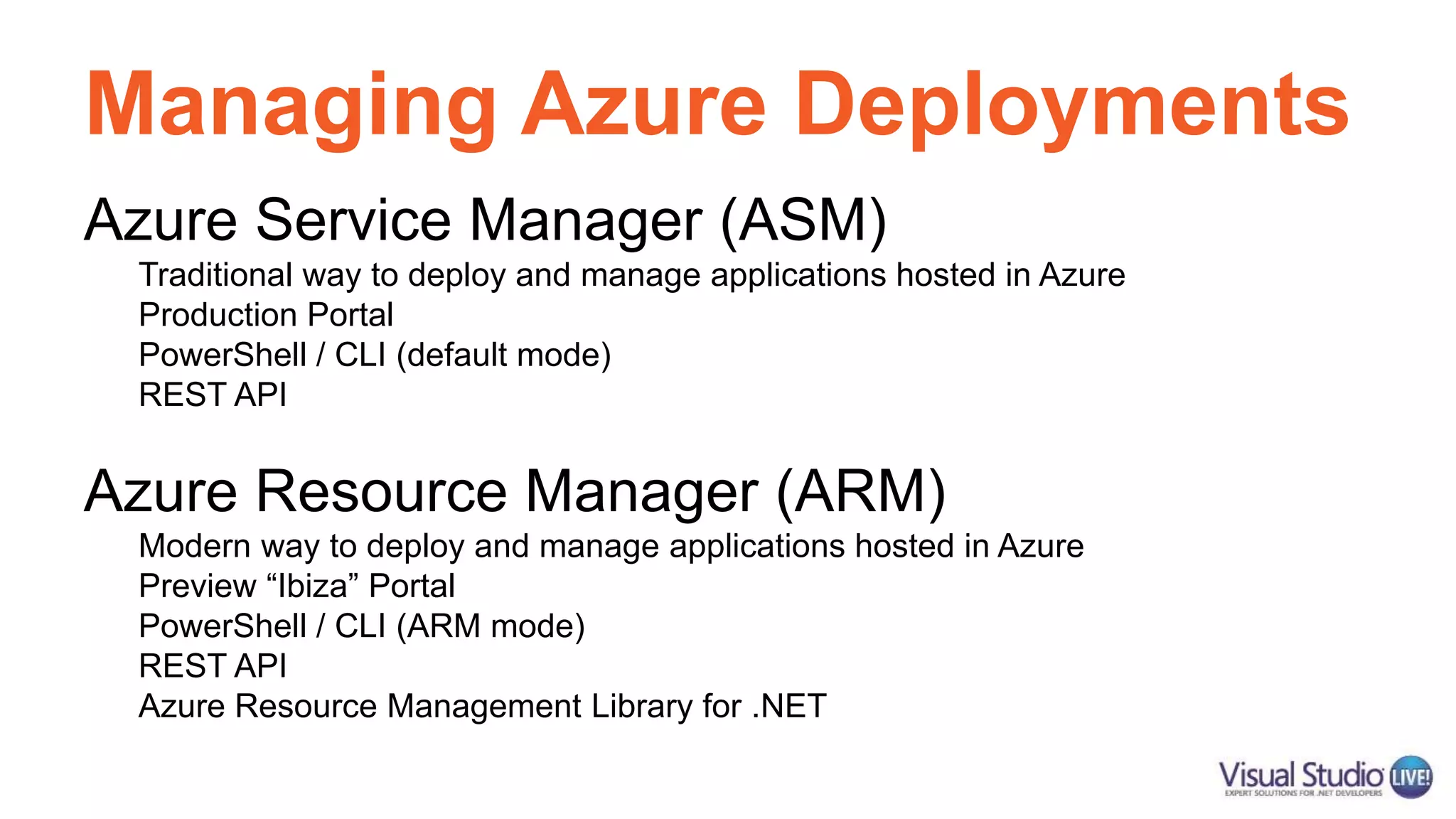
To understand what Azure Resource Manager is, one must first understand the "Management Layer" concept. Before ARM, Azure operated on the "Classic" deployment model (Azure Service Management). In the classic model, resources were often siloed, making it difficult to manage them as a single logical unit. ARM changed this by introducing a unified API surface.
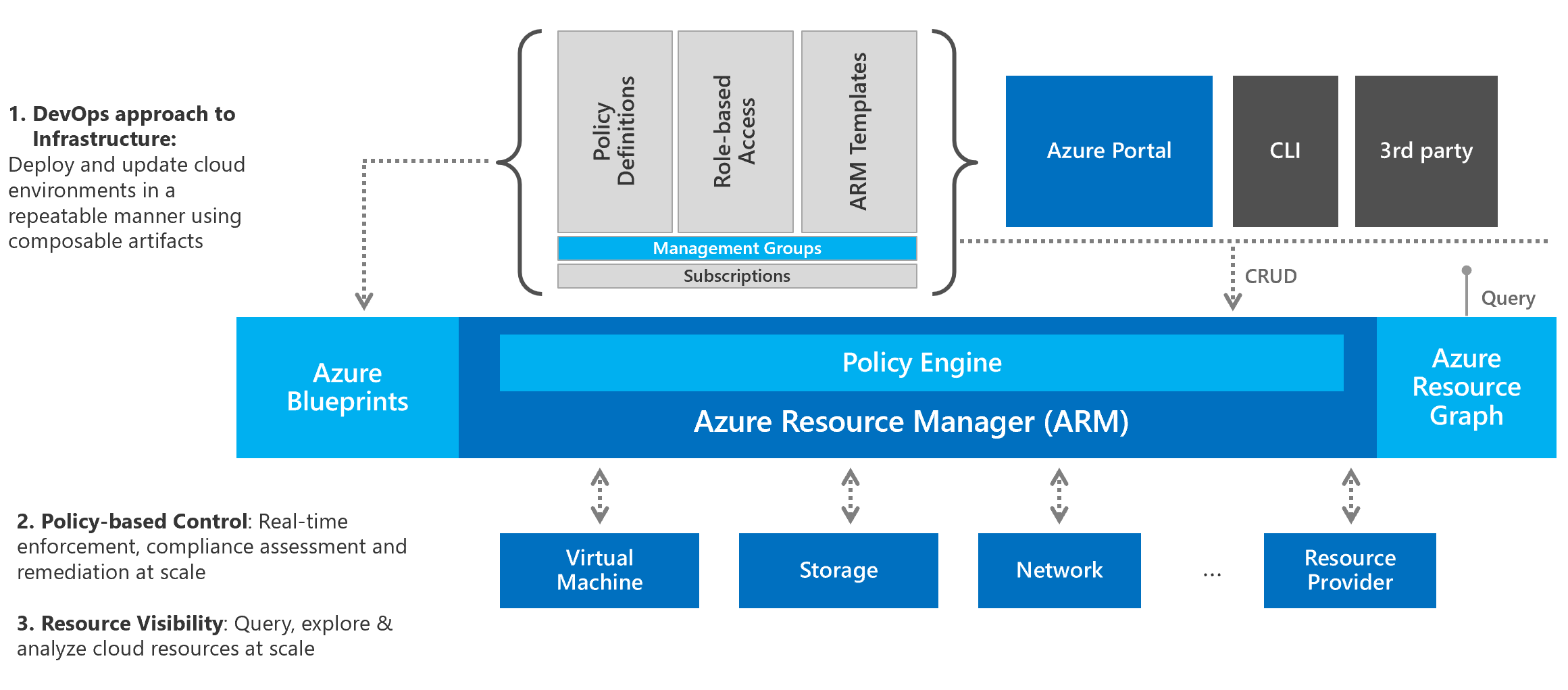
When a user or a tool sends a request to Azure, the ARM API receives it. It then authenticates the request using Microsoft Entra ID (formerly Azure AD) and authorizes it based on Role-Based Access Control (RBAC). Once validated, ARM passes the request to the specific Azure service (the Resource Provider), which then carries out the requested action. This centralized flow ensures that policies, locks, and tags are applied consistently, regardless of which tool is used to interact with the cloud.
Key Components of the ARM Ecosystem
The ARM framework relies on several core entities that work together to simplify the cloud lifecycle.
- Resources: These are the individual manageable items available through Azure. Examples include virtual machines, storage accounts, SQL databases, and virtual networks.
- Resource Groups: These are logical containers into which Azure resources are deployed and managed. A resource group typically holds resources that share the same lifecycle. For instance, you might place all resources for a specific multi-tier application into one group so they can be monitored or deleted simultaneously.
- Resource Providers: These are the services that supply Azure resources. For example,
Microsoft.Computeprovides virtual machine resources, whileMicrosoft.Storageprovides storage accounts. - ARM Templates and Bicep: These are declarative files (JSON or Bicep language) used to define the infrastructure and configuration for your project. They enable Infrastructure as Code (IaC), allowing you to repeat deployments with high precision.
The Benefits of Using Azure Resource Manager
In 2026, the primary driver for cloud adoption is no longer just "renting space" but achieving operational excellence. ARM provides several strategic advantages that help organizations reach this goal.
1. Declarative Infrastructure as Code (IaC)
ARM allows you to manage your infrastructure through templates. Rather than writing a script that lists every step to build a server (an imperative approach), you describe the final state you want (a declarative approach). ARM handles the orchestration, determining the correct order to create resources and managing dependencies between them. This significantly reduces the risk of human error during complex deployments.
2. Enhanced Security and Governance
Security is baked into the ARM layer. By using Role-Based Access Control (RBAC), administrators can grant specific permissions to users, groups, or service principals. For example, you can allow a developer to start or stop a virtual machine without giving them the power to delete the entire network. Furthermore, Azure Policy integrates directly with ARM to enforce rules across your resources, such as ensuring all resources are deployed in a specific geographic region or that every resource has a mandatory "Cost Center" tag.
3. Resource Group Lifecycle Management
Before ARM, deleting a complex application often meant hunting down every associated network interface, disk, and public IP address. With ARM, you can delete a resource group, and every resource inside it is automatically removed in the correct order. This ensures no "orphan" resources remain, which helps in controlling cloud sprawl and unnecessary costs.
4. Tagging and Cost Management
ARM allows you to apply metadata to your resources in the form of tags. Tags are key-value pairs (e.g., Environment: Production or Department: Finance) that help you categorize resources. These tags are visible in Azure Cost Management, making it easy to generate granular reports on which department or project is consuming the most budget.
ARM Templates vs. Bicep: The Evolution of IaC
For years, JSON-based ARM templates were the standard for Azure deployments. However, JSON is notoriously verbose and difficult to read. In response, Microsoft introduced Bicep, a domain-specific language (DSL) that serves as a transparent abstraction over ARM templates.
In 2026, Bicep has become the preferred choice for most Azure professionals. It provides a cleaner syntax, better modularity, and first-class support for modular code reuse. When you deploy a Bicep file, it is converted into a standard ARM JSON template behind the scenes before being sent to the ARM API. This means you get the simplicity of a modern language without losing any of the native power of the Resource Manager.
| Feature | ARM Templates (JSON) | Azure Bicep |
|---|---|---|
| Readability | Low (Verbose and complex) | High (Clean and concise) |
| Authoring Experience | Moderate | Excellent (VS Code integration) |
| Modularity | Difficult (Nested templates) | Simple (Modules support) |
| State Management | Handled by Azure (Stateless local) | Handled by Azure (Stateless local) |
| Learning Curve | Steep | Shallow |
How the Deployment Process Works
The journey from a configuration file to a running resource involves several critical steps within the ARM pipeline. Understanding this flow is essential for troubleshooting and optimization.
- Preparation: The user defines the infrastructure in a Bicep or JSON file. This file includes parameters (values that change between deployments) and variables (values used throughout the template).
- Submission: The template is submitted to ARM via the Azure Portal, CLI, or GitHub Actions/Azure DevOps pipelines.
- Validation: ARM performs a "Pre-flight" check. It checks the syntax of the template and verifies if the user has the necessary permissions. It also checks if the resource names are available and if the requested sizes (SKUs) are supported in the target region.
- Orchestration: ARM analyzes the resource dependencies. If a Virtual Machine needs a Virtual Network to exist first, ARM ensures the network is created before the VM.
- Deployment: ARM sends the instructions to the relevant Resource Providers. The providers interact with the underlying hardware and software layers to provision the resources.
- Completion: Once the Resource Providers report success, ARM updates the deployment status. Users can view the deployment logs to see exactly what happened at each stage.
Common Challenges and Troubleshooting
Despite its power, working with ARM requires an understanding of its limitations and common pitfalls.
1. Resource Provider Registration
A common error for new Azure subscriptions is a "Resource Provider not registered" message. By default, not all providers are active in a subscription. If you try to deploy a resource from an unregistered provider, ARM will block the request. You can resolve this by registering the provider (e.g., Microsoft.Insights or Microsoft.Network) through the Azure Portal or CLI.
2. Throttling and Quotas
ARM has built-in limits to protect the service's stability. If you send too many requests in a short period, ARM may throttle your connection. Additionally, every Azure subscription has quotas (e.g., a limit on the number of CPU cores in a specific region). If a deployment exceeds these quotas, ARM will return a QuotaExceeded error.
3. Deployment Conflicts
When multiple deployments target the same resource group simultaneously, conflicts can occur. It is generally a best practice to use "Incremental" deployment mode, which adds or modifies resources without deleting existing ones that are not in the template. The alternative, "Complete" mode, will delete any resource in the group that isn't defined in your template—a powerful but risky option.
Governance and Compliance at Scale
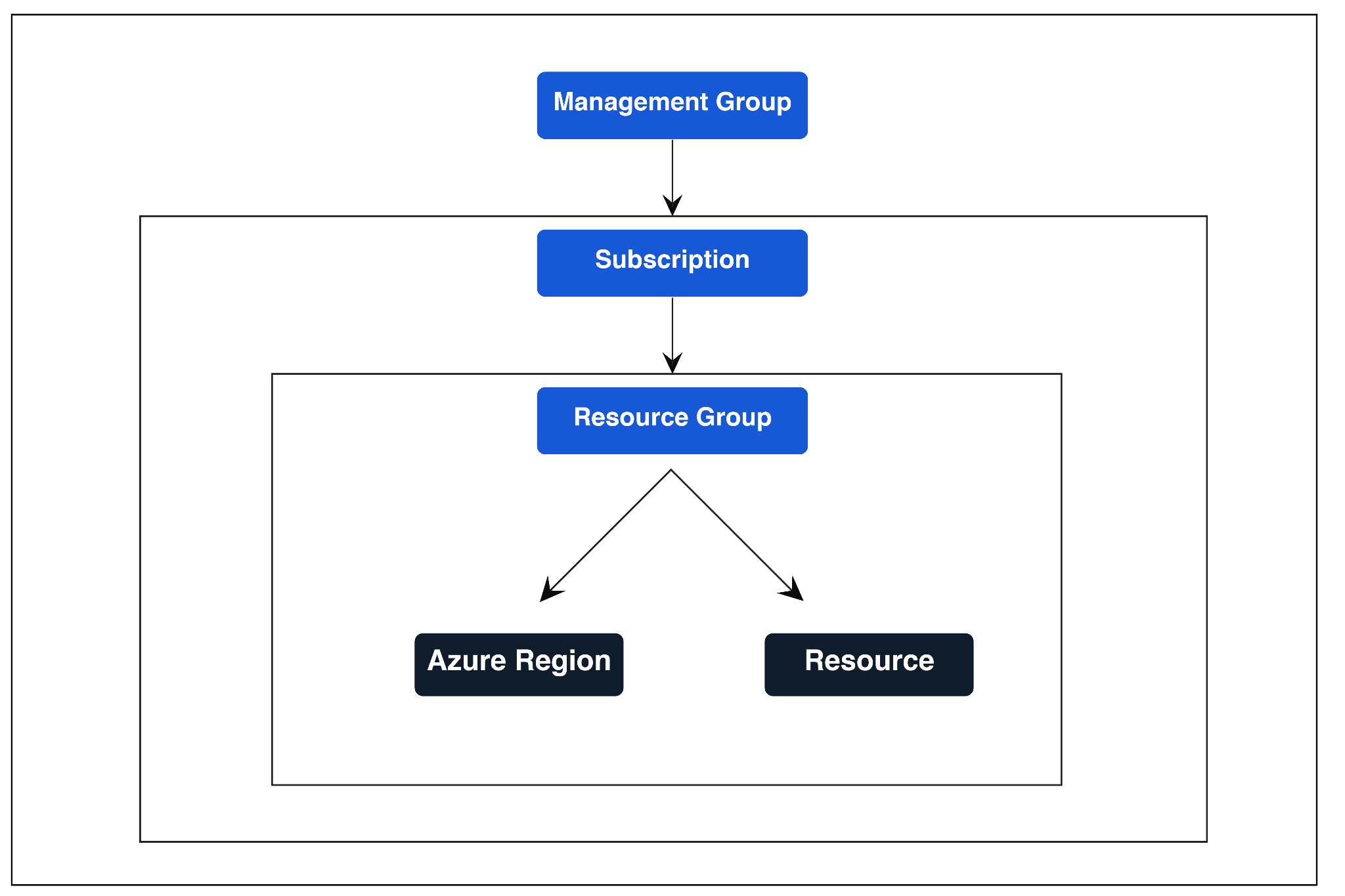
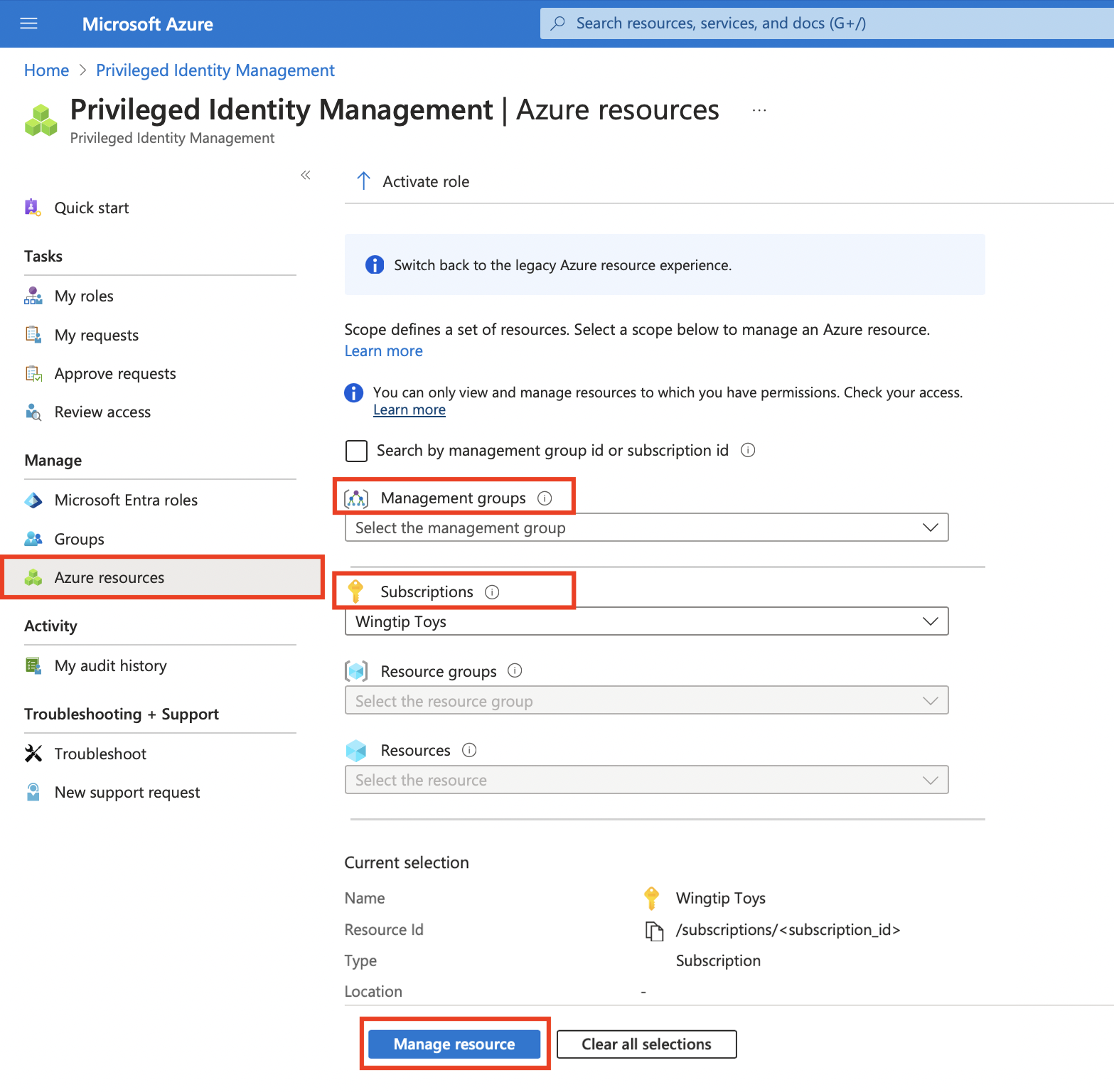
As enterprises scale, they often manage hundreds of subscriptions. ARM facilitates this through Management Groups. These groups allow you to organize subscriptions into a hierarchy. You can apply Azure Policies or RBAC assignments at the Management Group level, and they will automatically inherit down to all subscriptions and resources within that tree. This ensures that a global security policy (such as "No public IP addresses on SQL databases") is enforced across the entire organization without manual intervention for every new project.
For further information on official governance standards and technical documentation, refer to the Microsoft Azure Architecture Center and the Azure Resource Manager documentation.
Frequently Asked Questions
What is the difference between Azure Resource Manager and the Azure Portal?
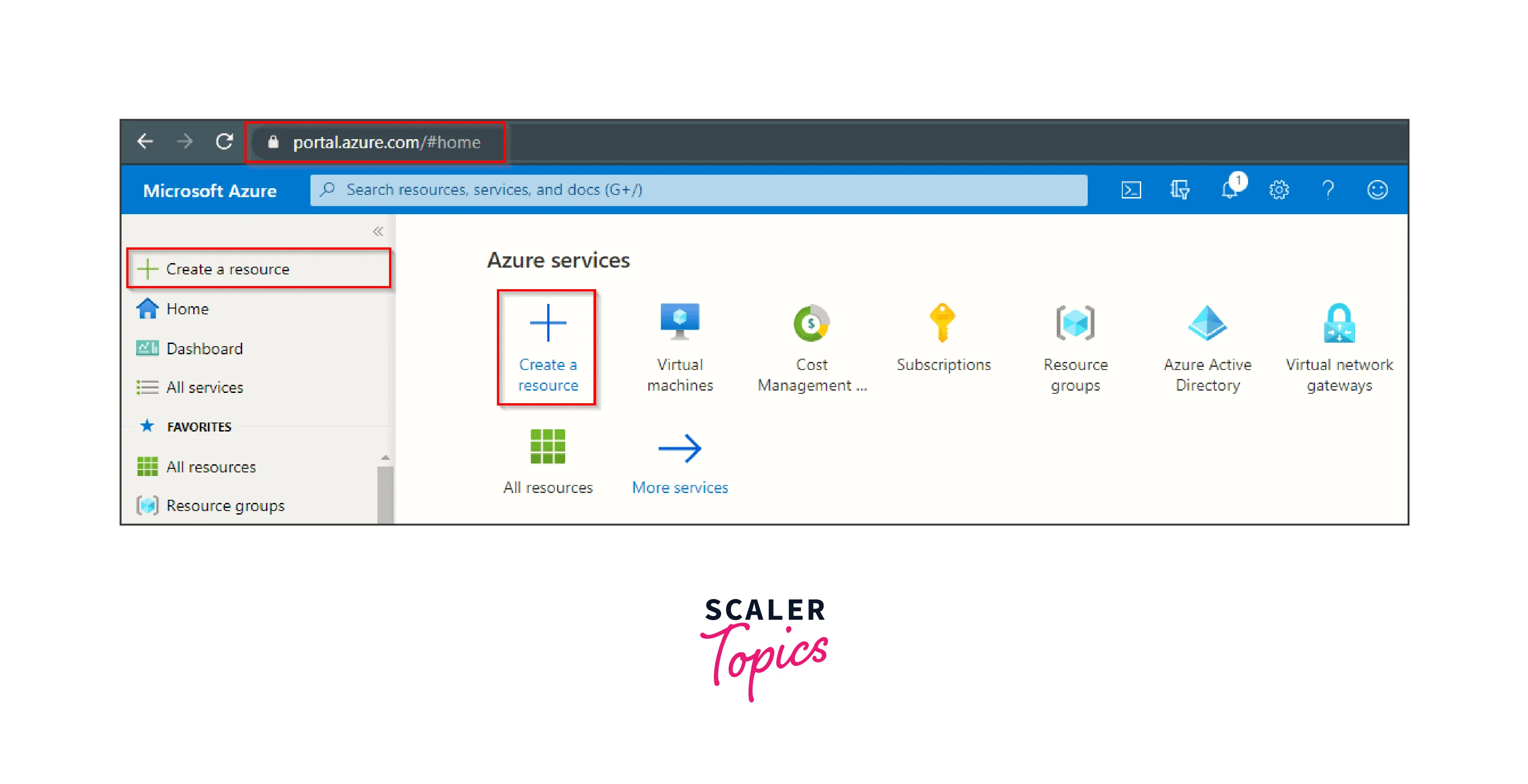
The Azure Portal is a graphical user interface (GUI) used to manage resources, while Azure Resource Manager is the underlying API service that handles the actual work. When you click "Create" in the portal, the portal sends a request to ARM. ARM is the engine, and the portal is just one of many steering wheels (others include CLI and PowerShell).
Is there a cost to using Azure Resource Manager?
No, Azure Resource Manager itself is a free service provided by Microsoft. You are not charged for the management layer, the use of ARM templates, or the organization of resources into groups. You only pay for the actual Azure resources (like VMs, storage, or bandwidth) that you deploy and consume.
Can I move resources between resource groups?
Yes, most Azure resources can be moved between resource groups or even across subscriptions. However, there are some limitations depending on the resource type and the region. When moving resources, ARM ensures that the resource ID remains consistent where possible, though some services may require temporary downtime or configuration updates.
What is a "Resource Lock" in ARM?
A Resource Lock is a setting applied through ARM that prevents resources from being accidentally deleted or modified. There are two types: CanNotDelete (users can read and modify but not delete) and ReadOnly (users can only read the resource). These locks are vital for protecting mission-critical infrastructure like production databases or core networking components.
How does ARM handle dependencies?
ARM uses a dependsOn element within templates to determine the order of deployment. If resource B depends on resource A, ARM will wait for resource A to reach a "Succeeded" state before it starts deploying resource B. If no dependency is specified, ARM may attempt to deploy resources in parallel to speed up the process.
Final Recommendations for 2026
To master Azure Resource Manager in the current landscape, focus on moving away from manual portal operations and toward a code-first approach. Adopt Bicep as your primary language for infrastructure definition, as it provides the most streamlined experience for ARM. Additionally, integrate Azure Policy early in your resource lifecycle to automate compliance and prevent "configuration drift." By treating your cloud management as a software engineering discipline, you ensure that your Azure environment remains secure, scalable, and cost-effective.
Image Gallery