How to Activate Amazon Prime: A Complete Guide to Setup and Access
Activating Amazon Prime requires logging into an existing Amazon account, navigating to the Prime membership settings page, and completing a secure checkout or confirming an eligible promotional offer. Once the payment method or promot...
Activating Amazon Prime requires logging into an existing Amazon account, navigating to the Prime membership settings page, and completing a secure checkout or confirming an eligible promotional offer. Once the payment method or promotional status is verified, all Prime shipping, streaming, and digital benefits become immediately available across your household devices.
Contents
Navigating the digital landscape of e-commerce and subscription services often introduces friction, particularly when transitioning from a standard user account to a premium tier. Amazon Prime combines free shipping, video streaming, music access, and cloud storage into a single ecosystem. Activating this service correctly ensures that all bundled features unlock immediately without billing errors or account synchronization delays. Whether you are signing up for the first time, redeeming a gift card, or linking a promotional bundle from a mobile carrier, following a structured setup sequence eliminates common errors and secures your subscription status.
Understanding Amazon Prime Prerequisites and Account Requirements
Before attempting to activate an Amazon Prime membership, certain foundational elements must be established. An active, standard Amazon account serves as the primary vessel for your subscription. If you do not already possess an account, you must create one by providing a valid email address, establishing a secure password, and verifying your geographic location. Because Amazon tailors its digital rights management, shipping speeds, and content libraries by region, your account country settings must match your physical location to prevent access restrictions on Prime Video or Kindle libraries.
Furthermore, a valid payment method is mandatory for subscription activation, even if you are enrolling in a trial period. Amazon accepts major credit cards, debit cards, and, in specific regions, select checking accounts or regional payment services. Gift card balances can also subsidize or cover membership dues, but a backup credit card is frequently required by the system to authorize recurring billing. Ensuring your payment details are current and free of expiration issues prevents immediate suspension of your newly activated benefits.
Step-by-Step Instructions to Activate a New Amazon Prime Membership
Enrolling directly through the Amazon website is the most common path for new subscribers. This method offers complete visibility over pricing tiers, payment schedules, and terms of service.
Direct Web Browser Activation
- Log In to Your Account: Open a web browser, navigate to the official Amazon homepage, and sign in using your standard credentials.
- Locate the Prime Menu: Hover over the navigation bar or locate the "Try Prime" banner, typically positioned near the search bar or within the account dropdown menu.
- Select Your Plan: Review the available membership options. Amazon typically offers monthly and annual billing cycles, alongside specialized discounted tiers for qualifying students or government assistance recipients.
- Confirm Payment and Billing: Click the activation button (such as "Start your 30-day free trial" or "Join Amazon Prime"). Verify your default payment method and billing address on the checkout screen.
- Finalize Activation: Click the final confirmation button. You will receive an on-screen confirmation and a welcome email verifying that your Prime benefits are now active.
Mobile Application Activation
Activation via the Amazon shopping application on iOS or Android follows a parallel workflow. Open the application, tap the profile icon at the bottom of the screen, and select "My Prime" or navigate through the main account menu. The application will prompt you through the same tier selection and payment verification screens as the desktop interface. Biometric security features, such as Face ID or fingerprint authentication, may expedite the final payment confirmation step depending on your device settings.
| Membership Tier | Billing Frequency | Typical Target Audience | Primary Features Included |
|---|---|---|---|
| Standard Annual | Yearly | General consumers | Full shipping, video, music, reading, and photo storage |
| Standard Monthly | Monthly | Flexible users | Full shipping, video, music, reading, and photo storage |
| Student Discount | Monthly / Yearly | Enrolled college students | Reduced rate, full benefits, plus specialized student perks |
| Qualifying Assistance | Monthly | EBT and assistance cardholders | Reduced monthly rate with full standard benefit access |
Activating Promotional Offers and Third-Party Bundles
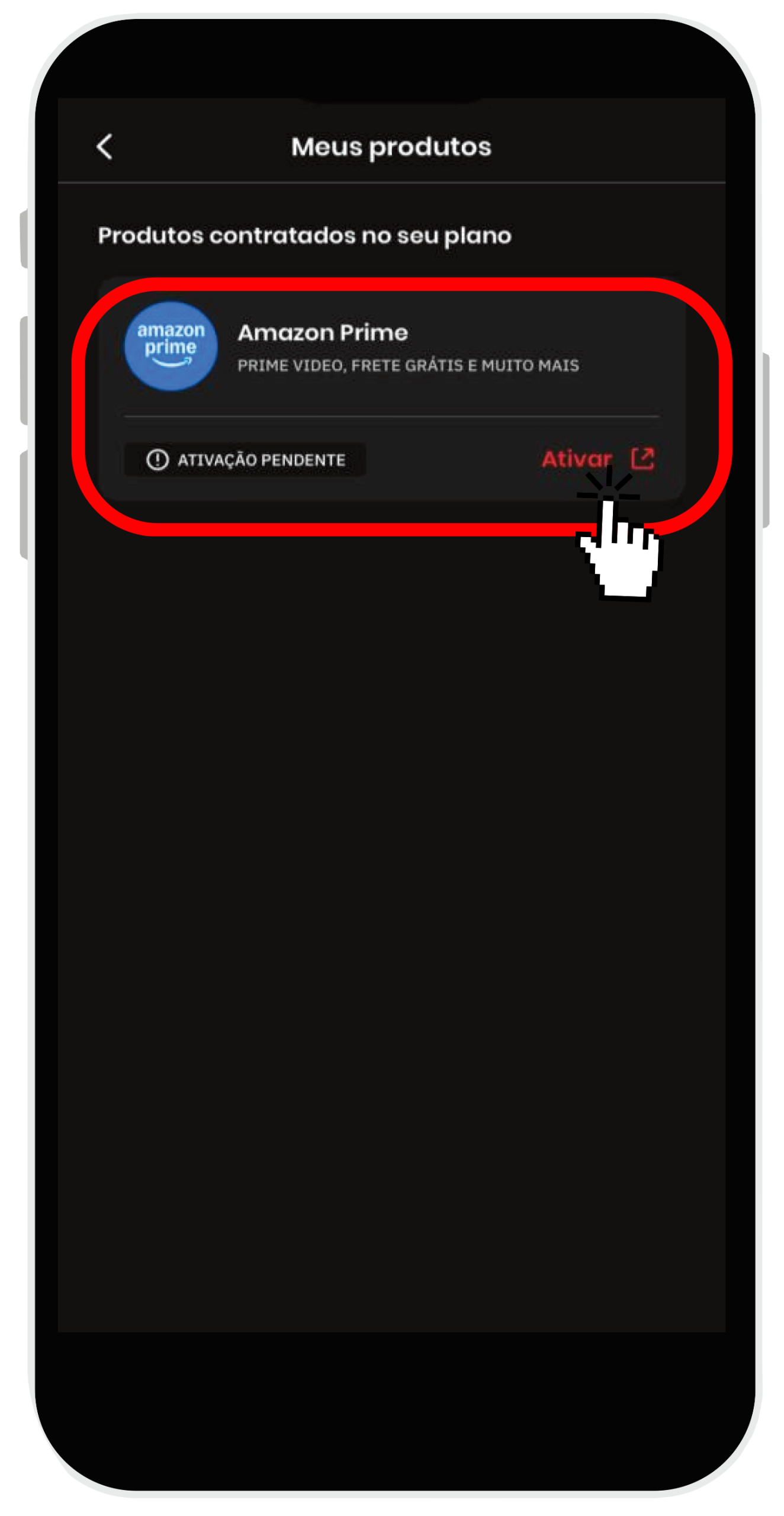
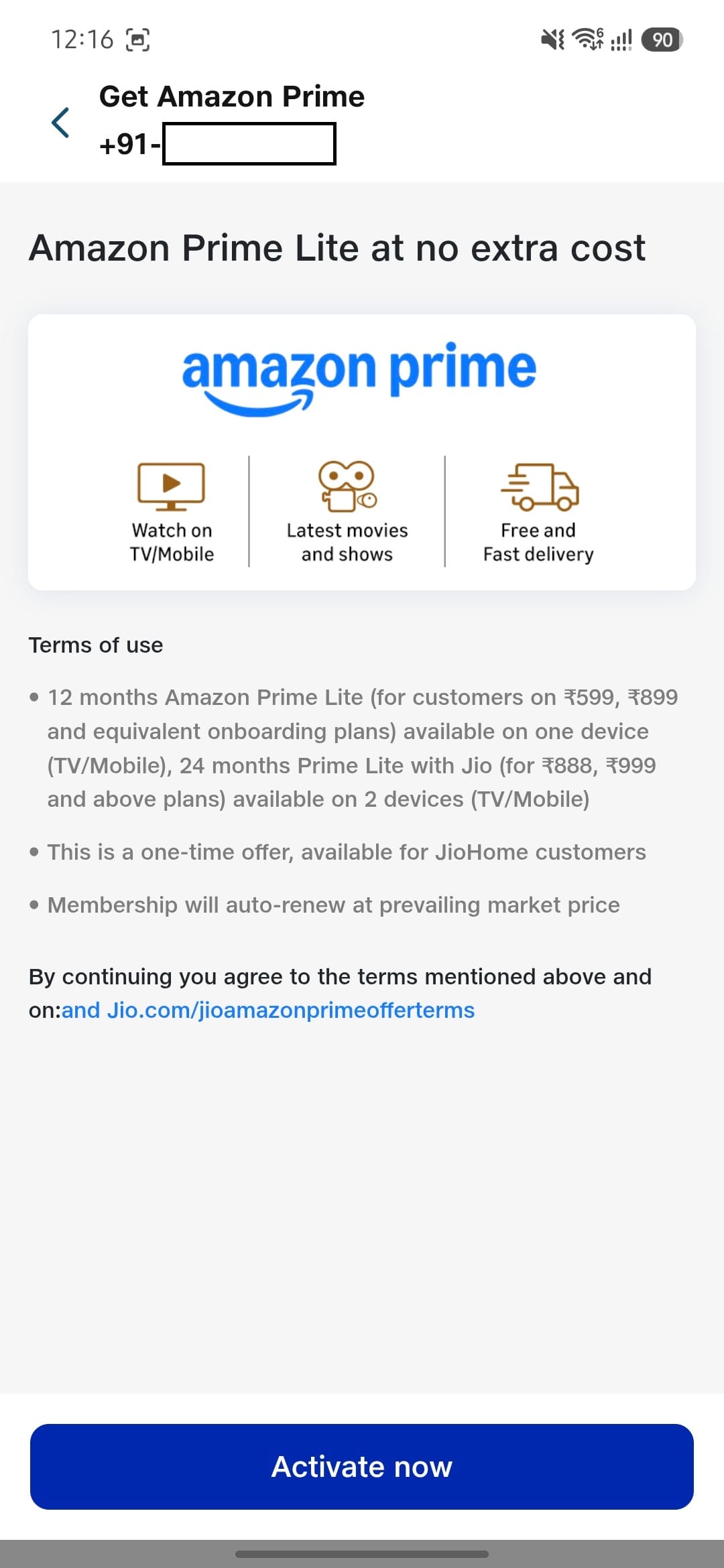
Many consumers acquire Amazon Prime access through external partnerships rather than direct checkout. Telecommunications providers, internet service providers, and device manufacturers frequently bundle Prime memberships with their core service packages. Activating these third-party offers requires a precise handoff between the external provider's portal and your Amazon account.
When you purchase a qualifying phone plan or broadband package that includes Prime, your provider will typically send a confirmation email containing a unique activation link. Clicking this link redirects you to an Amazon landing page specifically designed to recognize the partnership. You must sign in to your Amazon account and explicitly link it to the external service.
It is vital to monitor billing redundancy during this process. If you already hold an active, directly billed Amazon Prime subscription and activate a third-party bundle, your existing direct subscription does not always automatically cancel. You must manually manage your membership settings to pause or terminate the direct billing cycle to avoid paying twice for the same service. Check your Amazon membership management page immediately after completing a third-party activation to verify that the system recognizes the promotional source.
Verifying Membership Status and Managing Household Sharing
Once activation is complete, verifying that your account reflects the correct status prevents unexpected shipping delays or content paywalls. Navigate to the "Prime Membership" page under your account settings. This dashboard displays your renewal date, billing history, and active benefits. If your shipping speeds still appear as standard rather than expedited, logging out of your browser or application and signing back in forces a session refresh that usually resolves synchronization lag.
One of the most valuable structural features of Amazon Prime is Amazon Household. This feature allows two adults (aged 18 and over) to share Prime benefits—including fast shipping, Prime Video streaming, and Amazon Photos storage—while maintaining separate personal accounts, login credentials, and payment methods.
Setting Up Amazon Household
- Navigate to the Amazon Household management page via your account settings.
- Select the option to add an adult, teenager, or child.
- Enter the name and email address of the adult you wish to invite. Both adults must agree to share payment methods, authorizing each other to use credit cards stored on either account for purchases made within the household ecosystem.
- Once the invited user accepts the email invitation, the shared benefits unlock across both distinct profiles immediately.
Troubleshooting Common Activation Roadblocks
Despite a streamlined interface, users occasionally encounter friction during the activation sequence. Understanding the root causes of these errors allows for rapid resolution without requiring prolonged customer support interactions.
Payment authorization failures represent the most frequent hurdle. If your bank declines the nominal verification charge associated with a free trial or the full subscription fee, activation will stall. Ensure your card details, billing zip code, and security code match bank records precisely. Prepaid cards and virtual credit cards are frequently rejected by Amazon’s subscription billing system, which strongly favors traditional credit or debit instruments backed by verifiable personal identity.
Another common issue involves geographic mismatching. If your account was originally registered in one country (for example, the United States) but you attempt to activate a promotion originating from another country (such as the United Kingdom), the system will block the transaction. You must update your country preferences within your account settings, though doing so may reset your digital content libraries.
Finally, browser extensions such as aggressive ad blockers, script blockers, or privacy-focused Virtual Private Networks (VPNs) can interfere with the secure tokens required during the checkout and activation handshake. Temporarily disabling these extensions or switching to a clean, default browser profile clears out interference and allows the activation scripts to execute properly.
Frequently Asked Questions
Can I activate Amazon Prime without adding a credit card?
Amazon generally requires a valid credit card, debit card, or supported regional payment method on file to activate any Prime membership, including 30-day free trials. This requirement helps manage automatic renewals once the trial period expires. While gift card balances can pay for membership dues, a backup electronic payment method is almost always requested during initial setup.
What happens to my existing subscription if I redeem a Prime gift card?
When you redeem an Amazon Prime gift card or activation code, the value of that code is added to your account as a membership extension. It will push your next billing date forward by the corresponding duration (such as one year for an annual gift code) rather than converting into a cash balance for general store purchases.
Why is my Prime Video not working after I activated my membership?
Digital streaming rights can occasionally take up to 30 minutes to synchronize across Amazon's content delivery servers after initial activation. If your video access is delayed, try logging out of the Prime Video application on your streaming device or smart TV, clearing the application cache, and signing back in with your primary credentials.
Can I share my Amazon Prime benefits with family members living in another house?
Amazon Household is specifically designed for adults living in the same household, as it requires both parties to share payment methods and digital wallets. Attempting to link accounts across separate physical residences violates the terms of service and can result in the suspension of the shared benefits feature.
How do I cancel my Amazon Prime trial before I am charged?
You can cancel your membership at any time by navigating to the "Prime Membership" management page in your account, selecting "End Membership," and following the confirmation prompts. If you cancel during a free trial, your benefits will remain active until the trial period officially expires, and your payment method will not be billed.
Next Actions and Ongoing Maintenance
With your Amazon Prime membership successfully activated, maintaining optimal account security ensures uninterrupted service. Enable two-step verification on your Amazon login to protect your payment instruments and shared household profiles from unauthorized access. Regularly review your digital subscription dashboard to monitor renewal dates, evaluate whether promotional bundles require manual renewal, and ensure your default payment card remains up to date. By proactively managing these settings, you secure seamless, long-term access to the complete suite of retail and digital entertainment benefits.
Image Gallery