All Saints Row 3 Cars Unpacked: A Complete Technical and Modding Guide
To access and "unpack" all cars in Saints Row: The Third, players must use third-party extraction tools like Gibbed’s Saints Row Tools to decompress the game’s .vpp_pc and .str2_pc archives. Once unpacked, you can modify vehicle physic...
To access and "unpack" all cars in Saints Row: The Third, players must use third-party extraction tools like Gibbed’s Saints Row Tools to decompress the game’s .vpp_pc and .str2_pc archives. Once unpacked, you can modify vehicle physics, swap 3D models, and access hidden or DLC-restricted vehicles by editing the game's internal xtbl data files.
Contents
Understanding the "Unpacked" Framework of Saints Row: The Third
When enthusiasts discuss "unpacking" cars in Saints Row: The Third (SR3), they are usually referring to one of two things: fully unlocking the vehicle roster within the game’s save file or, more technically, extracting the game’s asset files to view and modify 3D models, textures, and performance data. As of 2026, the modding community has perfected these methods, allowing for deep customization of the Steelport automotive landscape.
The game stores its data in a proprietary format designed for efficient streaming on older hardware. For the standard PC version (and the 2020 Remastered edition), vehicles are not stored as individual loose files. Instead, they are bundled into "packages." To "unpack" them, you must understand the hierarchy of the Volition engine's file system. The primary containers are .vpp_pc files, which act as large archives for specific game systems, and .str2_pc files, which are smaller, localized archives often containing the specific meshes and textures for a single entity, like a car.
Unpacking these files is the prerequisite for any significant modification. Whether you want to increase the top speed of the Attraction or replace the model of the Peterliner with something custom, the process begins with the extraction of the vehicles.vpp_pc file found in the game's installation directory.
Essential Tools for Extracting Vehicle Data
To unpack the cars successfully in 2026, you require specific utility software that has been maintained by the community. While the game does not offer native modding tools, the following utilities are industry standards for SR3 asset extraction:
- Gibbed’s Saints Row Tools: Created by Rick "Gibbed" Schmidt, this suite includes
unpacker.exe. It is a command-line tool that handles the decryption and decompression of.vpp_pcfiles. It remains the most reliable method for accessing the core game logic. - Thomas Jepp’s Tools: A popular alternative that offers a more user-friendly interface for those who are uncomfortable with command-line prompts. It performs similar functions but is often preferred for batch-unpacking textures.
- Saints Row Mod Manager: While not an unpacker itself, it is essential for re-packing your modified files back into the game without corrupting the original installation.
Before beginning the unpacking process, it is a critical safety step to back up your distfiles folder. A single error in an unpacked xtbl file can cause the game to crash during the initial loading screen or, worse, corrupt your 100% completion save file.
Step-by-Step Process to Unpack Vehicle Assets
Unpacking the cars is a linear process. Follow these steps to access the raw data of every vehicle in Steelport:
Step 1: Locating the Core Archives
Navigate to your Saints Row: The Third installation folder (typically found under SteamApps\common\Saints Row The Third). Look for the packfiles\pc\main directory. The file you are looking for is vehicles.vpp_pc. This single archive contains the definitions for every car, bike, boat, and aircraft in the game.
Step 2: Running the Unpacker
Drag and drop the vehicles.vpp_pc file onto the Gibbed.SaintsRow3.Unpack.exe icon. A command window will appear, listing every file as it is extracted. This process can take several minutes depending on your CPU speed, as the tool is decompressing several gigabytes of data into a readable format.
Step 3: Accessing the XTBL Files
Once the extraction is complete, a new folder named vehicles will appear. Inside, you will find hundreds of .xtbl files. These are XML-based spreadsheets that define the "DNA" of the cars. For example, c_sports01.xtbl defines the performance, weight, and customization options for the Raycaster.
Step 4: Extracting Visual Assets (Optional)
If your goal is to view the 3D models (meshes) or textures, you must go a step deeper. You will need to find the specific .str2_pc file for a vehicle (e.g., veh_high_sports01.str2_pc) and unpack it using the same method. This will yield the .cmesh_pc (model) and .ccar_pc (customization) files.
The Complete "Unpacked" Vehicle Roster and Internal Names
When you look at the unpacked files, the names do not always match the in-game titles. To modify the correct car, you must know its internal codename. Below is a detailed breakdown of the most popular vehicles found within the unpacked archives.
| In-Game Name | Internal File Name | Category | Primary Character Usage |
|---|---|---|---|
| Attraction | c_sports_exotic01 |
Sports | Deckers Gang |
| Raycaster | c_sports01 |
Sports | High-end Civilians |
| Phoenix | c_muscle01 |
Muscle | Morningstar Gang |
| Infuego | c_muscle02 |
Muscle | Luchadores Gang |
| Peacekeeper | v_cop_car01 |
Emergency | Steelport Police (STAG) |
| N-Forcer | v_stag_apc01 |
Military | STAG Advanced Units |
| Ejector | v_truck_garbage |
Industrial | Civilian Services |
| Saints Crusader | v_tank01_saints |
Tank | Third Street Saints |
| Wraith | v_air_fighter02 |
Aircraft | Deckers (Cyber) |
Modifying Unpacked Data: Beyond Extraction
Once the files are unpacked, the real power lies in editing the vehicles.xtbl and customization_items.xtbl files. These files allow you to bypass the game's natural limitations.
Adjusting Performance Metrics
Within the unpacked .xtbl file for any car, you can find the block. Here, you can alter the Mass, Top_Speed, and Torque. Increasing the torque value allows heavy vehicles like the Peterliner to accelerate like a supercar. Modders often "unpack" these values to create "realistic driving" mods that increase the weight and friction of the cars to make them feel less "floaty" compared to the default arcade physics.
Unlocking Hidden Customization
Saints Row: The Third has a "flag" system for vehicle parts. Many cars have hidden spoilers, bumpers, or hoods that are in the game files but disabled in the "Rim Jobs" mechanic shop. By editing the unpacked customization_items.xtbl, you can set the flag to False for these parts, making them available for purchase in-game. This is the primary method used to create "unpacked" car packs that feature hundreds of new visual combinations for existing vehicles.
Vehicle Swapping and Hybrids
By changing the reference in a vehicle's definition file, you can perform "model swaps." For instance, you can tell the game to use the Saints VTOL model for the Emus (the tiny subcompact car). While this often results in hilarious visual glitches, it is the foundation for creating entirely new vehicle types in the game engine.
Troubleshooting Common Unpacking Issues
Unpacking decade-old game files in 2026 can present technical hurdles, especially on modern Windows 11 or Windows 12 environments.
- CRC Mismatch Errors: If the unpacker fails with a "CRC Mismatch," it usually means your game files are corrupted or you are trying to unpack the Remastered version with tools meant for the original 2011 release. Ensure you are using the version of Gibbed's tools specifically updated for the "Remastered" file headers.
- Missing Textures (The "Invisible Car" Bug): This happens when you unpack and edit a
.str2_pcfile but fail to update the corresponding.asm_pc(archive storage manager) file. The game uses the.asm_pcfile as a map; if the map doesn't match the unpacked contents, the game will fail to load the textures, resulting in an invisible car. - Permission Denied: Modern operating systems often protect the
Program Filesdirectory. Always run your unpacking tools as an Administrator, or move thepackfilesto a neutral directory likeC:\SR3_Work\before attempting to unpack them.
The Role of DLC in Unpacked Files
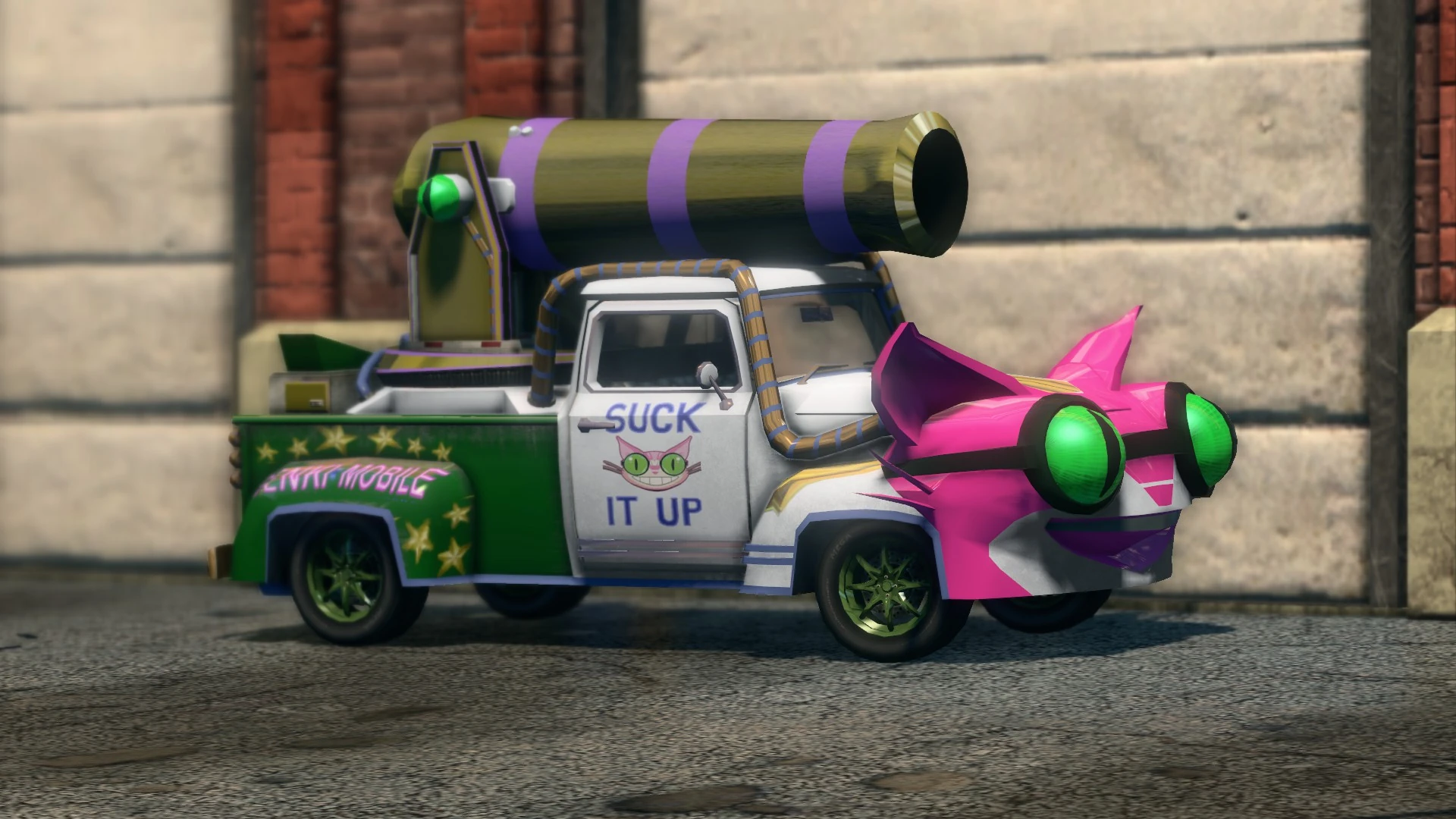
If you have the "Full Package" or "Remastered" version, your unpacked vehicles.vpp_pc will contain DLC-specific vehicles like the Saints Justicar and the Genkimobile. In the original 2011 release, these were stored in separate dlc1.vpp_pc or dlc2.vpp_pc archives. When unpacking, it is often better to search for the specific DLC archive if you cannot find a vehicle in the main directory. Modding these DLC cars is identical to modding base-game cars, though they often have more complex "Visual Effects" (VFX) attached to them.
Frequently Asked Questions
Can I unpack cars on the console versions of Saints Row 3?
No. Unpacking and modifying vehicle files requires access to the game’s directory and the ability to run third-party executables. This is only possible on the PC version. While some "save editors" exist for older consoles (Xbox 360/PS3), they cannot unpack the actual game assets or modify the 3D models.
Does unpacking the cars void my Steam achievements?
No. Saints Row: The Third does not have an anti-cheat system that monitors file integrity for achievements. You can play with a completely "unpacked" and modified vehicle roster while still earning achievements. However, using mods in co-op mode requires both players to have the exact same unpacked/modified files, or the game will disconnect the session due to data desynchronization.
How do I "re-pack" the files after I have modified them?
To turn your unpacked folders back into a format the game can read, you use the pack.exe utility included in the Gibbed toolset. Simply drag the folder containing your modified files onto the packer, and it will generate a new .vpp_pc file. Replace the original file in your game directory (after backing it up) to see your changes in-game.
What is the difference between "unpacked" and "unlocked" cars?
"Unpacked" refers to the technical process of extracting game data files for modding purposes. "Unlocked" refers to gaining access to vehicles within the game's narrative or via cheats. Most players looking for "unpacked" cars are seeking a way to access the game's raw assets to enhance their gameplay experience through modifications.
Is it possible to add completely new cars to the unpacked list?
Yes, but it is difficult. Because the game uses a fixed ID system for vehicles, you cannot easily add a "new" file. Instead, modders usually "sacrifice" an existing, unused vehicle (like a specific variant of a civilian car) and overwrite its data and model with the new asset.
Final Recommendation for Aspiring Modders
For those looking to explore "all Saints Row 3 cars unpacked," the best starting point is the Saints Row Mods community forums. While the game is over a decade old, the documentation for these file structures is exhaustive. Start by unpacking the vehicles.xtbl and making small changes—like doubling the mass of a moped—before attempting to swap 3D models or textures. This incremental approach ensures you understand the relationship between the unpacked data and the in-game behavior.
Image Gallery