CRM Ticketing Software Free: A Practical Overview
Finding reliable, free CRM ticketing software requires a clear understanding of the balance between customer relationship management and help desk automation. In 2026, many providers offer functional, entry-level tiers that combine dat...
Finding reliable, free CRM ticketing software requires a clear understanding of the balance between customer relationship management and help desk automation. In 2026, many providers offer functional, entry-level tiers that combine database management with request tracking. These tools allow small teams to centralize communications, track ticket status, and maintain customer history without immediate subscription costs.
Contents
Understanding the Intersection of CRM and Ticketing
Customer Relationship Management (CRM) software is primarily designed to store contact information, track interactions, and manage sales pipelines. Ticketing software, or help desk systems, focuses on the workflow of support requests: ticket assignment, prioritization, and resolution. When these two functions converge, a business can see the complete history of a client—including every previous purchase, meeting note, and technical support inquiry—in a single dashboard.
Many organizations encounter confusion when seeking "free" solutions. Generally, free options fall into two categories: open-source software, which requires your own hosting infrastructure, and "freemium" SaaS (Software as a Service) platforms. Freemium versions often limit the number of users, the volume of tickets per month, or the depth of reporting features. Understanding your specific operational load is the first step in selecting a platform that remains viable as your business scales.
Prerequisites for Deployment
Before implementing a ticketing solution, you must determine your team's technical threshold. If you opt for an open-source solution, you are responsible for server maintenance, security patching, and data backups. Conversely, cloud-based providers handle the backend infrastructure but may lock essential features behind paywalls.
Evaluate your requirements based on the following metrics:
- Support Channels: Do you need to consolidate email, social media, and chat in one place?
- User Seats: How many staff members need concurrent access to the ticketing system?
- Database Capacity: What is your projected volume of customer records and ticket history for the next 12–24 months?
- Compliance Needs: If you handle sensitive information, ensure your chosen free tier meets standard data protection requirements, such as GDPR or SOC 2, even if the service is provided at no cost.
Core Features to Look For
Even in free versions, specific features are essential to ensure the software improves your operational efficiency rather than hindering it. Avoid tools that provide only basic contact forms without a backend ticketing interface.
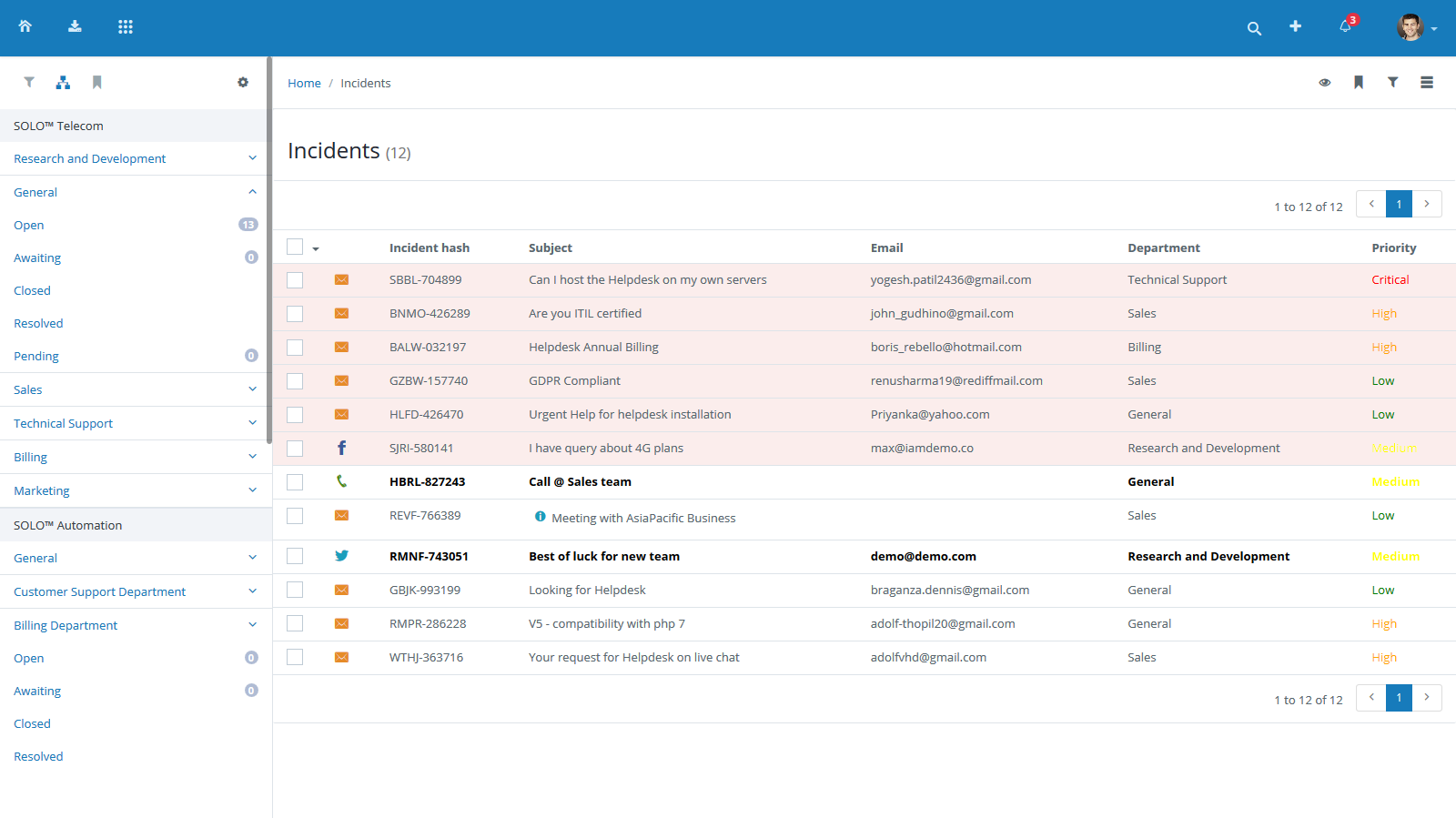
- Ticket Queuing and Status Tracking: The ability to assign a unique ID to every inquiry and track its lifecycle (Open, In Progress, Pending, Resolved).
- Contact Management (CRM): A centralized database that links ticket history to specific customer accounts.
- Basic Automation: Simple triggers, such as auto-responders that acknowledge receipt of a support request, are vital for maintaining client trust.
- Reporting Dashboards: Even in free iterations, you should have access to basic metrics like average response time and total volume of tickets.
Comparison of Popular Free-Tier Approaches
In 2026, the following approaches represent the most common ways to access combined CRM and ticketing functionality without an upfront licensing fee.
| Solution Type | Examples (Representing Market Standards) | Pros | Cons |
|---|---|---|---|
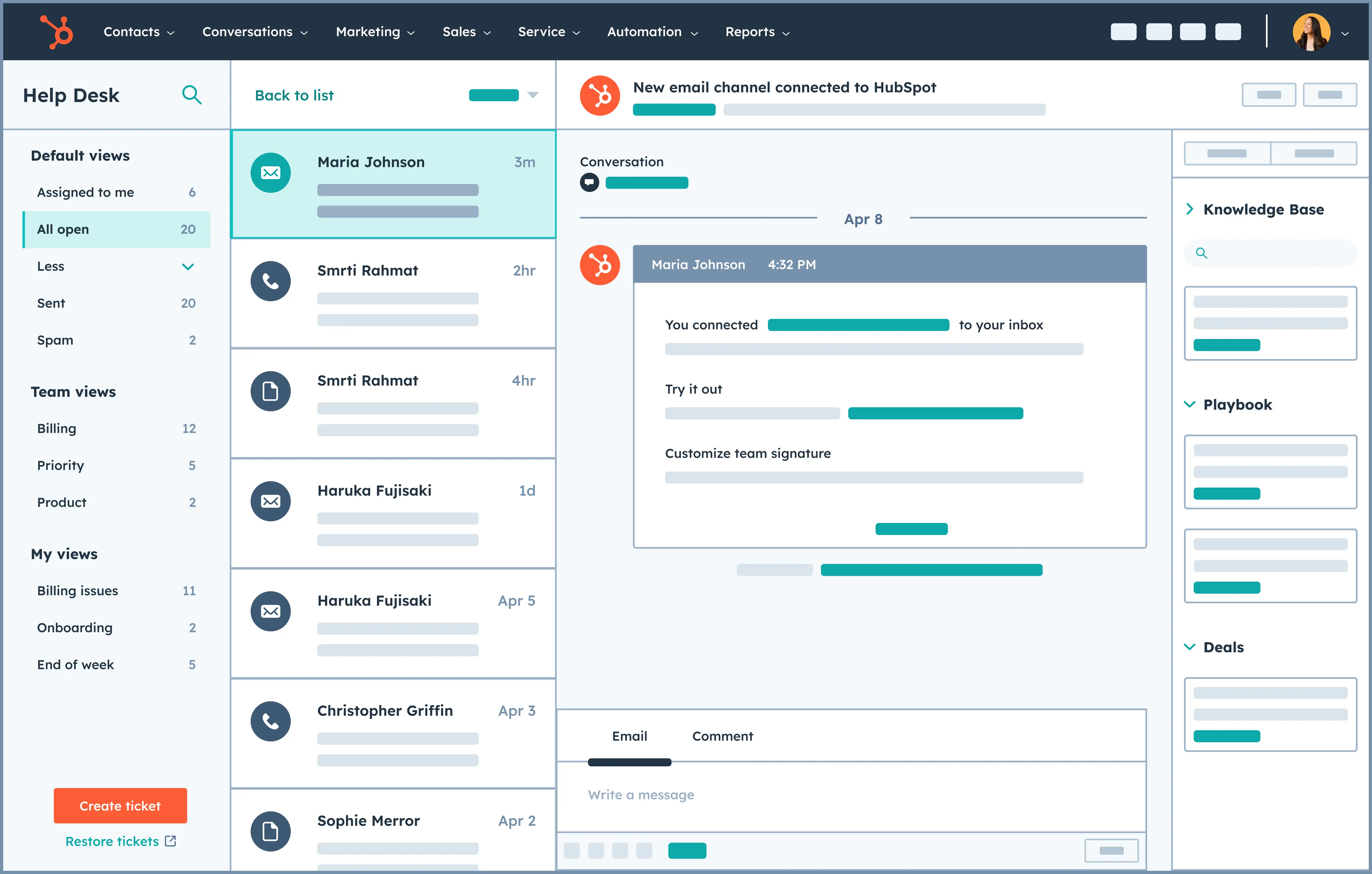
| Freemium SaaS | HubSpot, Zoho Desk, Freshdesk | Quick setup, cloud-hosted, mobile access | Limits on users, branding removal, and advanced automation |
| Open Source | Odoo (Community), osTicket | Full ownership, extensive customization | Requires hosting, maintenance, and technical expertise |
| Integrated Platforms | Bitrix24 | Includes project management tools | Steep learning curve, potential feature bloat |
Strategic Implementation Steps
To successfully adopt a free CRM ticketing solution, follow a structured rollout process. Rushing the integration often results in data silos or disorganized support queues.
1. Define your workflow: Before opening the software, map out how a ticket travels from receipt to resolution. Determine who handles which categories of issues. 2. Data Migration: If you have existing customer records, export them to a clean CSV format. Map your existing fields to the CRM’s contact fields to avoid data loss. 3. Pilot Testing: Do not launch to customers immediately. Have your internal team submit test tickets to ensure notifications, routing, and email integration work as intended. 4. User Training: Even free software can be complex. Ensure all users understand how to log interactions and close tickets properly to keep metrics accurate.
Addressing Common Challenges and Limitations
One of the most frequent mistakes businesses make when using free CRM ticketing software is failing to monitor "usage ceilings." Most providers implement hard limits; if you exceed your monthly ticket allowance, you may be unable to receive new support requests until the next cycle or until you upgrade to a paid plan. Always establish a notification alert for when you reach 80% of your usage limit.
Additionally, consider the "branding" factor. Many free tiers require the provider's logo to appear on your customer-facing support portal or email responses. While this is an acceptable trade-off for zero cost, assess if this impacts your brand identity before deploying it to your entire client base.
Troubleshooting and Support
Because these solutions are provided for free, direct human support from the vendor is often limited or non-existent. You will likely rely on community forums, knowledge bases, and user documentation. If you encounter a technical bug, check the status page of the vendor first to see if it is a platform-wide issue. If the issue is specific to your account, verify your system permissions and browser cache before reaching out to community support channels.
Frequently Asked Questions
Are free CRM ticketing tools truly free, or is there a hidden cost? The core functionality is free, but you often pay in time or limitations. You may face restricted integrations, limited file storage, or a cap on the number of agents who can access the system. Review the service agreement for usage-based billing triggers.
Can I export my data if I decide to switch to a paid version later? Most reputable CRM and ticketing vendors allow for full data exports in CSV or JSON formats. Always verify the export policy before starting; avoid platforms that "trap" your data in proprietary, non-portable formats.
How secure is my customer data on a free plan? Security standards should remain high regardless of the plan. However, free tiers may lack advanced features like two-factor authentication (2FA) or role-based access control (RBAC). Always enable 2FA if the platform supports it to protect your database.
What is the main difference between open-source and freemium ticketing tools? Open-source software gives you total control over the code and data, but you bear the cost of hosting and security management. Freemium SaaS tools are managed by the vendor, removing technical maintenance from your plate but potentially limiting your control over features.
Next Steps for Implementation
Review your current customer service volume. If you receive fewer than 50 tickets per month, a freemium SaaS solution is likely the most efficient path. Visit the websites of the leading providers, sign up for their free trial or tier, and perform a dry run with a sample set of data. If your requirements involve complex integrations or data sovereignty needs, evaluate an open-source solution, but ensure you have the server resources to support it reliably.
Image Gallery