Navigating Customer Engagement Software and CRM Systems in the USA
Customer engagement software combined with Customer Relationship Management (CRM) systems serves as the operational backbone for businesses in the United States aiming to synchronize sales, marketing, and support efforts. These platfor...
Customer engagement software combined with Customer Relationship Management (CRM) systems serves as the operational backbone for businesses in the United States aiming to synchronize sales, marketing, and support efforts. These platforms integrate data collection, communication automation, and analytics to provide a centralized view of every customer interaction, enabling organizations to move beyond transactional record-keeping toward proactive relationship management.
Contents
The primary objective of implementing a unified CRM and engagement suite is to resolve the fragmentation of customer data across disparate departments. By utilizing a single source of truth, businesses can automate personalized outreach, track the lifecycle of a lead, and resolve support tickets without data siloing. Choosing the right software requires balancing existing technical infrastructure, team capacity, and long-term business goals, particularly regarding data privacy and regulatory compliance.
The Integration of CRM and Engagement Tools
Historically, CRM systems were primarily database-driven, focusing on recording account names, lead statuses, and sales pipelines. Modern customer engagement software has evolved to wrap these traditional CRMs in communication layers. This includes omnichannel support—where interactions from email, SMS, social media, and live chat are funneled into the same interface—and behavioral tracking that triggers automated workflows based on real-time user actions.
In the United States, the necessity for these tools is driven by the high cost of customer acquisition. Organizations that fail to nurture existing relationships often see churn rates that jeopardize growth. A comprehensive engagement-ready CRM ensures that marketing teams know what sales teams are saying to a client, while support teams have historical context to resolve issues faster.
Key Functional Requirements for US-Based Operations
When selecting software for a US-based organization, several functional requirements are paramount to ensure legal and operational alignment:
- Data Residency and Privacy: With evolving state-level regulations such as the California Consumer Privacy Act (CCPA) and the Virginia Consumer Data Protection Act (VCDPA), businesses must ensure their software vendor provides robust data governance tools. This includes the ability to export or delete customer data upon request and ensure data is hosted on servers that comply with US security standards.
- Omnichannel Communication: The platform must allow for the seamless integration of telephony, VoIP, and messaging services (WhatsApp, SMS, live web chat) that are widely used by American consumers.
- Integration Ecosystem: Most companies rely on a mix of third-party tools like accounting software (QuickBooks, Xero), project management tools (Jira, Asana), and marketing automation platforms. A viable CRM must offer a well-documented API or native integrations to prevent data bottlenecks.
- Scalability: Small to medium-sized businesses (SMBs) often start with basic CRM functionality but require advanced reporting and AI-driven forecasting as they scale.
Comparison of Core Platform Capabilities
Understanding how these platforms differ helps in choosing the right path for your organization. The following table outlines standard categories of CRM and engagement features.
| Feature Category | Basic CRM Focus | Engagement-Driven CRM Focus |
|---|---|---|
| Data Storage | Manual entry & storage | Automated capture & enrichment |
| Communication | Primarily email logs | Integrated SMS, voice, & social |
| Workflow | Task reminders | AI-triggered multi-step sequences |
| Analytics | Static historical reporting | Predictive churn & sentiment analysis |
| Customization | User-defined fields | Extensive API/SDK access |
Implementation Phases: From Selection to Adoption
The failure of CRM software implementation is often a result of organizational friction rather than software inadequacy. To ensure a successful rollout, follow a structured phased approach:
- Requirements Audit: Define the specific pain points. Are you losing leads during hand-offs? Is your support team failing to meet response time goals? Document these needs before evaluating vendors.
- Vendor Evaluation: Utilize trials to test the "day-in-the-life" experience of your staff. Pay close attention to mobile application functionality, as field sales teams require constant connectivity.
- Data Migration and Cleaning: Migrating "dirty" data from legacy systems is the most common cause of implementation failure. Invest time in deduplication and formatting before importing records into a new system.
- User Training and Adoption: Management buy-in is critical. Ensure that key stakeholders are involved in the pilot phase so they can serve as internal champions during the broader company rollout.
- Ongoing Optimization: Periodic reviews (quarterly) should be held to prune unused workflows and ensure the CRM configuration still aligns with evolving business objectives.
Common Pitfalls and Troubleshooting
Many organizations encounter challenges when the technical capabilities of the software exceed the team's operational readiness. One frequent issue is "feature creep," where businesses enable too many automated modules simultaneously, leading to confusing customer experiences.
If your team reports that the software is too slow, verify that your browser cache is cleared and that your integrations are not making excessive API calls, which can cause latency. If data discrepancies appear between your CRM and your billing system, re-evaluate the sync frequency of your integration. Generally, using a middleware provider or native integration with a robust "error log" feature allows for proactive troubleshooting before data issues affect sales cycles.
Frequently Asked Questions
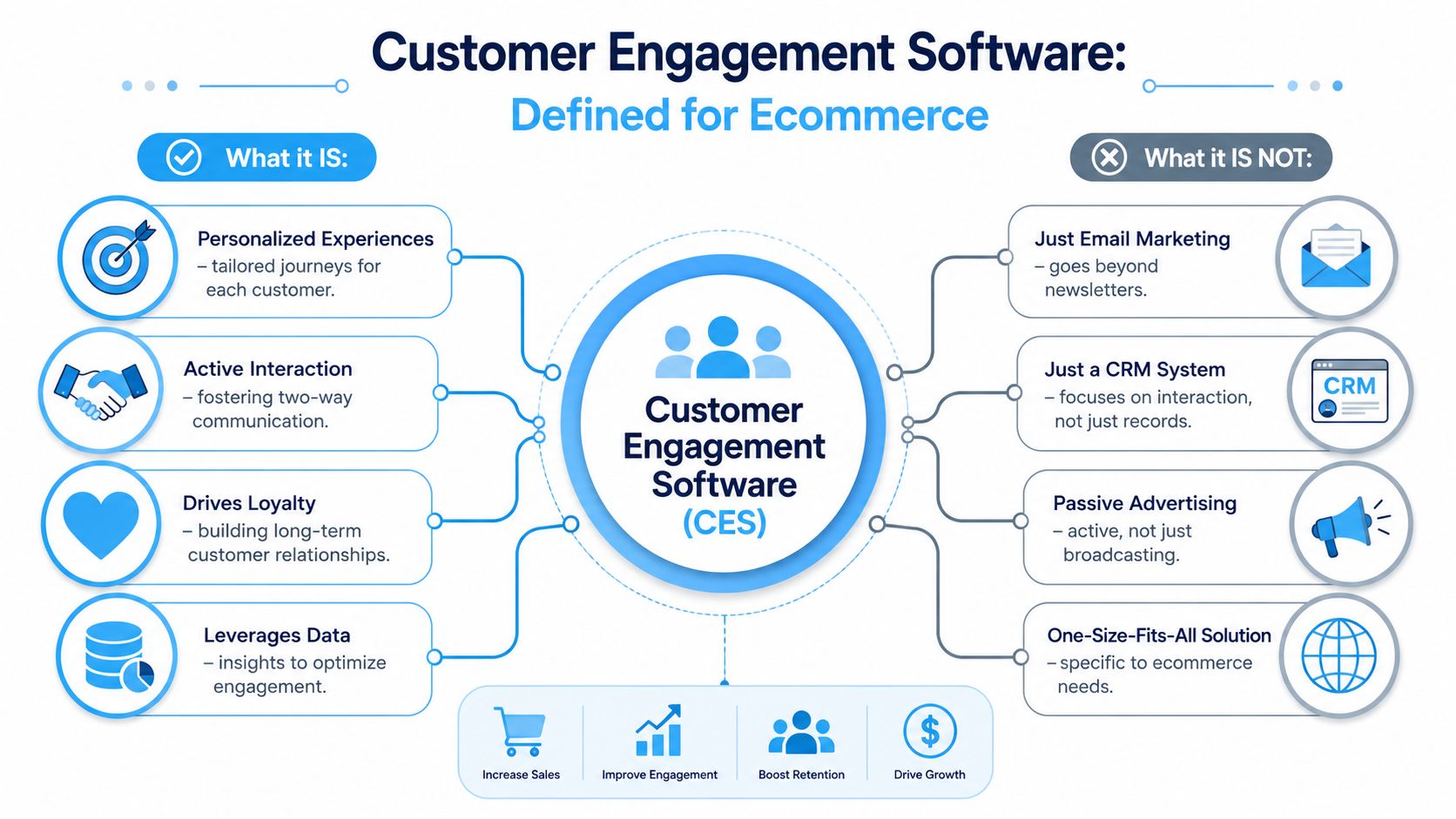
What is the difference between a standalone CRM and customer engagement software? A standalone CRM is primarily a system of record for account data. Customer engagement software adds the "active" layer, including marketing automation, real-time messaging, and interactive analytics, which turns the CRM database into a functional communications hub.
How does CCPA compliance affect my CRM choice? Under CCPA, businesses must provide consumers with rights to access, delete, and opt-out of the sale of their data. Your CRM choice must support "Right to Erasure" (RTBF) workflows, allowing you to quickly find and purge a user's data across all modules, including archived marketing lists and support tickets.
Can small businesses afford enterprise-grade engagement CRMs? Many enterprise providers offer tiered pricing that allows small businesses to access core features at a lower entry cost. It is recommended to choose a provider that offers "pay-per-seat" or "modular" pricing so you can scale costs linearly with your growth.
How long does a typical CRM implementation take? For a small team, a basic migration can take 2 to 4 weeks. For larger enterprises with complex data structures and multiple system integrations, implementation often spans 3 to 9 months, including comprehensive staff training and quality assurance testing.
What is the role of AI in modern customer engagement software? Artificial Intelligence is increasingly used to score leads based on historical conversion data, suggest optimal contact times for sales outreach, and power chatbots that provide 24/7 basic customer support, freeing up human agents for complex issues.
Final Recommendation
Before finalizing a vendor, conduct a "Proof of Concept" (PoC) with a small, representative sample of your current customer data. Use this PoC to test the most complex workflow your team performs daily. If the software can handle your edge cases—such as complex account hierarchies or regional data privacy requirements—it is likely the correct technical fit. Prioritize systems that offer robust, US-based support and clear documentation, as these will be essential during your team's onboarding process.
Image Gallery