How to Watch The History Channel on Spectrum: Channel Numbers, Plans, and Streaming Options
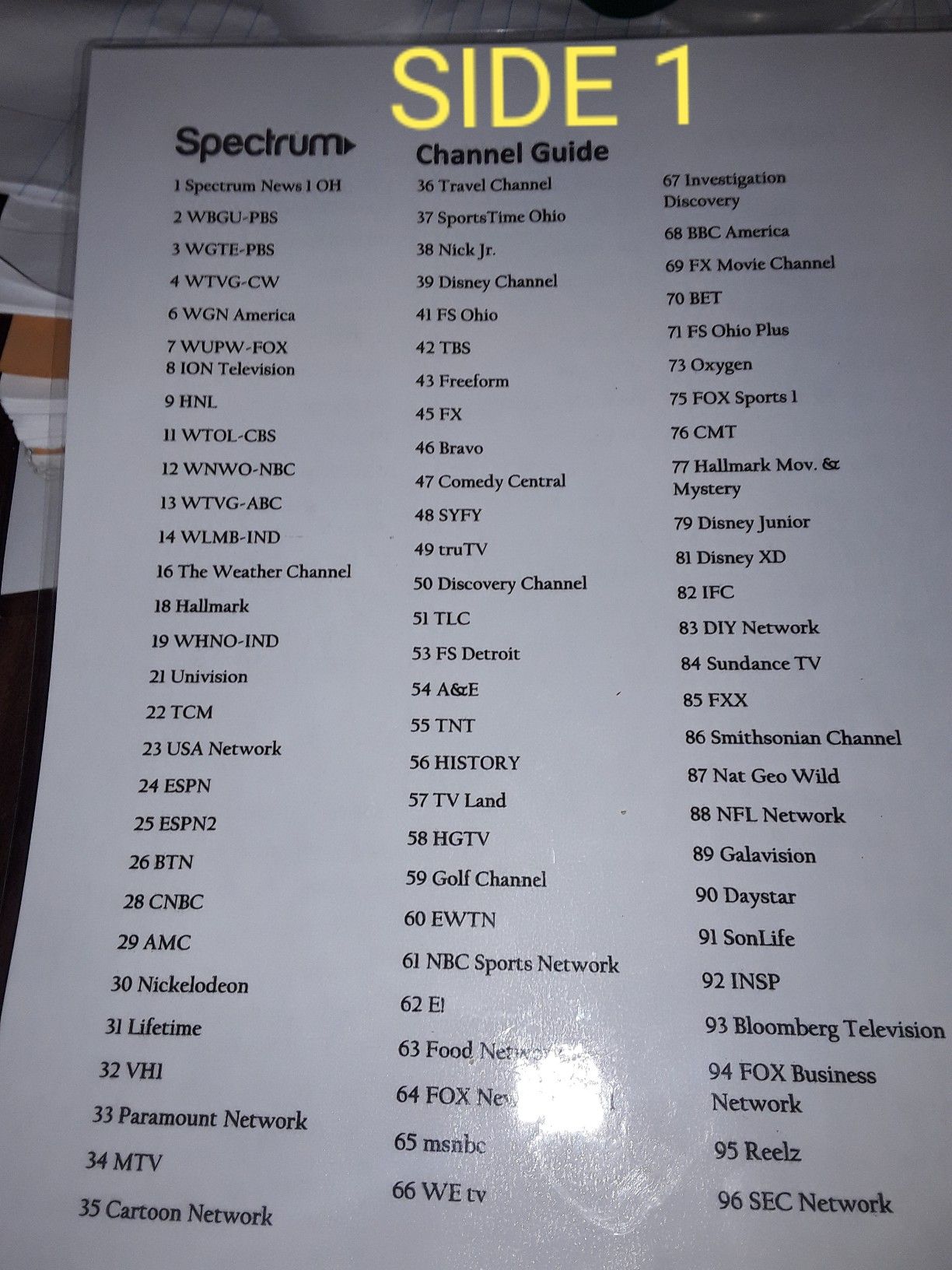
To watch The History Channel on Spectrum, you typically need a subscription to the Spectrum TV Select Signature or Spectrum TV Select Plus plan. While the exact channel number varies by zip code, it is commonly found between channels 4...
To watch The History Channel on Spectrum, you typically need a subscription to the Spectrum TV Select Signature or Spectrum TV Select Plus plan. While the exact channel number varies by zip code, it is commonly found between channels 40 and 70 or in the 100s for high-definition feeds. You can verify your local listing via the Spectrum on-screen guide or the official Spectrum website.
Contents
The History Channel remains one of the most sought-after networks for viewers interested in historical documentaries, reality series, and investigative programming. As of 2026, Spectrum continues to include this network in its primary channel lineups, ensuring broad accessibility for its millions of subscribers. However, navigating a modern cable interface and understanding the nuances of regional channel mapping can be challenging. This guide provides a comprehensive breakdown of how to access The History Channel, the packages required, and how to utilize modern streaming tools to ensure you never miss an episode of your favorite series.
Spectrum TV Packages That Include The History Channel
As we move through 2026, Spectrum has streamlined its service offerings to compete with streaming-first platforms. The History Channel is categorized as a "base-tier" or "essential" network, meaning you do not usually need a premium "Gold" or "Silver" tier (legacy packages) to access it. Instead, current subscribers typically choose between two primary residential plans.
Spectrum TV Select Signature
This is the standard base package offered by Spectrum. It includes over 150 channels, covering major broadcast networks, news, and popular entertainment channels. The History Channel is a standard inclusion in this package. This plan is designed for the average household that wants a mix of local news, lifestyle programming, and general entertainment without a heavy emphasis on niche sports networks.
Spectrum TV Select Plus
Select Plus is an upgraded version of the Signature plan that includes additional regional sports networks (RSNs). If you are a sports enthusiast who also enjoys historical content, this is the likely plan for your household. The History Channel is included here as well, alongside other A&E Network properties like A&E and Lifetime.
Spectrum TV Choice
In certain markets, Spectrum offers a "Choice" plan, which allows users to select a specific number of cable channels (usually 15) to add to their local broadcast lineup. Because The History Channel is a high-demand network, it is almost always available as an option for "Choice" subscribers. If you are looking to minimize costs while retaining specific favorite networks, verifying the availability of History in your local Choice bundle is a smart financial move.
Finding Your Local Channel Number
The most common question subscribers ask is, "What channel is History on?" Because Spectrum is the result of several mergers involving legacy providers like Time Warner Cable, Charter Communications, and Bright House Networks, the channel map is not uniform across the United States.
Using the Spectrum On-Screen Guide
The fastest way to find the channel is using your remote control:
- Press the Guide button on your Spectrum remote.
- Use the Channel Up/Down buttons or the scroll wheel to navigate.
- Look for the "History" logo or the abbreviation "HIST."
- In many markets, Spectrum groups educational and documentary channels together. You will often find History near Discovery Channel, National Geographic, and A&E.
Utilizing the Online Channel Lineup Tool
If you are not near your television, you can use the Spectrum Channel Lineup Tool. By entering your specific street address and zip code, the tool generates a PDF or interactive list showing exactly which channel number corresponds to The History Channel in your specific neighborhood. This is particularly useful for new residents who have recently moved to a different service area.
| Major City | History Channel (Standard) | History Channel (HD) |
|---|---|---|
| New York City, NY | 48 | 748 |
| Los Angeles, CA | 54 | 754 |
| Dallas, TX | 56 | 756 |
| Orlando, FL | 46 | 1210 |
| Charlotte, NC | 51 | 102 |
| St. Louis, MO | 55 | 755 |
Note: These numbers are subject to local adjustments and may differ slightly based on the specific legacy infrastructure in your neighborhood.
Streaming The History Channel with Spectrum
In 2026, the traditional cable box is no longer the only way to view content. Spectrum has transitioned many users to the Xumo Stream Box, and the Spectrum TV App has become a central hub for viewing.
The Spectrum TV App
The Spectrum TV App allows you to stream live TV and On Demand content on various devices, including smartphones, tablets, Roku, Samsung Smart TVs, and the Xumo Stream Box.
- Live Viewing: You can watch The History Channel live just as you would on a cable box.
- On Demand: Most History Channel programs are available On Demand shortly after they air. This includes hits like The Curse of Oak Island, Ancient Aliens, and Pawn Stars.
- Requirements: You must be connected to your home Spectrum Internet to access the full live lineup, though many channels (including History) are available for "out-of-home" viewing on mobile data or external Wi-Fi.
The History App and TV Everywhere
Spectrum participates in the "TV Everywhere" initiative. This means your Spectrum credentials (username and password) act as a digital key to unlock content on third-party apps.
- Download the History App on your device (iOS, Android, Fire Stick, etc.).
- Select "Sign In" or "Link Provider."
- Choose Spectrum from the list of providers.
- Enter your Spectrum.net login details. Once authenticated, you can access a massive library of past seasons and exclusive digital extras that may not be available on the standard Spectrum On Demand menu.
Troubleshooting Common Issues
Even with a valid subscription, you may occasionally encounter issues accessing The History Channel. Understanding the technical reasons behind these interruptions can help you resolve them without a lengthy call to customer support.
"Channel Not Authorized" Error
If you see a message stating that you are not authorized to view the channel, it usually stems from one of three issues:
- Account Status: Ensure your bill is current. Automated systems may restrict certain tiers of service if a payment is late.
- Package Changes: If you recently downgraded your service or moved to a different promotional plan, confirm that The History Channel was not removed from your specific lineup.
- Signal Refresh: Sometimes the digital "handshake" between your cable box and Spectrum's headend needs to be reset. You can send a refresh signal to your equipment via the My Spectrum App under the "Equipment" tab.
Distorted Picture or Sound
Since History is broadcast in high definition, it requires a stable signal. If the picture is "tiled" or "pixelated," check the coaxial cable connections on the back of your receiver. Ensure they are finger-tight. If you are using the Spectrum TV App and experiencing buffering, the issue likely lies with your local Wi-Fi congestion rather than the broadcast signal itself.
The Evolution of The History Channel Content on Spectrum
The History Channel has evolved significantly over the last decade. While it still offers traditional military and ancient history documentaries, a large portion of its schedule is now dedicated to "history-in-the-making" and "hidden history" reality series.
Subscribers on Spectrum have access to:
- Historical Dramas: High-budget scripted series that explore specific eras.
- Investigative Series: Shows that utilize modern technology (like LiDAR or ground-penetrating radar) to solve historical mysteries.
- Short-form Documentaries: Often found in the On Demand section, these provide deep dives into specific events like World War II, the Civil War, or the Industrial Revolution.
The integration of Cloud DVR with Spectrum service in 2026 also means you can record these series without needing a physical hard drive in your home. This allows you to "set it and forget it," ensuring that every new episode of a documentary series is saved to your account for later viewing on any device.
Frequently Asked Questions
Does Spectrum offer The History Channel in 4K?
As of 2026, most History Channel content is broadcast in 1080i or 720p HD. While some specific documentaries may be available in 4K via the History App or specialized On Demand folders, the linear (live) channel on Spectrum is typically high-definition (HD), not Ultra-HD (4K).
Can I watch The History Channel on Spectrum without a cable box?
Yes. You can use the Spectrum TV App on a compatible smart TV, Roku, or Xumo Stream Box. This eliminates the need for a traditional cable box rental fee while still providing access to the full live channel and On Demand library.
Is The History Channel available on the Spectrum basic/starter plan?
The "Starter" or "Limited" plans usually only include local broadcast stations (ABC, CBS, NBC, etc.). To get The History Channel, you generally need to step up to the TV Select Signature tier or a custom Choice plan.
How do I use parental controls for The History Channel?
If you find certain reality content on History unsuitable for younger viewers, you can set "Ratings-Based" blocks. Navigate to the Settings menu on your Spectrum receiver or app, select Parental Controls, and set a PIN to block content rated TV-14 or TV-MA.
Why is the channel number different at my friend's house?
Spectrum channel lineups are determined by the local franchise agreement and the technical history of the local cable infrastructure. Even within the same state, different cities may have different channel assignments. Always use your zip code when checking the lineup online.
Final Recommendation
To ensure the best viewing experience for The History Channel on Spectrum, we recommend utilizing the Xumo Stream Box or the Spectrum TV App. These platforms provide a more intuitive interface than legacy cable boxes and offer superior search functionality for finding specific historical documentaries. If you are a new subscriber, verify that you are on the TV Select Signature plan to guarantee access to History and its sister networks. For existing customers experiencing "Not Authorized" errors, a quick signal refresh via the My Spectrum App is the most effective first step in troubleshooting.
Image Gallery