Understanding the Microsoft Security Cloud Security Evaluation
The Microsoft Security Cloud Security Evaluation is a formalized assessment framework designed to help organizations audit their cloud infrastructure against best practices, identify critical security gaps, and align their environment...
The Microsoft Security Cloud Security Evaluation is a formalized assessment framework designed to help organizations audit their cloud infrastructure against best practices, identify critical security gaps, and align their environment with the Microsoft Cybersecurity Reference Architecture (MCRA). By leveraging native tools like Microsoft Defender for Cloud and the Microsoft Purview compliance manager, organizations can quantify their security posture through objective metrics and actionable remediation guidance.
Contents
The Purpose of a Cloud Security Evaluation
In a complex, distributed cloud environment, the primary challenge is not just the presence of security features, but the configuration and enforcement of those features across disparate workloads. Organizations often struggle with "configuration drift," where security settings are modified over time, or gaps emerge due to the rapid deployment of new cloud services.
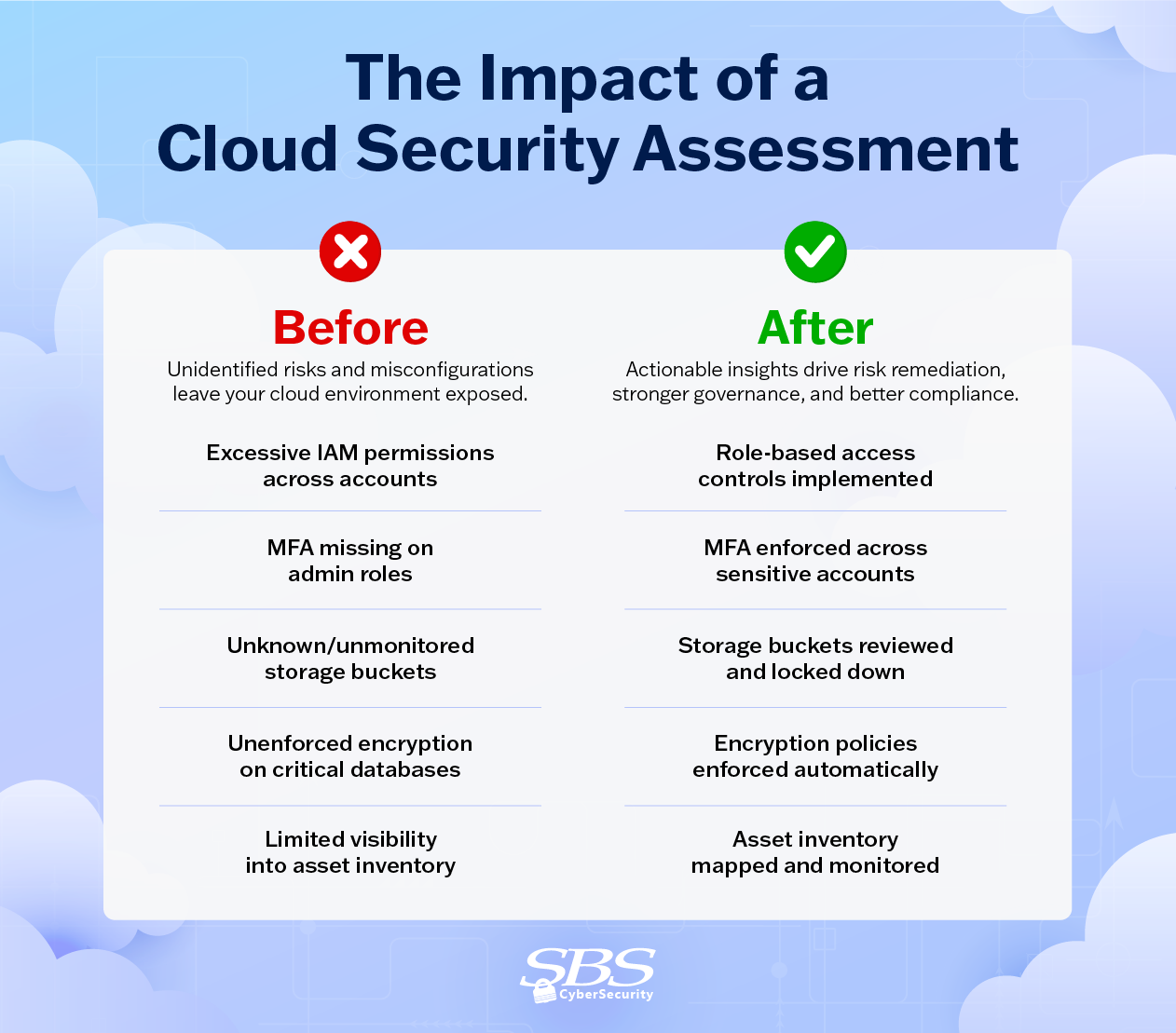
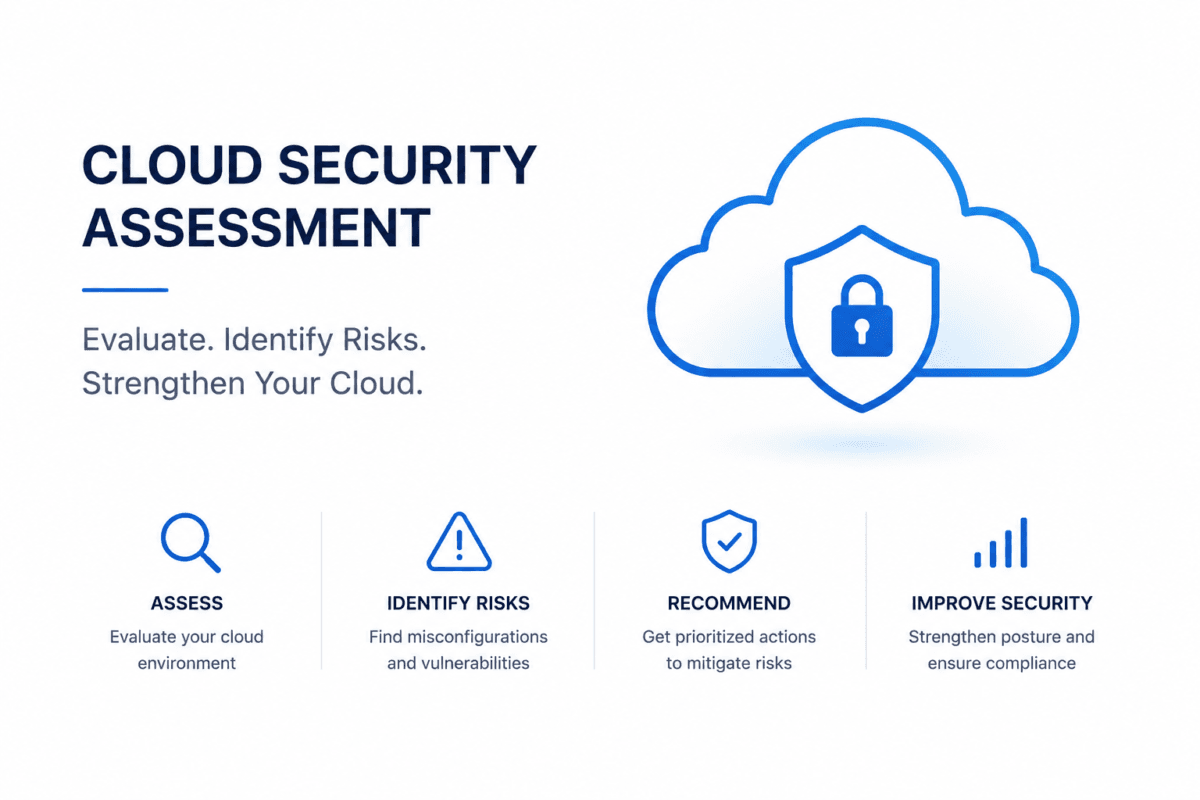
The Microsoft Security Cloud Security Evaluation serves as a diagnostic bridge between abstract security policy and technical implementation. It is not merely a checklist; it is an analytical process that evaluates the effectiveness of identity management, device protection, data governance, and infrastructure security. By conducting this evaluation, stakeholders gain visibility into their "Secure Score"—a quantitative representation of their security health—and receive a prioritized roadmap to mitigate the most significant vulnerabilities.
Key Components of the Microsoft Evaluation Framework
The evaluation methodology relies on several pillars, each corresponding to different layers of the cloud technology stack. Understanding these components is essential for a successful assessment.
1. Identity and Access Management (IAM)
The evaluation begins by verifying the strength of identity controls. In the Microsoft ecosystem, this focuses on the integration of Microsoft Entra ID (formerly Azure Active Directory). Auditors examine the implementation of Conditional Access policies, the enforcement of multi-factor authentication (MFA), and the reduction of privileged access via Just-In-Time (JIT) and Just-Enough-Administration (JEA) models.
2. Infrastructure and Workload Protection
This segment evaluates the security configuration of Azure, AWS, and Google Cloud Platform resources managed through Microsoft Defender for Cloud. It measures how effectively an organization utilizes security baselines, such as the Azure Security Benchmark. Key metrics include the percentage of resources with non-compliant configurations, the presence of public-facing endpoints, and the status of encryption at rest and in transit.
3. Data Protection and Governance
Using Microsoft Purview, the evaluation assesses how an organization classifies, labels, and protects sensitive information. This includes reviewing data loss prevention (DLP) policies and the effectiveness of sensitivity labels in preventing unauthorized access to regulated or proprietary data.
4. Threat Detection and Response
The final layer examines the operational efficacy of the Security Operations Center (SOC). This includes the integration of Microsoft Sentinel, the organization’s Security Information and Event Management (SIEM) and Security Orchestration, Automation, and Response (SOAR) solution. The evaluation checks the coverage of threat detection rules, the speed of incident investigation, and the automation level of response playbooks.
Eligibility and Prerequisites
To conduct a comprehensive Microsoft Security Cloud Security Evaluation, organizations must meet specific technical and administrative prerequisites.
- Licensing Requirements: The depth of your evaluation is dependent on your licensing tier. Most advanced assessments require Microsoft 365 E5 or A5 licenses, which provide the necessary access to Defender and Purview features.
- Administrative Access: The evaluator must possess Global Administrator, Security Administrator, or Compliance Administrator roles within the tenant.
- Environment Connectivity: Ensure that all multi-cloud environments (if applicable) are properly onboarded into Microsoft Defender for Cloud via Azure Arc or native connectors to ensure full visibility.
Comparison of Evaluation Tools and Methodologies
| Tool/Framework | Primary Focus | Best Used For |
|---|---|---|
| Microsoft Defender for Cloud | Infrastructure/IaaS | Real-time posture management and remediation. |
| Purview Compliance Manager | Regulatory Compliance | Aligning technical state with standards like ISO, NIST, or GDPR. |
| Microsoft Secure Score | Identity & App Health | Measuring overall security improvement over time. |
| Microsoft Sentinel | Threat Monitoring | Analyzing historical incident data and detection efficacy. |
Steps to Executing a Successful Evaluation
A structured approach ensures that the evaluation is repeatable and produces consistent results across different business units.
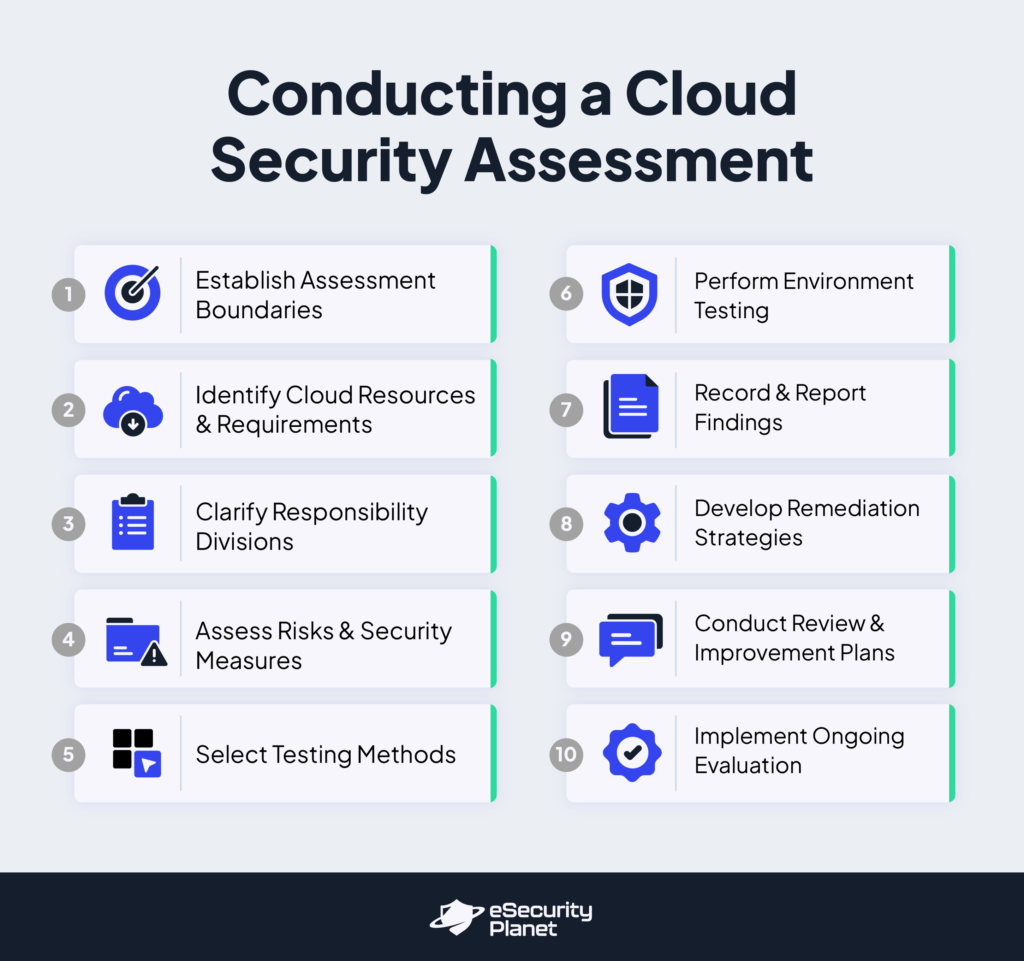
- Define the Scope: Identify which subscriptions, resource groups, or cloud tenants will be evaluated. Attempting to audit the entire enterprise at once can lead to "alert fatigue" and incomplete analysis.
- Baseline Establishment: Use the default policy initiatives in Microsoft Defender for Cloud to establish your baseline security posture.
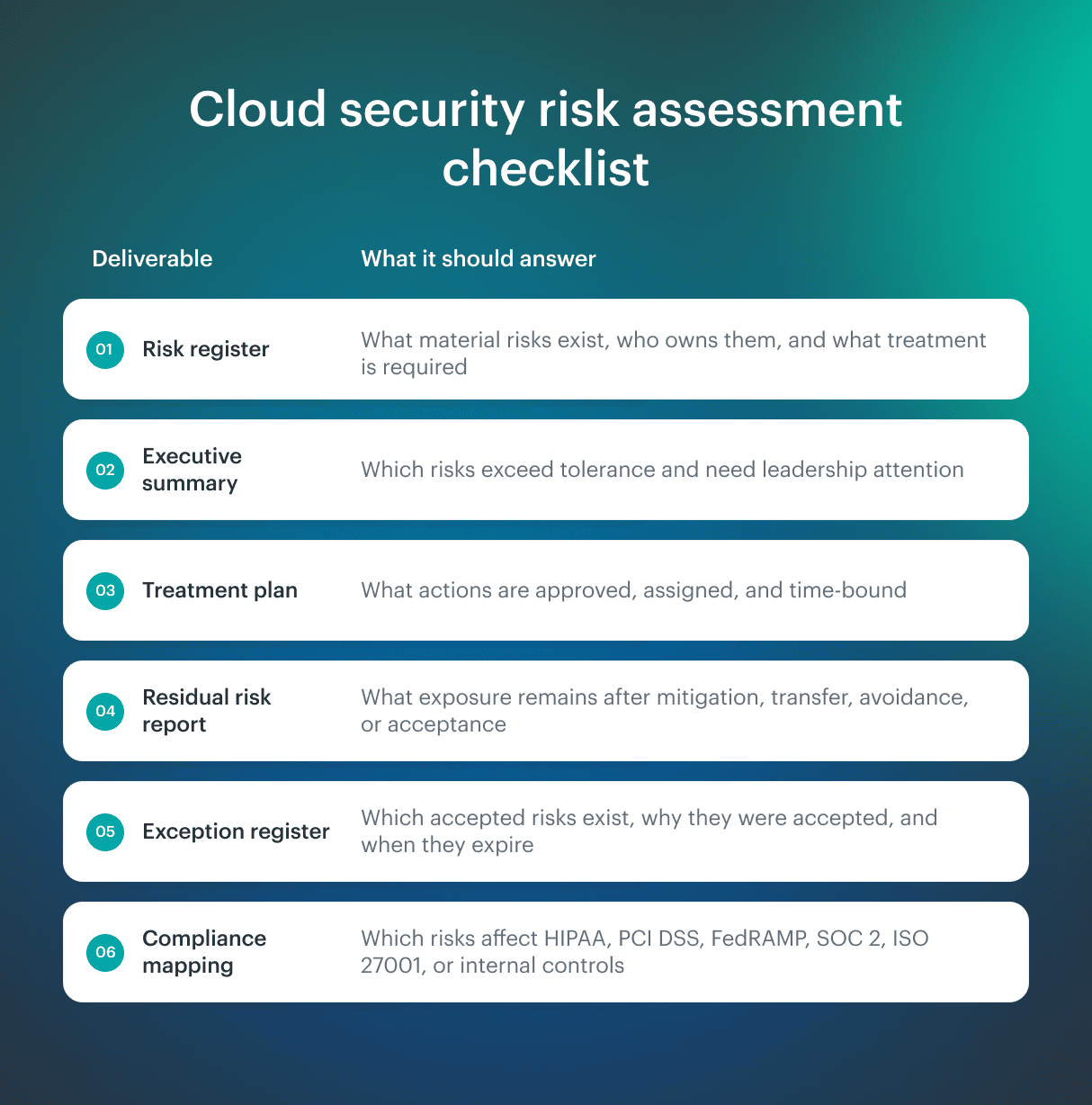
- Gap Analysis: Utilize the reports generated by the Compliance Manager to identify discrepancies between your current state and your target regulatory or internal policy framework.
- Prioritization: Address vulnerabilities based on risk severity (High, Medium, Low) rather than just the number of open alerts. High-severity alerts that provide lateral movement opportunities should be prioritized.
- Remediation and Documentation: Execute fixes. In many cases, this involves enabling "Quick Fix" automation within the Microsoft portal. Document all exceptions or accepted risks that cannot be technically remediated.
Common Pitfalls and Troubleshooting
The most frequent error organizations make during an evaluation is failing to contextualize the "Secure Score." A low score does not always indicate a lack of security; sometimes it indicates that specific security features are not applicable to that specific workload.
- False Positives: If an automated assessment flags a resource as insecure, investigate the context. For instance, a storage account might be flagged for not using public network access, which is correct if the storage is meant to be internal-only.
- Governance Gaps: Ensure that the team conducting the evaluation has a clear understanding of the "shared responsibility model." Microsoft is responsible for the security of the cloud, but the customer is responsible for the security in the cloud.
- Stale Data: Always refresh your dashboard data before beginning an assessment to ensure you are looking at the current state of the environment.
Integrating Results into Enterprise Security Strategy
Once the evaluation is complete, the resulting data should not be siloed in the security team. Share the executive summary with stakeholders to justify security budget requests or staffing requirements. Use the detailed technical findings to update internal playbooks and CI/CD pipelines. By automating the remediation of common vulnerabilities detected during the evaluation, you move from a reactive security posture to a proactive, "secure by design" development lifecycle.
Frequently Asked Questions
Does the evaluation involve manual testing or penetration testing? No. The Microsoft Security Cloud Security Evaluation is a configuration and posture assessment. It does not replace authorized third-party penetration testing, which simulates active exploitation rather than checking for configuration compliance.
How often should an organization perform this evaluation? In a modern cloud environment, continuous monitoring is standard. While you should perform a deep-dive "point-in-time" evaluation every quarter, you should monitor your Secure Score and compliance dashboards daily to catch configuration drift immediately.
Can this evaluation be used to meet regulatory audit requirements? Yes. The Microsoft Purview Compliance Manager provides evidence-based documentation that auditors accept. However, you must map the technical controls to the specific regulatory requirements (e.g., HIPAA, SOC2) as requested by your auditor.
What happens if I don't fix the vulnerabilities identified in the report? Failure to remediate flagged issues increases your "attack surface," making you more vulnerable to common threats like ransomware or unauthorized data exfiltration. Furthermore, it may leave your organization in violation of internal policies or external regulatory frameworks, exposing you to legal and financial liabilities.
Can third-party consultants perform this evaluation for me? Yes, many Microsoft-certified partners specialize in security posture assessments. They can provide an independent, expert view, though they will still require temporary administrative access to your tenant to retrieve the necessary logs and configurations.
Next Action: Start with the Secure Score
If you have not yet begun your evaluation, your first step should be to log into the Microsoft Defender Portal and navigate to the Secure Score dashboard. This provides an immediate, high-level overview of your current security status and will prompt you with the most impactful steps you can take today to harden your environment. Begin by addressing "Quick Fix" items that offer the highest point value for the least effort. This quick win builds the momentum necessary for a more comprehensive security overhaul.
Image Gallery