How Autopay Works for Credit Cards: A Comprehensive Guide
Autopay is a recurring payment service offered by credit card issuers that automatically deducts funds from your linked bank account to cover your credit card statement balance. When you enroll, the issuer processes the payment on or b...
Autopay is a recurring payment service offered by credit card issuers that automatically deducts funds from your linked bank account to cover your credit card statement balance. When you enroll, the issuer processes the payment on or before your due date, ensuring your account remains current and helping you avoid late fees, interest charges, and potential negative impacts on your credit score.
Contents
Understanding the Mechanics of Autopay
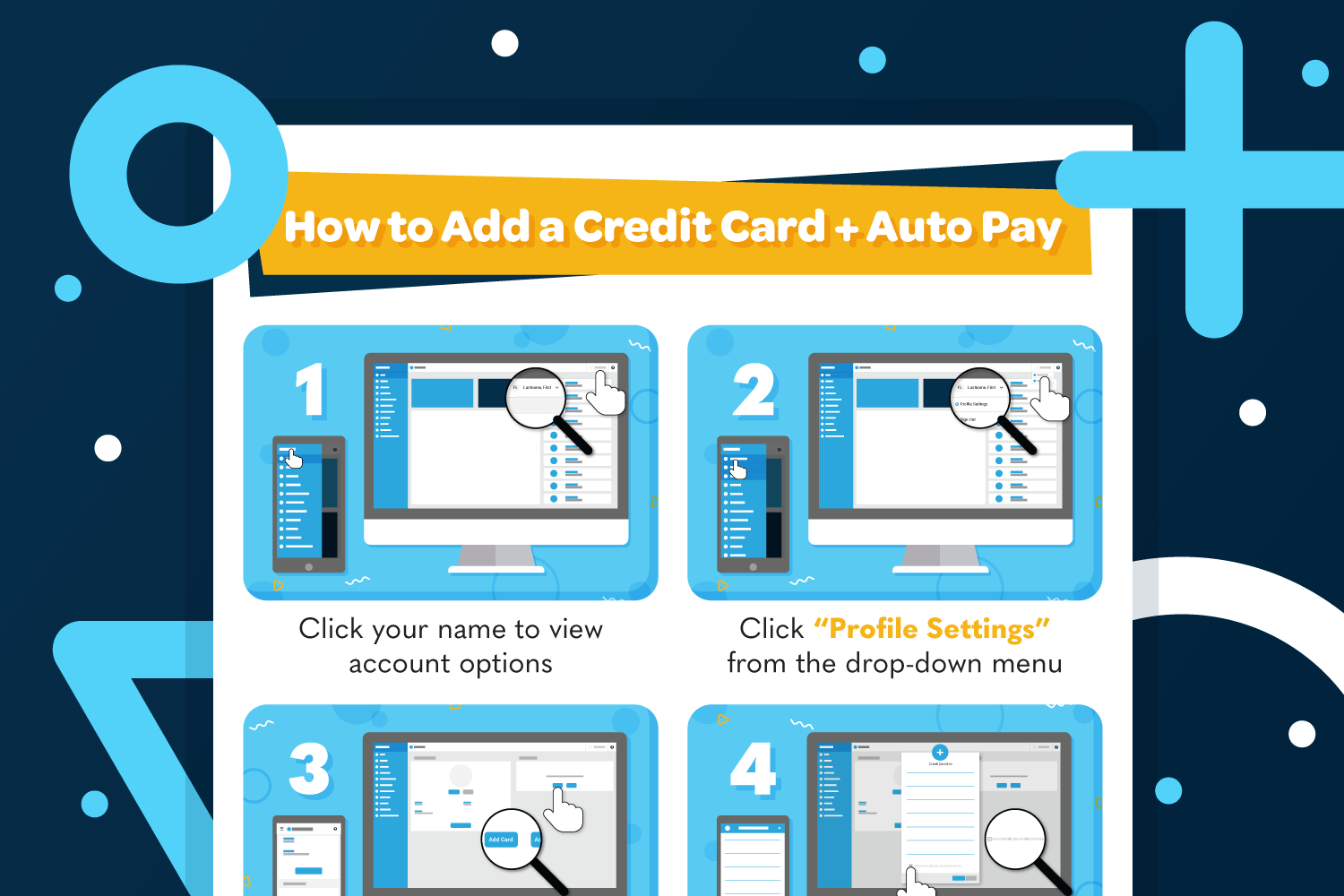
Autopay acts as a bridge between your personal checking or savings account and your credit card issuer’s billing system. Once you authorize the service through your cardholder portal or mobile application, the issuer stores your bank’s routing and account numbers in a secure, encrypted database.
Each month, shortly after your billing cycle closes and your statement is generated, the issuer calculates the total amount due. On a pre-determined date—usually the payment due date—the system triggers an Automated Clearing House (ACH) transfer. The funds are drawn from your bank account and credited to your card balance. This process is fully automated, meaning you do not need to log in to approve each individual transaction once the initial setup is complete.
Eligibility and Setup Prerequisites
Before enabling autopay, you must meet certain criteria established by your financial institution. These requirements are standard across major issuers in 2026:
- Verification of Ownership: You must be the primary account holder or an authorized administrator of the bank account you intend to link. Most issuers do not allow linking accounts held by third parties.
- Account Type: Most issuers require a U.S.-based checking or savings account. Business accounts may have specific restrictions depending on the bank’s internal policies.
- Active Internet Access: Enrollment is almost exclusively handled through the bank’s digital banking platform, necessitating an active online account or mobile application.
- Initial Manual Payment: Some issuers require at least one successful manual payment from the bank account to verify its validity before they allow the automation of future payments.
Selecting Your Payment Strategy
Not all autopay configurations are identical. When setting up the service, you are typically presented with three primary options for the amount to be deducted:
- Statement Balance: The system pays the full amount listed on your most recent monthly statement. This is the recommended choice for avoiding interest, provided you do not make additional purchases after the statement closing date that remain unpaid until the next cycle.
- Minimum Amount Due: The system pays only the absolute minimum required to keep the account in good standing. While this avoids late fees, it is the least efficient strategy, as the remaining balance will accrue interest at the card's standard Annual Percentage Rate (APR).
- Fixed Amount: You specify a set dollar amount to be paid every month. This is rarely recommended for credit cards because it does not adjust to your actual spending, potentially leading to underpayment or unnecessary interest accrual.
Comparison of Payment Methods for Credit Card Debt
| Feature | Autopay (Full Balance) | Manual Online Payment | Paper Check/Mail |
|---|---|---|---|
| Convenience | High (Set and forget) | Moderate (Requires action) | Low (Requires effort/postage) |
| Speed | Immediate processing | 1–3 business days | 5–10 business days |
| Risk of Late Fee | Very Low | Moderate (Human error) | High (Mail delays) |
| Control | Low (Automatic) | High (Manual review) | High (Manual review) |
Safety and Operational Limitations
While autopay is a robust tool, it is not infallible. Understanding its limitations is vital for maintaining financial health.
1. Timing and Cut-off Times If you make a large, one-time manual payment shortly before your autopay date, ensure the system recognizes the reduced balance. Some systems will still pull the full "Statement Balance" regardless of the recent manual payment, leading to a temporary credit balance on your account. Always check the specific terms regarding payment windows for your issuer.
2. Insufficient Funds If your linked bank account lacks sufficient funds on the day the autopay triggers, the payment will fail. This can result in a "returned payment fee" from your credit card issuer and a potential overdraft fee from your bank. More importantly, a failed autopay often triggers an immediate late flag on your credit account, which could impact your credit score if not rectified promptly.
3. Account Verification Always monitor your bank statements. Technical glitches, though rare, can occur during system updates. Treat autopay as a backup safety net rather than a reason to never look at your credit card account. Reviewing your statement for unauthorized charges is a standard practice that should persist even with automation.
Troubleshooting Common Autopay Issues
If your autopay fails to execute, follow these diagnostic steps:
- Verify Bank Information: Check that your bank’s routing and account numbers are still correct. If you recently changed banks, you must update the autopay settings manually.
- Check the Due Date: Ensure the payment is actually due. If you have a credit balance (e.g., due to a refund), some issuers will skip the autopay for that month.
- Monitor Notifications: Most issuers send an email or push notification a few days before the autopay is processed. If you stop receiving these, log in to your account to ensure your contact preferences have not been reset.
Frequently Asked Questions
Does autopay affect my credit score? Autopay indirectly helps your credit score by preventing late payments, which are a significant negative factor in credit reporting. By ensuring your bill is paid on time, you maintain a positive payment history, which constitutes 35% of your FICO score.
Can I cancel autopay at any time? Yes. You can disable autopay through your account dashboard. However, it is best to do this at least three to five business days before your payment due date to ensure the request is processed before the next automatic draft is initiated.
Does autopay pay off my total current balance or just the statement balance? Typically, autopay pays the "statement balance" (the amount owed at the end of the previous billing cycle). It does not automatically pay off pending charges or purchases made after the statement closing date.
What happens if my bank account changes? Autopay is linked to a specific set of account credentials. If you open a new checking account, you must log into your credit card portal and delete the old payment method, then add the new account information. Do not assume the bank will automatically transfer these instructions.
Next Steps for Financial Management
To effectively use autopay, start by auditing your monthly expenses to ensure you can consistently cover your full statement balance. Log into your credit card portal today to verify that your current autopay settings are configured to pay the "Full Statement Balance." Once confirmed, set a monthly calendar reminder to review your transaction history for any unauthorized activity, ensuring that your automated payments are going toward legitimate purchases.
Image Gallery