Understanding the Green Dot on Instagram: A Guide to Activity Status
The green dot on Instagram is an "Activity Status" indicator that signals to your followers and the people you message that you are currently active or have been active on the platform very recently. It appears as a small green circle...
The green dot on Instagram is an "Activity Status" indicator that signals to your followers and the people you message that you are currently active or have been active on the platform very recently. It appears as a small green circle on your profile picture within the direct messaging (DM) section, providing real-time visibility into your availability to communicate.
Contents
Decoding the Meaning of the Green Dot
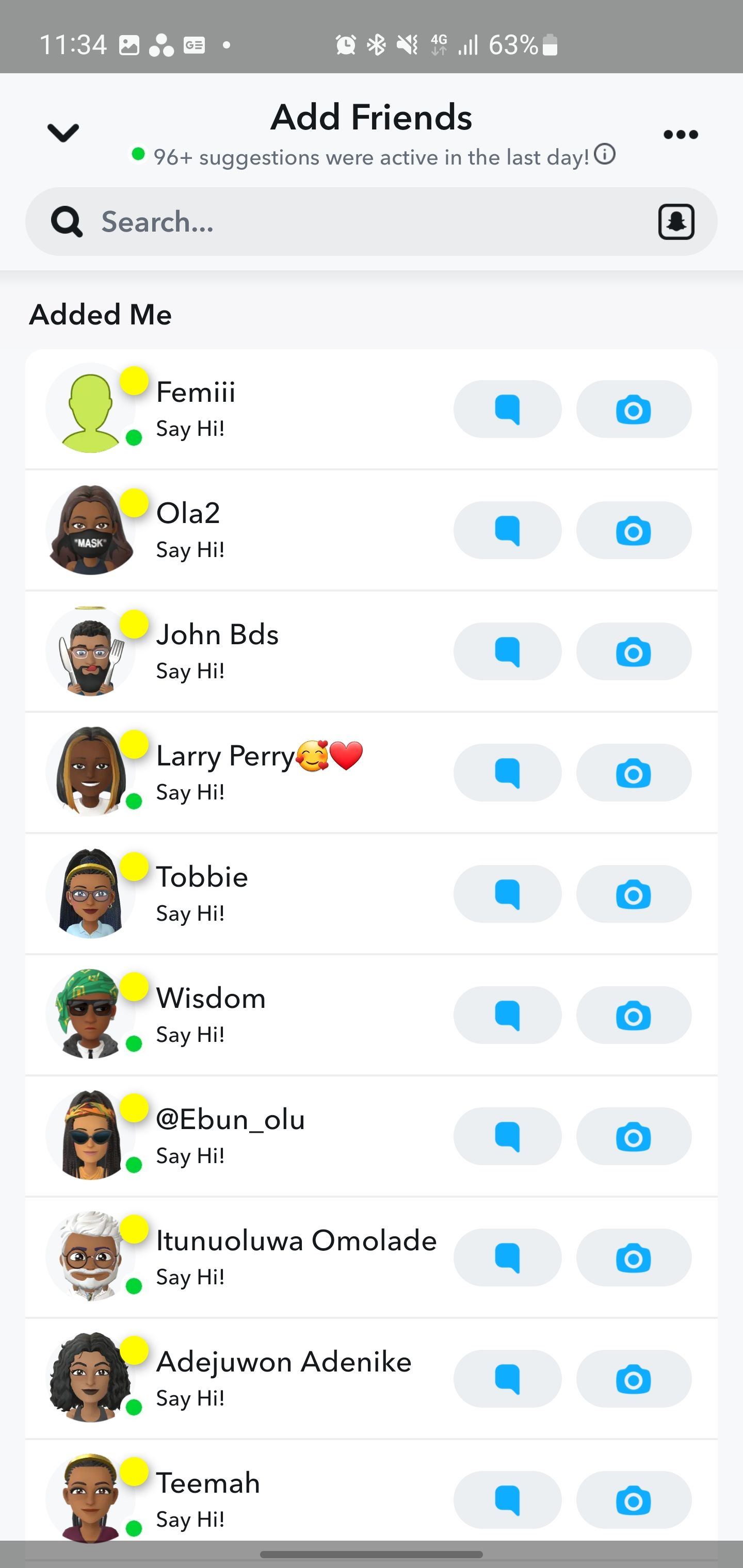
When you navigate to your Direct Message inbox on Instagram, you may notice a small, vibrant green circle positioned on the bottom right corner of certain profile pictures. This indicator is a feature of Meta’s broader "Activity Status" ecosystem. Its primary function is to let your connections know that you are currently logged into the application and interacting with the service.
It is important to clarify that this status is not a guarantee that a user is actively staring at their screen; rather, it indicates that the Instagram app is open in the foreground of their device or has been accessed within a recent time window. If you see this dot, the system is informing you that the user is likely available for a conversation. If the dot is absent, it does not necessarily mean the user is offline; they may simply have turned off their Activity Status, or they might be logged in but have not interacted with the app recently enough to trigger the indicator.
How Activity Status Works Under the Hood
The Activity Status is a synchronization feature that relies on your device’s connection to Meta’s servers. When you open the Instagram app, your device sends a ping to the server acknowledging your presence. Once that signal is registered, the platform updates your status across the accounts of people you have previously messaged or users you follow who follow you back.
This feature is designed specifically for direct communication. It does not display your status to random users or the general public visiting your main profile page. The visibility is strictly limited to the inbox environment, ensuring that your online presence is only broadcast to people with whom you have an established two-way connection. This balance between transparency and privacy is central to how Instagram manages user interaction in 2026.
Privacy Controls: Managing Your Visibility
You are not forced to display your activity status. Instagram provides granular controls that allow you to manage who can see when you are active. You can opt out of this feature entirely, which will hide your green dot from everyone, though it also prevents you from seeing the activity status of other users.
To modify these settings, follow these steps:
- Open the Instagram app and navigate to your Profile.
- Tap the Menu icon (three horizontal lines) in the top right corner.
- Select Settings and activity.
- Scroll down to the section labeled How others can interact with you.
- Tap on Messages and story replies.
- Select Show activity status.
- Toggle the switch to "Off."
By disabling this, you essentially enter "incognito mode" regarding your activity status. While this enhances your privacy, remember that it is a reciprocal arrangement. If you turn off your status, the application will no longer display the green dots of your friends or contacts in your inbox, maintaining a fair exchange of information across the platform.
Factors Influencing the Green Dot Accuracy
While the green dot is generally reliable, it is not always instantaneous. Several technical factors can cause a slight delay in the status update:
- Network Latency: If a user has a weak internet connection, their device may fail to send the "active" signal to the server immediately, or it may fail to refresh the statuses of others.
- Background Activity: Sometimes, the mobile operating system keeps apps in a suspended state. If a user swipes away from Instagram but does not fully close it, the green dot might persist for a few minutes while the server waits for a "heartbeat" signal to time out.
- Multi-Device Usage: Users often have Instagram installed on multiple devices, such as a tablet, a personal phone, and a work phone. The status indicator usually aggregates these signals, but discrepancies can occur if one device loses connectivity while the other remains active.
Comparison of Activity Status States
| Status Indicator | Meaning |
|---|---|
| Green Dot | The user is currently active or has been active in the last few minutes. |
| "Active [X]m ago" | The user was active on the app X minutes ago. |
| "Active [X]h ago" | The user was active on the app X hours ago. |
| No Status Visible | The user has disabled Activity Status or has not been active recently. |
Common Troubleshooting and FAQs
Why do I see a green dot even when I haven't opened Instagram? If you have Instagram set to refresh in the background, your device might occasionally communicate with the server, causing your status to flicker or appear active briefly. Additionally, if you have Facebook or other Meta-linked services open, there is occasional cross-platform status synchronization depending on your account settings.
Does the green dot appear in my Stories? No, the green dot is strictly confined to the Direct Message inbox. It does not appear on your profile grid, your profile header, or when you post an Instagram Story.
Can someone see if I am active if we haven't messaged before? Generally, no. Activity Status is typically shared between people who follow each other or who have engaged in a direct message thread. If you have no connection or history with a user, your activity status remains hidden from them.
If I turn off my Activity Status, can I still see others? No, this is a mutual privacy setting. If you choose to hide your activity, the platform restricts your ability to view the status of others to maintain a consistent experience for all users.
Does the green dot indicate that someone is currently typing? No. The green dot only signifies that the user is online. If someone is typing, you will see a "typing..." indicator or a set of animated dots inside the specific chat thread itself. These are two separate features.
Maintaining Your Digital Boundaries
Understanding the green dot is essential for managing your digital social life. For many, it serves as a helpful tool to identify when friends are likely available for a quick chat. For others, it can create a perceived pressure to respond immediately to messages.
If you find that the indicator leads to unwanted interruptions, the most effective strategy is to utilize the privacy settings mentioned above. By disabling your status, you regain control over your digital presence, allowing you to browse content, manage your feed, and interact with the app on your own terms without notifying your contact list of your every move. Should you ever decide you want the social convenience of the feature again, you can simply toggle it back on at any time through the same menu settings.
Image Gallery