Microsoft GPU Infrastructure: A Comprehensive 2026 Overview of Hardware, Cloud, and Software
Microsoft’s GPU ecosystem in 2026 is a multi-layered architecture encompassing custom-designed silicon, high-performance cloud infrastructure via Azure, and robust software frameworks like DirectX and DirectML. It serves a diverse user...
Microsoft’s GPU ecosystem in 2026 is a multi-layered architecture encompassing custom-designed silicon, high-performance cloud infrastructure via Azure, and robust software frameworks like DirectX and DirectML. It serves a diverse user base, ranging from individual gamers and developers using Windows to global enterprises training massive generative AI models on specialized hardware accelerators.
Contents
The term "Microsoft GPU" no longer refers to a single product but rather a sophisticated integration of hardware and software designed to accelerate graphics, compute-intensive tasks, and artificial intelligence. Whether you are accessing virtualized GPUs in the cloud or utilizing local hardware through Windows, Microsoft provides the abstraction layers and physical infrastructure necessary to drive modern digital workloads.
The Evolution of Microsoft’s Silicon Strategy
Historically, Microsoft relied almost exclusively on hardware partners like NVIDIA and AMD to provide the raw processing power for its platforms. However, as of 2026, the company has successfully transitioned into a dual-strategy approach: maintaining deep partnerships with industry leaders while deploying its own custom-designed silicon to optimize cost and performance for internal and external services.
Azure Maia AI Accelerators
The centerpiece of Microsoft's in-house hardware effort is the Maia series. Introduced to handle the massive compute requirements of Large Language Models (LLMs) and generative AI, the Maia 100 (and its successors) is an AI Accelerator optimized specifically for Azure’s infrastructure. Unlike a general-purpose GPU designed for rendering graphics, Maia is an ASIC (Application-Specific Integrated Circuit) focused on the matrix mathematics essential for deep learning.
By designing its own silicon, Microsoft can control the entire "stack"—from the physical transistor layout to the software compilers—allowing for higher efficiency in power consumption and data throughput compared to generic off-the-shelf solutions.
Continued Partnerships with NVIDIA and AMD
Despite developing its own chips, Microsoft remains one of the world's largest consumers of NVIDIA and AMD hardware. In 2026, Azure provides immediate access to the latest architectures, such as NVIDIA’s Blackwell and Rubin platforms and AMD’s Instinct MI series. These GPUs are the backbone of Azure’s N-Series virtual machines, offering the flexibility required for tasks that Maia is not specifically tuned for, such as high-end 3D rendering, scientific simulations, and CAD applications.
Azure GPU Infrastructure: The N-Series Virtual Machines
For enterprises and developers, the primary way to interact with "Microsoft GPUs" is through Azure. The Azure N-Series is a family of Virtual Machines (VMs) with GPU capabilities. These are categorized based on their primary use case, allowing users to select hardware that matches their specific workload requirements and budget.
ND-Series: AI and Deep Learning
The ND-series is the flagship for AI training and inference. These instances are typically equipped with high-bandwidth interconnects (like NVIDIA NVLink and InfiniBand) to allow multiple GPUs across different physical servers to act as a single, massive compute unit. This is the infrastructure that powers services like OpenAI’s ChatGPT and Microsoft’s own Copilot.
NC-Series: Compute and High-Performance Computing (HPC)
The NC-series focuses on general-purpose GPU compute. It is widely used for CUDA-based applications, financial modeling, and molecular research. These instances provide a balance between raw performance and cost, making them ideal for researchers who need significant parallel processing power without the ultra-high-speed interconnects required for distributed AI training.
NV-Series: Visualization and Virtual Desktops
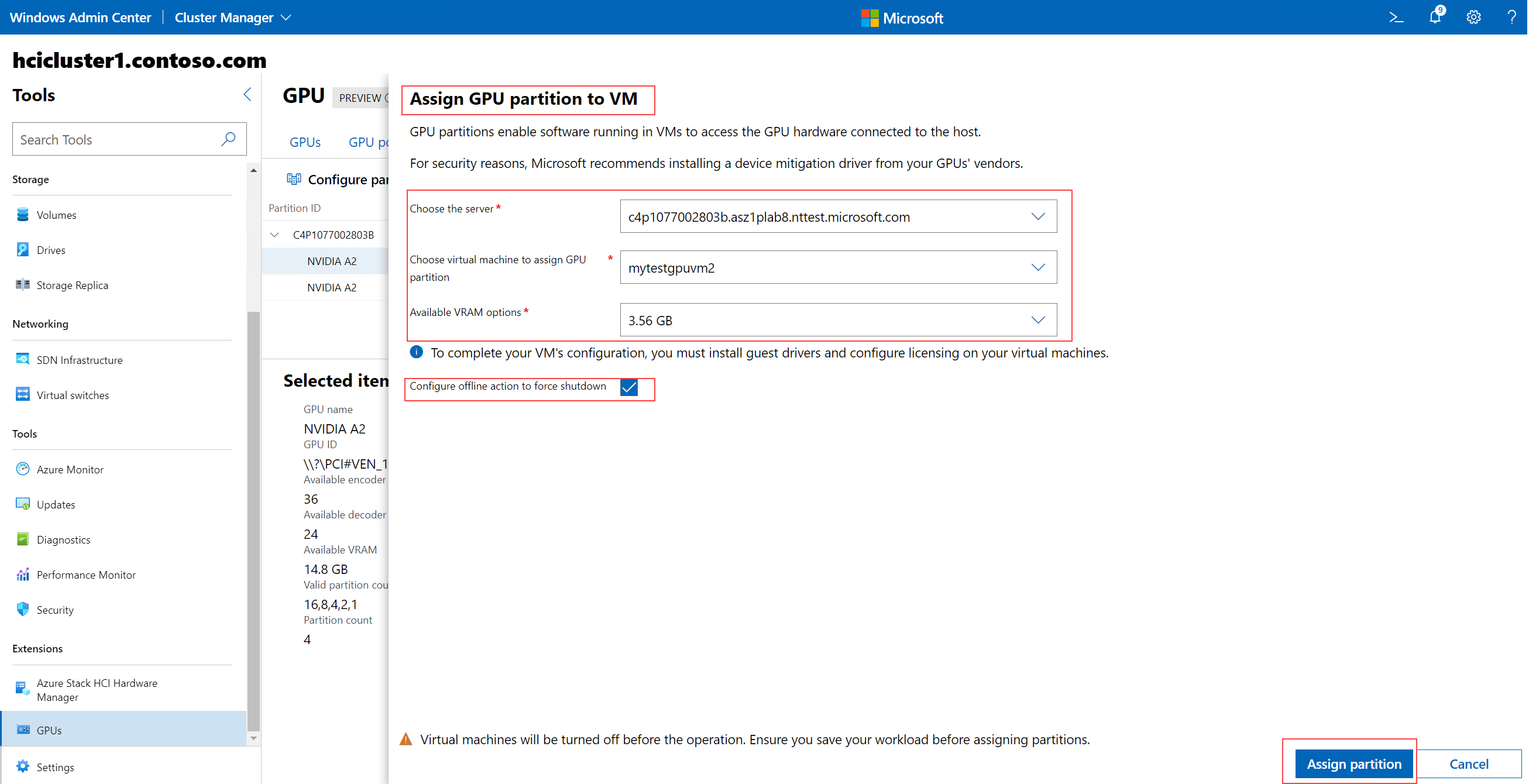
The NV-series is designed for graphics-heavy applications. By utilizing GPU partitioning (GPU-P) and frame-buffer acceleration, these VMs allow users to run professional applications like Adobe Premiere, Autodesk Revit, or high-end gaming in a remote environment. In 2026, this technology is a cornerstone of the "Cloud PC" movement, where thin clients access high-performance Windows environments hosted entirely in the cloud.
| VM Family | Primary Purpose | Key Hardware Partner | Common Use Case |
|---|---|---|---|
| ND-Series | Distributed AI Training | NVIDIA (H-Series/B-Series) | Training LLMs, Generative AI |
| NC-Series | General Compute / HPC | NVIDIA / AMD | Scientific research, CUDA dev |
| NV-Series | Graphics Visualization | NVIDIA / AMD | CAD, Video editing, Cloud VDI |
| Maia (Custom) | AI Inference & Internal Ops | Microsoft Silicon | Copilot, Azure OpenAI Service |
Windows Software Frameworks: DirectX and DirectML
Microsoft’s influence on the GPU landscape is perhaps most visible through its software interfaces. These APIs (Application Programming Interfaces) act as the bridge between a developer’s code and the physical hardware, regardless of whether that hardware is an integrated chip in a laptop or a massive cluster in a data center.
DirectX 12 Ultimate
DirectX 12 Ultimate is the gold standard for gaming and real-time graphics on Windows and Xbox. It introduced features like Ray Tracing (DXR), Variable Rate Shading (VRS), and Mesh Shaders. In 2026, DirectX remains the primary way Windows interacts with GPUs to deliver immersive visual experiences. Its "Agility SDK" allows Microsoft to roll out new graphical features to users without requiring a full OS update, keeping the platform at the cutting edge of visual fidelity.
DirectML (Direct Machine Learning)
While DirectX handles the "look" of an application, DirectML handles the "intelligence." DirectML is a high-performance, hardware-agnostic API for machine learning. It allows developers to write AI-driven features (like image upscaling or noise cancellation) that run efficiently on any DirectX-capable GPU, whether it’s from NVIDIA, AMD, or Intel. This abstraction is vital because it ensures that AI software isn't locked into a single hardware vendor’s proprietary library.
GPU Acceleration in WSL2 and Development
For developers, one of the most critical aspects of the Microsoft GPU overview is the Windows Subsystem for Linux (WSL2). Microsoft has implemented a technology called GPU Paravirtualization (GPU-PV), which allows a Linux distribution running inside Windows to have direct, high-performance access to the host machine's GPU.
This is essential for data scientists who prefer a Linux environment for coding but want to utilize the powerful hardware of their Windows workstations. Through WSL2, users can run Docker containers, PyTorch, and TensorFlow with full GPU acceleration, eliminating the performance "penalty" typically associated with virtualization.
The Rise of the AI PC: Local NPU and GPU Integration
In 2026, the distinction between a GPU and an NPU (Neural Processing Unit) has become central to Microsoft's "AI PC" branding. While GPUs are excellent for massive parallel tasks, they are power-hungry. Microsoft has worked with silicon partners to integrate NPUs into Surface devices and other Windows laptops to handle "always-on" AI tasks—like background blur in video calls or real-time translation—leaving the GPU free for more intensive graphical or computational work.
The Microsoft Copilot+ PC initiative sets specific requirements for hardware, mandating a certain level of TOPS (Tera Operations Per Second) from the combined NPU and GPU. This ensures that the local "Microsoft GPU" experience is snappy and responsive, even when disconnected from the cloud.
Practical Considerations: Access and Requirements
Accessing Microsoft’s GPU resources depends entirely on your objective.
- For Personal Use: Ensure your hardware supports DirectX 12 Ultimate and that your Windows drivers are kept current through Windows Update or the manufacturer's software.
- For Developers: Enable WSL2 and install the appropriate NVIDIA CUDA or AMD ROCm drivers for Windows to bridge the gap between Linux tools and local hardware.
- For Enterprises: Azure is the gateway. To deploy GPU-backed resources, you must navigate to the Azure Portal, check your "Quota" for specific N-Series VM sizes in your desired region, and select the appropriate OS image (such as the "Data Science Virtual Machine") which comes pre-configured with the necessary GPU drivers and libraries.
Troubleshooting Common Issues
- Driver Mismatch: A frequent problem in virtualized environments is using "Consumer" drivers for "Enterprise" hardware. In Azure, always use the specialized grid drivers or compute drivers provided in the Azure Marketplace images.
- Quota Limits: New Azure accounts often have a "zero" quota for GPU-enabled VMs to prevent accidental high billing. You must submit a support request to increase your vCPU quota for the specific N-family you intend to use.
- Thermal Throttling: On local Windows hardware, ensure that your system’s power plan is set to "High Performance" to prevent the OS from down-clocking the GPU during intensive tasks.
Frequently Asked Questions
Does Microsoft make its own graphics card for gaming?
No, as of 2026, Microsoft does not manufacture a consumer-facing discrete graphics card for gaming. Instead, they produce the Maia AI accelerator for data centers and custom chips for the Xbox console. For Windows gaming, Microsoft relies on partners like NVIDIA, AMD, and Intel.
How do I enable GPU acceleration in Windows?
GPU acceleration is generally enabled by default for DirectX-compatible apps. For specialized tasks like AI or Linux development, you must install the Windows Subsystem for Linux (WSL) and ensure your GPU drivers support "GPU Paravirtualization." You can verify GPU activity in the "Performance" tab of the Task Manager.
What is the difference between Azure Maia and an NVIDIA H100?
NVIDIA's H100 is a versatile, high-performance GPU capable of a wide range of tasks, including graphics and compute. Microsoft's Maia is an AI Accelerator (ASIC) optimized specifically for the internal workloads of Microsoft's AI services. While Azure offers both, Maia is designed for maximum efficiency within Microsoft's specific ecosystem, whereas NVIDIA hardware offers broader compatibility for various third-party applications.
Can I use Microsoft GPUs for free?
While there is no permanent "free" high-end GPU, Microsoft Azure offers a "Free Account" tier that includes credits which can be applied toward N-Series VM usage for a limited time. Additionally, students often have access to specific Azure credits through the "Azure for Students" program.
Why is my GPU not showing up in WSL2?
This usually occurs if you are using an outdated version of the Windows kernel or if you have not installed the specific "WSL-ready" drivers from your GPU manufacturer. Ensure you run wsl --update in PowerShell and check that your Linux distribution is set to version 2 by using wsl -l -v.
Recommendation for Next Actions
To begin leveraging the Microsoft GPU ecosystem, first identify your specific need. If you are a developer looking to train models, start by configuring WSL2 on your local Windows machine to test your code using your local GPU. Once you are ready to scale, transition to Azure N-Series virtual machines. For those focused on building AI-integrated software, exploring the DirectML documentation is the most effective way to ensure your application remains hardware-agnostic and performant across the entire Windows device landscape.
Image Gallery