Understanding the Role of Random Zoom Meetings in Modern Enterprise Workplaces
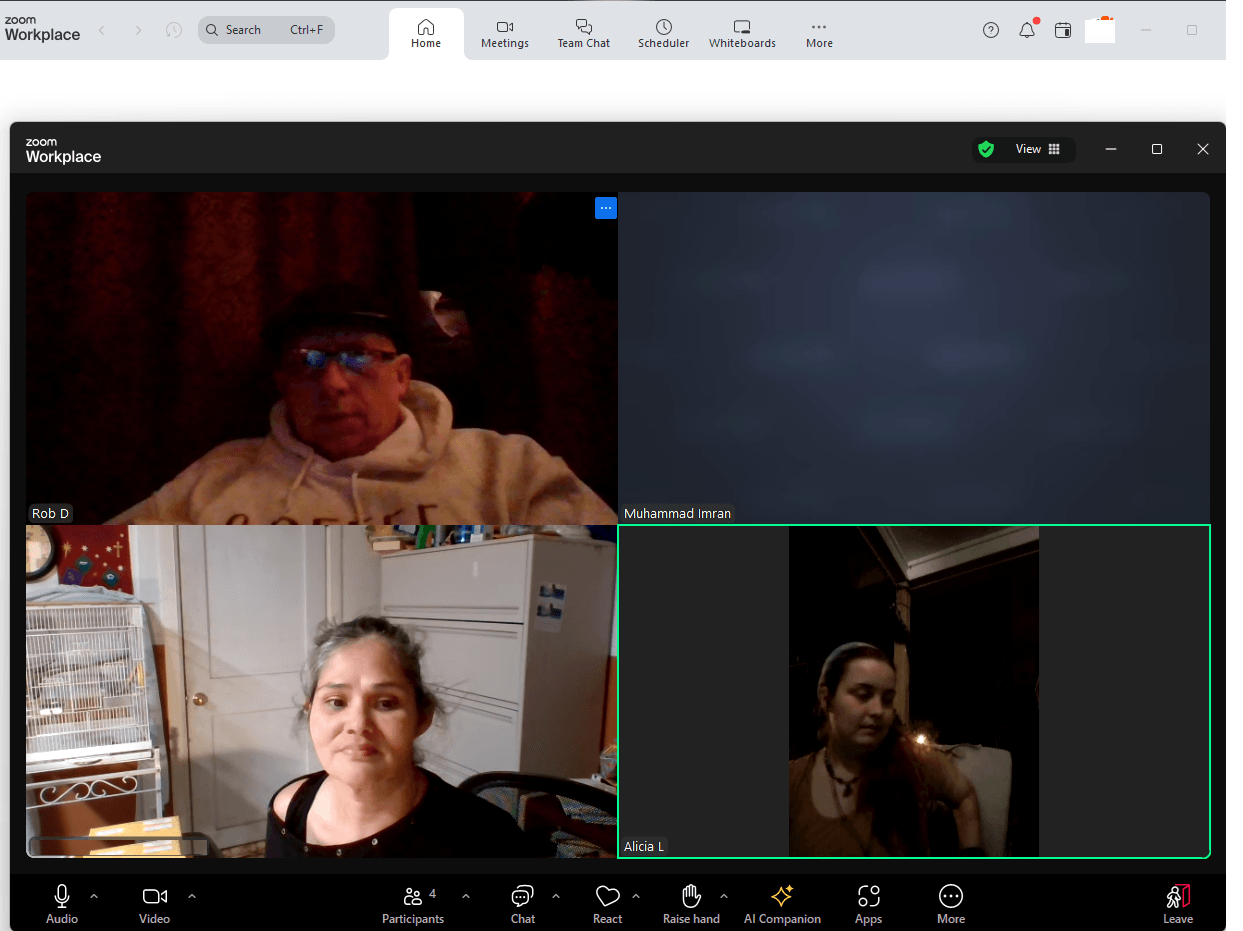
Random Zoom meetings—comprising both spontaneous, unscheduled ad-hoc video calls and automated, cross-departmental "random coffee chats"—play a vital role in modern remote and hybrid workplaces. They replicate informal physical office...
Random Zoom meetings—comprising both spontaneous, unscheduled ad-hoc video calls and automated, cross-departmental "random coffee chats"—play a vital role in modern remote and hybrid workplaces. They replicate informal physical office interactions, break down organizational silos, accelerate problem-solving, and rebuild social capital, provided organizations balance spontaneous connection with calendar hygiene and security protocols.
Contents
Defining "Random Zoom Meetings" in the Modern Workplace
In enterprise environments, the phrase random Zoom meetings generally describes two distinct virtual interaction models: spontaneous, unscheduled ad-hoc calls between colleagues, and structured, randomized social pairings managed by organizational productivity tools.
While scheduled calendar events dominate the remote work landscape, relying exclusively on planned meetings creates an overly rigid environment. Pre-booked 30-minute or 60-minute blocks can constrain dynamic collaboration, turn quick questions into lengthy agenda items, and eliminate the spontaneous "watercooler conversations" that naturally occur in physical headquarters. Understanding how spontaneous and randomized Zoom interactions function is critical for workplace strategists, team managers, and enterprise IT administrators aiming to maintain both culture and efficiency.
- Random Zoom Interactions
- Spontaneous Ad-Hoc Zoom Syncs
- Unscheduled 1:1/team
- Quick problem-solving
- Replaces long threads
- Structured Randomized Social Pairings
- Automated HR pairings
- Cross-silo networking
- Informal coffee chats
- Spontaneous Ad-Hoc Zoom Syncs
1. Spontaneous Ad-Hoc Calls
Spontaneous calls occur when team members initiate an immediate Zoom session without prior calendar booking. Rather than exchanging dozens of asynchronous messages over Slack or Microsoft Teams, colleagues launch a quick huddle or Zoom room to resolve a complex bug, review a document design, or unblock a dependency in real time.
2. Structured Randomized Social Pairings
Structured random meetings are organizationally sponsored programs that pair employees across different departments, seniority levels, or geographic locations for informal conversations. Powered by integrations like Donut, RandomCoffee, or custom enterprise bots connected to Zoom, these sessions intentionally generate "planned serendipity"—connecting individuals who would rarely interact in their daily workflows.
The Strategic Benefits of Unscheduled and Randomized Interactions
Transitioning to distributed remote work solved geographical limitations but introduced friction into relationship-building and cross-functional communication. Integrating controlled randomness into virtual interactions offers several strategic organizational advantages.
Rebuilding Social Capital and Trust
In physical office environments, casual interactions in hallways or cafeterias build weak ties—the secondary network connections that research in organizational sociology shows are essential for long-term career mobility, knowledge sharing, and enterprise resilience. Purely transactional scheduled meetings focus strictly on immediate deliverables, leaving little room for personal connection. Automated random Zoom coffee chats reintroduce informal dialogue, helping employees build rapport, empathy, and interpersonal trust across remote teams.
Accelerating Real-Time Problem Solving
Asynchronous communication tools excel at asynchronous documentation and non-urgent updates, but they can slow down decision-making when ambiguous problems arise. A five-minute ad-hoc Zoom call can resolve a nuance that might otherwise take two days of back-and-forth text messaging. Bypassing the friction of finding a future mutual calendar opening enables teams to maintain high velocity during critical project phases.
Dismantling Organizational Silos
Enterprise teams naturally tend to form insular silos, focusing strictly on their immediate departmental goals. Marketing, engineering, customer support, and finance often operate with limited visibility into one another's daily challenges. Structured random pairings expose staff to broader company operations, fostering cross-pollination of ideas and helping employees see how their specific contributions fit into the wider organizational strategy.
Scheduled vs. Ad-Hoc vs. Structured Random Meetings
To optimize collaboration across hybrid enterprise environments, organizations must deploy each virtual meeting format according to its specific strengths. The matrix below outlines how these formats compare across key operational metrics.
| Feature / Dimension | Scheduled Zoom Meetings | Spontaneous Ad-Hoc Calls | Structured Random Pairings |
|---|---|---|---|
| Primary Purpose | Formal reviews, planning, client demos | Immediate issue resolution, real-time unblocking | Team bonding, cross-functional networking |
| Trigger Mechanism | Prior calendar invite (Outlook/Google) | Immediate demand, direct message ping | Automated scheduling bot/app integration |
| Participant Count | 3 to 100+ participants | 2 to 4 participants | 2 to 3 participants |
| Average Duration | 30 to 60 minutes | 5 to 15 minutes | 15 to 30 minutes |
| Focus Level | High (Structured agenda) | High (Specific context/problem) | Low to Moderate (Casual interaction) |
| Calendar Impact | Fragmented focus time, context switching | Mid-day interruption risk | Low (Predictable, recurring interval) |
| Security Risk | Moderate (Link sharing) | Low (Direct user-to-user initiation) | Low (Generated unique room IDs) |
Operational Challenges and Risk Mitigation
While spontaneous and randomized Zoom interactions provide significant benefits, unmanaged ad-hoc calls can introduce operational friction, administrative burnout, and technical security risks.
- Risks of Unmanaged Random Zoom Interactions
- Focus Disrupt
- Context switching
- Meeting Fatigue
- Informal obligation
- Security Exposure
- Shared links
- Focus Disrupt
Context Switching and Cognitive Load
Unscheduled video calls are intrusive by nature. Receiving an unexpected incoming video call forces an employee to drop their current task, causing context switching that can disrupt deep focus work. Software engineers, technical writers, and analysts often require up to 23 minutes to regain full concentration after an interruption.
Mitigation Strategy: Establish a clear corporate etiquette standard: "Ping before calling." Team members should send a brief text message asking, "Do you have 5 minutes for a quick Zoom sync on X topic?" before launching a direct video call.
"Virtual Fatigue" and Social Burden
If employees feel forced to participate in mandatory "fun" random coffee pairings on top of a heavy meeting schedule, social interactions can become burdensome obligations rather than refreshing breaks.
Mitigation Strategy: Keep structured random pairing programs strictly opt-in. Allow employees to adjust their pairing frequency (e.g., bi-weekly, monthly, or paused) depending on their current project workload.
Security and Administrative Governance
Spontaneous meeting creation can lead to security vulnerabilities if users rely on static, unsecured personal meeting links or share open video rooms on public chat channels. To maintain compliance and technical hygiene across enterprise environments, security administrators must enforce key platform configurations, such as those recommended in the official Zoom Security Guide:
- Enforce Dynamic Meeting IDs: Discourage or disable the routine use of personal meeting IDs (PMIs) for ad-hoc sessions to prevent unauthorized users from jumping between back-to-back calls.
- Mandate Passcodes and Waiting Rooms: Ensure global admin policies require random passcodes and auto-enabled Waiting Rooms for all newly created rooms.
- Restrict Domain Access: Enable single sign-on (SSO) authentication so only verified corporate domain users can join internal spontaneous calls.
Best Practices for Implementing Structured Random Zoom Pairings
To successfully deploy an automated random meeting framework that enhances culture without compromising employee productivity, HR leaders and workplace operations managers should follow a structured rollout process.
Step 1: Define Program Objectives and Tooling
Determine the exact goal of the random pairing initiative. Is the goal to onboard new hires, connect executives with frontline staff, or encourage cross-team software integration discussions? Choose a dedicated integration platform that integrates directly with your team's primary messaging client and Zoom instance.
Step 2: Establish Guardrails and Opt-In Mechanics
Launch the initiative with transparent, voluntary guidelines. Employees should explicitly opt into the program channel rather than being enrolled automatically. Provide clear expectations regarding session length (15–20 minutes is optimal) and topics (explicitly social and low-pressure).
Step 3: Provide Conversation Prompts
To minimize awkwardness between colleagues who have never spoken before, automated tools should supply light, optional icebreaker questions in the meeting invitation (e.g., "What is a non-work skill you are currently learning?" or "What was your favorite project this past quarter?").
Step 4: Solicit Feedback and Track Engagement Rates
Regularly monitor participation metrics and qualitative survey feedback. If engagement drops or employees report schedule conflicts, adjust the algorithm to reduce call frequency or refine pairing rules to prevent duplicate pairings.
Frequently Asked Questions
What is the difference between an ad-hoc Zoom meeting and a random coffee chat?
An ad-hoc Zoom meeting is an unscheduled, work-focused video call initiated spontaneously by employees to solve an immediate tactical problem or replace a long email thread. A random coffee chat is an automated, organizationally sponsored social interaction designed to pair two colleagues randomly for an informal, non-work-related conversation to build workplace relationships.
Do ad-hoc Zoom calls hurt productivity?
Unmanaged ad-hoc calls can harm productivity by interrupting deep focus work and forcing context switching. However, when managed with proper communication rules—such as sending a quick text ping prior to dialing—spontaneous calls can accelerate resolution times and prevent unnecessary calendar clutter.
How can administrators secure spontaneous Zoom meetings against unauthorized access?
IT administrators should enforce global platform settings requiring dynamic meeting IDs, mandatory passcodes, authenticated enterprise single sign-on (SSO), and default Waiting Rooms. Users should avoid sharing personal meeting IDs (PMIs) or posting open meeting links in unrestricted public channels.
How often should employees participate in randomized cross-departmental pairings?
A bi-weekly or monthly cadence of 15 to 30 minutes is ideal for most employees. This schedule provides continuous exposure to colleagues across the company without disrupting core deliverables or creating meeting fatigue.
Can random Zoom pairings work for large enterprise organizations?
Yes. Automated tools can filter randomized pairings within specified boundaries—such as cross-matching members of specific business units, pairing mentors with mentees, or ensuring individuals from the same immediate sub-team are not paired together.
Practical Next Steps for Workplace Leaders
To leverage the benefits of spontaneous and randomized Zoom interactions while protecting focus time and enterprise security, consider taking the following actions:
- Publish Clear Channel Protocols: Draft an internal communication policy encouraging employees to use asynchronous text messages for non-urgent tasks and setting a "ping before ringing" standard for spontaneous ad-hoc Zoom calls.
- Audit Enterprise Zoom Security Settings: Review your enterprise admin portal settings to confirm that Waiting Rooms, dynamic meeting IDs, and passcode requirements are enforced for all user roles.
- Pilot an Opt-In Pairing Program: Roll out a voluntary, automated bi-weekly random coffee chat pilot for one department or cross-functional team, measure participation satisfaction after 60 days, and adjust pairing rules before expanding company-wide.
Image Gallery