How to Convert MBOX to PDF Files: A Comprehensive Guide
Converting MBOX files to PDF format is a critical task for users who need to archive, preserve, or share email correspondence in a standardized, readable, and immutable format. The MBOX file—a standard format used by many email clients...
Converting MBOX files to PDF format is a critical task for users who need to archive, preserve, or share email correspondence in a standardized, readable, and immutable format. The MBOX file—a standard format used by many email clients like Mozilla Thunderbird, Apple Mail, and Google Takeout—is a flat-text database that stores email messages in a single file. Because it is not directly viewable in most document readers, converting these messages to PDF ensures that the formatting, attachments, and headers remain accessible across virtually all modern computing platforms.
Contents
Understanding the MBOX Format and Why Conversion Matters
The MBOX (Mailbox) format is a legacy standard that concatenates email messages one after another. Because it lacks a sophisticated structure for indexing or searchability without specialized client software, it can be cumbersome for long-term storage or legal discovery. Converting MBOX data into PDF files provides several distinct advantages:
- Portability: PDF files are universally compatible across Windows, macOS, Linux, and mobile operating systems.
- Immutability: Once converted, PDF files are harder to accidentally modify, making them ideal for legal compliance and document retention policies.
- Accessibility: You do not need to install an email client to view the content of an archived email.
- Search and Indexing: PDF documents are easily indexed by operating system search tools, making it faster to locate specific correspondence within an archive.
Prerequisites for MBOX to PDF Conversion
Before beginning the conversion process, ensure you have gathered the necessary resources. You will need:
- Access to the Source: Ensure you have the full path to your
.mboxfile. If you are exporting from a live account (like Gmail via Takeout or Thunderbird), ensure the export process has fully completed before attempting conversion. - Hard Drive Space: Converting thousands of emails to individual PDFs can consume significant disk space. Ensure you have adequate storage capacity for the output.
- Software Selection: Depending on your technical comfort, you may choose manual methods (using email clients) or automated third-party tools.
- Metadata Preservation: Determine if you need to retain metadata, such as email headers, sent/received timestamps, and attachment links. Standard PDF conversion may flatten these; ensure your chosen method supports your specific retention requirements.
Method 1: The Manual Approach Using Thunderbird
For users who prefer free, open-source solutions and are already managing their emails via a client, Mozilla Thunderbird remains the most reliable pathway.
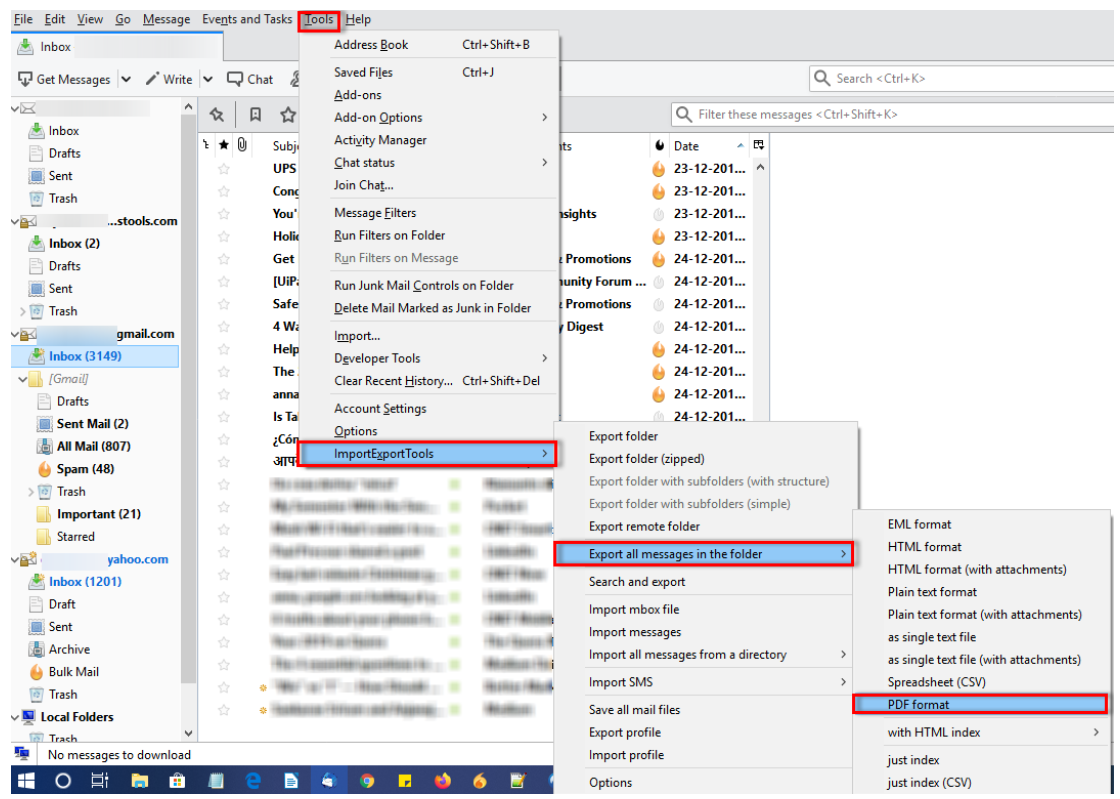
- Import the MBOX file: If you have an MBOX file not currently in your client, install Thunderbird, go to Tools > Import, select "Import from file," and locate your MBOX file.
- Install the "ImportExportTools NG" Add-on: This community-maintained add-on is the industry standard for handling MBOX exports in Thunderbird.
- Selection: Select the folder containing the emails you wish to convert.
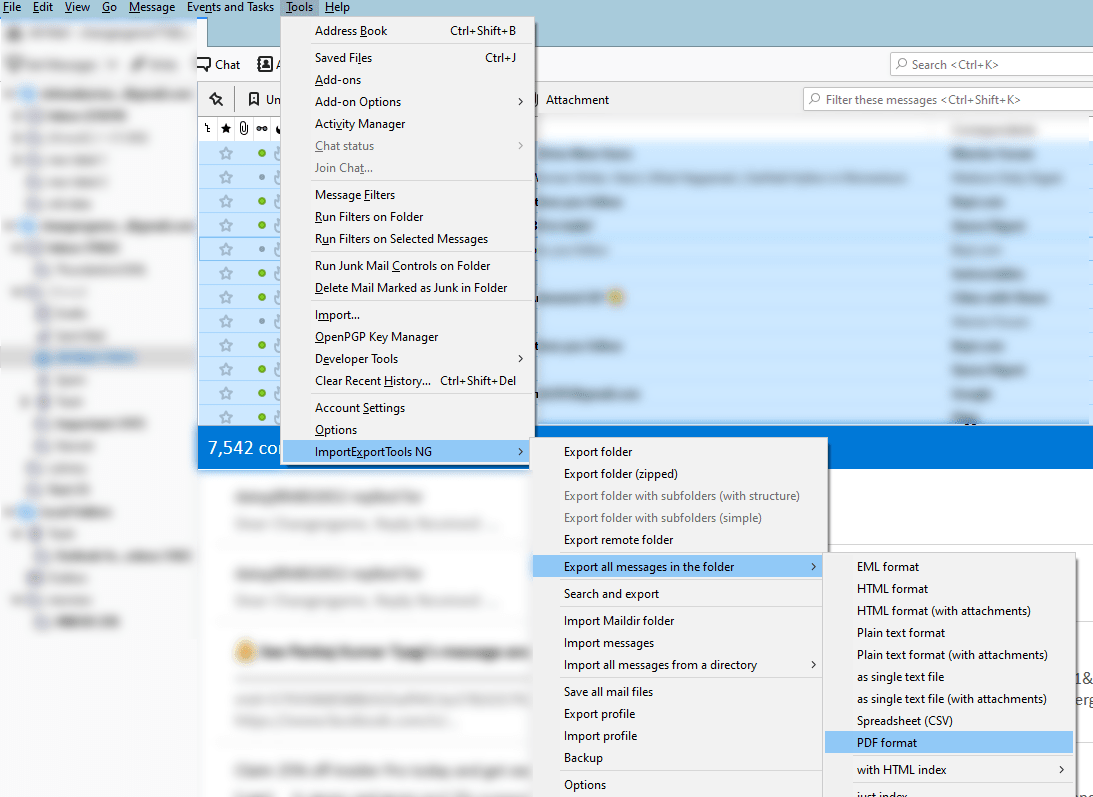
- Export to PDF: Right-click the folder, select ImportExportTools NG > Export all messages in the folder > PDF format.
- Configuration: You will be prompted to choose a directory. The tool will then process each email as an individual PDF file, often including the subject line as the file name.
Method 2: Professional and Automated Conversion Tools
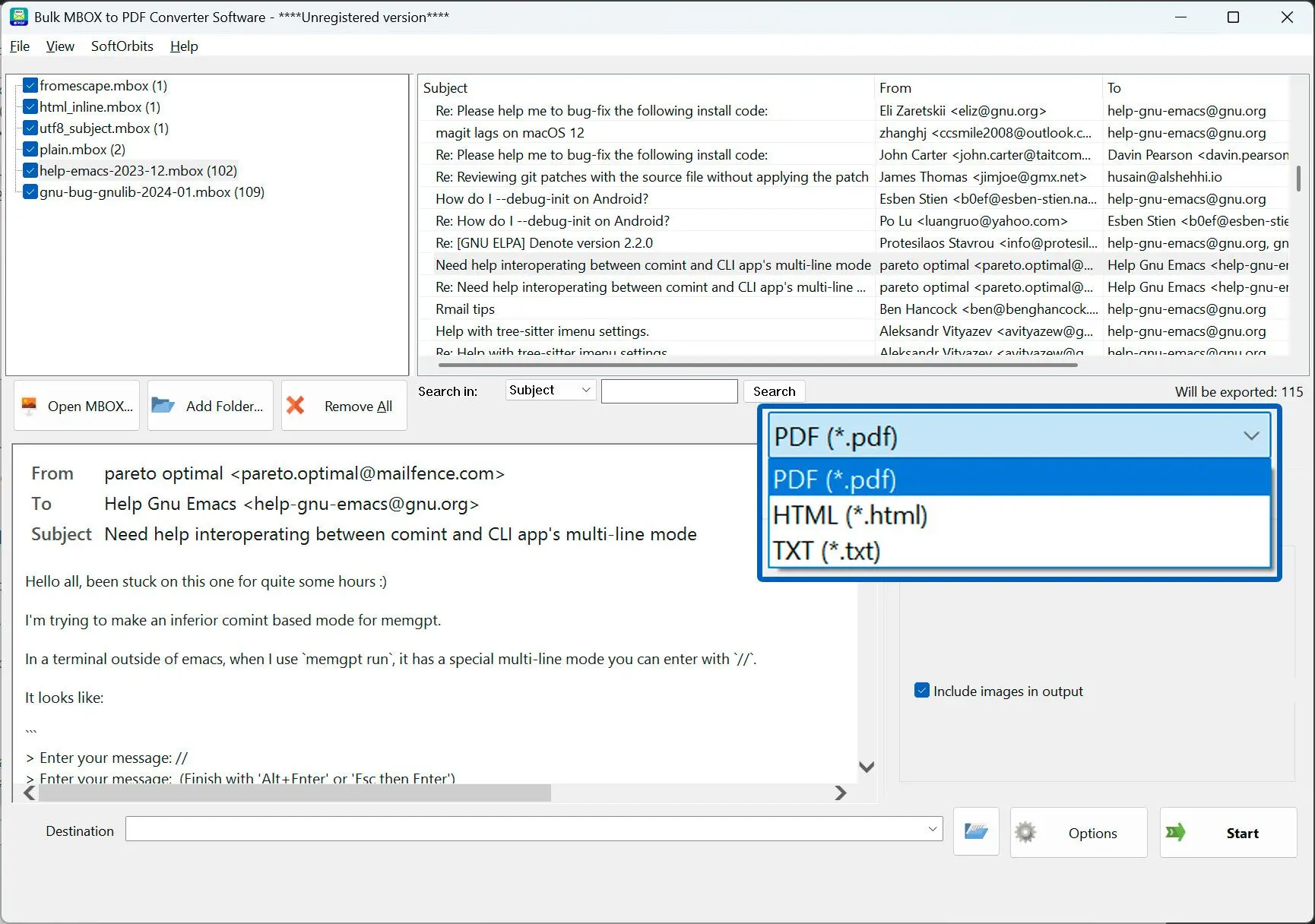
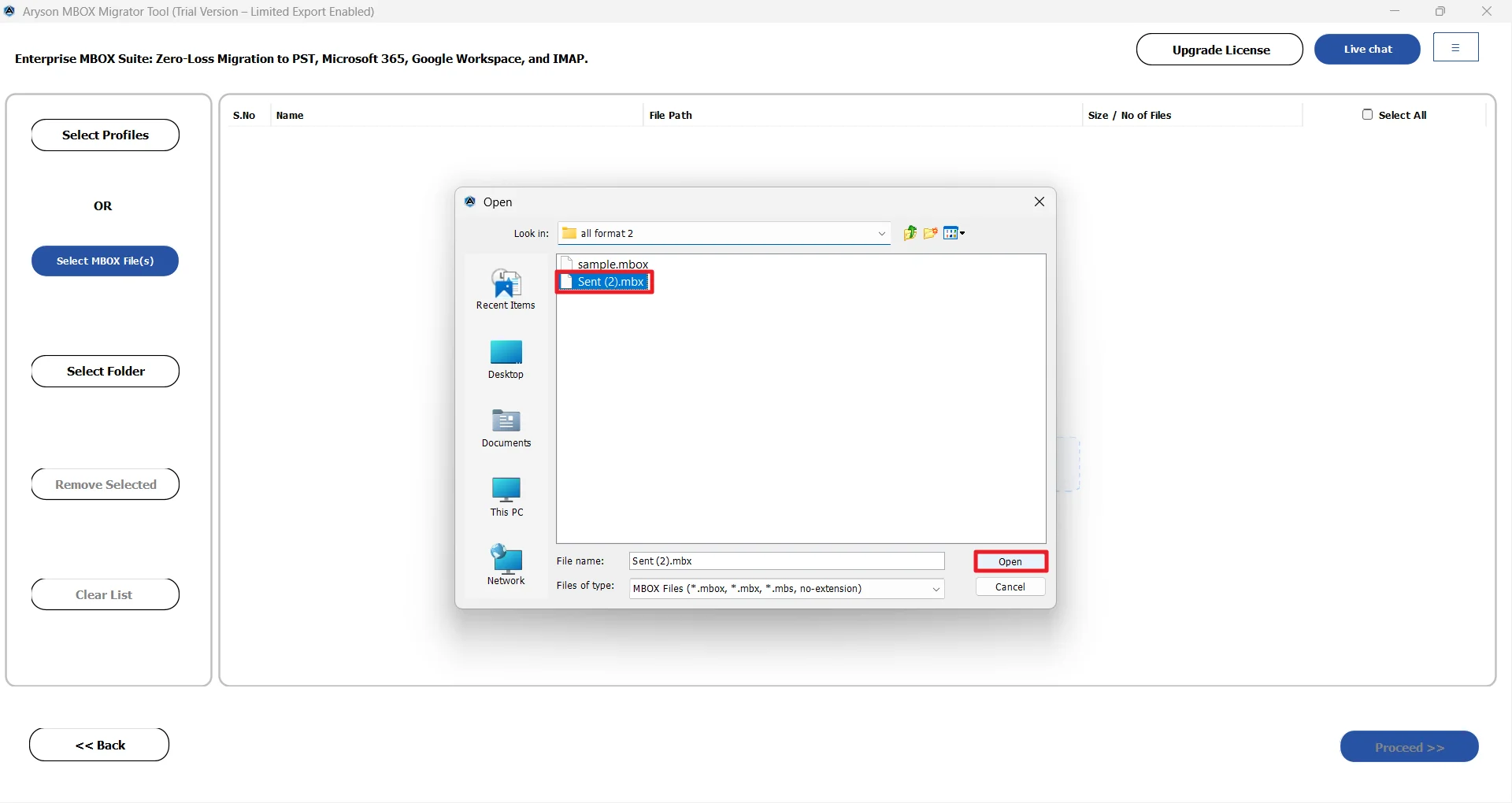
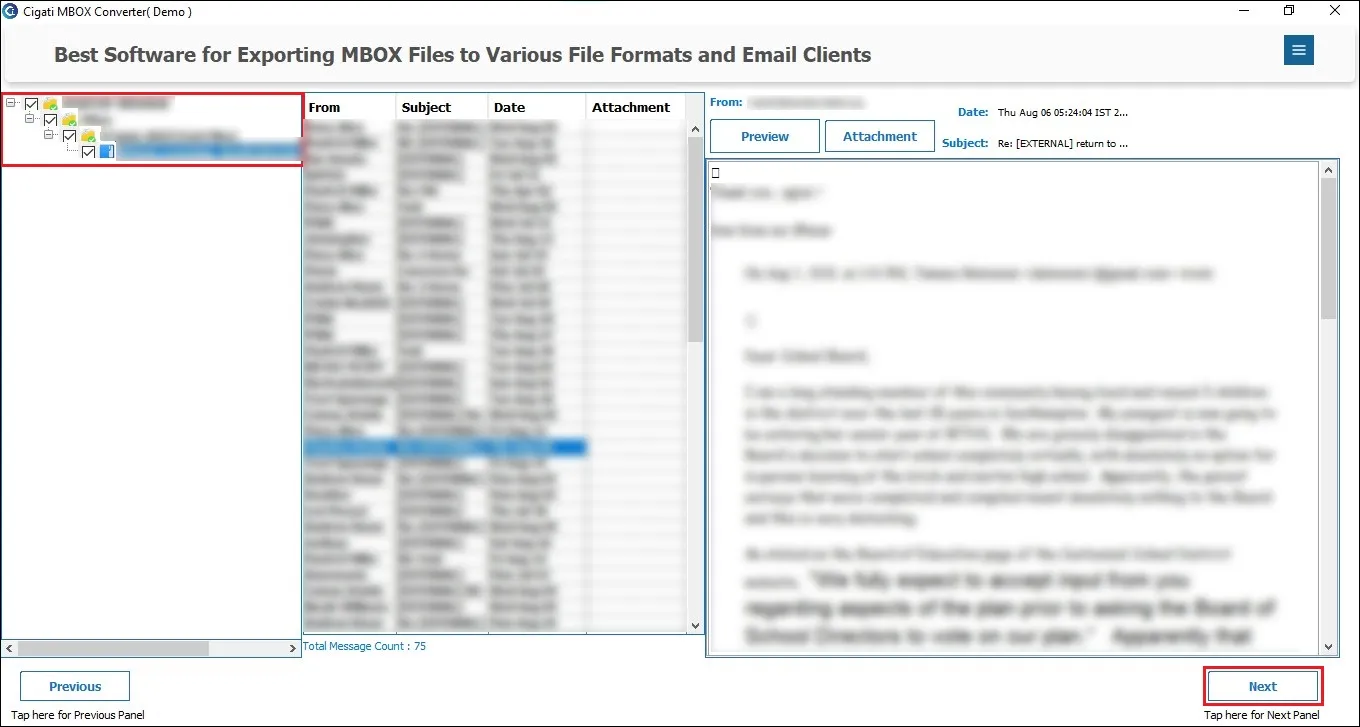
When dealing with massive mailboxes—often exceeding several gigabytes—manual methods become prone to crashing or data loss. In these scenarios, dedicated email conversion software is recommended. These tools function by parsing the MBOX flat-text structure and programmatically recreating the message as a PDF document.
Factors to consider when choosing a conversion utility:
- Batch Processing: Does the software handle thousands of emails simultaneously?
- Attachment Handling: Does it embed attachments into the PDF or create a linked folder?
- Data Integrity: Does the tool maintain the "From," "To," "Subject," and "Date" headers accurately?
- Previewing: Always test with a small sample (10–20 emails) before committing to a full database conversion.
Comparison of MBOX Conversion Strategies
| Feature | Manual (Thunderbird) | Dedicated Software | Online Converters |
|---|---|---|---|
| Cost | Free | Varies (Paid/License) | Often Subscription |
| Privacy | High (Local processing) | High (Local processing) | Low (Data uploaded) |
| Volume | Low to Medium | High (Unlimited) | Very Low |
| Technical Skill | Moderate | Low | Low |
Addressing Security and Privacy Concerns
When handling email archives, you are likely dealing with PII (Personally Identifiable Information). Using web-based "MBOX to PDF" online converters is strongly discouraged for sensitive documents. These services require you to upload your entire MBOX database to a remote server. You have no guarantee how that data is indexed, stored, or deleted. For sensitive personal or corporate communications, always prioritize local, offline software that processes the conversion on your own machine.
Troubleshooting Common Conversion Issues
Even with robust tools, errors can occur during the migration process. Common bottlenecks include:
- Corrupted MBOX files: MBOX files are plain text. If a message block was cut off during the original export (e.g., a network timeout during Google Takeout), the conversion tool may fail on that specific email.
- Encoding Errors: Emails containing non-ASCII characters or complex HTML might look scrambled in the resulting PDF. If this occurs, try changing the "Encoding" settings in your conversion software to UTF-8.
- Embedded Images: If images in emails are linked from external servers, they may not show up in the PDF if your computer is offline or the image has been deleted by the original host.
Frequently Asked Questions
Can I convert an MBOX file to PDF without an email client? Yes, several specialized conversion utilities allow you to point to an MBOX file and extract the contents to PDF without ever needing to import the data into Thunderbird or Apple Mail.
Will I lose my email attachments during the conversion? It depends on the method. The "ImportExportTools NG" add-on and most reputable professional software options allow you to choose whether to embed attachments within the PDF or save them as separate files in the same destination folder.
How do I handle MBOX files generated by Google Takeout? Google Takeout provides MBOX files that are typically large. Do not attempt to open them in a text editor. Use an email client or a specialized batch-conversion tool to break them down into smaller, manageable PDFs.
Is there a way to convert MBOX to PDF on a Mac without paid software? Yes, Apple Mail supports importing MBOX files. Once imported, you can use the "Print" function and select "Save as PDF." This is highly effective but must be done folder by folder, making it time-consuming for large archives.
Does the conversion process change the date on the email? A high-quality converter will preserve the original email metadata. The "Created" date on the PDF file may reflect the day of conversion, but the internal "Date" header within the email body should remain unchanged, ensuring you can still audit the correspondence timeline.
Recommendation for Next Steps
If you have a small number of emails, utilize the Thunderbird manual method, as it provides the most control and transparency. If you are managing professional archives or massive data sets, invest in a dedicated, locally-installed conversion utility. Start by isolating your MBOX file, creating a backup copy, and running a test batch to verify that the headers, attachments, and formatting meet your professional standards before proceeding with the full migration.
Image Gallery