Is AMD's New X870 Chipset Worth the Upgrade? A Detailed 2026 Buyer’s Guide
Determining if the X870 chipset is worth the upgrade depends primarily on your current platform and your need for high-speed connectivity. For users moving from AM4 or Intel's older LGA1700 socket, X870 offers mandatory USB4 and PCIe 5...
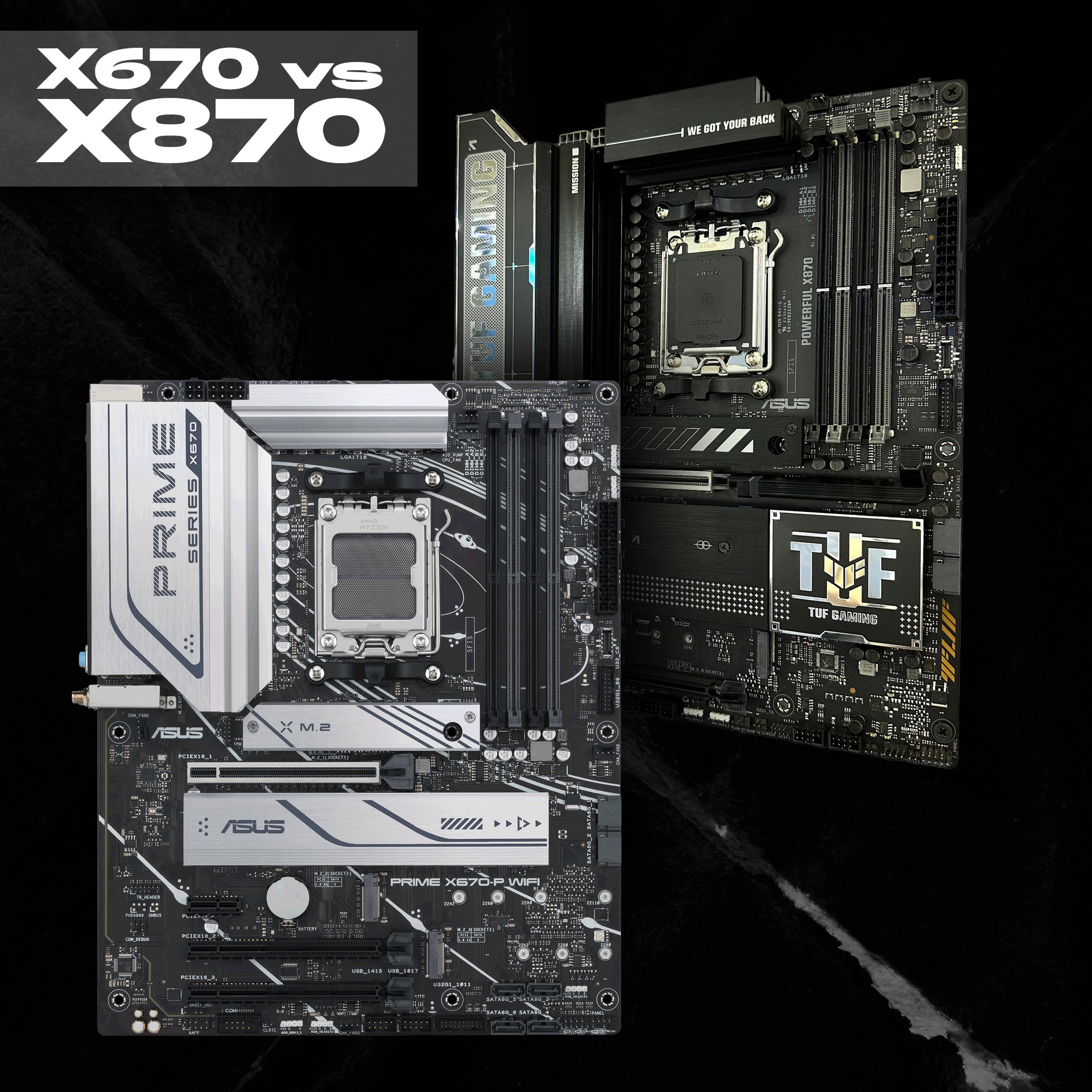
Determining if the X870 chipset is worth the upgrade depends primarily on your current platform and your need for high-speed connectivity. For users moving from AM4 or Intel's older LGA1700 socket, X870 offers mandatory USB4 and PCIe 5.0. However, for existing X670E owners, the transition provides minimal performance benefits.
Contents
The landscape of PC building in 2026 has shifted toward high-bandwidth ecosystems where external storage and ultra-fast networking are no longer luxuries but requirements for professional workflows. AMD’s X870 and X870E chipsets, launched to accompany the Ryzen 9000 series and subsequent Zen 5 architectures, represent the "refined" era of the AM5 socket. While the socket remains the same, the standards for what constitutes a "high-end" motherboard have evolved significantly.
Understanding the X870 and X870E Framework
To understand if an upgrade is justified, we must first look at what these chipsets actually are. Unlike previous generations where a "new" chipset often meant a completely new architecture, X870 is more of a mandatory standard refresh. In the 600-series (X670/B650), features like PCIe 5.0 and USB4 were optional for manufacturers. Many budget and mid-range boards skipped them to save costs.
With the X870 series, AMD tightened the requirements. If a board carries the X870 or X870E badge, it must include USB4 support and it must provide PCIe 5.0 lanes for both the primary graphics card slot and the primary M.2 NVMe slot. This standardization ensures that any user buying into this tier is guaranteed a certain level of future-proofing that was hit-or-miss in 2023 and 2024.
The Technical Distinction: X870 vs. X870E
The "E" in X870E stands for "Extreme," but in technical terms, it refers to the number of chipsets on the board.
- X870E utilizes a dual-chipset solution (two Promontory 21 chips), providing a wider array of PCIe lanes for secondary peripherals, additional SATA ports, and more rear I/O connectivity.
- X870 utilizes a single-chipset solution. While it still supports the same CPU-bound features (USB4 and PCIe 5.0 for the GPU/SSD), it has fewer general-purpose lanes for extra expansion cards or dozens of USB ports.
Key Feature Advancements in 2026
Mandatory USB4 Integration
The standout feature of the X870 series is the mandatory inclusion of USB4. In 2026, the adoption of high-speed external SSDs and external GPU enclosures has grown. USB4 provides up to 40Gbps of bandwidth, which is essential for video editors working off external arrays or professionals who need to move terabytes of data quickly. By making this standard, AMD has eliminated the confusion of "will this port support my high-speed dock?" If it's X870, the answer is yes.
PCIe 5.0: The New Baseline
While PCIe 4.0 is still sufficient for most mid-range graphics cards, the top-tier GPUs of the 2026 market and the latest Gen5 NVMe drives can finally saturate older interfaces. X870 ensures that both your GPU and your primary storage are running on a PCIe 5.0 bus. This prevents "bandwidth starvation," a phenomenon where high-speed storage can occasionally throttle if the motherboard is forced to share lanes with the graphics card in a sub-optimal way.
Wi-Fi 7 and Advanced Networking
Most X870 motherboards shipped with Wi-Fi 7 (802.11be) as the default wireless standard. Wi-Fi 7 offers lower latency and higher throughput by utilizing 320MHz channels and Multi-Link Operation (MLO). For gamers who cannot run an Ethernet cable or office users in crowded wireless environments, the stability of Wi-Fi 7 on the X870 platform is a tangible upgrade over the Wi-Fi 6E found on older B650 boards.
Comprehensive Chipset Comparison Table
| Feature | X870E | X870 | X670E | B650E |
|---|---|---|---|---|
| Socket | AM5 | AM5 | AM5 | AM5 |
| PCIe 5.0 Graphics | Mandatory | Mandatory | Mandatory | Mandatory |
| PCIe 5.0 NVMe | Mandatory | Mandatory | Mandatory | Mandatory |
| USB4 (40Gbps) | Mandatory | Mandatory | Optional | Optional |
| Total PCIe Lanes | 44 | 36 | 44 | 36 |
| Max SATA Ports | 8+ | 4-6 | 8+ | 4 |
| Memory Support | DDR5 (EXPO) | DDR5 (EXPO) | DDR5 (EXPO) | DDR5 (EXPO) |
| Wi-Fi Standard | Wi-Fi 7 | Wi-Fi 7 | Wi-Fi 6E/7 | Wi-Fi 6/6E |
Is the Upgrade Worth It? Scenario Analysis
Deciding on an upgrade requires looking at where you are starting from. Because the AM5 socket is expected to be supported through 2027 and beyond, your motherboard choice is a long-term investment.
1. Upgrading from AM4 (Ryzen 3000/5000)
If you are currently on the AM4 platform (DDR4 memory), the X870 chipset is an excellent entry point into the modern ecosystem. You aren't just getting a faster CPU; you are moving to DDR5 memory, PCIe 5.0, and USB4. In this scenario, the upgrade is highly recommended. It positions you to use any Ryzen processor released for the next several years without needing another motherboard swap.
2. Upgrading from X670E or B650E
If you already own an AM5 motherboard from the 600-series, the "upgrade" to X870 is generally not worth the cost. The performance of a Ryzen 9000 or Zen 6 processor on an X670E board will be virtually identical to its performance on an X870 board. The only reason to switch would be if you specifically need the guaranteed USB4 implementation or if your current board lacks a specific I/O feature you now require.
3. Professional and Content Creation Use
For creators using the latest high-speed capture cards and Thunderbolt/USB4 peripherals, X870E is the gold standard. The additional PCIe lanes provided by the "Extreme" chipset allow for multiple M.2 drives to run at full speed without disabling other ports. If your livelihood depends on data transfer speeds, the X870E is a justifiable business expense.
4. Gaming and General Use
For the average gamer, the X870 chipset is a "nice to have" but not a "must-have." A standard B650 or B840 board (if available in your region) often provides enough performance for modern titles. However, as games begin to utilize DirectStorage more effectively in 2026, the PCIe 5.0 NVMe support on X870 ensures you won't face loading bottlenecks in the future.
Operational Limitations and Considerations
While the X870 series is impressive, it is not without its caveats.
Thermal Management: PCIe 5.0 controllers and Gen5 NVMe drives generate significant heat. X870 motherboards often feature massive heatsinks and, in some cases, small active fans. Users must ensure their case airflow is optimized to prevent the chipset from throttling during heavy data transfers.
Power Delivery: These boards are designed for high-TDP processors. While they handle flagship CPUs with ease, they can be overkill for a Ryzen 5 or Ryzen 7 build. If you aren't planning to overclock or use a 16-core chip, the robust VRMs (Voltage Regulator Modules) of an X870 board represent "dead capital"—performance you've paid for but aren't using.
Cost Premium: Even in 2026, the "mandatory" nature of USB4 and PCIe 5.0 keeps the floor price of X870 boards higher than the previous generation’s entry-level options. You are paying for the certification and the high-quality PCB materials required to maintain signal integrity at Gen5 speeds.
Frequently Asked Questions
Does X870 support older Ryzen 7000 series CPUs?
Yes, the X870 chipset is fully backward compatible with Ryzen 7000 and 8000 series processors. Since the socket is AM5, any CPU designed for that socket will function on an X870 board, though you may need a BIOS update for the very latest silicon released in 2026.
Will X870 make my games run faster than X670?
No, the chipset itself does not increase frame rates. Gaming performance is determined by the CPU, GPU, and RAM. The chipset only provides the "highway" for data to travel. Unless your current motherboard is causing a bandwidth bottleneck (which is rare with current GPUs), you will not see a direct FPS increase by switching chipsets alone.
Is USB4 backward compatible with USB 3.2 and Thunderbolt?
Yes, USB4 is designed to be backward compatible with USB 3.2, USB 2.0, and often Thunderbolt 3/4 devices. This makes the X870 chipset highly versatile for connecting a wide range of peripherals, from old keyboards to the latest high-speed RAID arrays.
Do I need a new power supply for X870?
Generally, no. As long as your current power supply has the necessary 8-pin EPS connectors for the CPU and enough wattage for your components, it will work. However, some high-end X870E boards may require an additional 6-pin or 8-pin PCIe power connector on the motherboard itself to provide extra juice to the USB4 ports (Power Delivery up to 60W or 100W).
Is Wi-Fi 7 really that much better than Wi-Fi 6E?
In a vacuum, yes. Wi-Fi 7 offers much higher peak speeds. However, to see the benefit, you must also have a Wi-Fi 7 compatible router and an internet connection fast enough to saturate the link. For most home users, Wi-Fi 6E remains perfectly adequate, but Wi-Fi 7 provides better "congestion management" in 2026’s device-heavy homes.
Final Recommendation: Should You Buy?
If you are building a new high-end PC in 2026, the X870 chipset is the most logical choice for the AM5 platform. It removes the guesswork regarding specifications and ensures your system can handle the storage and connectivity demands of the next five years.
If you are an existing AM5 user, stay with your current board unless you are hitting a specific hardware limitation. The "worth" of the X870 upgrade is found in the connectivity standards (USB4/PCIe 5.0) rather than raw processing speed. For those on AM4 or older Intel platforms, the jump to X870 represents a massive leap in system responsiveness and future-proofing, making it a highly recommended investment for any serious enthusiast.
Image Gallery