Understanding the iSCSI Port: Architecture, Configuration, and Network Requirements
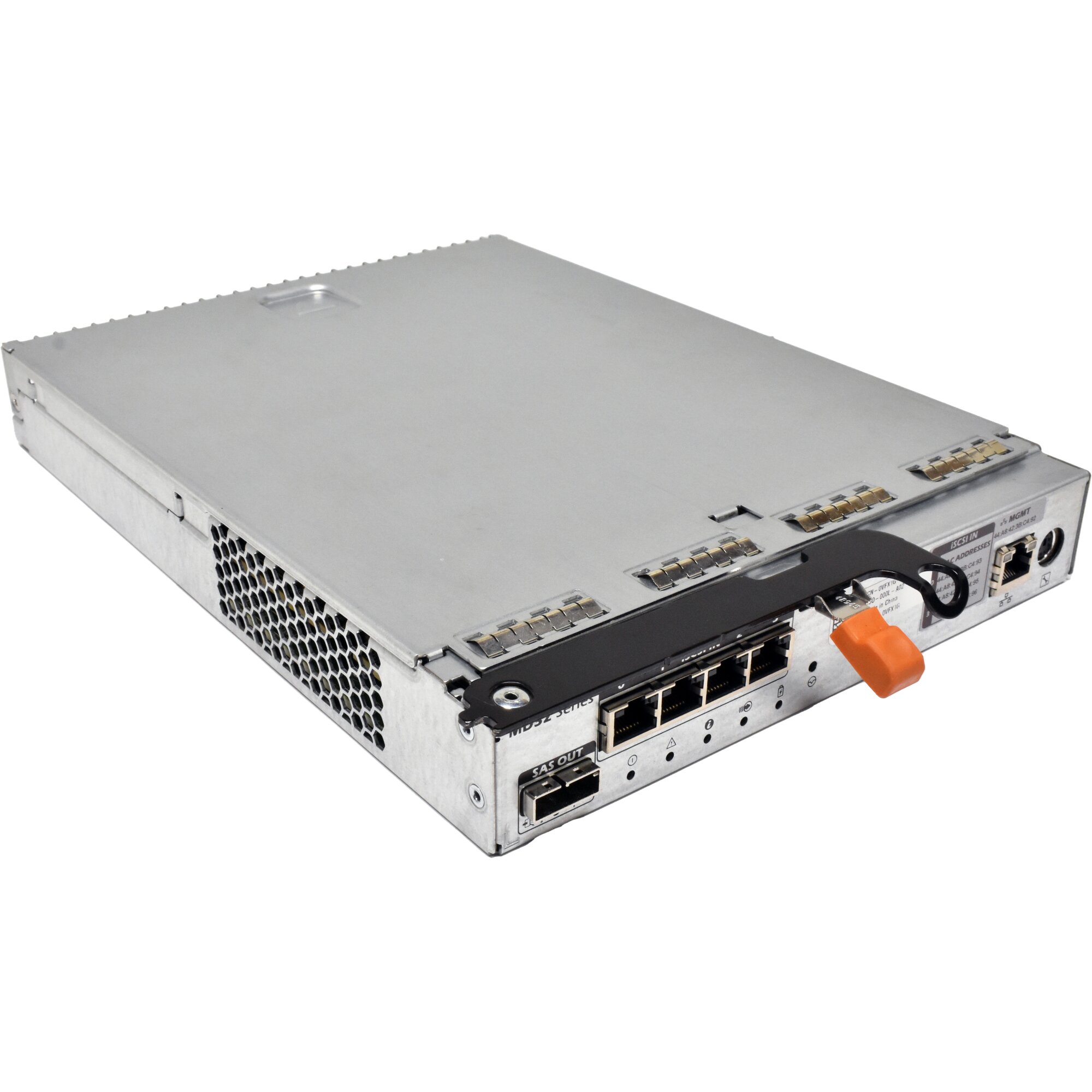
The iSCSI port is the designated TCP/IP network endpoint—typically TCP port 3260—used by the Internet Small Computer Systems Interface protocol to facilitate block-level storage communication. It allows host systems to connect to remot...
The iSCSI port is the designated TCP/IP network endpoint—typically TCP port 3260—used by the Internet Small Computer Systems Interface protocol to facilitate block-level storage communication. It allows host systems to connect to remote storage arrays as if the disks were locally attached, relying on this specific port to establish sessions, manage authentication, and transmit SCSI commands over standard Ethernet networks.
Contents
The Role of the iSCSI Port in Modern Storage Networking
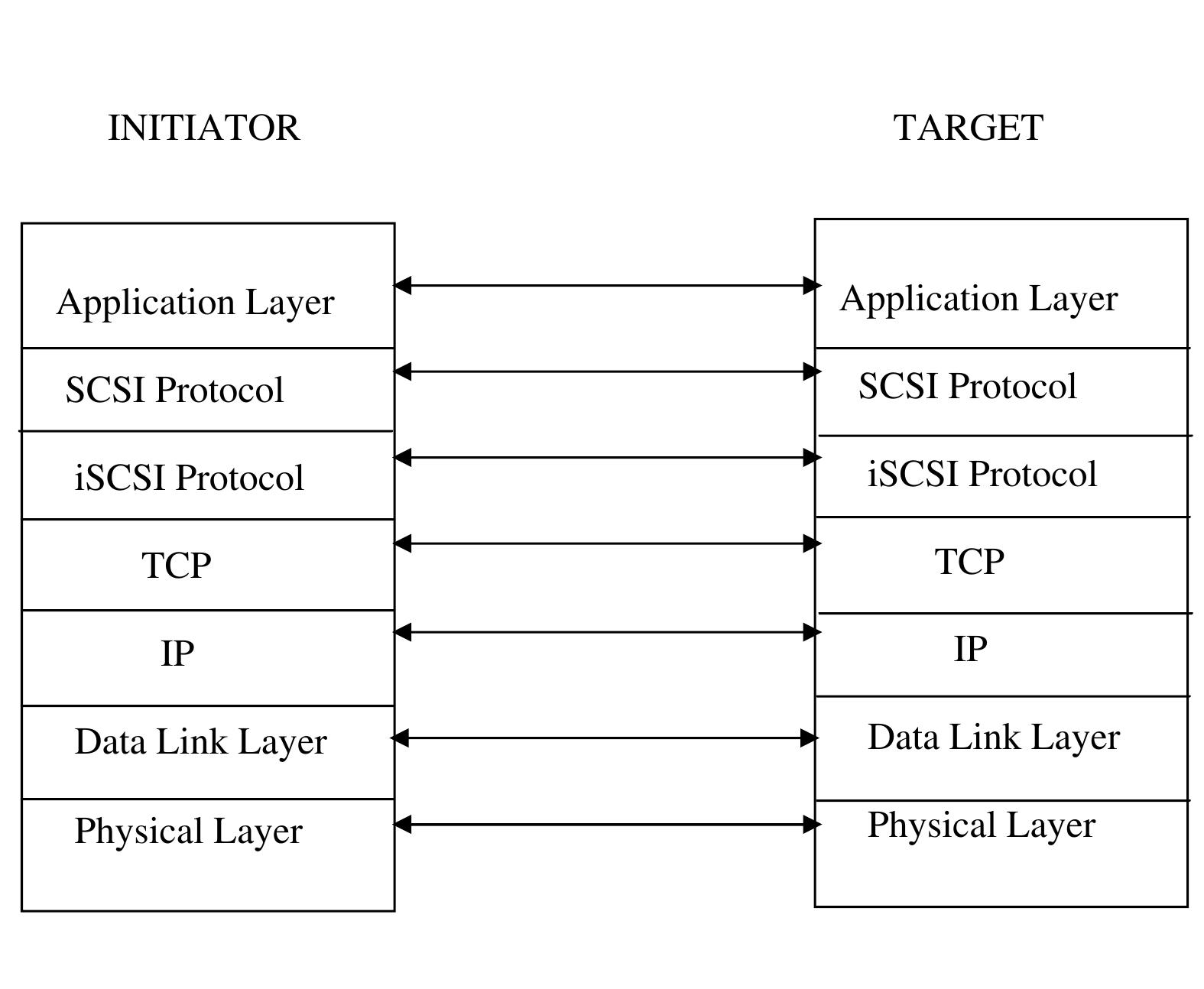
At its core, iSCSI (Internet Small Computer Systems Interface) is a transport layer protocol that maps SCSI block storage commands over IP networks. To make this possible, the protocol requires a standardized way to initiate and maintain communication between an "initiator" (typically a server or hypervisor) and a "target" (the storage array or SAN appliance).
The iSCSI port acts as the gateway for this traffic. By default, the IANA (Internet Assigned Numbers Authority) has assigned TCP port 3260 to iSCSI. When an initiator attempts to connect to a storage resource, it points its request to the IP address of the target storage system at this specific port. Once the connection is established via a three-way TCP handshake, the two devices negotiate parameters, exchange login credentials, and begin the flow of SCSI data packets encapsulated in TCP/IP frames.
Without this specific port being open and correctly configured on both the target storage controller and any intermediate network hardware, the initiator cannot "discover" or mount the exported logical unit numbers (LUNs). Understanding this port is therefore the first step in troubleshooting connectivity failures, performance bottlenecks, or security-related access denials in a data center environment.
Infrastructure Requirements and Network Configuration
For an iSCSI connection to function reliably, the underlying network infrastructure must be optimized to handle block-level storage traffic. Unlike file-level protocols like NFS or SMB, iSCSI is sensitive to network latency and packet loss.
Network Segmentation and VLANs
It is a best practice to isolate iSCSI traffic from general-purpose LAN traffic. If standard office traffic competes with storage traffic for the same physical ports or switch buffers, the resulting congestion can lead to dropped packets. Dropped packets trigger TCP retransmissions, which severely degrade storage performance. Ideally, storage traffic should reside on a dedicated VLAN or physically separate switches, ensuring that the 3260 port is only listening to and responding to authorized storage initiators.
MTU and Jumbo Frames
To increase efficiency, many administrators configure "Jumbo Frames" on their iSCSI networks. By increasing the Maximum Transmission Unit (MTU) from the standard 1500 bytes to 9000 bytes, the network can carry more data per frame, reducing CPU overhead for both the initiator and the target. Note that all devices in the path—the initiator, the storage array, and every switch in between—must be configured to support the same MTU size. If the switch port or the target is configured for a 1500-byte MTU while the initiator sends 9000-byte packets, the connection will fail, often manifesting as a timeout on the iSCSI port.
Authentication and Security Considerations
Since iSCSI traffic typically travels over standard Ethernet, it is vulnerable to sniffing or unauthorized access if not properly secured. The iSCSI protocol supports several methods to ensure that only authorized initiators can communicate with a target via port 3260.
- CHAP (Challenge-Handshake Authentication Protocol): This is the most common method for verifying the identity of the initiator and the target. By using a shared secret, both ends verify that the other is legitimate before establishing the session.
- Access Control Lists (ACLs): Storage arrays often allow administrators to restrict access to a specific LUN based on the IQN (iSCSI Qualified Name) of the initiator. Even if an unauthorized device attempts to communicate over port 3260, the array will reject the login attempt if the initiator’s IQN is not on the whitelist.
- Mutual Authentication: In high-security environments, mutual CHAP can be enabled. This ensures that not only does the storage array verify the server, but the server also verifies the storage array, protecting against rogue storage spoofing.
Troubleshooting Common iSCSI Port Connectivity Issues
When an initiator cannot reach the storage array, the issue is almost always a layer 3 or layer 4 network problem. The following table summarizes common indicators and potential resolutions for port-related issues.
| Symptom | Primary Cause | Recommended Action |
|---|---|---|
| Connection Timeout | Port 3260 is blocked or offline | Verify target IP and port status using telnet or nc. |
| "Initiator Not Found" | Misconfigured IQN ACL | Ensure the host IQN matches the allowed list on the array. |
| Slow Disk Performance | Network congestion/MTU mismatch | Check for frame drops and verify end-to-end Jumbo Frame settings. |
| Intermittent Disconnects | Duplicate IP or Path Failure | Check for IP address conflicts and monitor redundant path status. |
| Login Authentication Error | Mismatched CHAP credentials | Re-enter secrets on both the initiator and the target. |
Verification via CLI Tools
To verify that the iSCSI port is listening on the target, administrators frequently use command-line utilities. From a Linux-based initiator, the nc -zv [Target_IP] 3260 command can be used to perform a quick probe of the port. If the connection is refused or times out, the issue lies in the network configuration or the firewall rules on the target array. On Windows Server, the "iSCSI Initiator" GUI provides an error log that explicitly states if a connection to the target port failed due to a timeout or an authentication refusal.
Performance Optimization and High Availability
In a production environment, reliance on a single iSCSI port per path is a significant failure risk. Modern storage architectures utilize Multipath I/O (MPIO) to distribute traffic across multiple physical ports and network adapters.
By utilizing MPIO, an initiator can connect to multiple target ports, often across different physical subnets. This not only increases the aggregate bandwidth available to the storage volume but also provides failover capability. If a cable, switch, or NIC fails, the host can automatically reroute I/O requests through another active path. Proper configuration of MPIO requires that the host operating system recognizes each path to the 3260 port as part of a single logical storage device, preventing data corruption that would occur if the host treated each path as a separate disk.
Frequently Asked Questions
Can I change the default iSCSI port from 3260?
While the iSCSI standard explicitly defines 3260 as the designated port, some storage systems allow you to bind the iSCSI service to a different port for security-through-obscurity reasons. However, this is rarely recommended, as it complicates the configuration of host initiators, which generally default to 3260 and may not support custom port selection.
Does the iSCSI port require a firewall exception?
Yes. If there is a firewall between the initiator and the target, you must explicitly allow TCP traffic on port 3260. If you are using MPIO with multiple subnets, you must ensure that all network paths for each iSCSI interface have the necessary firewall rules applied to permit this traffic.
Why does my iSCSI connection drop during high I/O?
If connections drop during heavy usage, it is often a sign of "TCP Window" exhaustion or switch buffer saturation. Ensure that Flow Control is properly configured on your network switches and verify that your network interfaces are not suffering from physical layer errors (CRC errors) due to faulty cables or SFP modules.
How does the iSCSI port differ from a Fibre Channel port?
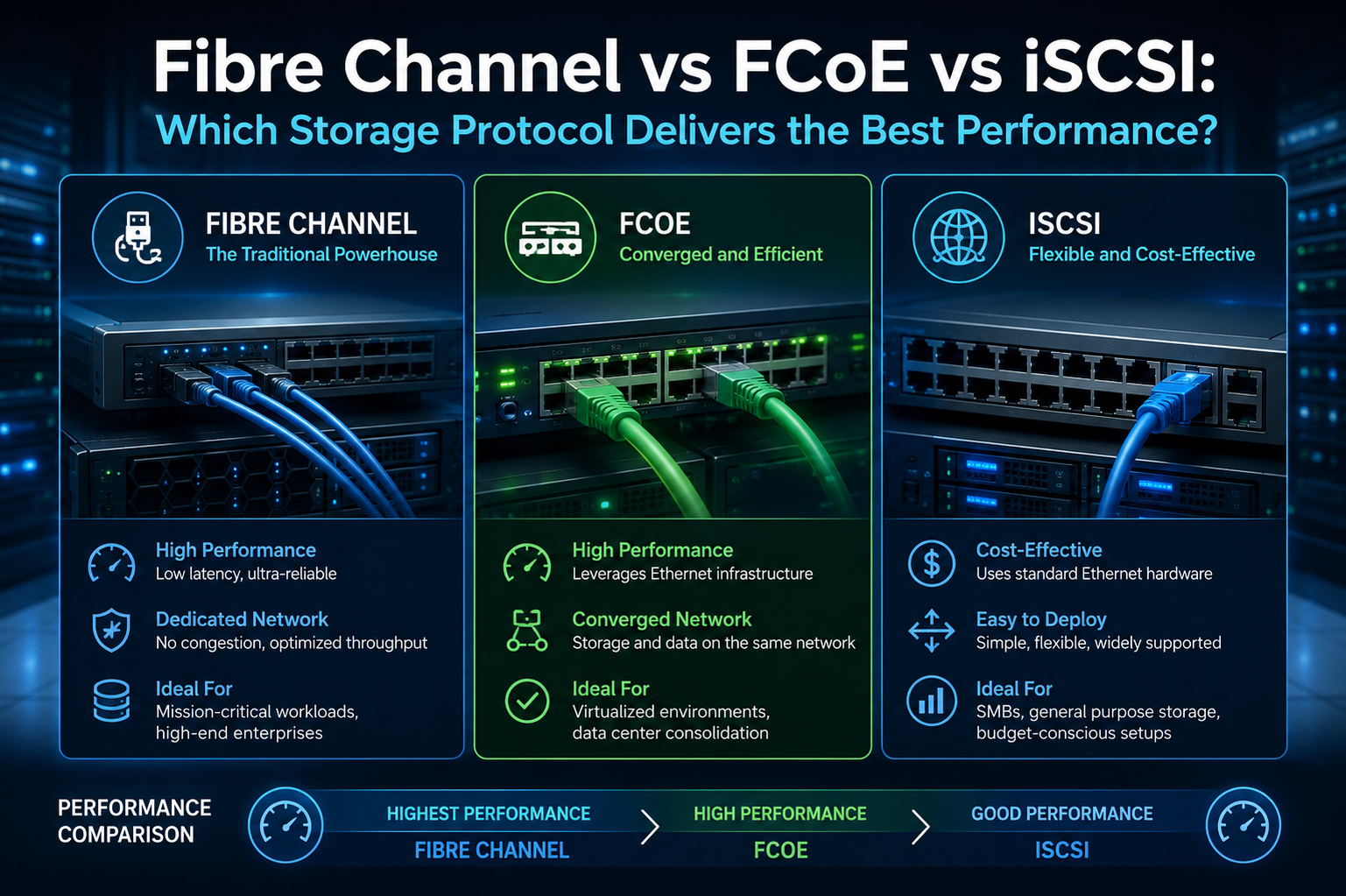
The iSCSI port is an Ethernet-based logical port for encapsulated SCSI commands, whereas a Fibre Channel port is a dedicated physical interface using the Fibre Channel protocol. iSCSI is designed to leverage existing standard Ethernet infrastructure, while Fibre Channel typically requires a specialized, lossless storage area network fabric.
Is port 3260 the only port used by iSCSI?
While 3260 is the well-known port for the initial connection and control signaling, the data transfer itself occurs within the established session over that same port. Some secondary protocols like iSNS (Internet Storage Name Service) may use different ports (usually UDP 3205) for discovery, but the actual block I/O traffic is consolidated on the iSCSI target port.
Final Recommendation: Establishing Reliable Connectivity
To ensure a stable and performant iSCSI environment, start by physically and logically isolating your storage traffic. Use dedicated VLANs and verify that your switches are configured for low-latency transmission. Before moving to production, always test the 3260 port connectivity using diagnostic tools to confirm that your firewall and ACL settings are permitting the necessary traffic. Finally, implement Multipath I/O to ensure that your storage remains accessible even if a single network path or port encounters an issue. By treating the iSCSI port as a critical path, you secure the foundation of your block storage infrastructure.
Image Gallery