How Much Storage Does Google Photos Have?
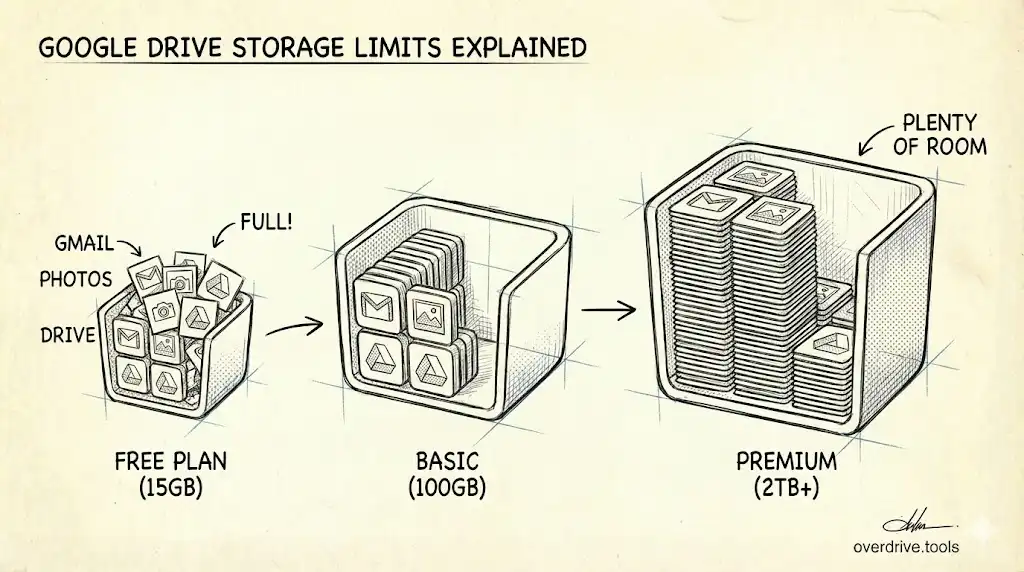
As of 2026, Google Photos provides 15 GB of free storage to every Google Account holder. However, this storage is not exclusive to photos; it is shared across Google Drive, Gmail, and Google Photos. For users requiring more space, Goog...
As of 2026, Google Photos provides 15 GB of free storage to every Google Account holder. However, this storage is not exclusive to photos; it is shared across Google Drive, Gmail, and Google Photos. For users requiring more space, Google offers paid subscription tiers through Google One, ranging from 100 GB to 30 TB.
Contents
The question of how much storage Google Photos provides is more complex than a single number. Since the landmark policy shift in mid-2021, the service has moved away from its famous unlimited free storage model toward a unified quota system. Understanding your specific limit requires looking at your account type, your device history, and your current subscription status. This guide provides a comprehensive breakdown of Google Photos storage capacities, the technical nuances of file compression, and how to manage your data in 2026.
Understanding the Google Account Shared Storage Ecosystem
When you ask how much storage Google Photos has, you are essentially asking about the capacity of your Google One storage pool. Google employs a unified storage model, meaning every byte used by a PDF in Google Drive or an attachment in Gmail subtracts from the space available for your photos and videos.
For the vast majority of users, the starting point is the 15 GB free tier. While 15 GB sounds substantial compared to the 5 GB offered by Apple’s iCloud, it fills up quickly because it acts as a catch-all for your entire digital life within the Google ecosystem. High-resolution 4K videos, which have become the standard for mobile devices in 2026, can consume several gigabytes in just a few minutes of footage, making that 15 GB limit feel increasingly restrictive.
What Counts Against Your Storage?
To accurately calculate your remaining space, you must recognize what consumes the quota:
- Google Photos: All photos and videos backed up in "Original Quality" or "Storage Saver" (formerly High Quality) count toward the limit.
- Gmail: Every email, including spam and trash folders, and all attachments.
- Google Drive: Most files, including PDFs, images, and videos. Notably, Google Docs, Sheets, Slides, and other collaborative office tools also count toward this limit.
The Historical Context: The June 2021 Policy Shift
To understand why many users are suddenly running out of space, we must look back at the policy change that occurred on June 1, 2021. Prior to this date, Google Photos offered "unlimited" storage for photos uploaded in "High Quality" (now called Storage Saver). This was a major selling point for the service for over five years.
However, after June 1, 2021, Google terminated this unlimited perk. Any new photos or videos uploaded—regardless of quality setting—began counting toward the 15 GB free limit.
The Grandfather Clause: The good news for long-time users is that any photos or videos backed up in High Quality before June 1, 2021, do not count toward your Google Account storage. These files are "grandfathered" in and remain exempt from your quota indefinitely, provided you do not modify them. This is why many accounts show a discrepancy between the total size of their photo library and the amount of storage Google claims they are using.
Storage Saver vs. Original Quality: Technical Impact
Google Photos offers two primary backup settings that directly impact how much storage you "have" in terms of total files.
1. Original Quality
This setting backs up your photos and videos exactly as they were captured, with no changes to resolution or file size. For professional photographers or those using high-end smartphones with large sensors, this is the preferred method. However, it is the fastest way to exhaust your 15 GB limit. A single "Original Quality" photo from a modern 50MP sensor can be 10MB to 20MB, while a minute of 4K video at 60fps can exceed 400MB.
2. Storage Saver (Formerly High Quality)
Storage Saver uses advanced compression algorithms to reduce the file size of your media while attempting to maintain visual quality.
- Photos: Compressed to 16 megapixels.
- Videos: Compressed to high-definition 1080p.
In 2026, Google’s AI-driven compression has become remarkably efficient, often making it difficult to distinguish between "Storage Saver" and "Original" quality on a smartphone screen. By using Storage Saver, you can effectively fit three to four times more photos into the same 15 GB or paid tier than you could using Original Quality.
Google One Subscription Plans and Pricing in 2026
When the free 15 GB is no longer sufficient, users must upgrade to a Google One plan. These plans provide a dedicated storage ceiling and often include additional features like enhanced Google Photos editing tools (powered by Gemini AI), VPN services, and dark web monitoring.
| Plan Tier | Storage Capacity | Primary Use Case |
|---|---|---|
| Free | 15 GB | Casual users, text-heavy Gmail users, or those with very few videos. |
| Basic | 100 GB | Standard smartphone users who want to back up several years of memories. |
| Standard | 200 GB | Families sharing a plan or users with a heavy mix of photos and Drive files. |
| Premium | 2 TB | Content creators, enthusiasts, and users who record significant amounts of 4K video. |
| AI Premium | 2 TB + Gemini | Users wanting advanced AI integration across Workspace and Photos. |
| Expanded | 5 TB - 30 TB | Professional archival and enterprise-level personal storage. |
Note: Pricing varies by region, but the 100 GB plan remains the most popular entry point for those exceeding the free limit.
Special Exceptions: Google Pixel Device Benefits
The "how much storage" question has a unique answer for owners of older Google Pixel devices. Google used different storage incentives to sell its hardware in the past, and some of these perks still exist as legacy benefits in 2026.
- Pixel 1 (2016): Owners of the original Pixel still enjoy unlimited Original Quality storage for life. This is the "holy grail" of Google Photos storage, as it allows for the backup of even non-Pixel photos if they are transferred to the device first.
- Pixel 2 & 3: These devices originally had Original Quality perks that have since expired, reverting them to the "Storage Saver" perks.
- Pixel 3a through Pixel 5: These devices offer unlimited Storage Saver backups. Photos and videos uploaded from these specific handsets do not count toward the 15 GB account limit, even in 2026.
- Pixel 6 and Newer: Starting with the Pixel 6, Google discontinued the unlimited storage perk. Users of modern Pixel phones receive the same 15 GB free limit as everyone else.
Managing and Clearing Your Google Photos Storage
Because storage is a finite resource, managing what you have is as important as knowing the limit. Google provides a Storage Management Tool within the Google Photos app and on the web. This tool categorizes files that you might want to delete to reclaim space.
Key Strategies for Reclaiming Space:
- Delete Large Files: The management tool identifies videos and photos that take up the most space, allowing you to review and prune them.
- Clear Out "Clutter": Google identifies screenshots, blurry photos, and "dark" photos that likely have little value.
- Gmail Cleanup: Since Gmail shares the 15 GB, deleting old newsletters and large attachments can free up space for your photos.
- Recover Storage Tool: On the Google Photos web interface, there is an option to "Compress existing photos." This will convert previously uploaded Original Quality photos to Storage Saver quality, potentially freeing up several gigabytes instantly.
Comparing Google Photos to Competitors
To put the 15 GB limit in perspective, it is helpful to see how Google stacks up against other major cloud providers in 2026.
- Apple iCloud: Offers 5 GB free. It is deeply integrated into iOS but requires a subscription much sooner than Google Photos.
- Microsoft OneDrive: Offers 5 GB free. It is best for those who already pay for Microsoft 365, which includes 1 TB of storage.
- Amazon Photos: Offers 5 GB for videos but unlimited full-resolution photo storage for Amazon Prime members. This remains the strongest alternative for pure photo storage, though its video handling is restrictive compared to Google.
Future Outlook: AI and Storage Demands in 2026
As we move through 2026, the demand for storage continues to grow. The rise of Generative AI features within Google Photos, such as Magic Editor and Cinematic Wallpapers, doesn't necessarily use more storage for the tools themselves, but the higher-quality outputs they generate do. Furthermore, as smartphone displays improve, the incentive to keep "Original Quality" backups increases, putting more pressure on that 15 GB baseline.
Google has integrated its Gemini AI into the storage management experience, allowing users to ask natural language questions like, "Find all the blurry videos from my 2024 vacation and delete them," making it easier to stay under the limit without manual sorting.
Practical Recommendation
If you are a casual user, the 15 GB free tier is a generous starting point, but you must be diligent about using the Storage Saver setting. For anyone using their smartphone as their primary camera, the 100 GB Google One plan is the most practical solution. It provides a massive buffer that, for most people, will last two to four years before requiring further management or an upgrade.
Always check your current usage at one.google.com/storage to see exactly how your 15 GB (or more) is being distributed between Photos, Drive, and Gmail.
Frequently Asked Questions
Does Google Photos still offer unlimited storage? No, the general unlimited storage offer ended on June 1, 2021. All new photos and videos now count toward your 15 GB free Google Account limit unless you are using an older Pixel device (Pixel 1-5) that still carries legacy perks.
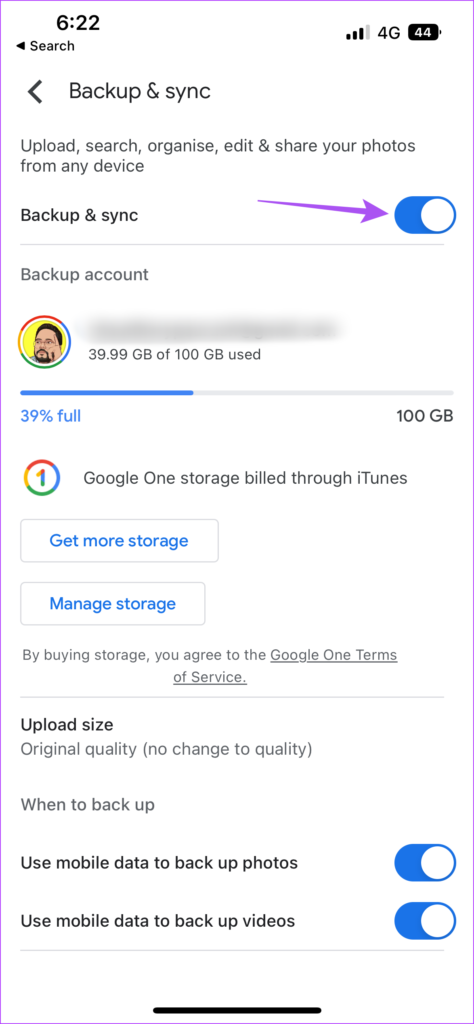
How do I see how much storage I have left in Google Photos? You can check your remaining storage by opening the Google Photos app, tapping your profile icon in the top right, and selecting "Account storage." Alternatively, visit the Google One storage page on a web browser for a detailed breakdown across Photos, Gmail, and Drive.
Will deleting emails free up space for my photos? Yes. Because Google uses a unified storage model, deleting large emails and attachments in Gmail directly increases the amount of space available for your Google Photos backups.
What happens if I run out of storage? If you exceed your storage limit, you will no longer be able to back up new photos or videos to Google Photos. Additionally, you may become unable to send or receive emails in Gmail, and you will not be able to create or edit files in Google Drive. Google generally provides a grace period, but eventually, you must either delete files or upgrade your plan to restore full functionality.
Does "Storage Saver" quality count toward my limit? Yes, in 2026, all photos and videos uploaded in Storage Saver quality count toward your storage quota. The only exception is if these files were uploaded before the June 1, 2021, deadline or if they are uploaded from an eligible legacy Pixel device.
Image Gallery