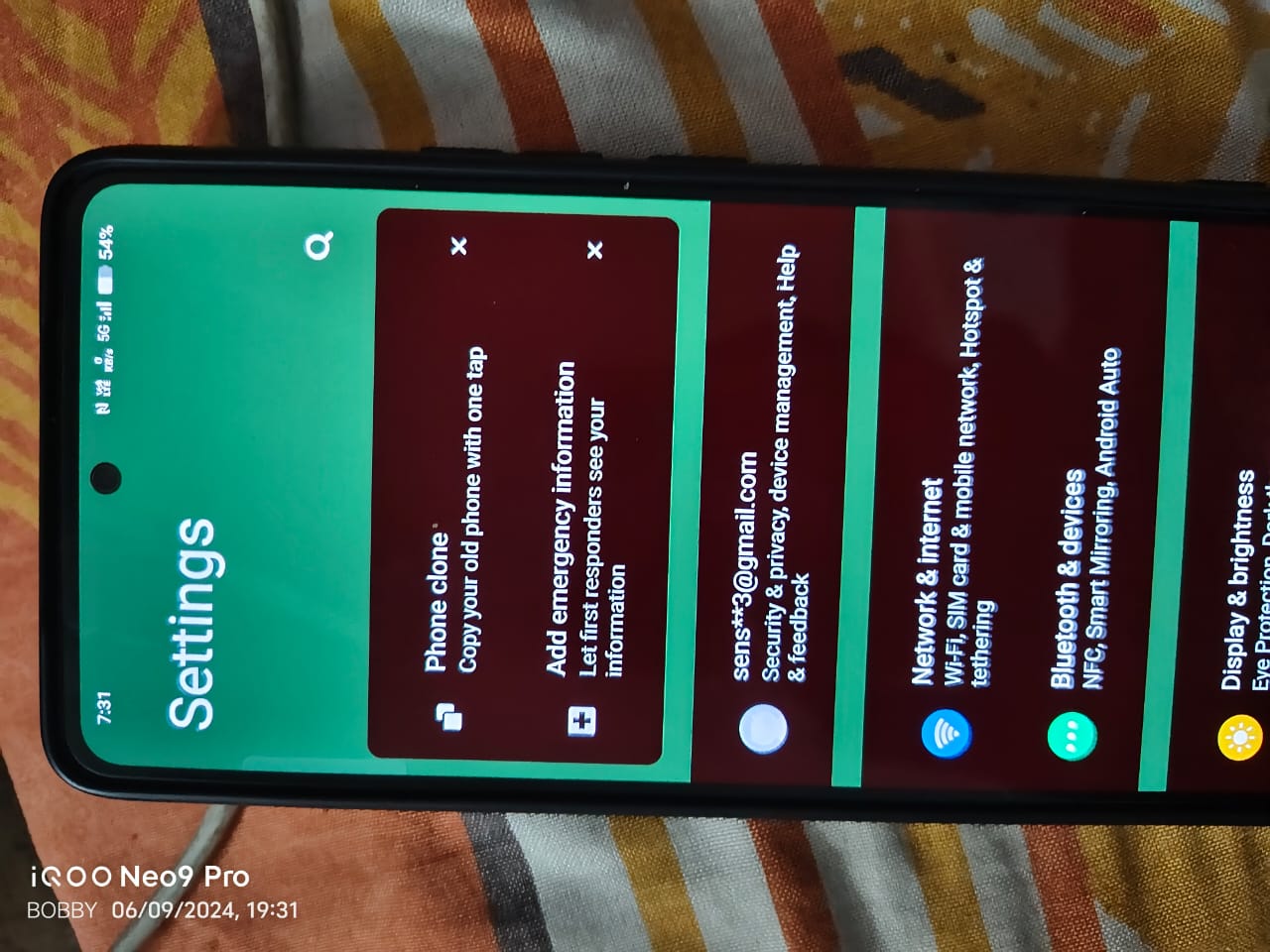
Why Your Phone Screen Has a Green Tint: Troubleshooting and Fixes for 2026
If your phone screen is displaying a persistent green tint, the issue is usually caused by either a software calibration glitch or a hardware defect within the OLED (Organic Light Emitting Diode) panel. This phenomenon typically appear...
If your phone screen is displaying a persistent green tint, the issue is usually caused by either a software calibration glitch or a hardware defect within the OLED (Organic Light Emitting Diode) panel. This phenomenon typically appears at low brightness levels or when viewing dark backgrounds, resulting from inconsistent voltage delivery to the display's sub-pixels.
Contents
The "green tint" issue has become a well-known occurrence in the smartphone industry, particularly as manufacturers transitioned almost entirely to OLED and AMOLED technology. While it can be alarming to see your high-end device take on a sickly glow, the problem is often manageable through settings adjustments or, in more severe cases, professional hardware service. By 2026, display technology has advanced significantly, yet the physics of organic LEDs still leaves certain panels susceptible to these discolorations under specific conditions.
Understanding the Science Behind the Green Tint
To solve the problem, one must first understand why it occurs. Unlike traditional LCDs (Liquid Crystal Displays) that use a uniform backlight, OLED screens consist of millions of individual pixels that produce their own light. Each pixel is made of red, green, and blue (RGB) sub-pixels.
The OLED Sub-pixel Imbalance
The green tint usually manifests when there is an imbalance in how these sub-pixels receive power. At low brightness levels, the smartphone's display driver must send very low voltages to the pixels. If the calibration is slightly off, the green sub-pixels may remain more active than the red or blue ones, leading to an overall green hue. This is why many users report that the green tint is invisible in direct sunlight but becomes glaringly obvious at night when the screen is dimmed.
Pulse Width Modulation (PWM) and Flickering
Most modern smartphones use Pulse Width Modulation (PWM) to control brightness. Instead of lowering the constant voltage, the screen flickers on and off at high speeds to trick the eye into seeing lower brightness. If the timing of these pulses is not perfectly synchronized with the panel’s refresh rate, it can result in "crushed blacks" or a green/purple hazy appearance. By 2026, many manufacturers have introduced "DC Dimming" as a software feature to combat this, though it is not always enabled by default.
Identifying Software vs. Hardware Causes
Before seeking a repair, it is crucial to determine if the problem lives in the code or the components.
Software-Related Triggers
In many instances, the green tint is a byproduct of a recent Operating System (OS) update. Manufacturers frequently tweak display drivers to improve battery life or color accuracy, which can inadvertently cause "voltage fluctuations" in the display controller. If your screen was perfect yesterday and turned green immediately after an update, a software bug is the likely culprit.
Additionally, certain display settings can mimic a green tint:
- Night Mode / Blue Light Filters: These settings shift the color temperature toward the warmer end of the spectrum (yellow/orange), which, when combined with specific backgrounds, can look greenish.
- Accessibility Filters: High contrast modes or color correction settings for color blindness can drastically alter the appearance of the UI.
- Always-On Display (AOD) Bugs: Sometimes the low-power state of the AOD does not transition correctly back to the full-power state, leaving a lingering tint on the lock screen.
Hardware-Related Defects
If the green tint is accompanied by physical symptoms, the hardware is likely failing. Hardware causes include:
- Flex Cable Damage: The thin ribbon cable connecting the screen to the motherboard can become loose or damaged due to drops, leading to signal interference.
- Water Damage: Even "water-resistant" phones can suffer from internal corrosion over time. Moisture hitting the display connector often causes green or white lines and tints.
- Panel Degradation: While OLED "burn-in" is more common, general panel degradation can lead to uneven color wear.
Comprehensive Troubleshooting Steps
Follow these steps in order to isolate and potentially fix the green tint on your device.
1. Adjust Display and Brightness Settings
Start with the simplest solutions. Go to your Settings > Display and toggle the following:
- Disable Adaptive Brightness: Manually move the brightness slider to 50% or higher. If the tint disappears, the issue is related to low-voltage calibration.
- Turn off "True Tone" or "Eye Comfort Shield": These features use ambient light sensors to change the screen color; disabling them provides a "pure" output.
- Adjust Color Balance: Most flagship phones allow you to manually adjust the Red, Green, and Blue sliders. If your screen is too green, try lowering the Green slider in the "Advanced" display settings.
2. Perform a Force Restart
A simple restart clears the temporary cache and reinitializes the display driver. On most modern devices, hold the Power button and Volume Down button simultaneously for 10 seconds until the manufacturer logo appears.
3. Test in Safe Mode
Booting into Safe Mode (on Android) or checking the device during the boot sequence (on iPhone) helps identify if a third-party app is causing the tint. If the green tint is visible on the boot logo (before the OS loads), it is almost certainly a hardware or firmware-level issue. If the tint only appears once the home screen loads, a third-party app (like a custom "dark mode" or "screen dimmer" app) might be the cause.
4. Check for System Updates
Manufacturers like Apple and Samsung have historically released "Display Calibration" patches via OTA (Over-The-Air) updates to fix green tint issues reported by users. Ensure you are running the latest version of your OS.
5. Factory Data Reset
This is the final software-based effort. Back up your data and perform a full factory reset. This eliminates any deeply embedded software conflicts or corrupted display profiles.
Summary of Symptoms and Solutions
| Symptom | Primary Suspect | Recommended Action |
|---|---|---|
| Tint only at 0-10% brightness | Display Driver / PWM | Enable DC Dimming or increase brightness. |
| Tint appeared after a drop | Damaged Flex Cable | Professional screen replacement required. |
| Tint appeared after OS update | Software Bug | Wait for patch or roll back firmware. |
| Flickering with Green Tint | Failing OLED Panel | Hardware repair (Warranty claim if possible). |
| Tint only in specific apps | App Optimization | Update the specific app or disable its dark mode. |
When to Seek Professional Repair
If you have performed a factory reset and the green tint remains visible—especially on the boot screen—you are likely facing a hardware defect.
Warranty and Recalls
In the past, several major manufacturers have acknowledged green tint issues as manufacturing defects. By 2026, most companies have "Extended Quality Programs" for known display issues. Check the official support page for your specific model (e.g., Samsung Support or Apple Support) to see if your device qualifies for a free replacement, even if it is out of the standard one-year warranty period.
Professional Replacement Costs
If the device is not under warranty, a screen replacement is the only fix. For flagship devices in 2026, an original OLED assembly can cost between $200 and $400 depending on the model and whether it includes the frame and battery. Avoid "cheap" third-party LCD replacements for phones originally equipped with OLEDs, as these will significantly degrade battery life and image quality.
Frequently Asked Questions
Is a green tint on my phone screen dangerous?
No, a green tint is not physically dangerous to the user, nor does it typically indicate an exploding battery or electrical hazard. It is purely a visual defect related to light emission. However, if the tint is caused by a swollen battery pushing against the display, you should seek immediate repair.
Can a screen protector cause a green tint?
Yes, some low-quality tempered glass protectors or privacy filters use adhesives that can "yellow" or "green" over time when exposed to UV light. Try removing the protector to see if the tint persists on the bare glass.
Will "Green Tint" eventually lead to a "Green Line"?
Not necessarily. A green tint is usually a calibration or voltage issue across the whole panel. A "Green Line" is typically a total failure of a specific column of pixels or a cracked gate driver. While both are display issues, one does not always lead to the other.
Why does the tint seem to "bleed" from the edges?
This is often caused by pressure on the OLED's encapsulation layer. If the phone frame is slightly bent or if the adhesive is failing, the edges of the display may show more discoloration than the center.
Final Recommendation
If your phone screen has a green tint, start by disabling all automatic color adjustments and checking for a software update. If the issue persists at higher brightness levels or is visible during the boot-up process, it is a hardware failure. Document the issue with photos (using another camera) and contact the manufacturer's authorized service center. Given the widespread nature of OLED issues, there is a high probability that your device may be covered under a specialized repair program or consumer protection laws.
Image Gallery