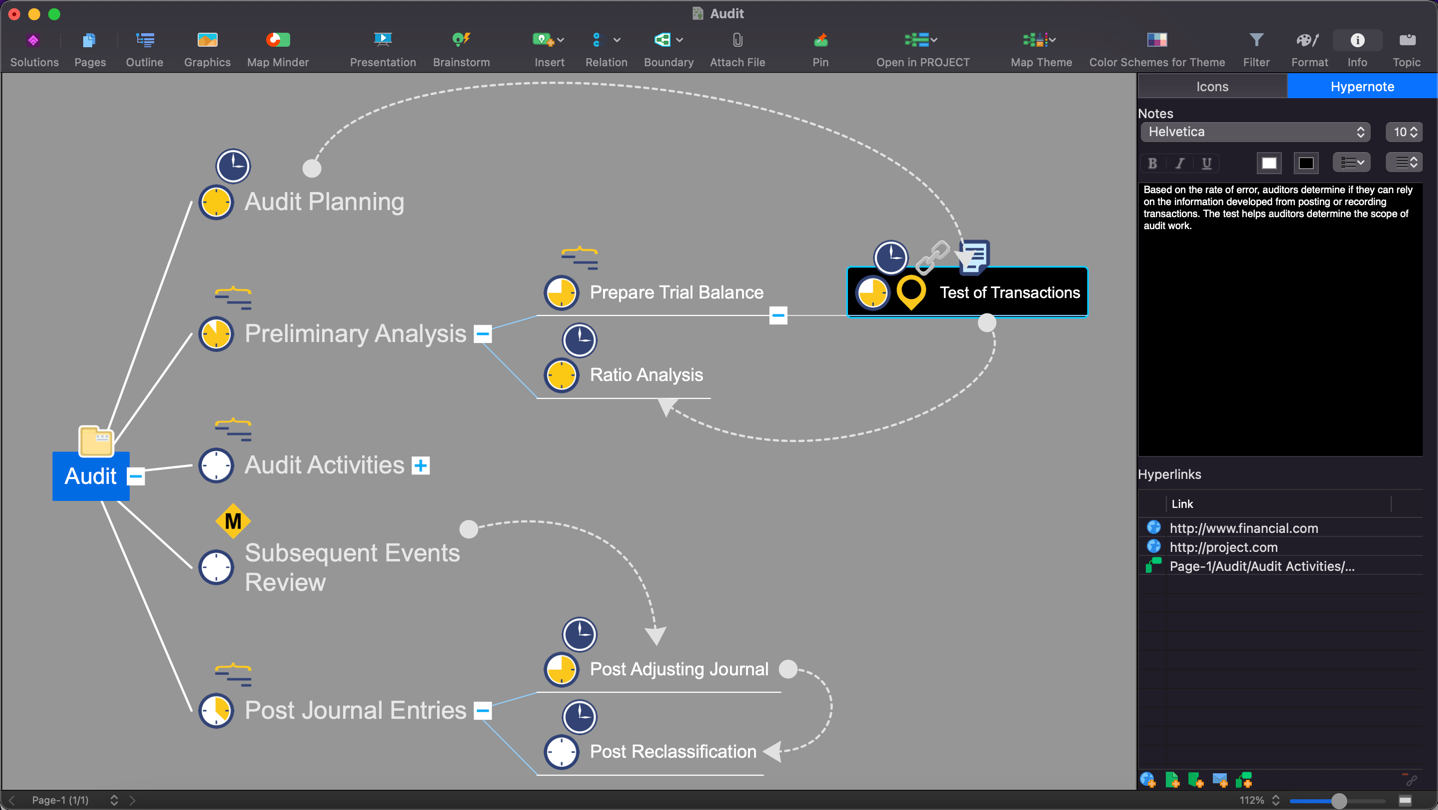
Integrating Brainstorm Software into the Modern Design Process
Brainstorm software facilitates the design process by providing digital, infinite canvases where cross-functional teams can visualize ideas, map user journeys, and collaborate in real-time. These tools bridge the gap between abstract c...
Brainstorm software facilitates the design process by providing digital, infinite canvases where cross-functional teams can visualize ideas, map user journeys, and collaborate in real-time. These tools bridge the gap between abstract creative thought and structured project requirements, ensuring that diverse perspectives are captured and transitioned efficiently into actionable design prototypes.
Contents
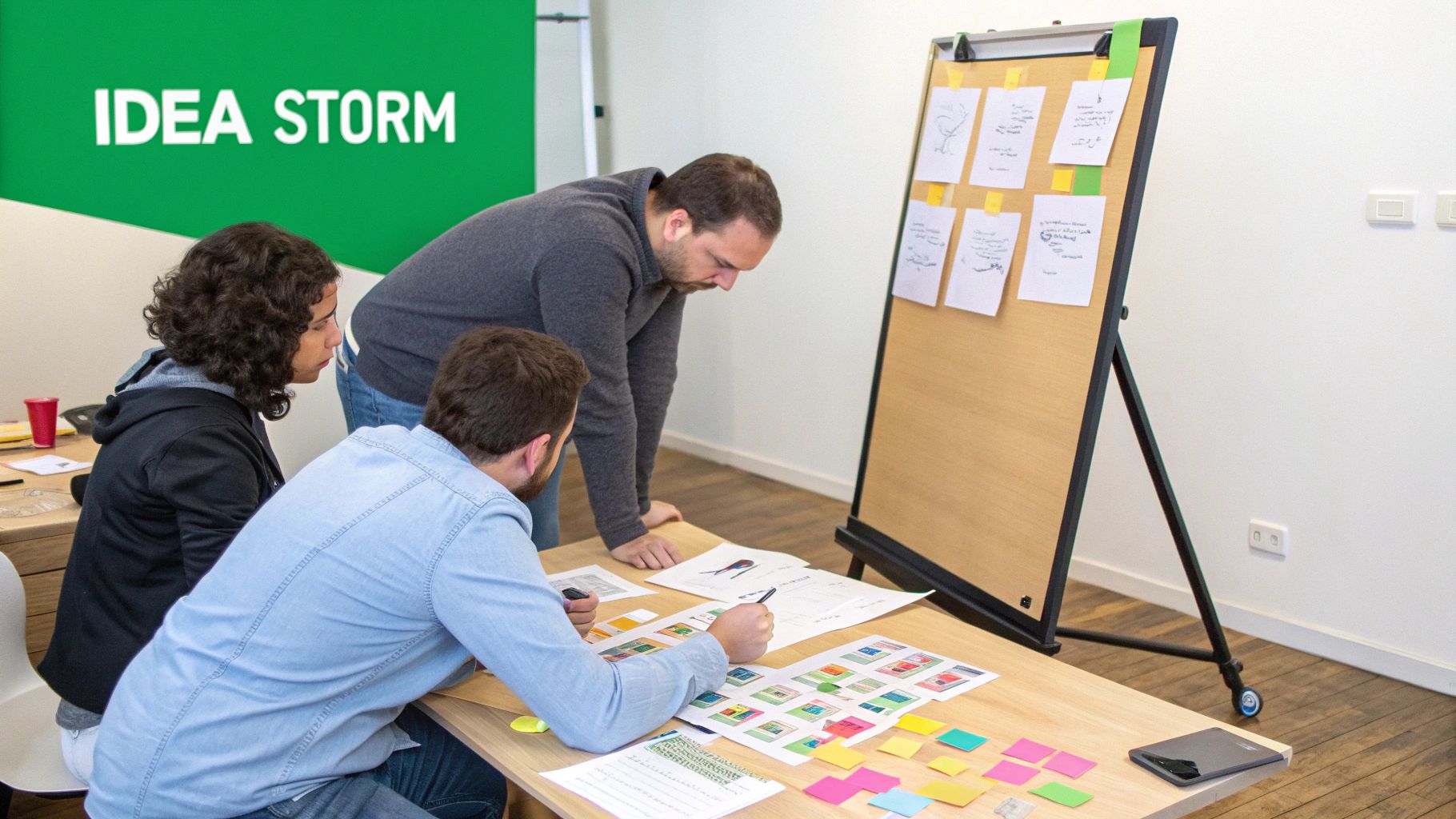
The evolution of design has moved far beyond physical whiteboards and static sticky notes. In 2026, the integration of brainstorming software into the design lifecycle is no longer an optional "extra" but a core requirement for high-performing product and engineering teams. As remote and hybrid work models remain the global standard, these digital environments serve as the primary workspace for the "divergent" and "convergent" phases of creative problem-solving. By centralizing feedback and ideation, these platforms eliminate the friction of fragmented communication and accelerate the transition from initial concept to high-fidelity output.
The Role of Brainstorming Software in the Design Lifecycle
The design process, often structured through frameworks like the Double Diamond or Design Thinking, relies heavily on the ability to generate a high volume of ideas and then refine them. Brainstorm software acts as the foundational infrastructure for these phases, providing specialized tools for each stage of development.
The Discovery and Empathy Phase
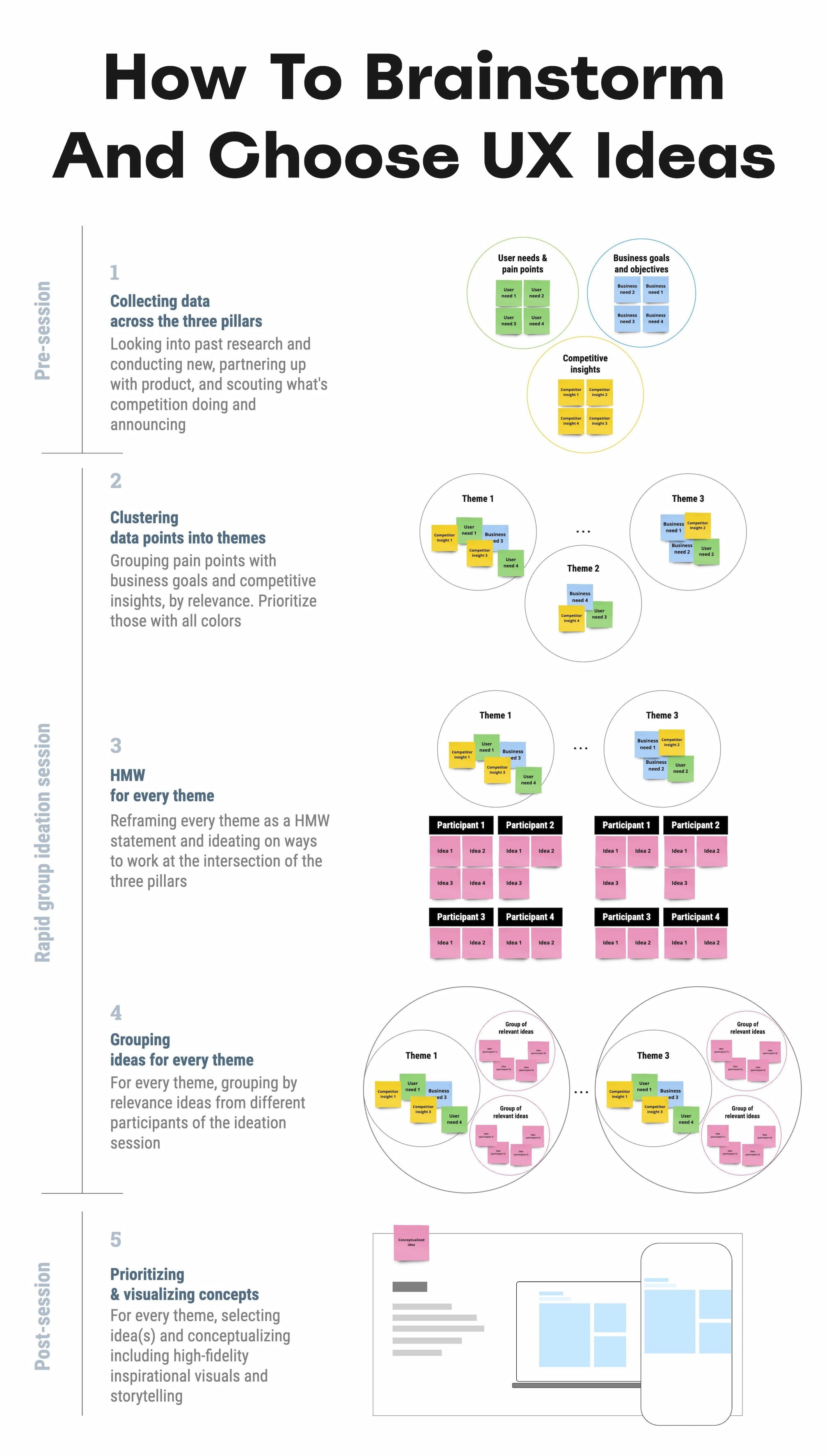
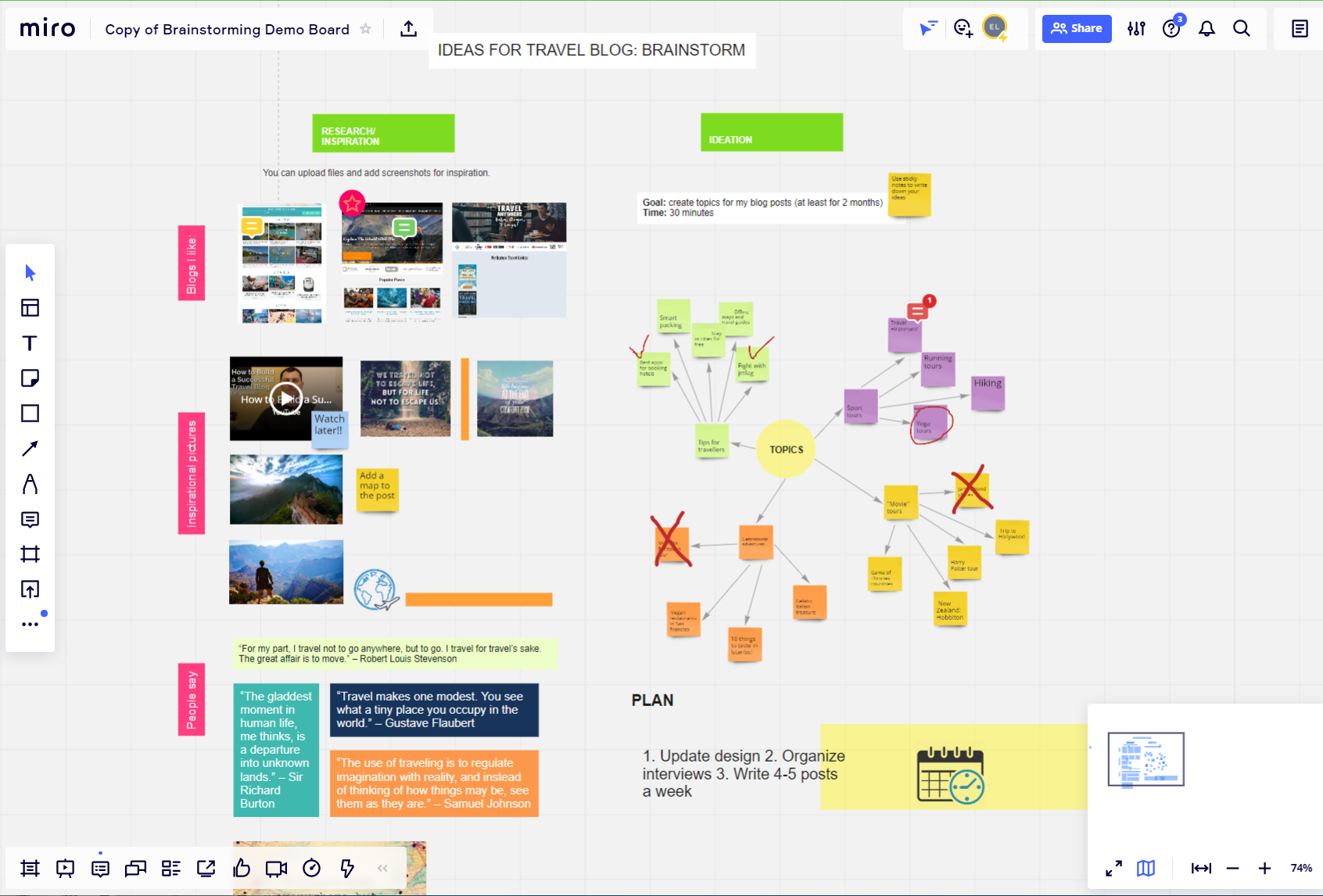
During the initial discovery phase, designers must gather qualitative and quantitative data about user needs. Brainstorming software facilitates this by hosting "research walls" where teams can upload interview transcripts, survey results, and competitive analysis screenshots. Digital sticky notes allow teams to perform affinity mapping—a process of clustering related observations to identify patterns.
In 2026, many of these platforms incorporate advanced categorization features that help designers synthesize large datasets quickly. The ability to tag notes by sentiment, user persona, or pain point level allows for a more granular understanding of the problem space before a single pixel is drawn.
Ideation and Creative Divergence
This is where brainstorm software provides its most significant value. Traditional brainstorming often suffers from "production blocking," where only one person can speak at a time. Digital platforms solve this through asynchronous and parallel ideation. Using features like "private mode," participants can generate ideas simultaneously without being influenced by others' thoughts, reducing the risk of groupthink.
Creative techniques such as "Crazy 8s" or "Brainwriting" are natively supported by digital timers and specialized templates. These tools ensure that the ideation phase is time-boxed and productive, pushing the team to explore unconventional solutions that might not emerge in a less structured environment.
Convergence and Decision Making
Once a vast array of ideas is generated, the design process requires a shift toward convergence. Brainstorm software offers voting mechanisms—often customizable by weight or category—to help teams prioritize which concepts to move into the prototyping phase. By keeping the entire history of the session in one digital file, teams can always refer back to the "why" behind a decision, providing a clear audit trail of the creative process.
Essential Technical Features for Design Teams
To support a professional design process, brainstorm software must meet specific technical and functional requirements. It is not merely about drawing on a screen; it is about data interoperability and collaborative stability.
- Real-Time Synchronization: Low-latency performance is critical. When dozens of designers are moving elements simultaneously, the platform must handle the data load without lag to prevent "cursor collision" or versioning errors.
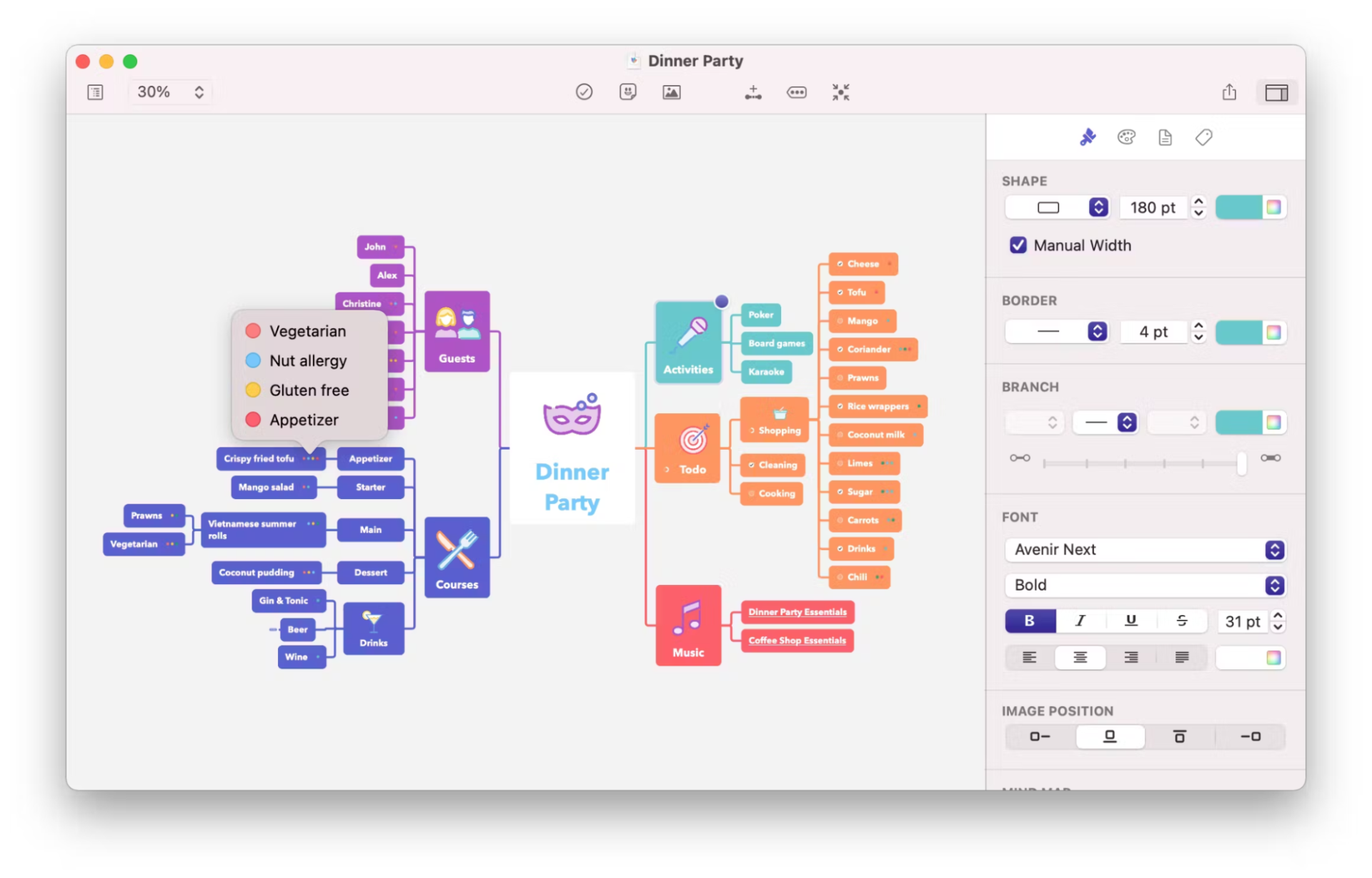
- Infinite Canvas and Spatial Logic: Unlike slide decks, design brainstorming requires a non-linear workspace. An infinite canvas allows teams to build complex ecosystems of ideas, from high-level mind maps to detailed user flow diagrams, all within a single environment.
- Integration with Design Tooling: Modern platforms must integrate seamlessly with industry-standard software such as Figma, Adobe Creative Cloud, and Jira. This allows designers to pull live prototypes into the brainstorm session for feedback and push finalized user stories directly into development backlogs.
- Embedded Media Support: A comprehensive design process involves video clips of user testing, high-resolution imagery, and interactive components. The software must support these formats natively to provide a holistic view of the project.
Comparing Leading Brainstorm Software Platforms
The following table compares the primary platforms utilized by design professionals in 2026, focusing on their specific strengths within the design lifecycle.
| Platform | Core Strength | Key Design Feature | Integration Ecosystem | Primary Use Case |
|---|---|---|---|---|
| Miro | Enterprise Scalability | Advanced Workshop Facilitation | Jira, Slack, Azure DevOps | Large-scale product mapping |
| Mural | Design Thinking Focus | Methodological Templates | Microsoft 365, Google Workspace | Facilitated creative workshops |
| FigJam | Seamless Design Handoff | Direct sync with Figma files | Figma (Native), GitHub | UI/UX rapid prototyping |
| Lucidspark | Visual Logic | Intelligent Diagramming | Salesforce, ServiceNow | Technical architecture ideation |
| Stormboard | Structured Data | Report Generation & Export | SAP, Oracle | Agile project management |
Technical Specifications and Implementation
Implementing brainstorm software into a professional design environment requires more than just a subscription. IT departments and design leads must consider the technical architecture to ensure security and accessibility.
Security and Compliance
In 2026, data privacy is a top priority for enterprise design teams. Leading software providers offer SOC2 Type II compliance, ISO 27001 certification, and GDPR adherence. For industries like finance or healthcare, features like Single Sign-On (SSO), data residency options (ensuring data stays within specific geographic borders), and end-to-end encryption are mandatory.
Accessibility and Inclusion
A truly effective design process includes stakeholders with varying needs. Modern brainstorm software must comply with WCAG 2.1 standards. This includes screen reader compatibility, keyboard navigation, and high-contrast modes. Furthermore, features such as "live translation" and "speech-to-text" sticky notes allow global teams to collaborate regardless of language barriers or physical limitations.
Optimizing the Digital Workshop Experience
To maximize the utility of brainstorming software, facilitators must adopt specific digital-first strategies. The design process is only as good as the moderation that guides it.
- Pre-Work and "Warm-Up" Areas: Set up a dedicated area of the canvas for participants to introduce themselves and get comfortable with the tools before the actual session begins. This reduces technical friction during high-stakes ideation.
- Visual Hierarchy: Use frames and color-coded sections to guide the eye. A chaotic canvas leads to a chaotic mind. Clear labeling of the "Discovery," "Ideation," and "Selection" zones helps keep the team on track.
- The "Parking Lot" Technique: Use a designated corner of the software canvas for ideas that are valuable but "out of scope" for the current session. This ensures participants feel heard without derailing the primary objective.
- AI-Assisted Synthesis: Utilize the platform’s built-in AI tools to summarize long-form discussions into bullet points or to group a hundred sticky notes into thematic clusters automatically. This saves hours of manual labor during the post-session analysis.
Common Pitfalls and Troubleshooting
Despite the advantages, digital brainstorming can face hurdles. "Canvas fatigue" occurs when a board becomes so cluttered that it is difficult to navigate. Regular "archiving" of old sections or the use of "hyperlinks" within the canvas (linking to specific coordinates) can mitigate this.
Technical troubleshooting often revolves around browser performance. Most high-end brainstorm software is optimized for Chromium-based browsers. Ensuring that hardware acceleration is enabled in the browser settings and that the device has at least 16GB of RAM will typically resolve most performance stuttering issues during large-scale collaborative sessions.
Frequently Asked Questions
What is the best way to transition from a digital brainstorm to a prototype?
The most efficient transition involves using "integrated ecosystems" like FigJam and Figma. Designers can copy elements directly from the brainstorm canvas and paste them into their design tool, where they maintain their properties as editable shapes or text. Alternatively, exporting the brainstorm data as a CSV or JSON file allows for the automated creation of user stories in project management tools like Jira.
How do we prevent groupthink in digital brainstorming sessions?
Most professional brainstorm software includes a "Private Mode" or "Incognito Mode." When activated, this feature hides the content of sticky notes from other participants until the facilitator reveals them. This encourages individuals to contribute their genuine thoughts without being biased by the ideas of senior leadership or the "loudest" voices in the digital room.
Can these tools be used for user testing and feedback?
Yes, brainstorm software is excellent for "participatory design" sessions. You can invite end-users to a restricted version of the board where they can interact with low-fidelity wireframes, provide heat-map feedback (using stickers), or participate in card-sorting exercises. This provides immediate, visual data that is already categorized for the design team.
Is it possible to use brainstorm software for asynchronous design reviews?
Asynchronous reviews are a primary use case. Team members can leave "video comments" or "threaded replies" on specific design elements. This allows the design process to continue across different time zones without requiring a live meeting for every iteration. The "notification" system keeps everyone updated on changes made while they were offline.
What hardware is recommended for the best experience?
While these tools work on standard laptops, the experience is significantly enhanced by using a tablet with a stylus (like an iPad Pro or Microsoft Surface) or a large-format touch display. This allows for natural "sketching" and handwriting, which can be faster and more intuitive than using a mouse for early-stage conceptualization.
Next Steps for Design Teams
To successfully integrate brainstorm software into your design process, start by conducting a "pilot" session on a low-risk project. Evaluate the platform's ability to handle your team's specific workflow requirements—whether that is heavy diagramming, rapid sketching, or deep data synthesis. Once a tool is selected, invest in creating a standardized "Design Playbook" that includes pre-built templates for your organization’s common activities, ensuring consistency and speed across all future projects.
Image Gallery