Understanding the ProMotion Display: Technology, Benefits, and Implementation
ProMotion is Apple's proprietary display technology that enables an adaptive refresh rate of up to 120Hz. By dynamically adjusting the screen’s frequency based on the content being viewed, it provides fluid motion for scrolling and gam...
ProMotion is Apple's proprietary display technology that enables an adaptive refresh rate of up to 120Hz. By dynamically adjusting the screen’s frequency based on the content being viewed, it provides fluid motion for scrolling and gaming while dropping to lower rates—as low as 1Hz on specific models—to preserve battery life during static tasks.
Contents
The transition from standard 60Hz displays to ProMotion represents one of the most significant shifts in mobile and desktop interface design. While a standard display refreshes its image 60 times per second regardless of what is happening on screen, ProMotion allows the hardware to communicate intelligently with the software. This interaction ensures that the display only works as hard as it needs to, delivering a premium visual experience without the traditional power penalties associated with high-refresh-rate panels.
The Fundamentals of Refresh Rates and Fluidity
To understand ProMotion, one must first understand the concept of a refresh rate, measured in Hertz (Hz). The refresh rate is the number of times per second a display updates its buffer. For decades, 60Hz was the industry standard for everything from televisions to smartphones. While 60Hz is generally sufficient for video (which is typically shot at 24, 30, or 60 frames per second), it can struggle with high-speed interface animations and rapid scrolling, leading to "motion blur" or "ghosting."
When a display moves at 120Hz, it updates every 8.33 milliseconds, compared to the 16.67 milliseconds of a 60Hz screen. This reduction in time between updates results in several key improvements:
- Reduced Motion Blur: Objects moving across the screen appear sharper because there is less displacement between each frame.
- Improved Temporal Resolution: The human eye perceives smoother transitions in animations, making the operating system feel more "connected" to the user's touch.
- Lower Input Latency: In gaming or creative work, the time between a user action (like a tap or a swipe) and the visual response is significantly reduced.
ProMotion is not simply a 120Hz toggle; it is an adaptive system. If you are looking at a static photograph, the screen does not need to refresh 120 times per second. ProMotion recognizes this and can ramp the refresh rate down to 10Hz or 1Hz, depending on the device generation, which dramatically reduces power consumption.
The Engineering Behind the Screen: LTPO Technology
The "magic" that allows ProMotion to function effectively is a specific type of backplane technology known as LTPO (Low-Temperature Polycrystalline Oxide). Before LTPO, most mobile displays used LTPS (Low-Temperature Polycrystalline Silicon). While LTPS is excellent for high resolutions, it is not well-suited for variable refresh rates because it struggles to maintain consistent brightness and color accuracy at low frequencies.
LTPO combines the best of two worlds: the high electron mobility of LTPS for the switching circuits and the stability of IGZO (Indium Gallium Zinc Oxide) for the driving transistors. This combination allows the display to:
- Switch Instantly: The display controller can change the refresh rate on a frame-by-frame basis without the user noticing a flicker.
- Maintain Efficiency: By using Oxide transistors, the display can "hold" a charge longer, allowing the refresh rate to drop to 1Hz (one update per second) during Always-On Display modes or while reading text.
- Manage Heat: Lower refresh rates generate less heat, which is critical for maintaining peak performance in thin devices like the iPhone or iPad Pro.
As of 2026, the refinement of LTPO processes has allowed Apple to implement ProMotion across a wider range of devices while maintaining the color accuracy required by creative professionals. This technology is verified and analyzed extensively by display experts such as DisplayMate, who consistently rank ProMotion-enabled panels among the best in the industry for peak brightness and color fidelity.
Impact on User Experience and Productivity
The practical benefits of ProMotion vary depending on the device and the specific task being performed. While gamers were the first to champion high refresh rates, the benefits for general productivity and creative work are equally profound.
Apple Pencil and Creative Work
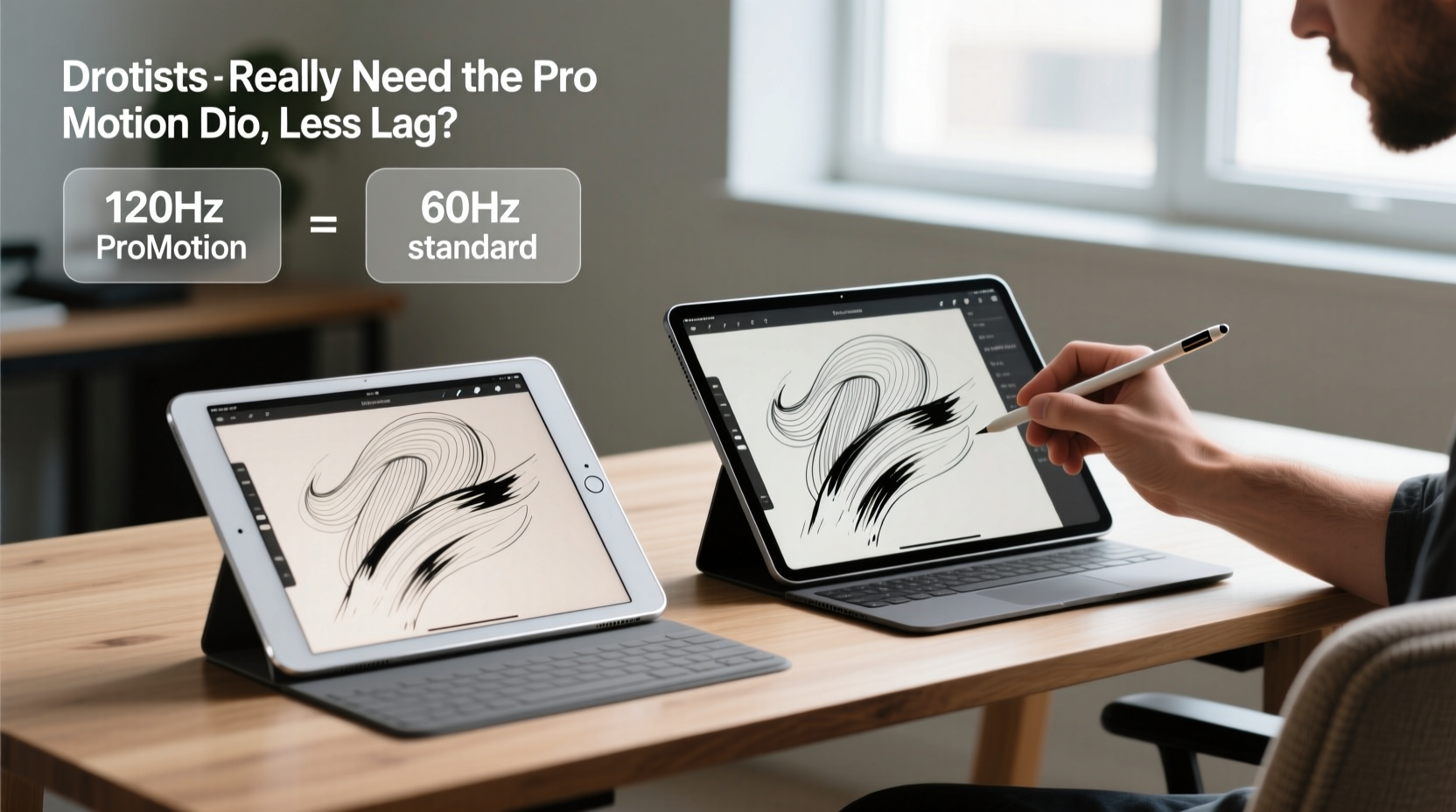
For artists and designers using the iPad Pro, ProMotion is a transformative feature. When using the Apple Pencil, the high refresh rate reduces latency to as little as 9 milliseconds. This makes the digital ink appear to flow directly from the tip of the pencil, eliminating the "lag" that often breaks the immersion of digital drawing. The system can intelligently ramp up to 120Hz the moment the Pencil touches the glass and ramp back down the moment it is lifted.
Smooth Scrolling and UI Navigation
On iPhones and MacBooks, the most noticeable benefit is "fluidity." When scrolling through a long webpage or a social media feed, the text remains legible even while in motion. On a 60Hz screen, text often becomes a blur until the scrolling stops. ProMotion maintains the integrity of the image during the scroll, which reduces eye strain during long reading sessions.
Video Playback and "Judder"
Standard cinema film is shot at 24fps. On a 60Hz screen, 24 does not divide evenly into 60, necessitating a process called "3:2 pulldown" which can cause slight stutters known as judder. Because 120 is a multiple of 24, ProMotion displays can play back cinematic content perfectly at 24Hz or 120Hz, providing a much smoother and more authentic viewing experience.
ProMotion Across the Apple Ecosystem
Since its debut in the 2017 iPad Pro, ProMotion has migrated to several other product lines. However, it remains a distinguishing factor between "standard" and "Pro" tier devices.
| Device Category | Initial Implementation | Refresh Rate Range | Primary Benefit |
|---|---|---|---|
| iPad Pro | 2017 (10.5" & 12.9") | 24Hz – 120Hz | Apple Pencil responsiveness and canvas fluidity. |
| iPhone Pro | 2021 (iPhone 13 Pro) | 10Hz – 120Hz (1Hz on newer) | Smooth scrolling and Always-On Display efficiency. |
| MacBook Pro | 2021 (M1 Pro/Max 14" & 16") | 24Hz – 120Hz | Improved UI response and video editing precision. |
| Pro Display XDR | 2019 (Fixed Modes) | 47.95Hz – 60Hz | High-end reference grading (Not true adaptive ProMotion). |
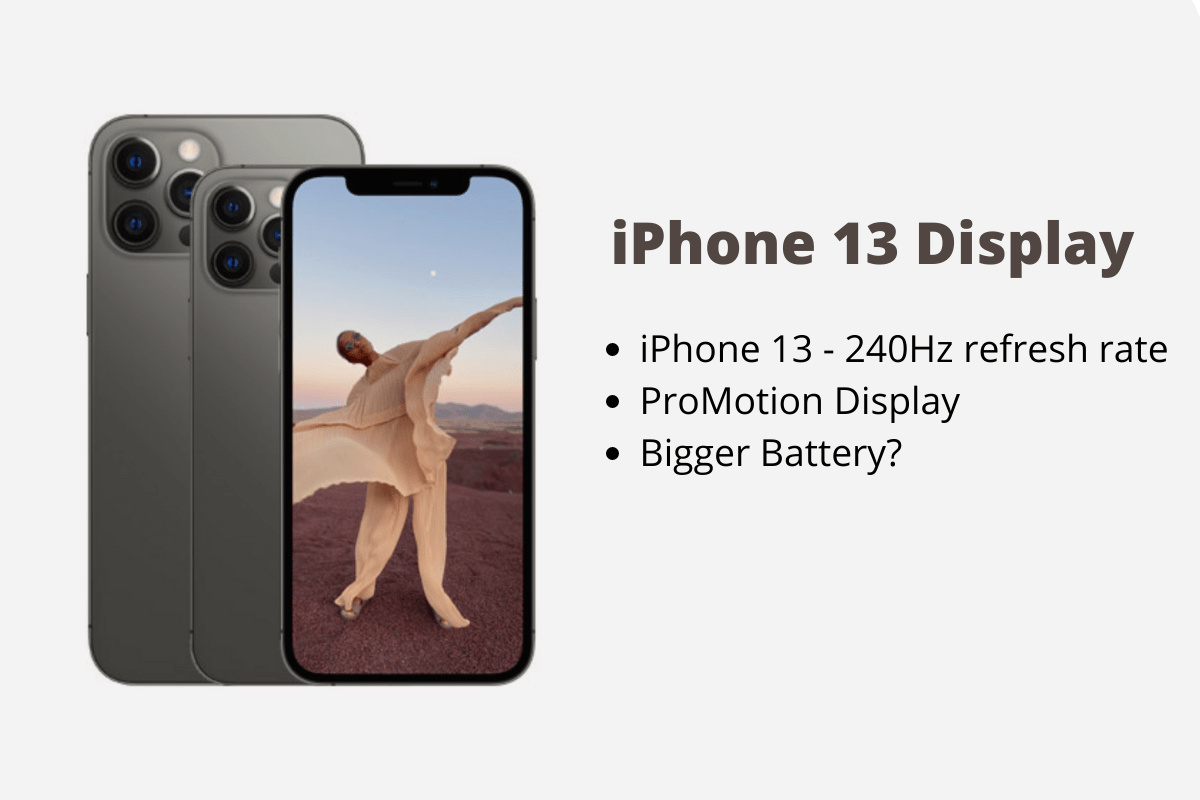
In the current 2026 landscape, ProMotion is a standard expectation for any device marketed toward professional use. While there have been rumors of the technology trickling down to the base-model iPhones, Apple has largely kept it as a "Pro" exclusive to maintain product segmentation and manage component costs associated with LTPO panels.
Battery Life: The Efficiency Paradox
A common misconception is that a 120Hz display must inherently use more battery than a 60Hz display. While it is true that pushing 120 frames per second requires more GPU power and backlight energy, the adaptive nature of ProMotion often results in better battery life than a fixed 60Hz panel.
Consider a typical usage session:
- Reading an eBook: The screen may refresh at 10Hz or 1Hz. In this state, it is consuming significantly less power than a 60Hz screen that is refreshing 60 times per second to show a static image.
- Watching a 24fps Movie: ProMotion drops to 24Hz, saving energy compared to a 60Hz screen.
- Active Interaction: The screen jumps to 120Hz only during the milliseconds you are actually swiping.
This intelligent management is handled by the display controller integrated into Apple’s Silicon (A-series and M-series chips). The hardware analyzes the frame buffer in real-time. If the content hasn't changed, the controller tells the display to skip refresh cycles. This efficiency is why the iPhone 13 Pro and its successors were able to achieve significantly better battery life than their predecessors, despite having more powerful screens.
Troubleshooting Common ProMotion Issues
While ProMotion is designed to be seamless, users occasionally encounter situations where the display does not appear to be performing at its peak.
Low Power Mode Restrictions
The most common "issue" is not a bug, but a feature. When an iPhone or MacBook enters Low Power Mode, the system often caps the refresh rate at 60Hz to conserve the remaining battery. If your ProMotion display suddenly feels "sluggish" or "choppy," check if the battery icon is yellow.
Software Optimization
Not all apps are built to support 120Hz. While standard system animations and scrolling usually work automatically, third-party games and high-performance apps must be updated by developers to unlock the full frame rate. Apple provides documentation for developers via the Metal framework to ensure their apps can request higher refresh rates when needed.
Accessibility Settings
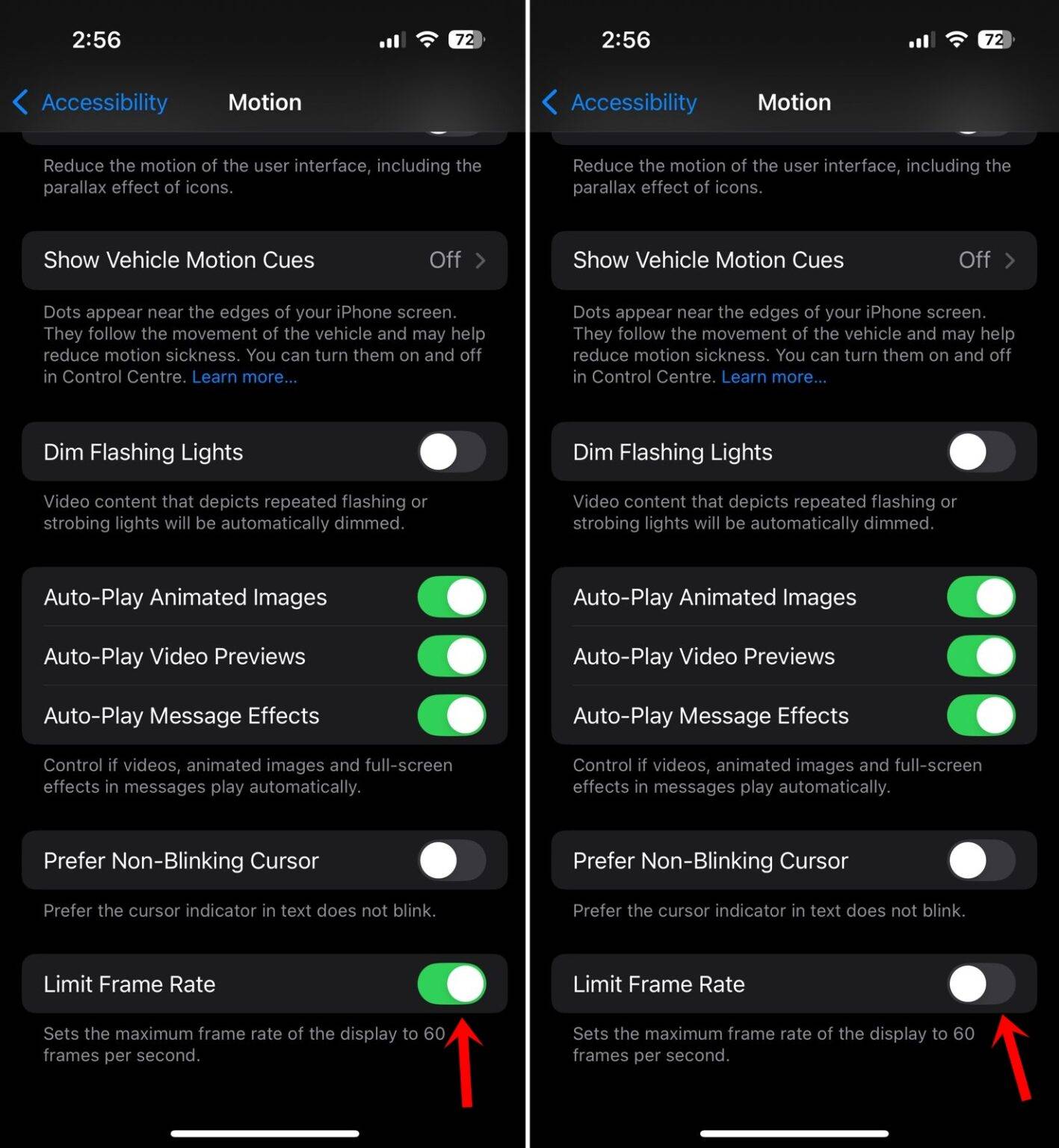
Some users are sensitive to high-motion displays and may experience motion sickness. Apple includes a setting to disable ProMotion:
- Go to Settings > Accessibility.
- Select Motion.
- Toggle on Limit Frame Rate. This will lock the display to a maximum of 60Hz.
Comparison: ProMotion vs. Competitors
High-refresh-rate displays are not exclusive to Apple. Android manufacturers have used "Fluid Displays" or "Super Smooth" branding for years. However, the implementation often differs:
- Fixed High Refresh: Some mid-range devices allow you to choose either 60Hz or 120Hz. This is inefficient as it stays at 120Hz even for static content.
- Stepped Adaptive: Some screens can only switch between specific steps (e.g., 60Hz, 90Hz, 120Hz).
- True LTPO Adaptive: High-end flagships from Samsung and Google use LTPO technology similar to Apple’s, offering a truly granular 1Hz to 120Hz range.
Apple’s advantage lies in the tight integration between its custom silicon (A/M chips) and the display hardware, which often results in smoother transitions between refresh rates compared to more fragmented ecosystems.
Frequently Asked Questions
Does ProMotion drain my battery faster?
No, in most use cases, it actually helps save battery. Because the refresh rate can drop as low as 1Hz for static content, it uses less power than a traditional 60Hz screen. It only uses the high 120Hz rate during active motion.
Can I tell the difference between 60Hz and 120Hz?
Most users notice the difference immediately when scrolling or navigating the home screen. The motion appears "crisper" and more responsive. However, the difference is less noticeable during static activities like watching standard 30fps YouTube videos.
Is ProMotion available on all iPhones in 2026?
As of 2026, ProMotion remains primarily a feature of the "Pro" and "Ultra" iPhone models. While base models have improved in display quality, the most advanced LTPO adaptive technology is reserved for the higher-tier hardware to differentiate the product line.
Do I need special cables to use ProMotion with an external monitor?
To utilize ProMotion on a MacBook connected to an external display, the monitor must support a high refresh rate (120Hz or higher) and typically requires a DisplayPort 1.4 or HDMI 2.1 connection. Note that not all external monitors support Apple's specific adaptive sync implementation.
Does ProMotion work in every app?
Most apps support ProMotion automatically for scrolling and standard animations. However, intensive 3D games must be specifically optimized by the developer to render at 120fps. If an app is locked at 60fps, ProMotion will adapt and run the screen at 60Hz.
Final Recommendations
When choosing an Apple device in 2026, the inclusion of a ProMotion display is one of the most compelling reasons to opt for a "Pro" model. For users who spend several hours a day reading, scrolling, or using an Apple Pencil, the reduction in eye strain and the increase in interface responsiveness provide a tangible improvement to daily productivity.
If you are a creative professional or a gamer, ProMotion is essentially a requirement. For casual users who primarily use their devices for video streaming (which is capped at lower frame rates anyway), a standard 60Hz display may still suffice, but the "fluidity" of ProMotion is a luxury that is difficult to give up once experienced.
Image Gallery