Microsoft Project 2010 License Overview: Understanding Legacy Entitlements in 2026
Microsoft Project 2010 licenses remain valid as perpetual entitlements, even though the software reached its official end-of-life (EOL) status on April 13, 2021. In 2026, users typically maintain these licenses for legacy system compat...
Microsoft Project 2010 licenses remain valid as perpetual entitlements, even though the software reached its official end-of-life (EOL) status on April 13, 2021. In 2026, users typically maintain these licenses for legacy system compatibility, air-gapped environments, or specific project management workflows that do not require the modern cloud-based features of Project Online.
Contents
The Landscape of Project 2010 Licensing in 2026
As of 2026, Microsoft Project 2010 is classified as a "legacy product." While Microsoft no longer sells new licenses or provides security patches, the legal right to use the software—provided you have a valid product key and proof of purchase—remains intact. The licensing structure of 2010 was established during an era before "Software as a Service" (SaaS) became the dominant model, meaning these are perpetual licenses rather than subscription-based ones.
The primary challenge in 2026 is not the expiration of the license itself, but the difficulty of activation and the security risks associated with running unsupported software. For organizations still utilizing this version, understanding the specific rights associated with Standard and Professional editions is critical for maintaining compliance during internal audits or hardware migrations.
Core Licensing Models: Standard vs. Professional
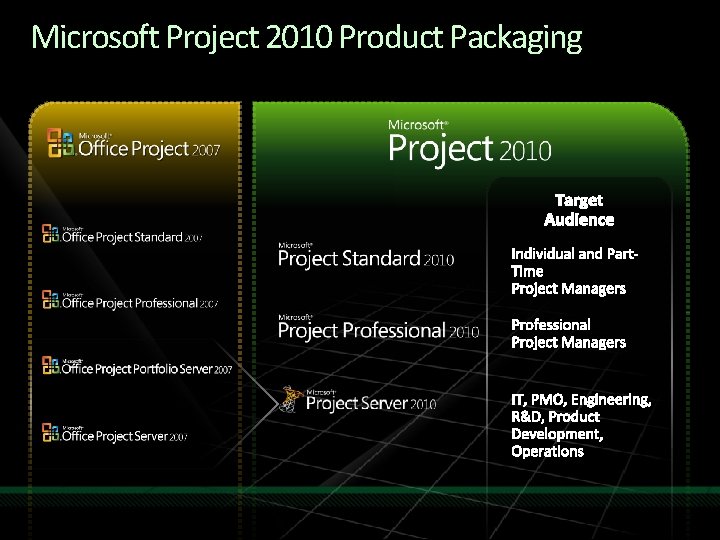
Microsoft Project 2010 was released in two primary desktop editions. Understanding which one you own is the first step in determining your deployment rights.
Microsoft Project Standard 2010
The Standard edition was designed for individual project managers who did not require collaboration through a central server.
- Target Audience: Independent consultants or small teams managing localized schedules.
- Licensing Type: Usually sold via Retail (Full Packaged Product) or through specific Volume Licensing agreements.
- Key Constraint: It cannot connect to Microsoft Project Server 2010. This version is strictly for standalone use on a single workstation.
Microsoft Project Professional 2010
The Professional edition included all the capabilities of Standard but added features for enterprise-level resource management.
- Target Audience: Enterprise project managers and PMO (Project Management Office) staff.
- Collaboration: This is the only version that can "check-in" and "check-out" projects from Microsoft Project Server 2010.
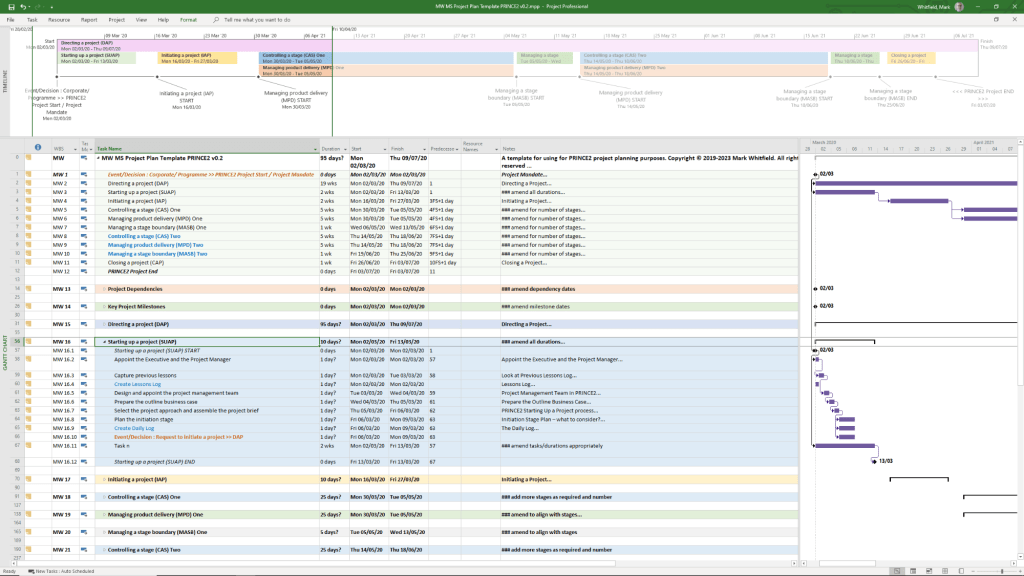
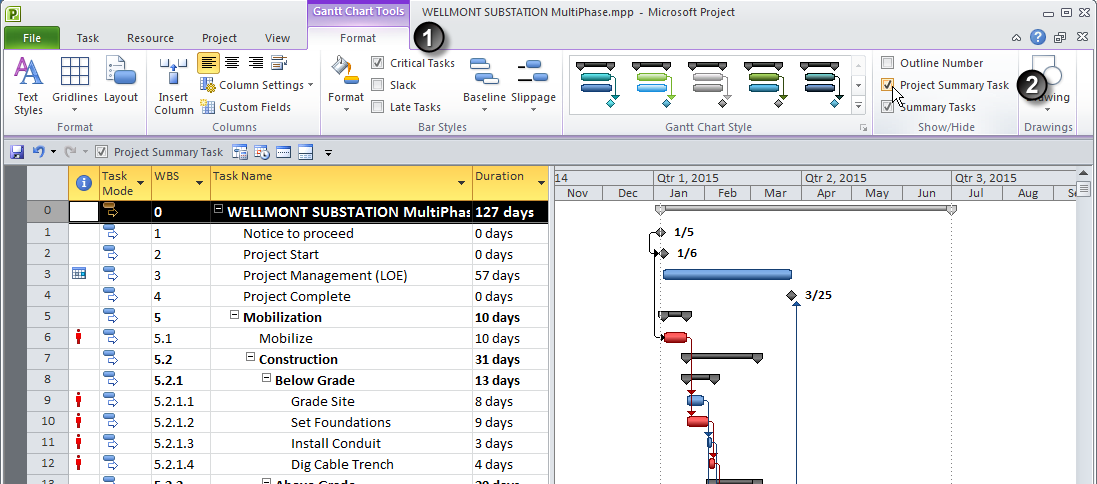
- Advanced Features: It introduced the "Team Planner," a resource-leveling view that was not available in the Standard edition.
| Feature | Project Standard 2010 | Project Professional 2010 |
|---|---|---|
| License Type | Perpetual | Perpetual |
| Primary Activation | Retail Key / MAK | MAK / KMS |
| Server Connectivity | No | Yes (Project Server 2010) |
| Inactive Tasks | No | Yes |
| Team Planner View | No | Yes |
| OS Compatibility | Windows XP SP3 to Windows 11* | Windows XP SP3 to Windows 11* |
*Compatibility on modern OS versions like Windows 11 may require specific compatibility mode settings.
Acquisition Channels and Evidence of Life
In 2026, obtaining a "new" Microsoft Project 2010 license through official Microsoft channels is impossible. Users looking to expand their seat count or replace lost keys generally rely on three specific avenues:
1. Volume Licensing Service Center (VLSC)
For corporate entities, licenses purchased a decade ago or more are often still recorded in the Microsoft Volume Licensing Service Center (or its successor portal). Even if the software is no longer supported, the MAK (Multiple Activation Key) or KMS (Key Management Service) details are typically archived there. Organizations should download these keys and keep a record of their "License Summary" to prove ownership during a Microsoft SAM (Software Asset Management) engagement.
2. The Secondary Market (Used Software)
In many jurisdictions, particularly within the European Union following the CJEU ruling in UsedSoft v. Oracle, the resale of "used" perpetual software licenses is legal. In 2026, many companies decommission old hardware and sell their surplus Project 2010 licenses to specialized brokers. If purchasing from these sources, it is vital to obtain a "transfer of ownership" certificate to ensure the license is legally valid and not a pirated key.
3. Retail Boxes (FPP)
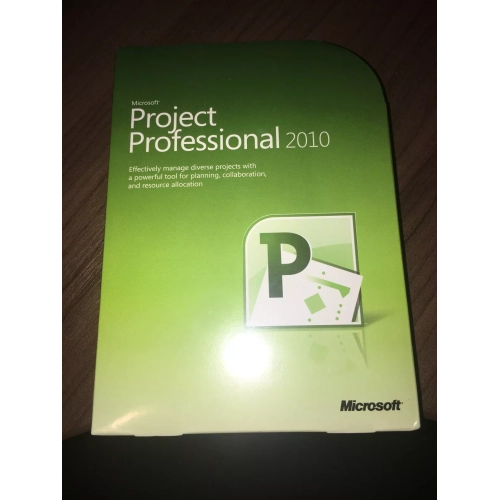
The "Full Packaged Product" or retail box included a physical DVD and a printed Product Key. In 2026, these are considered collector’s items or "New Old Stock." A retail license is unique because it often permits the user to install the software on one primary device and one portable device (like a laptop), provided they are used by the same person and not simultaneously.
Technical Activation Challenges in 2026
Activation is the process of validating your license key with Microsoft's servers. Since Project 2010 is 16 years old, the automated internet activation system may occasionally fail or be blocked by modern firewall protocols.
Telephone Activation
When internet activation fails, the "Telephone Activation" method is the fallback. However, users in 2026 may find that many of the original toll-free numbers have been decommissioned. In these cases, using the "Self-Service Support" web portal provided by Microsoft for activation IDs is the most reliable method to receive the necessary confirmation blocks to unlock the software.
Virtualization Rights
Many users in 2026 run Project 2010 inside a Virtual Machine (VM) to isolate it from the internet for security reasons. It is important to note that a single license covers one instance of the software. If you have Project 2010 installed on your physical host and also in a VM, you technically require two licenses, unless you are using a Volume License with specific "Roaming Rights."
Compliance and Audit Risks
Maintaining a Project 2010 license in 2026 carries specific compliance responsibilities. Because the software is no longer updated, Microsoft (and third-party auditors) rarely focus on these versions for revenue generation, but they still look for them during comprehensive audits to ensure total seat counts align with active installations.
- Proof of Purchase: Ensure you have the original invoice or the VLSC record. A product key found on a sticker is not always sufficient proof of a legal license in a court or audit scenario.
- Version Interoperability: Project 2010 uses the
.mppfile format. While newer versions of Project can open 2010 files, Project 2010 cannot natively open files created in Project 2019 or 2021 without a compatibility pack or being saved down to an older version. - Security Liability: From a legal and insurance perspective, using an unlicensed version of 2010 is a minor risk compared to the liability of using an unsupported version on a network that handles sensitive data. Most professional liability insurance policies in 2026 require that all software be within its support lifecycle.
Troubleshooting License Validation Errors
In 2026, common errors include "This product key is already in use" or "The activation server is unavailable."
- Key Already in Use: This typically happens when moving the software to a new PC. You must uninstall it from the old machine first. If the error persists, you must use the telephone activation route to reset the "heartbeat" of the key.
- Compatibility with Office 365: A major conflict exists when trying to run Project 2010 alongside modern Microsoft 365 Apps. Because Project 2010 uses an older installer technology (MSI), it often clashes with the "Click-to-Run" technology used by modern Office. To fix this, you often need to install Project 2010 before installing Microsoft 365, or run them in separate environments.
Frequently Asked Questions
Can I still buy a Microsoft Project 2010 license in 2026?
No, Microsoft no longer sells this product directly. You can only acquire it through secondary market resellers or by utilizing existing entitlements found in your organization's Volume Licensing Service Center. Ensure any third-party purchase includes a legal transfer of ownership.
Does a Project 2010 license expire?
No. Project 2010 was sold as a "perpetual" license. This means you have the right to use the software indefinitely. However, your right to receive technical support and security updates expired in April 2021.
Can I use my Project 2010 key to activate Project 2021 or Project Plan 3?
No. Licenses are version-specific. A 2010 key will only activate Project 2010. To use a newer version, you must purchase a new perpetual license (e.g., Project 2021) or a monthly subscription to Project Plan 3 or 5.
Is Project 2010 Professional's license different from Standard?
Yes. The Professional license is required if you intend to connect to a Project Server or if you require the "Team Planner" and "Inactive Task" features. Using a Standard key will not unlock these enterprise-level functions.
How many computers can I install Project 2010 on with one license?
For Retail (FPP) licenses, you are typically allowed one installation on a desktop and one on a laptop for use by the same individual. Volume Licenses (MAK) are one-per-seat, meaning each unique installation requires its own license count within the agreement.
Can I install Project 2010 on Windows 11?
Technically, yes. While not officially supported, the MSI installer for Project 2010 generally functions on Windows 11. You may need to install the .NET Framework 3.5 manually via "Windows Features" for the software to launch correctly.
Final Recommendation for 2026
If you are currently managing a Microsoft Project 2010 license, your primary action should be documentation and isolation. Ensure you have a physical or digital copy of your Product Key and proof of purchase stored in a secure location. Given the security risks of 2026, we strongly recommend running Project 2010 on a workstation that is disconnected from the public internet or within a secured virtual environment. If your project management needs have grown to require cloud collaboration or integration with modern tools like Microsoft Teams, it is time to transition your legacy license into a Project Plan 3 subscription.
Image Gallery