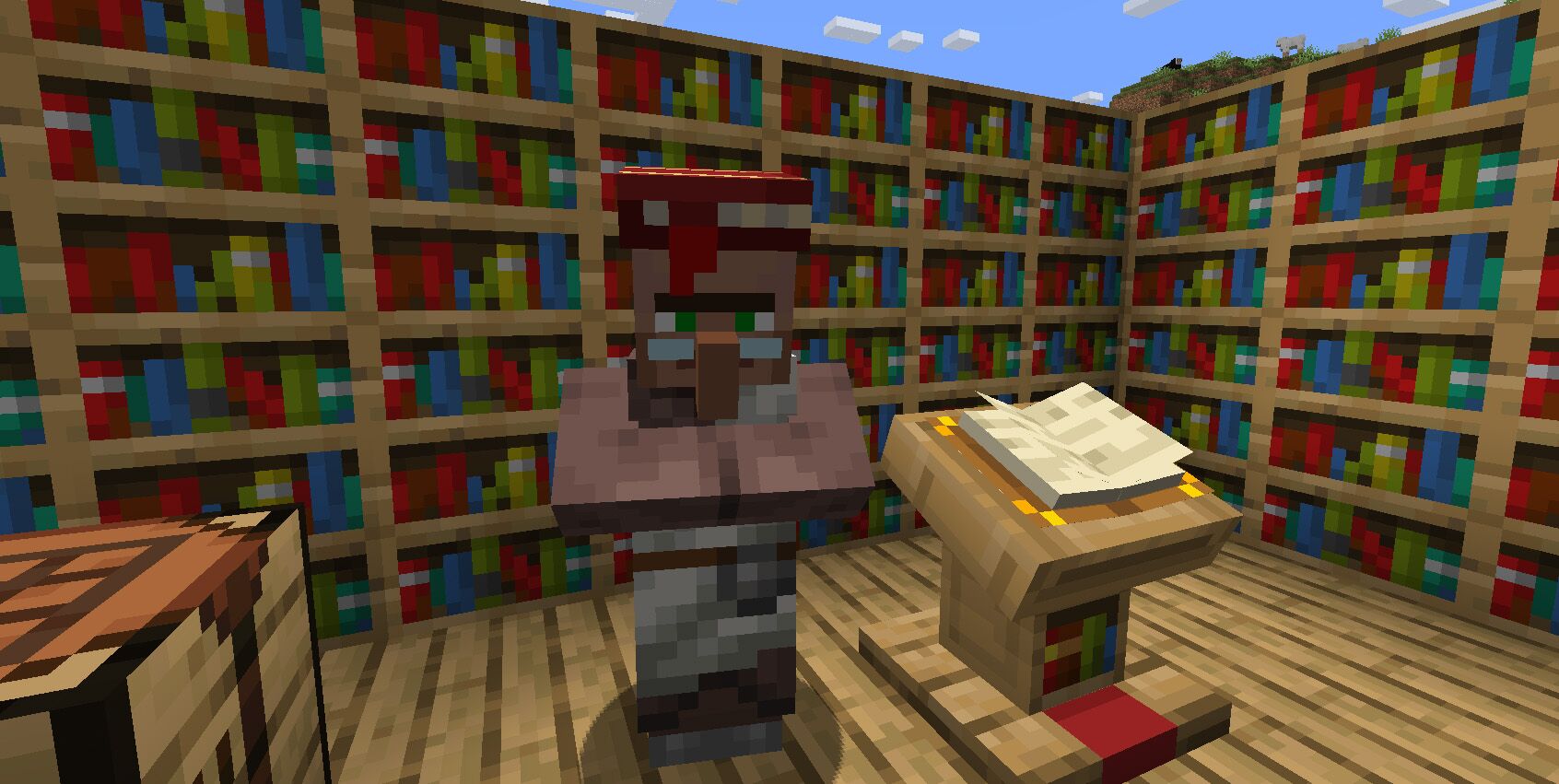
How to Make a Villager Change Jobs in Minecraft: A Complete Guide
To make a villager change jobs in Minecraft, you must first ensure the villager has not been traded with, as trading permanently locks their profession. Simply locate and destroy the villager’s current job site block, then place the ne...
To make a villager change jobs in Minecraft, you must first ensure the villager has not been traded with, as trading permanently locks their profession. Simply locate and destroy the villager’s current job site block, then place the new job site block corresponding to the profession you desire within their reach.
Contents
The villager mechanic system is one of the most sophisticated aspects of Minecraft's survival mode. Understanding how to manipulate these NPCs (Non-Player Characters) allows players to create efficient trading halls, secure rare enchantments like Mending, and establish a renewable source of high-tier equipment. As of 2026, while various updates have refined pathfinding and trade rebalancing, the core logic of job assignment remains rooted in the interaction between the villager and their assigned workstation.
Prerequisites for Changing Villager Professions
Before attempting to swap a villager's career, you must verify that the specific villager is eligible for employment. Not every inhabitant of a village can hold a job, and certain conditions will prevent a profession change regardless of how many blocks you break.
The Trade Lock Mechanism
The most critical factor in villager management is the Trade Lock. Once a player completes a single transaction with a villager, that villager is permanently committed to their current profession and set of trades. You can identify a locked villager by the experience bar at the top of their trading interface; if there is any progress shown in that bar (even a tiny sliver), the job site block can be destroyed, but the villager will remain a "master" of that craft and will not seek new employment.
Nitwits and Unemployed Villagers
There are three distinct states a villager can be in regarding employment:
- Unemployed: These villagers wear simple robes (varying by biome) and are actively looking for a job site block. They are your primary candidates for job assignment.
- Employed: These villagers have already claimed a workstation. They can be changed to a different job as long as they haven't been traded with.
- Nitwits: These villagers wear green robes. Nitwits are unique because they are incapable of taking any job. They do not have a trading interface and will never claim a job site block. If you are trying to make a green-robed villager change jobs, you are unfortunately wasting your time; they are purely aesthetic NPCs.
Time of Day Constraints
Villagers in Minecraft follow a strict schedule. They only claim or change professions during "work hours," which typically occur between 2,000 and 9,000 ticks in the game’s internal clock (roughly from shortly after dawn until mid-afternoon). If you break a workstation at night, the villager will remain "employed" in their mind until the next morning when they attempt to pathfind to their missing station.
Step-by-Step Guide to Changing a Job
Once you have identified an eligible, non-locked villager, follow these steps to transition them to a new profession.
Step 1: Identify and Destroy the Current Workstation
Locate the block the villager is currently using. If you are in a natural village, this might be a Composter, a Lectern, or a Stonecutter. Once you destroy this block, the villager will emit "angry" grey particles, indicating they have lost their connection to their job site.
Step 2: Clear the Immediate Area
Villagers can sometimes be stubborn if there are other workstations nearby. To ensure the villager picks up the specific job you want, ensure no other unclaimed job site blocks are within a 16-block radius. If another villager is nearby and "claims" the new block before your target villager does, the process will fail.
Step 3: Place the New Job Site Block
Place the workstation for the desired profession directly in front of the villager. If it is during work hours, you should see green "happy" particles appear over both the villager and the block. This signifies a successful link.
Step 4: Verify the Trades
Open the trading menu to see if the villager offers the items you need. For Librarians, this is often used to "cycle" for specific Enchanted Books. If the villager does not have the trade you want, simply break the block and replace it immediately. You can repeat this "break and replace" cycle indefinitely until you find the perfect trade—provided you do not trade with them during the process.
Essential Job Site Blocks and Their Professions
To choose the right career for your villager, you must use the specific block associated with that trade. The following table outlines the 13 available professions and their corresponding blocks.
| Profession | Job Site Block | Key Trades & Benefits |
|---|---|---|
| Librarian | Lectern | Enchanted Books (Mending, Silk Touch), Glass, Name Tags |
| Farmer | Composter | Golden Carrots, Suspicious Stew, Buying crops for Emeralds |
| Fletcher | Fletching Table | Tipped Arrows, Bows, Buying Sticks for Emeralds |
| Cleric | Brewing Stand | Redstone, Lapis Lazuli, Ender Pearls, Bottle o' Enchanting |
| Armorer | Blast Furnace | Diamond Armor (Enchanted), Chainmail, Bells |
| Toolsmith | Smithing Table | Diamond Tools (Pickaxes, Shovels), Bells |
| Weaponsmith | Grindstone | Diamond Swords and Axes (Enchanted), Bells |
| Butcher | Smoker | Cooked Meats, Rabbit Stew, Buying Raw Meat |
| Leatherworker | Cauldron | Dyed Leather Armor, Horse Armor, Saddles |
| Mason | Stonecutter | Quartz Blocks, Terracotta, Glazed Terracotta, Bricks |
| Shepherd | Loom | Paintings, Banners, Wool, Shears |
| Cartographer | Cartography Table | Ocean and Woodland Explorer Maps, Globe Banner Patterns |
| Fisherman | Barrel | Cod, Salmon, Enchanted Fishing Rods, Boats |
Troubleshooting Common Issues
Even when following the steps perfectly, you may encounter situations where a villager refuses to change their job. This is usually due to the internal "Village" logic of the game.
Pathfinding and Bed Requirements
In the Bedrock Edition of Minecraft, a village is defined by at least one villager and one bed. If a villager cannot pathfind to a bed, or if the game does not recognize the area as a valid village, they may fail to link to a workstation. Ensure there is at least one bed nearby that the villager has "claimed" (indicated by green particles over the bed).
The "Stolen" Workstation
In crowded environments like a natural village or a high-density trading hall, another villager might claim a workstation you just placed before the intended villager can reach it. This is why many players use 1x1 or 1x2 holding cells for villagers. By trapping a villager in a small space, you ensure they are the only ones capable of touching the block you place in front of them.
Persistence of the "Ghost" Job
Sometimes, a villager will retain their old outfit even after their workstation is destroyed. This usually happens if the villager is currently pathfinding toward the old location of the block. If this occurs, try moving the villager further away or placing the new block and waiting for a full day-night cycle.
Strategic Applications: The Librarian Cycle
The most common reason players want to change villager jobs is to obtain the Mending enchantment. Since Librarians offer a random enchanted book as one of their first-level trades, you can use the job-change mechanic to "roll" for the enchantment you want.
- Trap an unemployed villager in a small area.
- Place a Lectern.
- Check the trades. If "Mending" is not the offered book, break the Lectern.
- Replace the Lectern and check again.
- Once the Mending book appears, trade with the villager immediately. This locks the trade so it will never change again, even if the Lectern is moved later.
Summary of Best Practices for 2026
To maintain a successful Minecraft colony, keep these professional standards in mind:
- Always use a piston to move workstations if you want to be fancy, but breaking them by hand is perfectly fine.
- Keep your villagers separated. Mixing many unemployed villagers in one room makes it nearly impossible to control who takes which job.
- Beware of Zombies. A dead villager cannot work. If you are playing on Hard difficulty, you can allow a zombie to infect a villager and then cure them with a Weakness Potion and a Golden Apple. This often results in significant trade discounts, but the villager will retain their profession if they were already traded with before the infection.
- Monitor the sun. If it's getting dark, stop your recruitment efforts. Villagers prioritize sleeping over career advancement.
By mastering the workstation mechanic, you transition from a mere survivor to a manager of a thriving economy, ensuring you always have access to the best gear the game has to offer.
Image Gallery