Understanding the Role of UDP Ports in Modern Networking
UDP (User Datagram Protocol) ports are logical communication endpoints that allow applications to transmit data across a network without the overhead of establishing a formal connection. Operating at the Transport Layer, they facilitat...
UDP (User Datagram Protocol) ports are logical communication endpoints that allow applications to transmit data across a network without the overhead of establishing a formal connection. Operating at the Transport Layer, they facilitate high-speed, "fire-and-forget" data transfers, making them indispensable for real-time services like video streaming, online gaming, and DNS lookups where speed is prioritized over perfect reliability.
Contents
The Technical Foundation of UDP Ports
To understand a UDP port, one must first understand the User Datagram Protocol itself. Standardized in RFC 768, UDP is a member of the Internet Protocol Suite designed for simplicity. Unlike its counterpart, TCP (Transmission Control Protocol), UDP does not perform a "three-way handshake" to synchronize a connection between a sender and a receiver. Instead, it simply packages data into a datagram and sends it to a specific port on the destination IP address.
A port serves as a sub-address within a device. While an IP address identifies a specific machine on a network, the port identifies the specific process or service on that machine. In 2026, with the proliferation of microservices and containerized environments, the management of these ports remains a critical task for network administrators and developers alike.
The UDP Header Structure
The efficiency of UDP stems from its minimal header. While a TCP header ranges from 20 to 60 bytes, a UDP header is fixed at a mere 8 bytes. This small footprint reduces latency and bandwidth consumption. The header consists of four fields, each 2 bytes (16 bits) in length:
- Source Port: Identifies the port of the sending application. This is often used by the receiver to direct a reply.
- Destination Port: Identifies the specific service or application intended to receive the data on the destination device.
- Length: Specifies the total length of the UDP header and the data payload in bytes.
- Checksum: Used for error-checking the header and data. If the checksum fails upon arrival, the packet is typically discarded.
How UDP Ports Function in Network Communication
In the networking landscape of 2026, UDP functions as a connectionless transport mechanism. When an application initiates a UDP transfer, it does not wait for an acknowledgment that the receiver is ready or that the data arrived safely. This lack of feedback loop is what makes UDP "unreliable" in technical terms, but it is also what makes it exceptionally fast.
Multiplexing and Demultiplexing
UDP ports enable multiplexing, which allows multiple applications on a single device to share a single network interface. When data arrives at a network card, the operating system looks at the destination port in the UDP header to determine which application should receive the datagram. Conversely, when sending data, the OS uses the source port to ensure any return traffic is routed back to the correct originating application.
The Port Range Categories
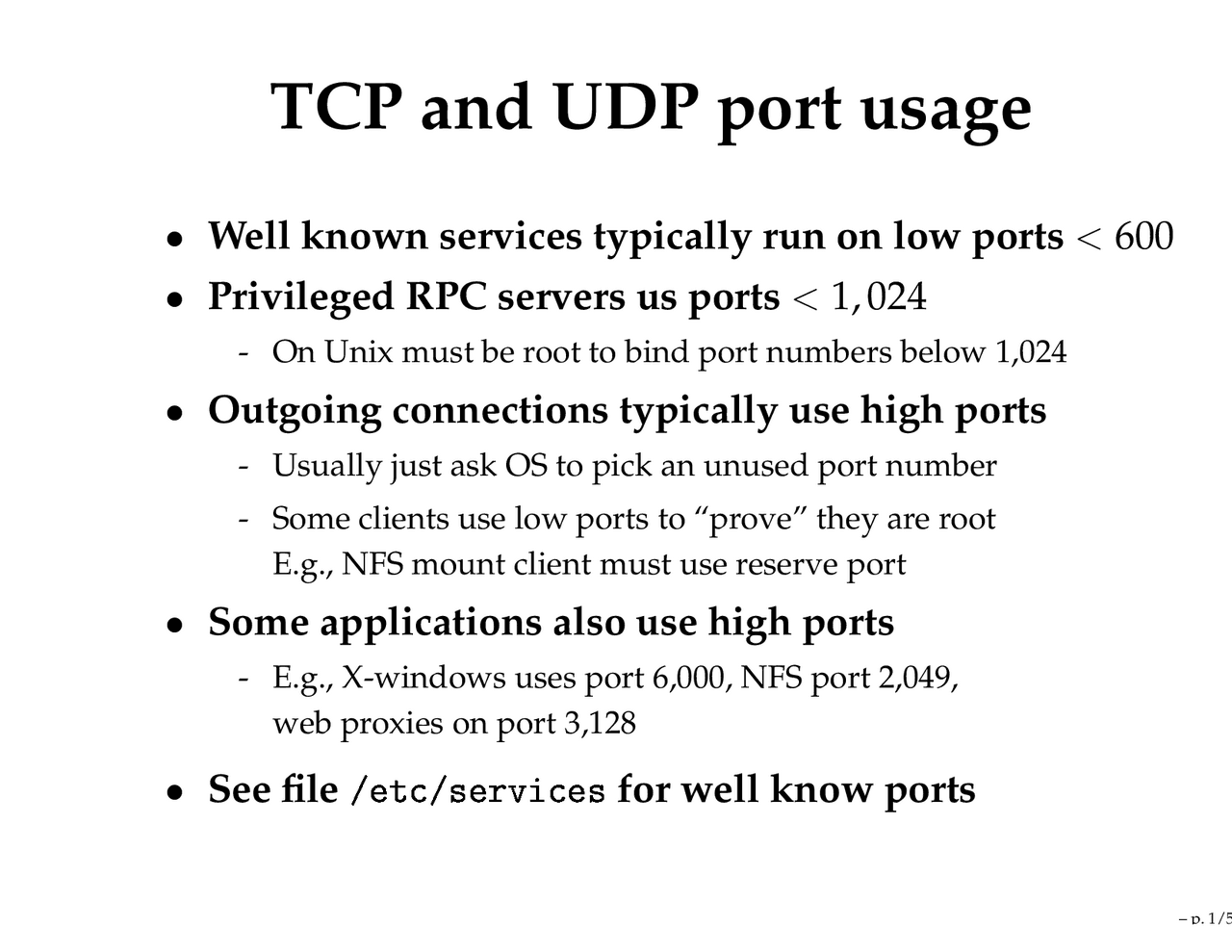
Port numbers range from 0 to 65,535 and are categorized by the Internet Assigned Numbers Authority (IANA):
- Well-Known Ports (0–1023): Reserved for core system services and foundational protocols (e.g., DNS, DHCP).
- Registered Ports (1024–49151): Used by specific applications or vendors (e.g., Valve’s Steam or Microsoft’s SQL Server).
- Dynamic/Private Ports (49152–65535): Typically used as temporary source ports for client-side applications during a session.
UDP vs. TCP: A Strategic Comparison
Choosing between UDP and TCP ports depends entirely on the requirements of the application. As of 2026, the rise of HTTP/3 (QUIC) has blurred these lines by running a reliable protocol over UDP, but the fundamental differences remain.
| Feature | UDP (User Datagram Protocol) | TCP (Transmission Control Protocol) |
|---|---|---|
| Connection Type | Connectionless | Connection-oriented |
| Data Delivery | Best-effort; no guarantee | Guaranteed arrival |
| Ordering | No guaranteed sequence | Packets arrive in order |
| Speed | Extremely fast (low overhead) | Slower (due to handshakes/retries) |
| Header Size | 8 Bytes | 20–60 Bytes |
| Flow Control | None (sender can overwhelm receiver) | Robust flow and congestion control |
| Ideal Use Case | Real-time streaming, Gaming, DNS | Web browsing, Email, File transfer |
Essential Services Relying on UDP Ports
Several critical network functions would be impossible—or significantly degraded—without the use of UDP ports.
Domain Name System (DNS) - Port 53
DNS is the "phonebook of the internet." When you type a URL into a browser, your device sends a UDP request to port 53 of a DNS server. Because these queries are small and require an immediate response, the overhead of a TCP connection would double the time it takes to load a website.
Dynamic Host Configuration Protocol (DHCP) - Ports 67 & 68
DHCP allows devices to automatically obtain an IP address when joining a network. This process happens before a device even has an established identity on the network, making UDP’s connectionless nature a prerequisite for the initial "broadcast" requests.
Real-Time Communications (VoIP and Video)
Applications like Zoom, Microsoft Teams, and Discord primarily use UDP for voice and video data. In these scenarios, losing a single packet of audio (a millisecond of silence) is preferable to the delay caused by TCP attempting to re-transmit that missing packet while the conversation moves forward.
Network Time Protocol (NTP) - Port 123
NTP ensures that all clocks on a network are synchronized. Since time synchronization requires precise delivery without the jitter introduced by TCP's congestion control, UDP port 123 is the industry standard.
Security Considerations for UDP Ports
While UDP offers performance benefits, its "fire-and-forget" nature introduces specific security vulnerabilities that administrators must address in 2026.
UDP Flooding and DDoS Attacks
Because UDP does not require a handshake, attackers can easily spoof (fake) the source IP address of a packet. In a UDP Flood, an attacker sends a massive volume of UDP datagrams to random ports on a target server. The server’s attempts to process these packets—and return ICMP "Destination Unreachable" messages—can exhaust its resources, leading to a Denial of Service.
Reflection and Amplification Attacks
Attackers often target UDP services like DNS or NTP for amplification attacks. By sending a small request with a spoofed source IP (the victim's IP) to a public DNS server, the server sends a much larger response to the victim. This "amplifies" the attacker's bandwidth, allowing them to overwhelm a target with relatively little effort.
Firewall Configuration
Filtering UDP is more complex than TCP. Since there are no "SYN" or "ACK" flags to indicate the state of a connection, firewalls must use stateful inspection to track outgoing UDP requests and allow only the corresponding incoming responses. Open UDP ports should be strictly monitored and limited only to necessary services.
Troubleshooting UDP Connectivity Issues
Diagnosing UDP problems can be challenging because the protocol does not provide error messages when packets fail to arrive.
- Checking Port Status: Use tools like
netstatorssto see which UDP ports are currently listening on a machine.- Example:
netstat -ulnpshows all active UDP listeners.
- Example:
- Testing Connectivity: Traditional
pinguses ICMP, not UDP. To test a specific UDP port, utilities like Netcat (nc) or Nmap are required.- Example:
nc -zv -u 192.168.1.1 53tests if port 53 is reachable on a specific IP.
- Example:
- Analyzing Traffic: Wireshark remains the gold standard in 2026 for packet analysis. By capturing UDP traffic, you can see if checksums are failing or if datagrams are being truncated.
- MTU and Fragmentation: Because UDP lacks path MTU discovery by default, large datagrams may be fragmented by routers. If a single fragment is lost, the entire UDP datagram is discarded, which often manifests as intermittent "ghost" connectivity issues in high-bandwidth applications.
Summary of Practical Recommendations
For network architects and IT professionals operating in 2026, managing UDP ports requires a balance of performance and vigilance:
- Prioritize UDP for Latency-Sensitive Tasks: Use UDP for any application where speed is more critical than a perfect data stream (e.g., telemetry, streaming, or discovery protocols).
- Implement Application-Layer Reliability: If you need the speed of UDP but cannot afford to lose data, implement sequencing and acknowledgments within the application code itself (similar to how the QUIC protocol operates).
- Harden Against Spoofing: Use BCP 38 (Network Ingress Filtering) to prevent spoofed UDP traffic from leaving your network, and ensure your edge firewalls are configured to mitigate reflection attacks.
- Monitor Port Usage: Regularly audit open UDP ports on servers and IoT devices. Unnecessary open ports are a primary vector for modern network intrusions.
By understanding the distinct role of UDP ports as low-latency conduits, organizations can build more responsive and efficient network infrastructures while maintaining a robust security posture against evolving threats.
Frequently Asked Questions
Can a UDP port and a TCP port have the same number? Yes. Port 53, for example, is used by both UDP and TCP for DNS services. These are distinct logical channels; a packet arriving on UDP port 53 is handled differently than one arriving on TCP port 53. Most services prefer one over the other, but they can coexist.
Why does streaming video use UDP if data loss causes pixelation? In live streaming, maintaining the "live" timing is more important than image perfection. If TCP were used, a brief network hiccup would cause the video to freeze (buffer) while the protocol tries to recover the lost data. With UDP, the video simply drops a few pixels and continues in real-time.
What happens if I send data to a UDP port that is closed? If a UDP datagram reaches a host where no application is listening on that specific port, the host's operating system typically sends back an ICMP "Destination Unreachable (Port Unreachable)" message to the sender. This is one of the few ways to receive feedback on a UDP transmission.
Is UDP more or less secure than TCP? Inherently, UDP is less secure because it is easier to spoof and does not verify the identity of the sender through a handshake. However, security depends more on how the application handles the data and how the network firewall is configured than on the protocol itself.
Image Gallery