DealerFenix Auto Dealerships CRM Software: Architecture, Features, and Implementation
DealerFenix auto dealership CRM software is a specialized customer relationship management platform designed to streamline vehicle sales workflows, centralize multi-channel lead capture, automate Business Development Center (BDC) commu...
DealerFenix auto dealership CRM software is a specialized customer relationship management platform designed to streamline vehicle sales workflows, centralize multi-channel lead capture, automate Business Development Center (BDC) communications, and synchronize real-time inventory with Dealership Management Systems (DMS). It optimizes customer journeys from initial online inquiry to showroom visit, vehicle desking, and long-term service retention.
Contents
What Is DealerFenix CRM and How Does It Fit into Dealership Operations?
Automotive retail relies heavily on rapid response times, precise inventory visibility, and structured follow-up cadences. Standard enterprise software platforms built for general business sales often fail to address the unique complexities of auto dealerships—such as trade-in valuations, vehicle identification number (VIN) decoding, co-op advertising tracking, and OEM lead attribution. DealerFenix auto dealerships CRM software serves as a purpose-built hub designed specifically to connect a dealership's front-end marketing with back-office operations.
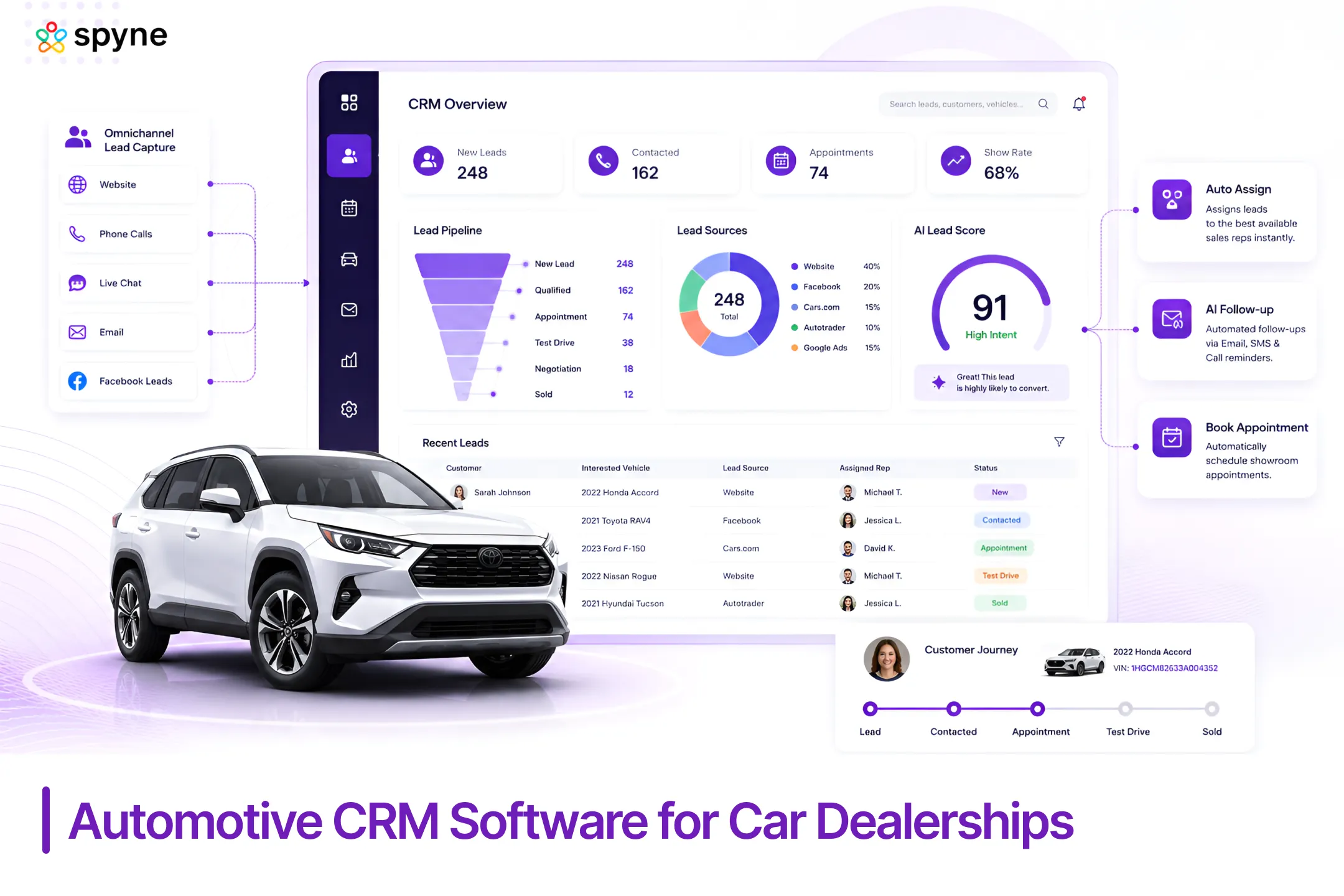
In a modern dealership operational structure, the CRM acts as the primary operating engine for sales representatives, BDC agents, internet sales managers, and general sales managers. When a prospective buyer submits an inquiry through a dealership website, digital showroom portal, or third-party auto marketplace, DealerFenix ingests and parses the inbound record. It immediately logs the prospective buyer into a structured sales pipeline, matches their interest against active inventory, and assigns automated follow-up tasks based on dealership-defined distribution rules.
Beyond initial customer acquisition, DealerFenix bridges the operational gap between showroom sales floor workflows and back-end Dealership Management Systems (DMS). By standardizing customer profiles, vehicle interest data, and interaction histories, the software minimizes manual data entry, prevents lead collisions between sales reps, and gives dealership management real-time visibility into pipeline health, staff activity metrics, and inventory velocity.
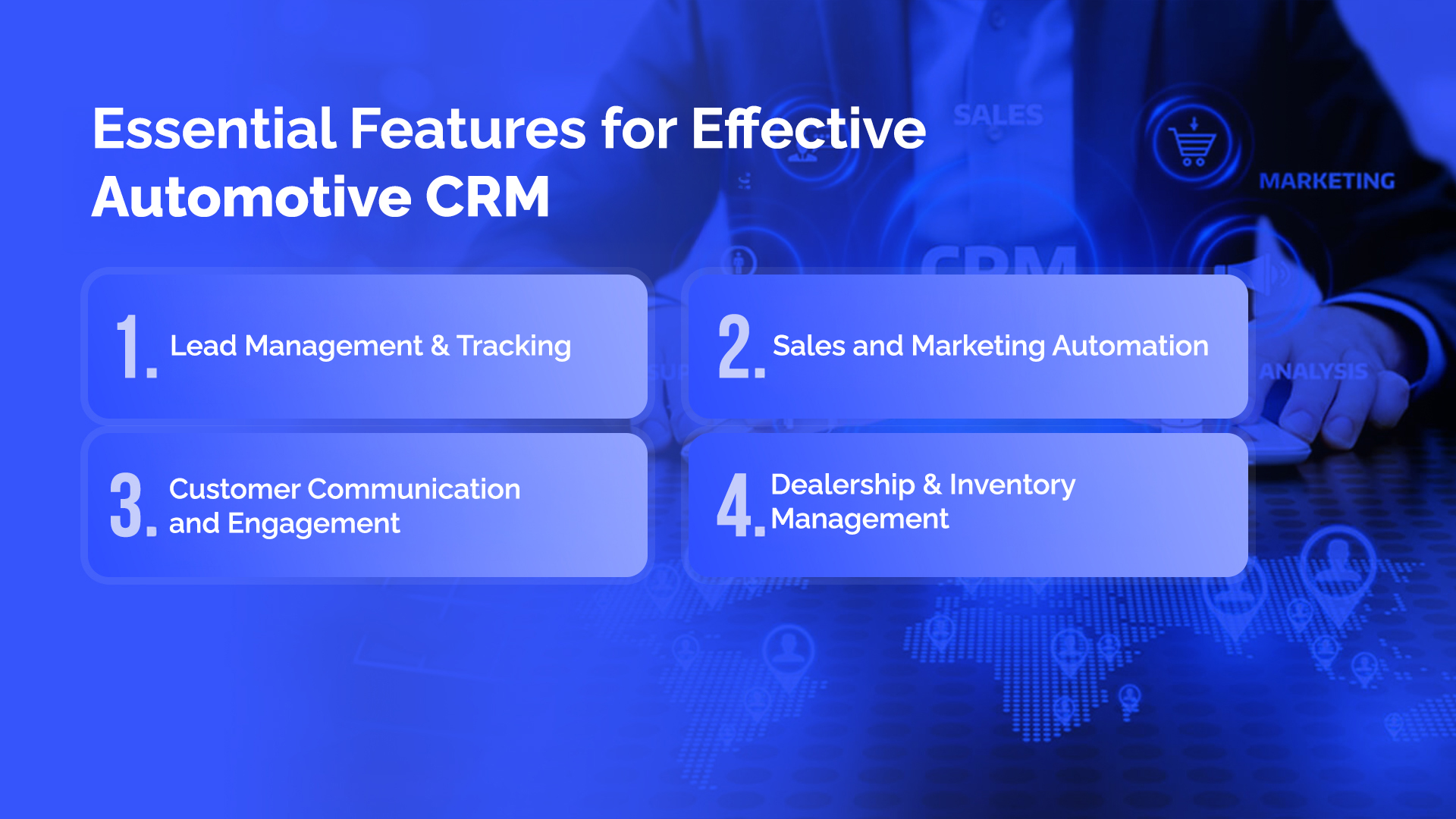
Key Features and Capabilities of DealerFenix Auto CRM
Multi-Channel Lead Ingestion and Parsing
Modern auto dealerships receive customer inquiries through dozens of disparate channels, including original equipment manufacturer (OEM) digital tools, third-party automotive listing portals, social media ad campaigns, phone calls, and site forms. DealerFenix utilizes native Auto-Lead Data Format (ADF) and XML parsing engines to process lead payload data instantaneously.
Upon receiving an inbound payload, the CRM extracts customer contact info, vehicle of interest (including stock numbers or VINs), trade-in notes, and submission source tags. The software runs an automatic duplicate-checking algorithm against existing database records to prevent redundant profile creation and ensures that returning customers are routed back to their original sales consultant.
Automated BDC Workflows and Cadence Management
The efficiency of a dealership's Business Development Center directly impacts its appointment set and show rates. DealerFenix provides configurable response automation engines that trigger multi-touch outreach cadences the second a lead arrives.
These workflows include:
- Immediate Response Triggers: Automated personalized email and SMS acknowledgments containing specific vehicle details, photos, and price updates.
- Task Routing and Escalations: Automated task creation for phone calls, video follow-ups, or custom outreach if an inquiry remains uncontacted after a set time limit (e.g., 15 minutes).
- Long-Term Nurturing Programs: Pre-scheduled dynamic drip campaigns for cold prospects, lease-end prospects, and service customers due for trade-in upgrades.
Unified Communication Hub and TCPA Compliance
Maintaining compliant and logged communications across sales teams is a key operational challenge. DealerFenix unifies text messaging, email exchanges, and telephony into a single customer activity timeline.
Because auto dealerships face strict regulatory guidelines under the Telephone Consumer Protection Act (TCPA), DealerFenix embeds built-in consent status tracking. Outbound text messaging features require verifiable opt-in records, while integrated opt-out keywords (such as "STOP") automatically toggle messaging permissions off on the customer card to protect the business from statutory compliance violations.
Showroom Management and Desking Integration
When a customer steps onto the physical vehicle lot, DealerFenix transitions from an online lead manager into a showroom driver. Floor management tools allow sales managers to track customer check-ins, record test drives, assign floor reps, and record vehicle trade-in appraisals.
The CRM feeds verified prospect data and trade-in information directly into dealership desking tools or internal deal-building modules. This allows managers to structure vehicle financing options, down payment structures, and monthly payment quotes without needing to re-key customer demographic information across multiple software applications.
Technical Integrations: DMS, Inventory, and Third-Party Tools
A CRM system cannot operate effectively in isolation; it must maintain constant communication with the dealership’s operational ecosystem. DealerFenix provides robust API connections and data-exchange protocols to ensure seamless operational alignment across departments.
- DEALERFENIX CRM HUB
- DMS INTEGRATION (CDK, Reynolds, Dealertrack)
- INVENTORY SYNDICATE (Live VIN Feeds, Pricing Updates)
- THIRD-PARTY TOOLS (Call Tracking, Digital Retailing)
DMS Synchronization
The Dealership Management System (DMS) remains the financial system of record for accounting, vehicle titling, parts, and repair orders. DealerFenix features bi-directional or high-frequency uni-directional data exchange with major DMS platforms such as CDK Global, Reynolds & Reynolds, Dealertrack, and AutoManager.
When a transaction closes in the CRM, customer data and deal structure migrate to the DMS for financing and document generation. Conversely, closed deal notifications and historical service records flow back into DealerFenix, enriching the customer profile with accurate purchase histories and maintenance records for future remarketing campaigns.
Live Inventory Feed Management
Inventory synchronization ensures sales personnel never attempt to quote or sell vehicles that are already sold or reserved. DealerFenix ingests inventory feeds updated multiple times daily. Vehicle listings automatically include decoded VIN specs, current lot status, reconditioning phase updates, high-resolution photo galleries, and adjusted pricing metrics.
Digital Retailing and Marketing Integrations
As automotive buyers shift toward online purchasing steps, DealerFenix integrates with digital retailing tools, trade-in valuation engines, soft-credit pre-qualification providers, and call-tracking tools. Incoming data from online finance applications or trade evaluation tools attaches directly to the open customer record, giving sales personnel complete context before making initial outreach.
Operational Comparison: DealerFenix vs. Generic Enterprise CRMs
Selecting software requires understanding how specialized automotive CRMs compare against general enterprise solutions (such as generic sales CRMs) or traditional legacy dealer platforms.
| Feature / Operational Dimension | DealerFenix Auto CRM | Generic Enterprise CRM | Legacy Auto CRM Software |
|---|---|---|---|
| Lead Format Support | Native ADF/XML parsing for auto lead feeds | Requires custom middleware or webhooks | Standard ADF support; limited modern API integration |
| Inventory Mapping | Automated live VIN decoding and stock-matching | Requires custom database building | Basic inventory listing; slow sync updates |
| DMS Connectivity | Out-of-the-box auto DMS integration connectors | High development cost for custom adapters | Deep legacy integration; often slow interface |
| Compliance Controls | Built-in TCPA SMS opt-in/opt-out automation | Requires third-party compliance add-ons | Basic opt-out tracking; manual management |
| Mobile Accessibility | Native mobile app with driver's license scanner | Mobile app requires extensive custom fields | Limited mobile features or desktop-bound UI |
| Operational Focus | Showroom floor, BDC, desking, service mining | General B2B/B2C sales pipeline tracking | Showroom sales floor focused; weak BDC rules |
Implementation, Data Migration, and Staff Onboarding
Deploying DealerFenix auto dealership CRM software requires a systematic roll-out strategy to safeguard existing lead pipelines and minimize operational downtime during transition.
- Phase 1: Audit & Scrubbing
- Phase 2: System Configuration
- Phase 3: Integration Setup
- Phase 4: Staff Training
- Phase 5: Go-Live
Phase 1: Data Audit and Database Scrubbing
Before importing records into DealerFenix, legacy CRM databases must be cleaned. Dealership IT teams and project managers must export existing contact lists, filter out invalid phone numbers, merge duplicate profiles, and archive historical records older than regulatory retention requirements.
Phase 2: Workflow Customization and User Permissions
Dealership management defines user access matrices according to roles:
- Sales Representatives: Access to assigned active leads, messaging tools, personal schedules, and mobile scanning.
- BDC Agents: Access to unassigned lead queues, outbound dialing lists, workflow cadences, and appointment scheduling blocks.
- Sales Managers: Full visibility over team pipelines, lead reallocation tools, desking overrides, and performance dashboards.
- Executive / Dealer Principal: High-level analytics reporting, ROI source analysis, and staff accountability metrics.
Phase 3: API Integration and Feed Verification
Engineers map incoming ADF/XML email addresses, website lead forms, and third-party portal lead destinations to DealerFenix ingestion endpoints. Concurrently, inventory import feeds and DMS data synchronization scripts are activated and tested in a staging environment to confirm accurate VIN matching and field mapping.
Phase 4: Role-Based Staff Training
Successful deployment hinges on staff adoption. Onboarding typically proceeds in structured tracks:
- BDC Training: Focused on rapid response templates, call logging, cadence management, and appointment setting.
- Floor Sales Training: Focused on mobile app usage, license scanning, logging walk-in traffic, and managing follow-up tasks.
- Management Training: Focused on lead re-assignment rules, daily activity audits, closing performance reports, and marketing spend attribution.
Phase 5: Go-Live and Performance Monitoring
Upon cutting over to DealerFenix, technical supervisors monitor lead ingestion logs during peak hours to ensure zero lead drop-off. Immediate checks focus on response time metrics, verification of automatic notifications, and validation of real-time inventory updates.
Common Operational Challenges and Troubleshooting
Even with dedicated software, auto dealerships encounter operational friction. The following solutions address common system issues in DealerFenix deployments:
Challenge 1: Duplicate Lead Records
- Cause: A prospect inquiries on a vehicle via a third-party portal and subsequently submits a trade-in form on the dealership's primary site using slightly different contact details (e.g., nicknames or alternative email addresses).
- Solution: Enable DealerFenix’s fuzzy matching algorithms, which flag records sharing identical mobile phone numbers or matching street addresses. Instruct BDC managers to conduct a manual merge review before assigning fresh leads.
Challenge 2: Incomplete Lead Parsing from Marketing Vendors
- Cause: A third-party lead provider updates its ADF payload structure without notifying the dealership, leading to unparsed vendor notes or missing vehicle stock numbers.
- Solution: Set up system fallback rules in DealerFenix to catch unparsed ADF feeds and route them to an administrative review queue while alerting IT support to adjust field-mapping parameters.
Challenge 3: Low Sales Representative Adoption
- Cause: Desk staff feel that entering activity details into the software slows down face-to-face interactions on the showroom floor.
- Solution: Enforce mobile-first workflows. Utilize DealerFenix mobile scanning features to capture customer driver's license details and VIN barcodes instantly, removing manual typing barriers for sales reps on the lot.
Frequently Asked Questions
What distinguishes automotive CRM software like DealerFenix from general enterprise CRMs?
Automotive CRM software is explicitly engineered around vehicle inventory structures, OEM lead protocols, and dealership operational roles. Unlike generic CRMs, platforms like DealerFenix include native support for ADF/XML lead parsing, driver's license scanning, vehicle trade-in appraisals, inventory stock matching via VIN, and direct integrations with Dealership Management Systems (DMS).
How does DealerFenix integrate with existing Dealership Management Systems (DMS)?
DealerFenix uses secure API connections or high-frequency batch sync protocols to exchange data with standard DMS platforms. It pushes completed customer and deal information to the DMS for financial closing while pulling vehicle inventory updates, vehicle sale statuses, and historical customer service records into the CRM interface.
Can DealerFenix automate TCPA-compliant SMS communications for sales reps?
Yes. DealerFenix incorporates explicit consent flags and automated opt-in/opt-out mechanisms. When communicating via text message, the platform logs authorization status, tracks customer opt-out commands like "STOP," and prevents manual or automated messages from sending to non-compliant numbers, helping dealerships abide by Telephone Consumer Protection Act regulations.
How does DealerFenix handle lead parsing from third-party auto portals?
DealerFenix reads inbound emails or API payloads in standard Auto-Lead Data Format (ADF) or XML. The parsing engine extracts vital customer fields, desired vehicle specifications, trade-in notes, and campaign tags within seconds of receipt, instantly populating a new customer profile and triggering configured BDC response cadences.
What strategies ensure high sales rep adoption when deploying DealerFenix?
To ensure high adoption, dealerships should simplify data input using DealerFenix’s mobile app tools, such as driver's license scanning and instant mobile lead notification. Additionally, management should tie daily sales activities—such as logging showroom visits and updating follow-up tasks—directly to commission reporting and floor lead distribution rules.
Strategic Guidance: Is DealerFenix Right for Your Dealership?
Evaluating DealerFenix auto dealerships CRM software requires matching its technical architecture against your dealership's operational footprint, sales volume, and technology stack.
Recommended Next Steps for Dealership Leadership
- Conduct a Lead Flow Audit: Calculate your current average response time across all internet lead sources and identify gaps in BDC follow-up cadences.
- Review DMS Compatibility: Verify that your existing DMS version supports seamless API or data exchange connections with external CRM platforms.
- Assess Infrastructure Readiness: Ensure your sales team is equipped with modern mobile devices capable of running mobile CRM scanning applications on the showroom lot.
- Request a Technical Demonstration: Test vendor capabilities regarding ADF lead parsing speed, customized reporting building, TCPA management workflows, and inventory syndication.
By implementing a specialized system like DealerFenix, auto dealerships can bridge operational gaps between digital leads and physical showroom visits, shorten sales cycles, maintain strict regulatory compliance, and maximize customer lifetime value across both sales and service departments.
Image Gallery