The Comprehensive Deep Dive Into Virtual Reality: Technologies, Challenges, and Industry Applications
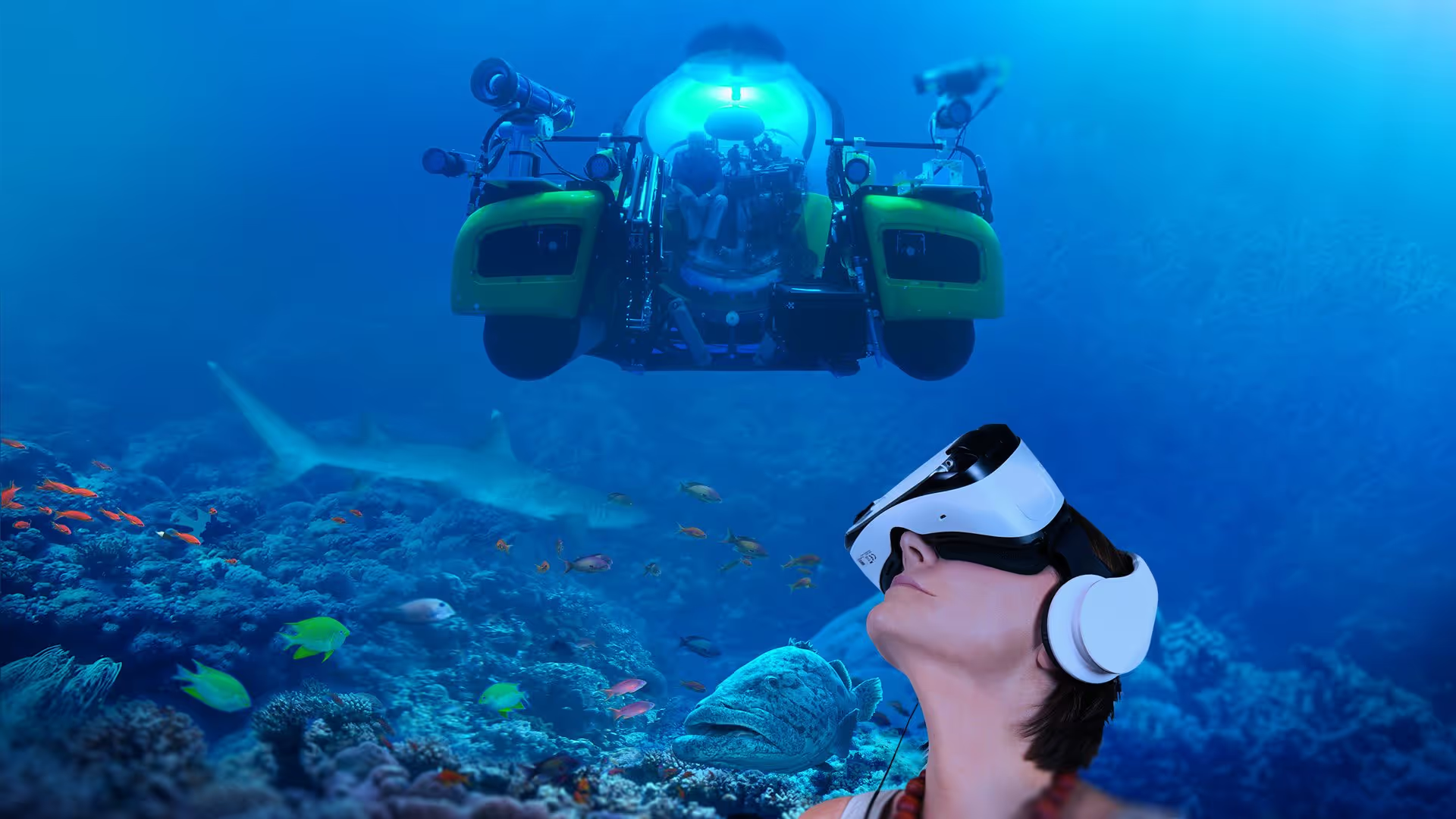
Virtual reality has evolved from an experimental computer science concept into a sophisticated, multi-billion-dollar ecosystem that transforms how humans interact with digital environments. By replacing or augmenting the physical field...
Virtual reality has evolved from an experimental computer science concept into a sophisticated, multi-billion-dollar ecosystem that transforms how humans interact with digital environments. By replacing or augmenting the physical field of view with computer-generated stereoscopic imagery, modern systems trick the human sensory apparatus into perceiving simulated depth, scale, and spatial presence.
Contents
Understanding this medium requires an exhaustive examination of its underlying hardware mechanics, software optimization pipelines, physiological constraints, and sector-specific implementations. Far beyond simple entertainment, virtual reality now serves as an indispensable tool across technical simulation, aerospace engineering, advanced medical training, and collaborative enterprise workflows.
Evolution and Core Mechanics of Modern Systems
To execute a convincing digital simulation, hardware and software must synchronize across multiple disciplines, including computer graphics, optical physics, human-computer interaction, and inertial measurement.
Stereoscopic Rendering and Optics
At the foundation of any virtual reality experience is stereoscopy. By presenting two slightly offset images—one for each eye—hardware exploits human binocular disparity to create a compelling sensation of three-dimensional depth.
Achieving this optically requires specialized lenses placed between the display panels and the user's eyes. These lenses refract the light, focusing the image and widening the field of view. However, optical physics introduces distortions, such as chromatic aberration and barrel distortion, which software rendering pipelines must pre-compensate for in real time using inverse distortion algorithms.
Motion Tracking Architectures
Tracking user movement forms the nervous system of modern setups. Historically, systems relied on external base stations or cameras to track infrared LEDs mounted on headsets and controllers, a method known as Outside-In tracking.
Contemporary consumer and enterprise headsets predominantly utilize Inside-Out tracking. Here, wide-angle monochrome and RGB cameras mounted on the exterior of the headset scan the surrounding environment.
Simultaneously, an Inertial Measurement Unit (IMU) measures angular velocity and acceleration at frequencies exceeding 1,000 hertz. By fusing IMU data with computer vision algorithms like Simultaneous Localization and Mapping (SLAM), systems can calculate absolute position and orientation within a room with sub-millimeter precision.
Hardware Specifications and Performance Metrics
Evaluating display technology requires looking beyond marketing terminology to examine the core metrics that dictate visual fidelity, immersion quality, and user comfort.
| Metric / Feature | Tethered PC VR Systems | Standalone / All-in-One Systems |
|---|---|---|
| Processing Source | External high-end PC GPU/CPU | Integrated mobile SoC |
| Latency (Motion-to-Photon) | Extremely low (<15ms) | Low (15ms - 25ms) |
| Visual Fidelity | Maximum (Uncompressed textures) | Optimized / Scaled rendering |
| Tethering | Physical DisplayPort/USB cable | Completely wireless |
| Cost Profile | High (Requires expensive PC) | Moderate (Self-contained unit) |
Display Panels and Refresh Rates
The transition from standard Liquid Crystal Displays (LCDs) to Organic Light-Emitting Diode (OLED) and custom micro-OLED panels revolutionized visual clarity. Because OLED pixels emit their own light, they offer near-infinite contrast ratios and true blacks, eliminating the ambient gray glow associated with traditional backlights.
Furthermore, pixel persistence—the duration each pixel remains illuminated per frame—must be kept exceptionally low (under 2 milliseconds) using global illumination flashing or black frame insertion. High refresh rates, typically ranging from 90Hz to 144Hz, are mandatory. Lower refresh rates fail to deceive the vestibular system, directly inducing motion sickness and disorientation.
Latency and Motion-to-Photon Pipeline
Motion-to-photon latency measures the exact duration between a physical head movement and the corresponding photon reaching the user's retina. If this delay exceeds 20 milliseconds, the human brain detects a temporal lag between action and visual feedback, breaking presence and causing acute simulator sickness.
Achieving this involves hardware-accelerated time-warp and space-warp algorithms. Asynchronous Reprojection allows the system to artificially synthesize intermediate frames locally on the headset if the primary rendering pipeline drops frames, maintaining a locked refresh rate regardless of minor rendering stutters.
Physiological Impact and Ergonomic Considerations
Placing high-resolution displays inches from the human eye introduces unique physiological challenges that require careful engineering and usage guidelines.
Vergence-Accommodation Conflict
In natural viewing, human eyes converge (rotate inward to focus on a single object) and accommodate (the crystalline lens changes shape to alter focal length) in a unified reflex.
Traditional stereoscopic displays break this coupling. The eyes must accommodate to a fixed physical screen distance (often around two meters) while converging on virtual objects positioned inches or miles away. Prolonged exposure to this conflict leads to eye strain, fatigue, and headaches.
Industry researchers are actively investigating variable-focus optics, light-field displays, and multi-focal plane architectures to resolve this limitation natively at the hardware level.
Simulator Sickness and Vestibular Disruption
Simulator sickness arises from sensory conflict. When the eyes report rapid self-motion through a digital landscape while the inner ear's vestibular system senses a stationary body sitting in a chair, the brain interprets this mismatch as neurotoxin poisoning, triggering nausea, sweating, and dizziness.
Mitigation strategies include minimizing rotational latency, incorporating stable reference frames (such as virtual cockpits or nose markers during locomotion), and utilizing teleportation mechanics rather than continuous joystick sliding to traverse virtual spaces.
Enterprise, Industrial, and Specialized Applications
While consumer gaming dominates public perception, the enterprise sector drives the most rigorous adoption of high-end immersive technology.
Aerospace and Defense Simulations
Military branches and aerospace contractors utilize hyper-realistic virtual simulations for pilot training, tactical coordination, and vehicle maintenance prototyping.
By integrating physical mockups of aircraft cockpits with real-time software simulations, trainees can practice emergency protocols, hostile airspace navigation, and complex instrument calibration in zero-risk environments. This significantly reduces flight-hour maintenance costs and eliminates physical safety hazards.
Medical Training and Surgical Planning
Medical professionals leverage spatial computing for anatomical visualization and preoperative planning. Surgeons can take patient-specific magnetic resonance imaging (MRI) and computed tomography (CT) scan data, convert them into interactive three-dimensional volumetric models, and step inside the patient's vasculature or brain tissue prior to invasive procedures.
Medical students also use collaborative multiplayer simulations to practice surgical teamwork, trauma triage, and complex orthopedic interventions without risking patient outcomes.
Architecture, Engineering, and Construction (AEC)
In the AEC sector, stakeholders utilize scale-1:1 virtual environments to review building designs long before breaking ground. Architects, structural engineers, and clients can walk through digital twins of skyscrapers, inspect HVAC routing behind walls, and identify ergonomic or safety bottlenecks early in the design phase. This prevents costly on-site change orders and streamlines client approvals.
Frequently Asked Questions
What causes motion sickness in virtual reality, and how can it be prevented?
Motion sickness stems from a sensory mismatch between visual motion cues and vestibular balance signals. To minimize symptoms, ensure your IPD (Interpupillary Distance) is calibrated correctly, start with stationary or teleport-based experiences, maintain adequate room ventilation, and immediately remove the headset at the first sign of discomfort to let your vestibular system recover.
What is the difference between tethered and standalone virtual reality systems?
Tethered setups connect directly to a high-end desktop computer via high-bandwidth cables, leveraging discrete graphics cards to render photorealistic environments at high frame rates. Standalone systems house an integrated mobile system-on-chip (SoC) and battery directly inside the headset housing, offering complete wireless freedom of movement at the expense of maximum graphical fidelity and processing headroom.
How does inside-out tracking differ from external sensor setups?
Inside-out tracking uses cameras and sensors mounted directly on the headset body to map the surrounding room and track controllers. External setups rely on stationary external base stations positioned around the room facing inward. Inside-out tracking offers superior portability and simpler setup, while external setups historically provided slightly wider occlusion-free tracking volumes, though modern algorithms have largely closed this performance gap.
What specifications should buyers prioritize for professional enterprise use?
Enterprise users should prioritize high sub-pixel resolution (such as 4K or greater per eye), comfortable ergonomic weight distribution with counterbalance straps, robust enterprise-grade data privacy compliance, adjustable physical IPD adjustment mechanisms, and enterprise support licenses that include rapid hardware replacement warranties.
Can virtual reality improve productivity in standard office workflows?
Yes, through virtual monitor setups. Users can spawn multiple customizable, high-resolution virtual desktop screens inside a headset workspace, replacing physical multi-monitor arrays. This is particularly beneficial for remote workers, software engineers, and data analysts operating in space-constrained environments.
Next Actions and Implementation Recommendations
For organizations or individuals looking to integrate advanced virtual reality into their workflows, start by performing a detailed requirements audit. Define your core performance metrics—such as whether you require untethered mobility for training or raw graphical throughput for engineering visualization.
Procure evaluation hardware from established vendors with robust enterprise software support channels. Ensure your team undergoes proper ergonomic onboarding, including mandatory break schedules to mitigate eye strain and vestibular fatigue. By aligning hardware selection with precise operational goals, you can maximize immersion, safety, and productivity return on investment.
Image Gallery