How to Pay with Payoneer: A Comprehensive Guide for Businesses and Freelancers
Paying with Payoneer allows business owners and freelancers to settle invoices, pay suppliers, and manage international tax obligations using funds held in their Payoneer balance. Users can execute payments through three primary method...
Paying with Payoneer allows business owners and freelancers to settle invoices, pay suppliers, and manage international tax obligations using funds held in their Payoneer balance. Users can execute payments through three primary methods: the "Make a Payment" feature for other Payoneer customers, direct bank transfers to non-Payoneer recipients, or the Payoneer Commercial Card for merchant purchases.
Contents
In the global economy of 2026, Payoneer has evolved from a simple receiving platform into a robust financial ecosystem designed for cross-border commerce. Whether you are a dropshipper paying a manufacturer in Shenzhen, a digital agency settling a contractor's invoice in Belgrade, or an e-commerce seller paying VAT to European authorities, understanding the nuances of how to pay with Payoneer is essential for maintaining a healthy cash flow and operational efficiency.
Understanding the Payoneer Payment Ecosystem
Before initiating a transaction, it is vital to understand that Payoneer operates primarily as a business-to-business (B2B) platform. Unlike consumer-focused digital wallets, Payoneer’s payment features are designed to facilitate commercial transactions. This means that "paying with Payoneer" is not just one single action but a suite of tools tailored to different recipient types and regulatory requirements.
The ability to send payments is generally tied to your account history. In most jurisdictions, you cannot simply link a personal credit card to "top up" your Payoneer balance for outgoing payments. Instead, the funds you use to pay others must typically originate from business activities, such as payments received from marketplaces (Amazon, Upwork, Airbnb), or through the Global Payment Service from verified business clients.
Method 1: The "Make a Payment" Feature (Payoneer to Payoneer)
The most efficient way to pay someone within the ecosystem is the "Make a Payment" service. This feature allows you to transfer funds directly from your Payoneer balance to another Payoneer user’s account.
Prerequisites for Internal Transfers
To use this feature, both the sender and the recipient must have active Payoneer accounts. Furthermore, Payoneer often requires the sender to have received a minimum threshold of funds (typically $200–$1,000 USD, depending on the region and account type) from legitimate business sources before the "Pay" or "Make a Payment" option is unlocked in the dashboard.
Step-by-Step Process
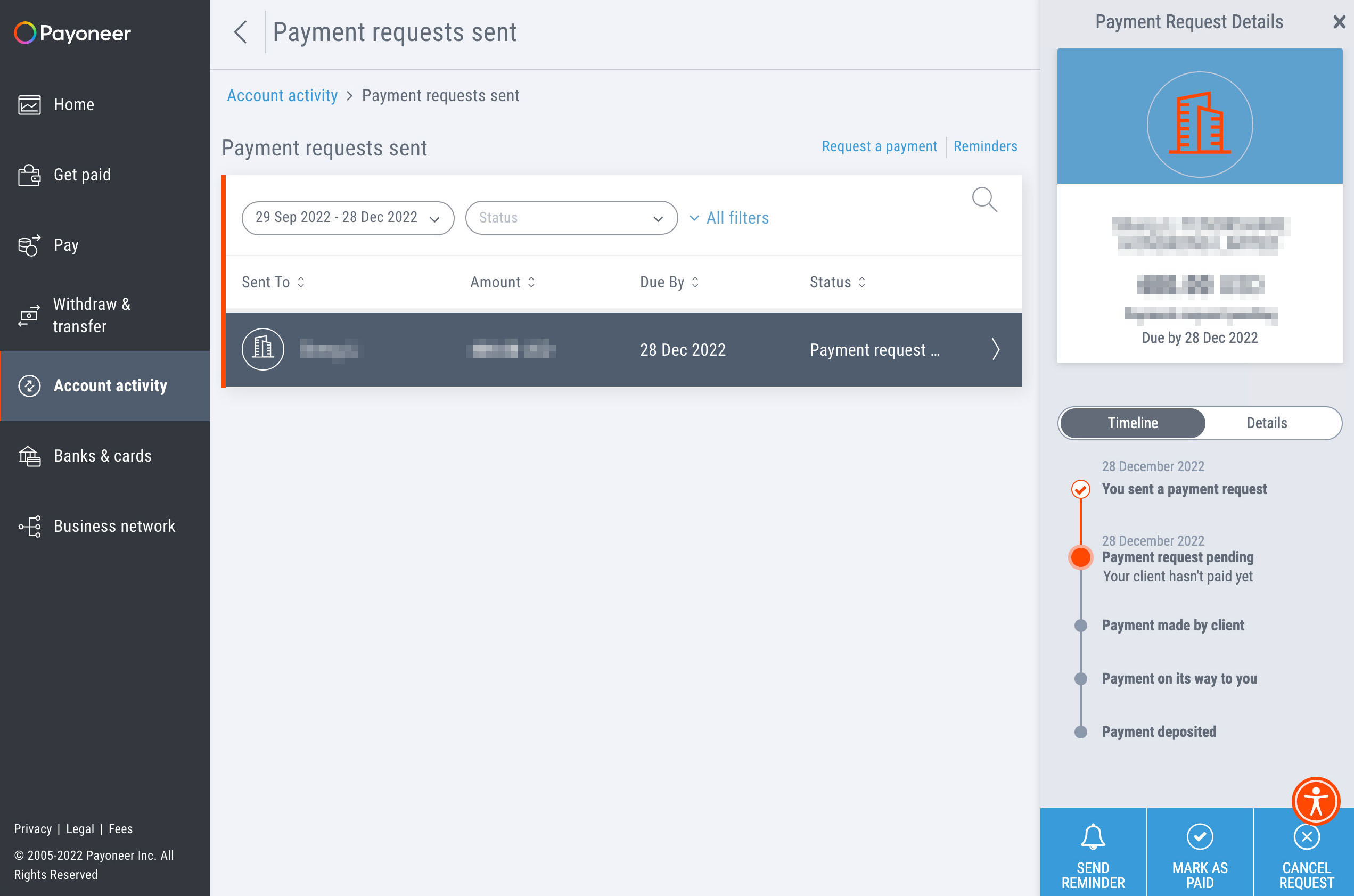
- Log in to your Payoneer account and navigate to the Pay tab on the main navigation menu.
- Select Make a Payment.
- Enter the email address associated with the recipient's Payoneer account.
- Choose the currency balance you wish to pay from (USD, EUR, GBP, etc.).
- Enter the amount and a brief description of the service provided (e.g., "Web Development Invoice #102").
- Review the details and click Pay.
Advantages and Costs
Internal transfers are usually free of charge and processed almost instantly. This makes it the preferred method for international teams where all members use the platform. It eliminates the traditional "middleman" bank fees and the long wait times associated with SWIFT transfers.
Method 2: Paying via Bank Transfer (To Non-Payoneer Recipients)
If your supplier or contractor does not have a Payoneer account, you can still pay them by sending funds directly to their local bank account. This feature effectively turns your Payoneer balance into a global wire transfer tool.
How to Initiate a Bank Payment
- Navigate to the Pay menu and select Pay to a Recipient's Bank Account.
- If this is a new recipient, you must first add their bank details. You will need their full name, bank name, account number, and often a SWIFT/BIC or IBAN.
- Payoneer’s security team typically reviews new bank accounts within 1–3 business days.
- Once approved, select the recipient, enter the amount, and choose the balance you are paying from.
- Confirm the transaction via Two-Factor Authentication (2FA).
Technical Depth: Local vs. SWIFT Transfers
Payoneer utilizes a network of local banking partners to facilitate these transfers. For example, if you are paying a recipient in the United Kingdom from your USD balance, Payoneer often converts the funds and sends them via the local Faster Payments Service (FPS). This is significantly cheaper and faster than a traditional international wire. However, in countries where Payoneer does not have local partnerships, the funds may be sent via the SWIFT network, which might incur intermediary bank fees.
Method 3: Using the Payoneer Commercial Card
For many businesses, "paying with Payoneer" means using a physical or virtual debit card. The Payoneer Digital Purchasing Card (a Mastercard) allows you to spend your balance at any merchant that accepts Mastercard.
Virtual vs. Physical Cards
- Virtual Cards: These are generated instantly in the dashboard. They are ideal for paying for SaaS subscriptions (like Shopify or Adobe), running digital ads (Google Ads, Meta Ads), and purchasing inventory online.
- Physical Cards: These are mailed to your registered address and can be used for in-person business expenses, travel, or withdrawing cash at ATMs.
Strategic Spending and Limits
Using the card is often the most flexible way to pay for business overhead. Payoneer allows users to hold multiple virtual cards, which can be designated for specific departments or types of spending. As of 2026, daily spending limits are generally high—often up to $200,000 per day for high-volume accounts—but these are subject to account standing and verification levels.
Method 4: Paying VAT and Government Taxes
One of Payoneer’s most specialized payment features is the Pay VAT service. This is specifically designed for e-commerce sellers who operate in the UK or the European Union and must settle Value Added Tax obligations.
Instead of withdrawing funds to a local bank and then making a separate international transfer to tax authorities (losing money on double conversion), you can pay the HMRC (UK) or various EU tax authorities directly from your Payoneer EUR or GBP balances. This service is typically free of charge, as it encourages users to keep funds within the Payoneer ecosystem.
Comparison of Payment Methods
| Method | Recipient Type | Typical Speed | Common Fees | Best Use Case |
|---|---|---|---|---|
| Make a Payment | Payoneer Users | Instant | Free (Usually) | Paying regular contractors/partners |
| Bank Transfer | Anyone with a Bank Account | 1–5 Business Days | 1%–3% or Flat Fee | Paying suppliers without Payoneer |
| Commercial Card | Merchants/SaaS | Instant | 0% (in-network) to 3.5% (FX) | Online ads, subscriptions, travel |
| Pay VAT | UK/EU Tax Authorities | 2–5 Business Days | Free | Compliance for e-commerce sellers |
Security and Compliance Requirements
To maintain the integrity of the financial system in 2026, Payoneer enforces strict security protocols. When you "pay with Payoneer," you are interacting with a regulated entity that must comply with Anti-Money Laundering (AML) and Know Your Customer (KYC) laws.
Verification Steps
Before your first significant payment, Payoneer may ask for:
- Invoices: A copy of the bill or contract you are paying.
- Business Profile: Details about your services or the products you sell.
- Identity Verification: A refreshed scan of your government-issued ID.
Two-Factor Authentication (2FA)
Every outgoing payment requires a security code sent to your mobile device or generated via an authenticator app. It is critical to keep your phone number updated in the account settings to avoid being locked out of the payment features.
Common Troubleshooting Tips
Even with a robust system, users may encounter issues when trying to pay.
- "Make a Payment" is Greyed Out: This usually happens because you haven't received enough "Payment Service" funds yet. Check your account limits or contact support to see your specific threshold.
- Payment Declined by Merchant: If you are using a Payoneer card, ensure you have a sufficient balance in the specific currency of the card. If you have a USD card but are paying in EUR, ensure "Automatic Currency Conversion" is enabled.
- Bank Transfer "Pending" for Days: This usually indicates that the recipient's bank requires more information or Payoneer's compliance team is reviewing the transaction. Always provide an accurate "Reason for Payment" during the setup.
Eligibility and Jurisdictional Limits
It is important to note that the availability of these payment methods varies by country. For instance, users in certain regions may have access to the virtual card but not the physical one. Similarly, regulations in some jurisdictions may restrict the "Make a Payment" feature to only allow transfers to other business accounts rather than individual accounts.
For the most accurate and up-to-date information regarding your specific region, users should consult the Payoneer Support Center or the "Limits and Fees" section within their account dashboard.
Frequently Asked Questions
Can I pay a freelancer if they don't have a Payoneer account?
Yes. You can use the "Pay to a Recipient's Bank Account" feature. You will need their standard banking details (IBAN/SWIFT). The funds will be deducted from your Payoneer balance and deposited directly into their local bank account.
Are there limits on how much I can pay per day?
Yes, Payoneer imposes daily and monthly limits on all payment methods. Card limits are usually found in the "Cards" section of your account, while "Make a Payment" limits are often determined by your account's historical volume. High-volume businesses can request limit increases through their account manager.
Is it safe to pay suppliers using Payoneer?
Payoneer is a regulated financial services company (licensed as a Money Service Business in the US and an e-money issuer in Europe). They use industry-standard encryption and 2FA. However, unlike consumer credit cards, business-to-business transfers often do not have the same "chargeback" protections, so you should only pay verified, trusted suppliers.
Can I pay with Payoneer if my balance is zero but I have a linked credit card?
Generally, no. Payoneer is not a "pass-through" payment processor like some versions of PayPal. You typically need to have a pre-existing balance in your Payoneer account, earned through business transactions, to use the payment features.
Why was my payment to another Payoneer user cancelled?
Payments are often cancelled if the recipient's account is not fully verified or if the transaction violates Payoneer’s Terms of Service (e.g., paying for prohibited goods/services). Both the sender and recipient should check their "Verification Center" for outstanding document requests.
Final Recommendation
To get the most out of "paying with Payoneer," businesses should adopt a multi-channel approach. Use internal transfers for regular contractors to save on fees, the Commercial Card for automated SaaS and advertising spend, and direct bank transfers for traditional manufacturing suppliers. By keeping your business documentation updated and maintaining a "business-only" focus for your account, you can ensure that your global payments remain seamless and cost-effective throughout 2026 and beyond.
Image Gallery