How to Use a Smart Key Tool: A Professional Guide to Automotive Key Programming
A smart key tool is used to program vehicle transponders and remotes by connecting to the car's OBDII port or reading EEPROM data directly. The process involves identifying the vehicle, retrieving security PIN codes, and syncing the ne...
A smart key tool is used to program vehicle transponders and remotes by connecting to the car's OBDII port or reading EEPROM data directly. The process involves identifying the vehicle, retrieving security PIN codes, and syncing the new key frequency to the immobilizer system using specialized software and hardware interfaces.
Contents
As of 2026, the landscape of automotive security has evolved significantly, with manufacturers implementing increasingly complex encryption layers. Modern smart key tools, such as those from Autel, Xhorse, and Lonsdor, have adapted by utilizing cloud-based calculations and advanced CAN-FD protocols to bypass or interface with these security measures. Whether you are an automotive locksmith or a dedicated enthusiast, understanding the nuances of these tools is essential for successful key generation and programming.
Essential Prerequisites for Key Programming
Before attempting to use a smart key tool, several technical and logistical requirements must be met. Ignoring these prerequisites is the primary cause of programming failures or, in extreme cases, the "bricking" of a vehicle's Electronic Control Unit (ECU).
1. Hardware and Connectivity
Professional-grade smart key tools are typically tablet-based devices that interface with the vehicle via a VCI (Vehicle Communication Interface) plugged into the OBDII port. In 2026, most modern vehicles require tools compatible with CAN-FD (Controller Area Network Flexible Data-Rate) and DoIP (Diagnostics over IP) protocols. Ensure your tool’s firmware is fully updated to the latest version to support the specific year, make, and model of the vehicle you are servicing.
2. Power Stability
One of the most overlooked aspects of key programming is voltage stability. During the programming process, the vehicle’s ignition is often cycled, and various modules remain active, drawing significant current. If the battery voltage drops below 12V, the communication between the smart key tool and the immobilizer can be interrupted, potentially corrupting the vehicle's security data. Using a high-quality battery maintainer (not a standard charger) is mandatory for professional results.
3. Key and Transponder Compatibility
Not all "smart keys" are created equal. You must ensure that the replacement key matches the vehicle’s frequency (commonly 315MHz or 433MHz) and uses the correct transponder chip (e.g., ID46, ID47, or the newer 8A-BA chips used in Toyota models). Many modern smart key tools offer a "Frequency Detection" feature—always use this to verify the new key before attempting to program it.
Step-by-Step Programming Procedure
While software interfaces vary between brands like the Autel MaxiIM or Xhorse VVDI series, the logic of the programming workflow remains consistent.
Step 1: Vehicle Identification and System Scan
Begin by connecting the VCI to the OBDII port and powering on your smart key tool. Most modern tools offer an "Auto-VIN" feature that automatically identifies the car's make, model, and year. Once identified, perform a full system scan of the Immobilizer (IMMO) or Body Control Module (BCM). This ensures there are no pre-existing fault codes that could interfere with the programming process.
Step 2: Security PIN Access (Reading Password)
Most vehicles require a security PIN or password to authorize the addition of a new key. For many older models, the smart key tool can "Read PIN" directly from the ECU via the OBDII port. However, for 2022–2026 models, this often requires an internet connection for "Cloud Calculation." The tool uploads the vehicle's encrypted data to the manufacturer’s or tool provider’s server, which then returns the decrypted PIN code.
Step 3: Key Learning/Programming
Once the security access is granted, navigate to the "Key Learning" or "Add Key" menu. The tool will provide on-screen prompts, which typically involve:
- Turning the ignition ON with an existing working key (if available).
- Holding the new smart key near the Start/Stop button or inserting it into a designated slot.
- Waiting for the tool to sync the rolling codes between the key and the vehicle’s immobilizer module.
Step 4: Testing and Verification
After the tool confirms "Programming Successful," do not immediately disconnect the VCI. Test the remote functions (Lock/Unlock) and ensure the "Keyless Go" or proximity start functions work correctly. If the vehicle starts but the remote buttons do not work, you may need to perform a separate "Remote Learning" procedure, which is common in older Ford and GM vehicles.
Handling "All Keys Lost" (AKL) Scenarios
The "All Keys Lost" scenario is significantly more complex than simply adding a duplicate key. In an AKL situation, the immobilizer system is locked, and the vehicle cannot be put into "Ignition ON" status normally.
Professional smart key tools resolve this through two main methods:
- OBD AKL: The tool uses a specialized "AKL Cable" or bypasses the ignition requirement through software, allowing communication with the BCM even when the car is powered down.
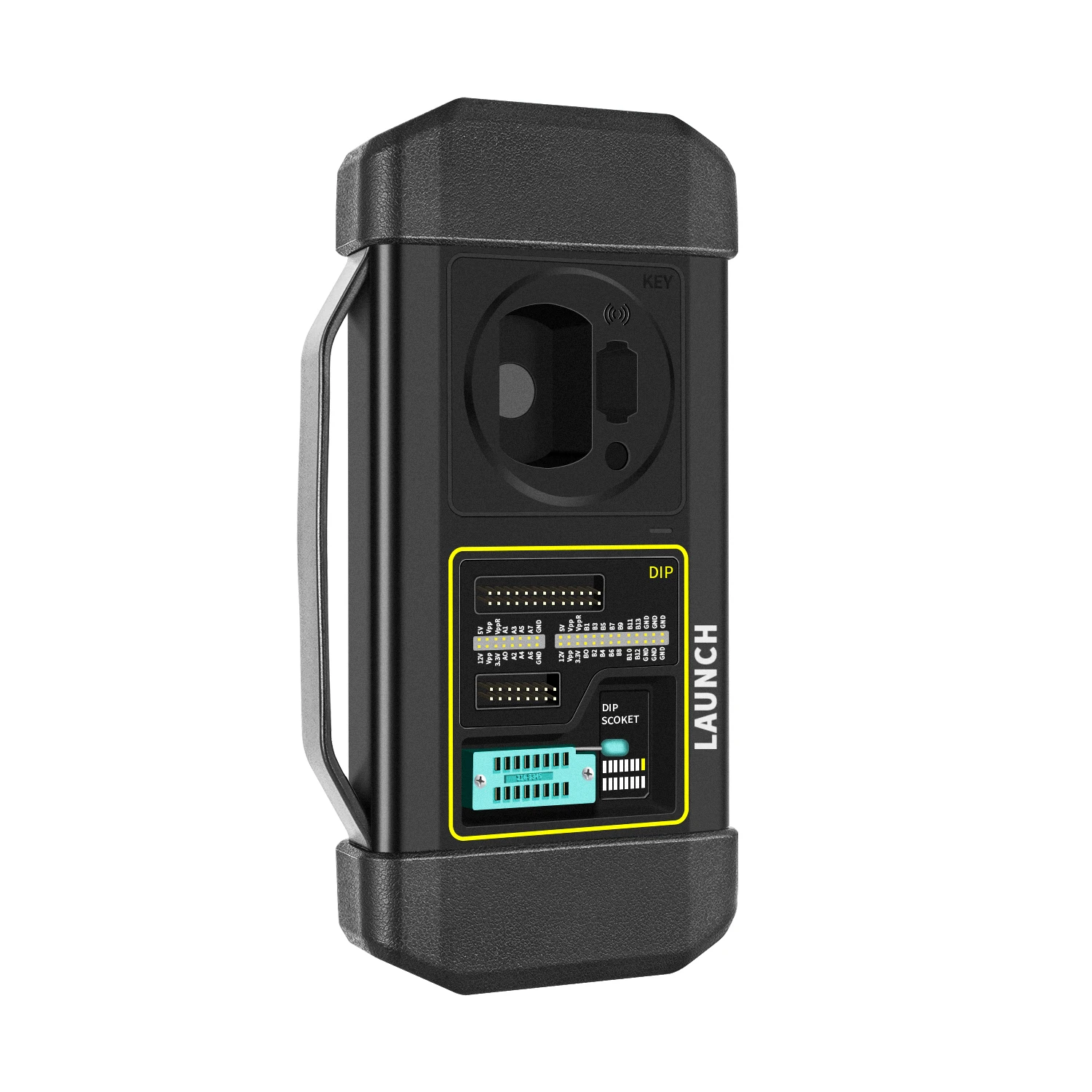
- EEPROM/Bench Programming: This requires removing the immobilizer module or ECU from the vehicle and reading the data directly from the circuit board using a programmer (like the XP400 Pro or VVDI Prog). The smart key tool then generates a "Start Key" based on the raw data extracted from the chip.
Comparison of Leading Smart Key Tools in 2026
The following table compares the capabilities of the most prominent tools currently used by professionals.
| Feature | Autel MaxiIM IM608 Pro III | Xhorse VVDI Key Tool Plus | Lonsdor K518 PRO |
|---|---|---|---|
| Primary Strength | Advanced Diagnostics & IMMO | Transponder Cloning & Precoding | Toyota/Lexus Specialized Support |
| Protocol Support | CAN-FD, DoIP, J2534 | CAN-FD (Built-in) | CAN-FD (Via Adapter) |
| Cloud Calculation | Highly Integrated (Paid) | Token-Based / Free for some | Subscription-Based |
| EEPROM Capability | Excellent (with XP400 Pro) | Excellent (Built-in) | Good (Basic) |
| Target User | Full-Service Shops | Mobile Locksmiths | Toyota/Lexus Specialists |
Troubleshooting Common Issues
"Communication Failed" Errors
This is often caused by an incompatible VCI firmware or a loose OBDII connection. Ensure the vehicle's battery is fully charged. In some 2020+ vehicles (particularly Chrysler, Jeep, and Fiat), a Security Gateway Module (SGM/SGW) blocks unauthorized OBDII access. You must use a "12+8 Bypass Cable" to connect the smart key tool directly to the vehicle's wiring harness, bypassing the gateway.
Key Programmed but Car Won't Start
This typically happens when the transponder was programmed but the "Immobilizer Reset" or "Parameter Synchronization" was not completed. Some European vehicles (BMW/VW) require the ELV (Electronic Steering Column Lock) to be synchronized with the new key before the ignition will trigger.
Remote Buttons Non-Functional
If the transponder starts the engine but the remote fails, the issue is likely frequency-related. Double-check that the key matches the specific MHz requirement of the vehicle's RFA (Remote Function Actuator). Some tools allow you to change the frequency of "Universal" smart keys—ensure this is set correctly before programming.
Expert Guidance and Next Steps
Using a smart key tool is a high-responsibility task. In many jurisdictions, professional locksmithing requires specific licensing or registration with organizations like the National Automotive Service Task Force (NASTF). This ensures you have legal access to security codes and manufacturer-level data.
For those looking to expand their capabilities, the next step is mastering EEPROM soldering and data manipulation. While OBD programming is sufficient for 80% of vehicles, the remaining 20%—mostly high-end European models—require reading data directly from the hardware.
Always maintain a subscription to your tool's update service. Manufacturers like Autel and Xhorse frequently release patches for new security vulnerabilities, and using outdated software is a leading cause of failed programming attempts.
Frequently Asked Questions
Can a smart key tool program any car key?
No, no single tool supports every vehicle in existence. While professional tools like the Autel IM608 or Xhorse Key Tool Plus cover a vast majority (approximately 90-95%) of the global car market, some high-security brands like Ferrari, McLaren, or the latest 2025+ Mercedes-Benz models with "Drive Authorization System 4" (FBS4) may require dealer-only tools or very specific, high-end locksmith equipment.
Does using a smart key tool void the vehicle's warranty?
Generally, simply programming a new key does not void the entire vehicle warranty. However, if the programming process causes a software glitch or if you use an aftermarket key that damages an electronic module, the manufacturer may refuse to cover repairs related to that specific system. Using high-quality, OEM-equivalent keys minimizes this risk.
What is the difference between "Cloning" and "Programming"?
Cloning involves copying the unique ID of an existing key onto a specialized "cloneable" chip; the car does not know a new key has been added because it sees the same ID. Programming involves introducing a brand-new ID to the car's computer. Programming is generally preferred as it allows for the deletion of lost keys from the system, whereas cloning does not provide that security benefit.
Can I use a smart key tool to delete lost keys?
Yes, most smart key tools offer a "Key Erasure" or "Reset Immobilizer" function. This is highly recommended if a customer has lost their keys or had them stolen. By performing this function, any keys not present during the new programming session will be wiped from the vehicle's memory and will no longer be able to start the engine.
Do I need an internet connection to use a smart key tool?
For most modern vehicles (2018 and newer), an active internet connection is required. This is because the tool needs to communicate with cloud servers to perform "Calculations" for security PINs or to verify the software's license. Mobile hotspots are commonly used by locksmiths to provide this connectivity in the field.
Image Gallery