Understanding CRM Software Monday Options and Configurations
Monday.com offers a robust Customer Relationship Management (CRM) solution built upon its Work OS framework, designed to help organizations centralize lead management, track sales pipelines, and automate communication. Understanding th...
Monday.com offers a robust Customer Relationship Management (CRM) solution built upon its Work OS framework, designed to help organizations centralize lead management, track sales pipelines, and automate communication. Understanding the available CRM options requires navigating how the platform’s modular architecture differentiates between core project management functionality and specialized sales-driven features.
Contents
The CRM capabilities within Monday.com are primarily delivered through the "Monday Sales CRM" product. This is not a standalone piece of software, but rather a curated configuration of the platform’s boards, automations, and integrations. Users can access these features either as a standalone subscription or as part of a larger enterprise implementation. Key options involve choosing between different subscription tiers, which dictate access to advanced features like marketing activity tracking, post-sales management, and sophisticated data analytics.
The Foundation: Understanding the Work OS Architecture
Before selecting a specific CRM plan, it is essential to understand that Monday.com operates as a Work OS. In a CRM context, this means that your "database" is constructed using boards, items (leads or deals), and columns (data fields).
Unlike legacy CRM systems that provide rigid, pre-built schemas, Monday Sales CRM relies on a flexible architecture. You can customize the status columns, timeline views, and contact information fields to match your specific sales cycle. This flexibility is the platform's primary value proposition, but it also creates an "option" for the user: you must decide how much customization your team requires compared to the ease of using out-of-the-box templates.
Evaluating Subscription Tiers and Feature Sets
Monday Sales CRM is categorized into specific tiers, each tailored to the needs of different business sizes and complexities. The selection process should be guided by your operational volume rather than just user count.
- Basic/Standard CRM: Best suited for small teams requiring simple pipeline visualization. These tiers include contact management, basic activity tracking, and simple board views.
- Pro CRM: Targeted at growing sales organizations. The "Pro" tier introduces essential automations—such as automatic lead assignment or status change notifications—and advanced integrations with email providers like Gmail or Outlook.
- Enterprise CRM: Designed for large organizations needing granular security, audit logs, and complex cross-departmental reporting. This tier unlocks the full potential of the platform's API and advanced reporting widgets.
Core CRM Modules and Their Strategic Utility
When configuring your Monday CRM instance, you will encounter several functional modules. Understanding these is critical to optimizing your workflow:
- Lead Management: This module allows for the ingestion of leads from web forms, third-party apps, or manual entry. The "option" here involves choosing whether to use the platform's built-in lead capturing forms or integrating external tools like Typeform or Salesforce via the API.
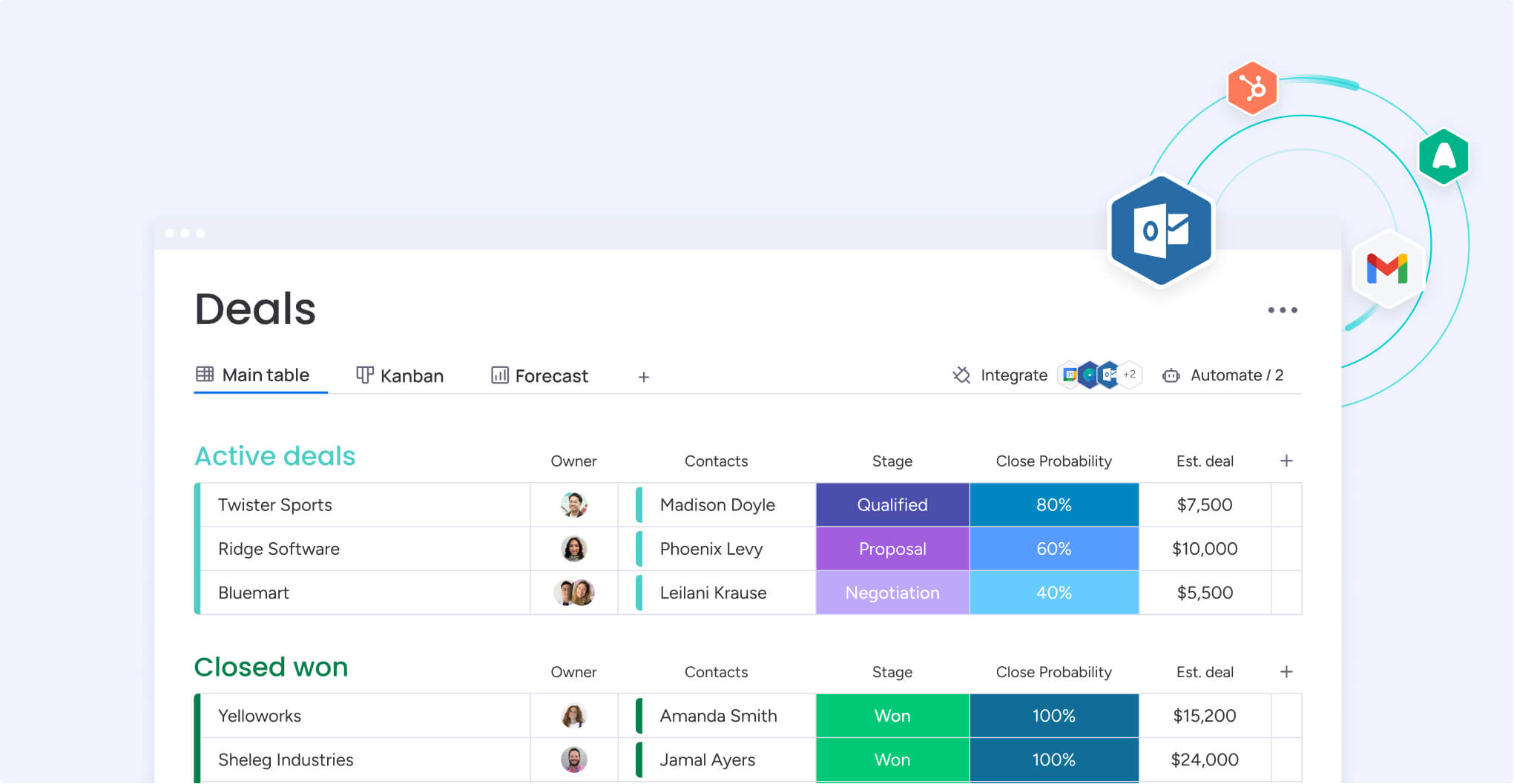
- Pipeline Management: You can choose between Kanban, Table, or Chart views to monitor your sales cycle. The choice of view is often driven by the sales team’s preferred method of interaction; a visual Kanban board is often preferred by SDRs (Sales Development Representatives), while a Table view is favored by managers conducting weekly audits.
- Communication Tracking: Monday offers the ability to sync email activity directly into the item card of a specific lead. This ensures that the communication history is centralized, preventing data silos within the sales department.
Comparison Table: CRM Tiers at a Glance
| Feature Category | Basic/Standard | Pro | Enterprise |
|---|---|---|---|
| Contact/Lead Management | Included | Included | Included |
| Automated Lead Routing | Limited | Extensive | Full Automation |
| Email Tracking & Sync | Basic | Advanced | Advanced + Audit |
| Reporting Dashboards | Simple | Complex | High-Volume/Custom |
| Security Protocols | Standard | Standard | SSO/SCIM/Audit |
Note: Feature sets are subject to updates; always verify the current official pricing and feature grid on the manufacturer's website as of 2026.
Prerequisites for Implementation
Before committing to a specific CRM option, organizations must satisfy certain operational requirements to ensure success. First, you must have a clearly defined sales process. Monday’s flexibility can become a liability if your team does not have a standardized "definition of done" for each stage of the sales pipeline.
Second, you should perform an audit of your existing data. If you are migrating from another platform like Salesforce or HubSpot, consider the mapping requirements. The "options" you choose regarding data migration paths—manual CSV imports versus API-based synchronization—will significantly impact the implementation timeline.
Common Implementation Mistakes
The most frequent error users face is attempting to over-engineer the CRM in the first week. Because Monday allows for infinite customization, new users often build overly complex automations that confuse their sales staff. A best practice is to start with a standard template, use it for one month, and only then introduce custom automations to handle specific edge cases.
Another mistake is neglecting user training. Because the interface is highly customizable, individual users might have different views of the data. Establishing a "source of truth" policy, where certain dashboards are designated as the official reporting boards, is essential to prevent conflicting performance data.
FAQ: Common Questions Regarding Monday CRM Options
1. Is Monday Sales CRM a separate product from Monday.com? While it lives within the same ecosystem, it is marketed as a specialized solution. You subscribe to a plan specifically labeled for CRM usage, which comes pre-configured with templates and tools optimized for sales pipelines rather than generic project management.
2. Can I start with a lower tier and upgrade later? Yes. One of the primary advantages of the Monday platform is its scalability. You can begin on a Standard or Pro plan and upgrade to Enterprise as your organizational security and reporting needs evolve.
3. Does Monday offer native integrations with common email providers? Yes, native integrations exist for Google Workspace and Microsoft 365, allowing you to log emails directly into the CRM.
4. How does the pricing work for 2026? Pricing is typically per-seat and billed annually or monthly. Organizations should consult the official pricing page, as costs vary based on the tier chosen and the number of active users required for the account.
5. Can I use the mobile app for my CRM? Yes, the Monday mobile application supports all CRM boards, allowing your field sales team to update deal stages and access lead contact information on the go.
Strategic Recommendation
For most organizations, the recommended path is to initiate a trial of the Pro CRM tier. This tier strikes the optimal balance between cost and automation capability. By leveraging the Pro features, your team can automate routine tasks—such as updating a lead status when an email is received—which provides an immediate increase in operational efficiency without the cost overhead of the Enterprise tier. Conduct a 14-day pilot with a small segment of your sales team to verify that the workflow matches your existing business logic before scaling to the entire department.
Image Gallery