Navigating Wells Fargo Online Banking: The 2026 Digital Security and Feature Guide
Wells Fargo Online banking represents a cornerstone of modern digital financial management, delivering streamlined access to consumer banking, credit lines, investment services, and commercial accounts. As financial technology evolves...
Wells Fargo Online banking represents a cornerstone of modern digital financial management, delivering streamlined access to consumer banking, credit lines, investment services, and commercial accounts. As financial technology evolves through 2026, understanding how to securely navigate the Wells Fargo digital ecosystem is essential for protecting assets and maximizing account features. Whether managing a standard checking account, monitoring a mortgage, or executing complex wire transfers, the platform combines robust architecture with user-centric tools designed to simplify day-to-day money management.
Contents
Core Architectural Features of the 2026 Digital Platform
The contemporary Wells Fargo online portal and mobile applications integrate multi-layered account controls that allow users to manage their financial portfolio from a single dashboard. Real-time transaction monitoring provides instant visibility into pending charges, cleared checks, and direct deposits. Users can customize account alerts via text, email, or push notifications to track specific financial triggers, such as low balances, large withdrawals, or upcoming bill payment dates.
Account customization extends to digital statements, budget tracking categories, and automated savings plans. The platform incorporates automated categorization tools that analyze spending habits, helping account holders visualize monthly expenditures across categories like dining, travel, and utilities. Furthermore, the integration of Zelle allows for instantaneous person-to-person money transfers directly within the authenticated browser session or mobile application.
Key Digital Capabilities Offered by Wells Fargo
- Real-Time Fraud Monitoring: Automated systems scan transactions 24/7 for anomalous behavior, instantly flagging suspicious activity for user verification.
- Integrated Credit Score Tracking: Continuous access to FICO Score updates directly on the dashboard without negatively impacting credit history.
- Document Center Repository: Digital storage for up to seven years of tax documents, monthly statements, and legal disclosures.
- Self-Service Card Management: Instantaneous locking and unlocking of misplaced debit or credit cards, alongside digital wallet provisioning for Apple Pay, Google Pay, and Samsung Pay.
Security Protocols and Authentication Standards
Security remains the primary operational focus for digital banking infrastructure in 2026. Wells Fargo employs advanced cryptographic protocols to secure data transmitted between user devices and financial servers. Multi-Factor Authentication (MFA) is mandatory for logging into accounts from unrecognized devices or when executing high-risk transactions.
Account holders must familiarize themselves with standard protocols designed to thwart social engineering attacks, phishing campaigns, and credential-stuffing exploits. Utilizing biometric authentication—such as Face ID or fingerprint recognition on mobile devices—significantly reduces the risk of unauthorized access compared to traditional alphanumeric passwords alone.
Security Best Practice: Never share your One-Time Passcodes (OTPs) or temporary authentication codes with anyone, including individuals claiming to represent Wells Fargo customer support. Real financial institution representatives will never ask for your verification codes or password over the phone, via text message, or through unsecured email channels.
Comparative Overview of Wells Fargo Digital Access Channels
Managing accounts effectively requires understanding the distinct advantages and operational boundaries of each digital access channel. The table below outlines the primary methods for interacting with Wells Fargo online services.
| Access Channel | Primary Platform | Optimal Use Case | Security Level | Key Limitation |
|---|---|---|---|---|
| Desktop Web Portal | Standard Browsers (Chrome, Safari, Edge) | Comprehensive financial planning, tax document downloads, business account management | High (Requires MFA and session timeouts) | Vulnerable to compromised personal computer environments and keyloggers. |
| Mobile Banking App | iOS and Android Smartphones/Tablets | On-the-go deposits, instant transaction alerts, peer-to-peer transfers | Very High (Leverages hardware-level biometrics and device binding) | Smaller screen real estate for complex data analysis. |
| Automated Phone Banking | Interactive Voice Response (IVR) Systems | Checking basic balances, verifying recent clearings without internet access | Moderate (Requires PIN and account number verification) | Limited transaction capabilities compared to web or app platforms. |
Step-by-Step Guide to Secure Account Setup and Profile Management
Establishing and maintaining a secure online banking profile requires careful attention during initial registration and ongoing maintenance. Adhering to structured administrative steps ensures uninterrupted access while fortifying account defenses against unauthorized actors.
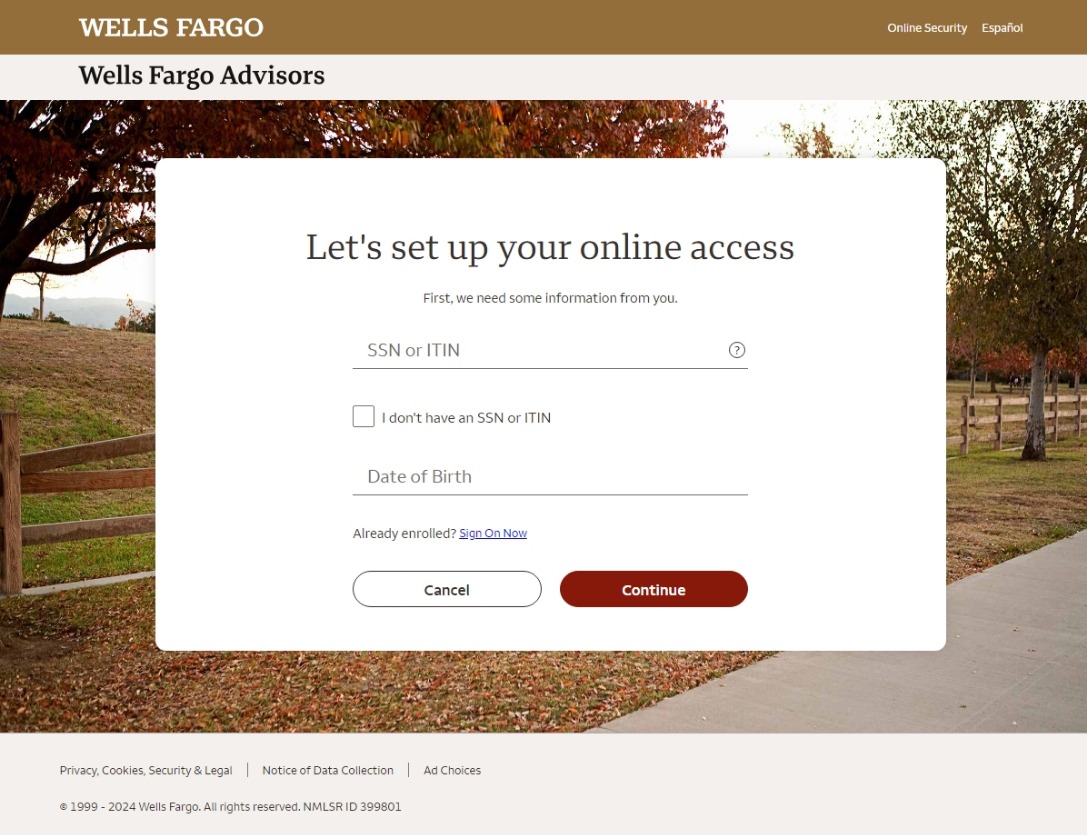
- Initial Enrollment: Navigate to the official website and select the enrollment option. Input your valid Social Security Number (SSN) or Individual Taxpayer Identification Number (ITIN), combined with your debit card or account number.
- Credential Creation: Design a unique username and a complex password consisting of upper and lower-case letters, numbers, and specialized symbols. Avoid using easily guessable personal information such as birthdates or addresses.
- MFA Configuration: Register a trusted mobile phone number and secondary email address to receive One-Time Passcodes during login attempts or profile modifications.
- Biometric Integration: Open the official mobile application on a supported smartphone and enable facial recognition or fingerprint scanning for rapid, secure authentication.
- Alert Preferences Setup: Configure customized thresholds for balance alerts and international transaction notifications to detect unauthorized activities immediately.
Pros and Cons of Digital Banking with Wells Fargo
Evaluating a major financial institution's digital ecosystem requires balancing technological convenience against standard industry limitations.
Advantages
- Widespread Accessibility: Seamless synchronization across desktop browsers, mobile applications, and physical branch networks.
- Advanced Tooling: Comprehensive budgeting, credit score monitoring, and automated savings programs built directly into the core interface.
- Instantaneous Transfers: Native integration with real-time payment networks for rapid internal and external money movement.
Disadvantages
- Customer Service Wait Times: Peak periods can result in delayed phone support access when technical issues require human intervention.
- Strict Security Lockouts: Automated security measures can occasionally lock legitimate users out of their accounts after multiple incorrect authentication attempts, requiring identity verification to restore access.
- Platform Complexity: The vast array of features and investment products can present a steep learning curve for novice digital banking users.
Frequently Asked Questions
How do I recover a forgotten username or password for my online account?
You can initiate a recovery sequence directly on the login page by selecting the Forgot Username or Password links and verifying your identity via phone or text code. If automated recovery fails, contacting customer service or visiting a physical branch with government-issued identification is required to reset credentials safely.
Is it safe to access my online banking account using public Wi-Fi networks?
Accessing financial accounts over unsecured public Wi-Fi networks introduces significant interception risks unless you use a reputable Virtual Private Network (VPN). Whenever possible, rely on secure cellular data connections or trusted private networks when managing sensitive financial information.
What should I do if I notice an unauthorized transaction on my account?
Immediately lock your debit or credit card using the mobile application and contact Wells Fargo customer support to report fraudulent activity. Prompt reporting ensures protection under standard consumer liability laws for unauthorized electronic fund transfers.
Can I deposit physical checks through the digital platform?
Yes, the mobile banking application features a mobile deposit function that allows you to photograph the front and back of a signed physical check for automated crediting. Ensure you endorse the check properly with your signature and the required restrictive phrase before capturing the images.
How are my personal and financial data protected against cyber threats?
Wells Fargo utilizes industry-standard 128-bit Secure Socket Layer (SSL) encryption, secure data centers, and continuous network monitoring to safeguard user information. Additionally, automated timeout features automatically log users out after periods of inactivity to prevent unauthorized access from unattended devices.
Optimizing Your Digital Financial Strategy
Maximizing the utility of Wells Fargo online services requires proactive management of your security settings, regular review of automated alerts, and routine auditing of linked external accounts. By leveraging the comprehensive suite of digital tools available in 2026, you can maintain absolute control over your financial health, streamline administrative obligations, and protect your assets against evolving cybersecurity threats. Take a moment today to review your security settings, verify your contact information, and ensure your mobile application is updated to the latest version for optimal performance and safety.
Image Gallery