Paying Your Apple Card Bill Made Simple
Managing your Apple Card balance is designed to be an intuitive, digital-first experience that eliminates the complexity of traditional banking portals. You can pay your bill instantly through the Wallet app on your iPhone by selecting...
Managing your Apple Card balance is designed to be an intuitive, digital-first experience that eliminates the complexity of traditional banking portals. You can pay your bill instantly through the Wallet app on your iPhone by selecting your Apple Card, tapping the "Pay" button, and using the interactive wheel to choose your amount. Payments can be funded via a linked bank account, your Apple Cash balance, or through the Apple Card web portal.
Contents
The Design Philosophy of Apple Card Payments
The Apple Card was introduced with the goal of improving financial health through transparency. In 2026, this philosophy remains central to the user experience. Unlike traditional credit cards that often hide interest calculations behind dense legal text, the Apple Card uses visual cues and real-time data to show users exactly how much their choices cost.
When you pay your bill, the interface is built around a circular slider—the "Interest Wheel." This tool doesn't just ask for a number; it changes color based on your payment amount. If the wheel is green, you are paying enough to avoid interest. If it turns yellow or red, the app calculates and displays the estimated interest you will incur on the remaining balance. This immediate feedback loop is the cornerstone of making payments "simple" because it removes the guesswork from debt management.
Prerequisites for Paying Your Bill
Before you can successfully submit a payment, ensure your digital environment is correctly configured. As of 2026, Apple requires the following for the most seamless experience:
- A Compatible Device: You need an iPhone or iPad with the latest version of iOS or iPadOS to access the full suite of Wallet features. While you can pay via the web, the mobile experience is the primary interface.
- Two-Factor Authentication: Your Apple ID must have two-factor authentication enabled to secure your financial data.
- A Linked Payment Source: You must link a standard U.S. checking or savings account. Note that you generally cannot pay a credit card bill with another credit card or a standard debit card directly; the transaction must occur via an Automated Clearing House (ACH) transfer or through Apple Cash.
- Apple Cash (Optional but Recommended): Setting up Apple Cash allows you to use your Daily Cash rewards to pay down your balance instantly.
Step-by-Step: Paying via the Wallet App
The iPhone remains the most common way to manage Apple Card. Follow these steps for a manual one-time payment:
- Open the Wallet App: Locate the Wallet icon on your Home Screen.
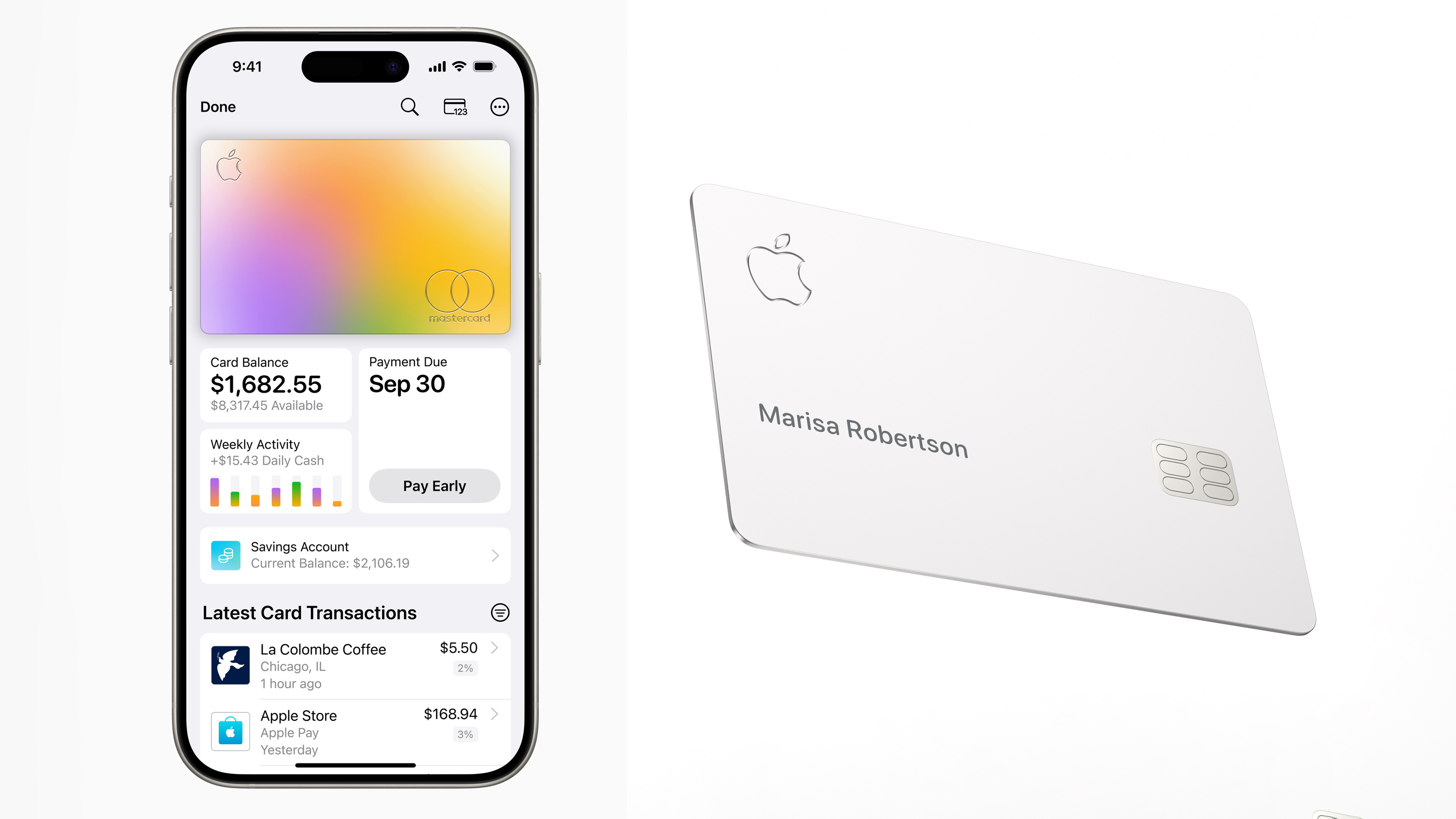
- Select Apple Card: Tap on your Apple Card to view your latest transactions and total balance.
- Tap the Pay Button: This is the large button located just below your card image.
- Adjust the Amount: Use your finger to move the checkmark around the wheel. You can choose to pay the "Adjusted Balance" (the amount needed to avoid interest), the "Statement Balance," or "Other Amount."
- Review the Total: The app will display the payment date and the source of the funds.
- Authenticate: Double-click the side button (or use Touch ID) to confirm the payment via Face ID or your passcode.
Payments made before 11:59 p.m. ET are typically credited to your account on the same day, which is crucial for avoiding interest charges on the last day of your billing cycle.
Automating Your Finances with Scheduled Payments
For many users, "simple" means not having to remember a due date at all. Apple Card allows for robust automation through Scheduled Payments. This feature ensures you never miss a deadline, which is vital since, although Apple Card does not charge late fees, late payments can still impact your credit score and result in increased interest charges.
To set up automation:
- Navigate to your Apple Card in the Wallet app.
- Tap the More (...) button in the top right corner.
- Select Scheduled Payments.
- Choose between "Pay My Bill" (which pays the statement balance) or "Pay a Specific Amount."
- Select the date (e.g., the due date or the 1st of the month).
By automating the Statement Balance, you effectively treat the card like a debit card, ensuring that you never pay a cent in interest while still reaping the benefits of Daily Cash rewards.
Using Apple Cash and Daily Cash to Pay Your Balance
One of the most efficient ways to lower your bill is by using the rewards you have already earned. Every purchase made with the Apple Card generates "Daily Cash," which is deposited into your Apple Cash account or your Apple Savings account.
If you have a balance in Apple Cash, you can apply it directly to your Apple Card bill. When you are on the payment screen, tap on your bank account name (the funding source) and switch it to Apple Cash. If your Apple Cash balance is lower than the total payment, the system will pull the remainder from your linked bank account. This integration turns your rewards into a functional tool for debt reduction without requiring you to wait for a monthly statement cycle to redeem points.
Managing Payments via the Apple Card Web Portal
If you lose your iPhone or prefer working on a desktop, Apple provides a dedicated web interface. In 2026, the web portal at card.apple.com provides a clean, simplified version of the mobile experience.
While the web portal lacks the interactive "Interest Wheel," it allows you to:
- View your current and statement balances.
- Download PDF statements for accounting.
- Add or remove bank accounts.
- Make immediate payments.
- Manage Apple Card Family participants and their spending limits.
The web portal is an essential redundancy for users who manage their household finances through a Mac or PC. It uses the same Apple ID credentials and requires the same high level of security (multi-factor authentication) as the mobile app.
Summary of Payment Methods and Timing
Understanding the differences between payment types can help you manage your cash flow effectively.
| Payment Method | Processing Time | Best For | Source of Funds |
|---|---|---|---|
| Manual (Wallet App) | Instant Credit | One-time adjustments | Linked Bank / Apple Cash |
| Scheduled (Autopay) | Recurring | "Set it and forget it" | Linked Bank Account |
| Web Portal | Same Day | Desktop management | Linked Bank Account |
| Apple Cash | Instant | Using rewards | Earned Daily Cash |
| Siri | Voice-activated | Hands-free convenience | Default Bank Account |
Troubleshooting Common Payment Issues
Even with a simplified system, technical or financial hurdles can arise. Here are the most common issues and their solutions:
Failed Bank Transfers
If a payment fails, it is usually due to insufficient funds or an incorrect routing number. Apple Card will notify you via a push notification if an ACH transfer is returned. In 2026, most major banks support "Real-Time Payments," but some smaller credit unions may still take 1–3 business days to finalize the transfer. Always ensure your balance is available 48 hours before the scheduled payment date.
Payment Not Reflecting in Available Credit
Sometimes, you will see the payment deducted from your bank, but your "Available Credit" on the Apple Card hasn't increased. This often happens if you make a very large payment that is significantly higher than your usual spending patterns. Apple may hold the credit for up to 5 business days to ensure the funds clear.
Unable to Link a Bank Account
Apple Card requires a U.S.-based bank account. If you are having trouble linking an account, check if your bank supports Plaid or similar verification services. Alternatively, you can manually enter your routing and account numbers by selecting "Add a Bank Account" and then "Don't see your bank?"
The Role of Apple Savings in Bill Payment
If you have opened an Apple Savings account (provided by Goldman Sachs or a successor partner as of 2026), your Daily Cash is likely directed there to earn interest. While you can pay your bill directly from your Savings account, it is often more beneficial to keep funds in the high-yield environment until the very last moment.
You can initiate a transfer from Savings to Apple Cash instantly, or you can link the Savings account as a funding source for your Apple Card payment. This creates a closed-loop ecosystem where your rewards grow in a high-yield account and are then used to wipe out your monthly expenses.
Security and Privacy in the Payment Process
Safety is a primary reason the payment process is kept within the Apple ecosystem. When you pay your bill, your bank account information is encrypted. Apple does not see your bank login credentials; the connection is handled through secure tokens. Furthermore, because Apple Card does not have a visible card number on the physical titanium card, the risk of "skimming" leading to fraudulent charges that complicate your bill payment is significantly reduced.
Frequently Asked Questions
Can I pay my Apple Card bill with a credit card from another bank?
No. To prevent "card churning" and high-interest debt cycles, Apple Card payments must be made through a bank account (ACH) or via Apple Cash. You cannot use a different credit card to pay your Apple Card balance.
Is there a fee for paying by phone or web?
Apple Card does not charge "pay-by-phone" fees or convenience fees for online payments. This is part of their commitment to a "no-fee" card structure, which also includes no annual fees, no foreign transaction fees, and no late fees.
What is the "Adjusted Balance"?
The Adjusted Balance is a unique Apple Card feature. It represents your statement balance minus any credits, refunds, or previous payments made during the current month. Paying this specific amount ensures you satisfy the requirements to avoid interest for that billing cycle.
How do I change my payment due date?
Unlike some card issuers that allow you to pick any day of the month, all Apple Card due dates are set to the last day of the calendar month. This standardization is intended to make the due date easy to remember for all users.
Can I make multiple payments in one month?
Yes. You can make as many payments as you like throughout the month. Many users prefer to pay off their balance weekly to keep their credit utilization low, which can have a positive impact on their credit scores.
Final Recommendation
To make paying your Apple Card bill as simple as possible, enable Scheduled Payments for the Statement Balance. This ensures you take full advantage of the interest-free grace period while automating the most tedious part of credit card management. If you prefer manual control, get into the habit of using the Interest Wheel in the Wallet app on the 25th of every month; this gives you a five-day buffer to resolve any potential banking issues before the month-end deadline. By integrating your Daily Cash rewards into these payments, you can effectively lower your out-of-pocket costs with minimal effort.
Image Gallery