How a Cable Internet Access Provider Works: The Infrastructure of Modern Connectivity
A cable internet access provider delivers high-speed data by utilizing a Hybrid Fiber-Coaxial (HFC) network. By leveraging the Data Over Cable Service Interface Specification (DOCSIS) protocol, providers transmit digital information as...
A cable internet access provider delivers high-speed data by utilizing a Hybrid Fiber-Coaxial (HFC) network. By leveraging the Data Over Cable Service Interface Specification (DOCSIS) protocol, providers transmit digital information as radio frequency signals over existing television infrastructure, converting light signals from fiber-optic backbones into electrical signals for residential and business coaxial delivery.
Contents
The Architecture of a Cable Internet Provider
To understand how a cable internet provider functions, one must look at the physical and logical architecture of the Hybrid Fiber-Coaxial (HFC) network. Unlike older Digital Subscriber Line (DSL) services that rely entirely on copper telephone wires, or modern Fiber-to-the-Premises (FTTP) that uses light for the entire journey, cable providers use a strategic mix of both.
The Headend: The Central Nervous System
The journey of data begins at the headend, which serves as the central hub for the cable provider. The headend is where the provider connects to the global internet backbone via high-capacity fiber-optic links. At this location, the provider houses the Cable Modem Termination System (CMTS). The CMTS is a powerful piece of hardware that manages the traffic for thousands of individual subscribers. It acts as a high-speed router, directing data packets between the internet and the local cable plant.
The Fiber Backbone and Optical Nodes
From the headend, data travels through high-capacity fiber-optic cables that extend deep into neighborhoods. These fiber lines can carry massive amounts of data over long distances with minimal signal degradation. However, fiber is expensive to run directly into every individual home.
To bridge this gap, the fiber terminates at an optical node. The node is a specialized device that converts the optical light signals from the fiber into electrical Radio Frequency (RF) signals. These RF signals are then distributed through the neighborhood using existing coaxial cables, which are the same copper-shielded wires traditionally used for cable television.
The Last Mile: Coaxial Distribution
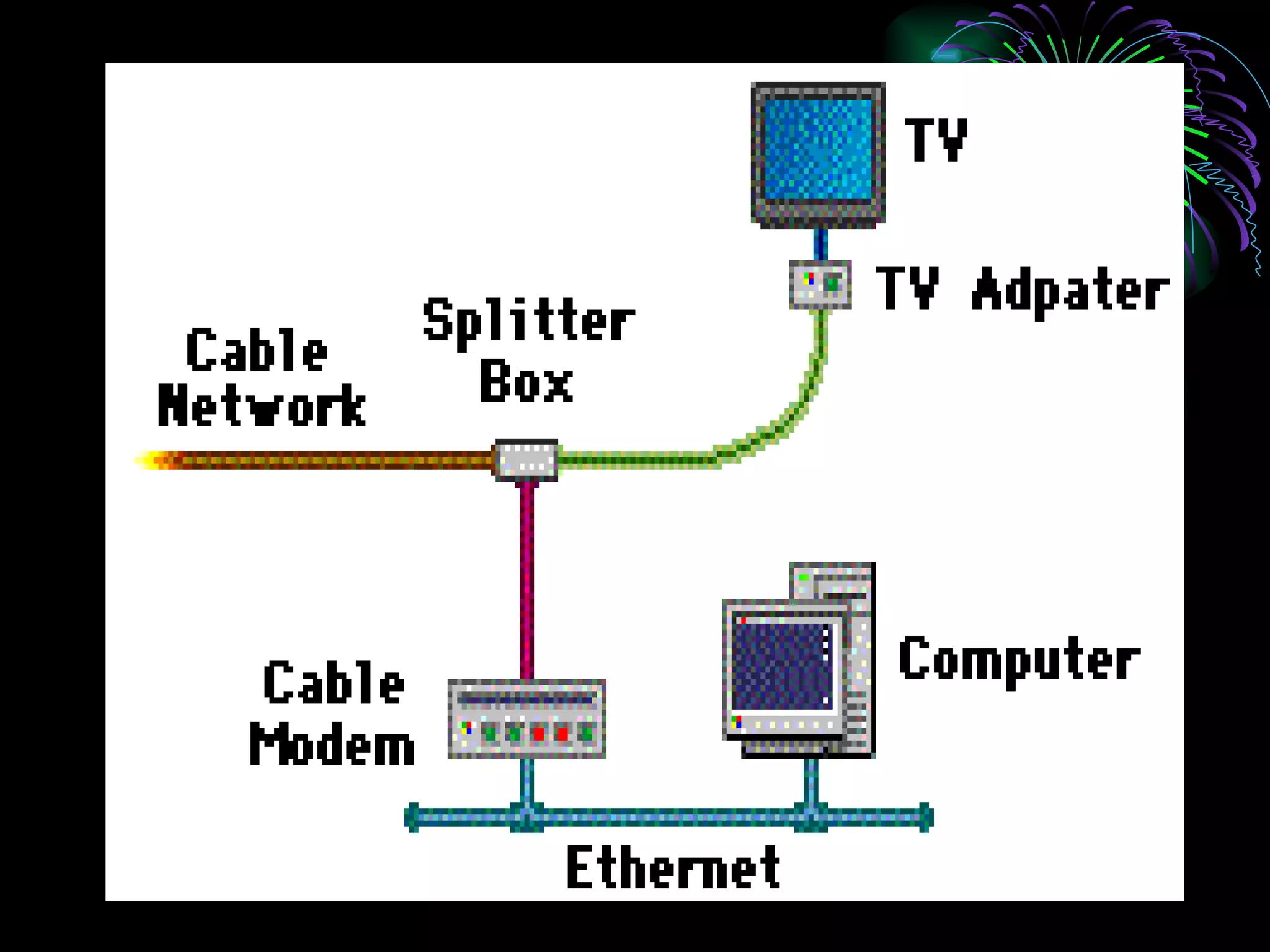
The "last mile" refers to the final stretch of the network from the optical node to the customer’s premises. In a cable network, this is handled by coaxial cable. Because copper has higher resistance and is more susceptible to electromagnetic interference than fiber, providers use amplifiers at specific intervals along the line to maintain signal strength. Before the signal enters a home, it passes through a tap, which splits a portion of the signal from the main line and directs it to the individual residence.
The Role of DOCSIS Technology
The secret to transmitting high-speed data over a wire originally designed for television is DOCSIS (Data Over Cable Service Interface Specification). Developed by CableLabs, DOCSIS is the international standard that allows cable modems to communicate with the CMTS.
As of 2026, the industry has largely transitioned to DOCSIS 4.0, though many regions still operate efficiently on DOCSIS 3.1.
Frequency Multiplexing
Cable providers do not use the entire capacity of the coaxial cable for a single purpose. Instead, they use Frequency Division Multiplexing (FDM). The available spectrum on the cable is divided into "channels."
- Some channels are reserved for traditional linear television.
- Other channels are dedicated to downstream data (internet traffic coming from the web to the user).
- A smaller set of channels is used for upstream data (traffic sent from the user to the web).
Modulation and QAM
To pack as much data as possible into these frequency channels, providers use Quadrature Amplitude Modulation (QAM). QAM varies both the phase and the amplitude of the radio waves to represent digital bits. In 2026, DOCSIS 4.0 utilizes 4K-QAM, which allows for significantly higher data density compared to the older 256-QAM used in early broadband days. This advancement is why modern cable internet can reach speeds of 10 Gbps downstream and up to 6 Gbps upstream.
Hardware at the Customer Premises
For a subscriber to access the network, two primary pieces of hardware are required: the modem and the router.
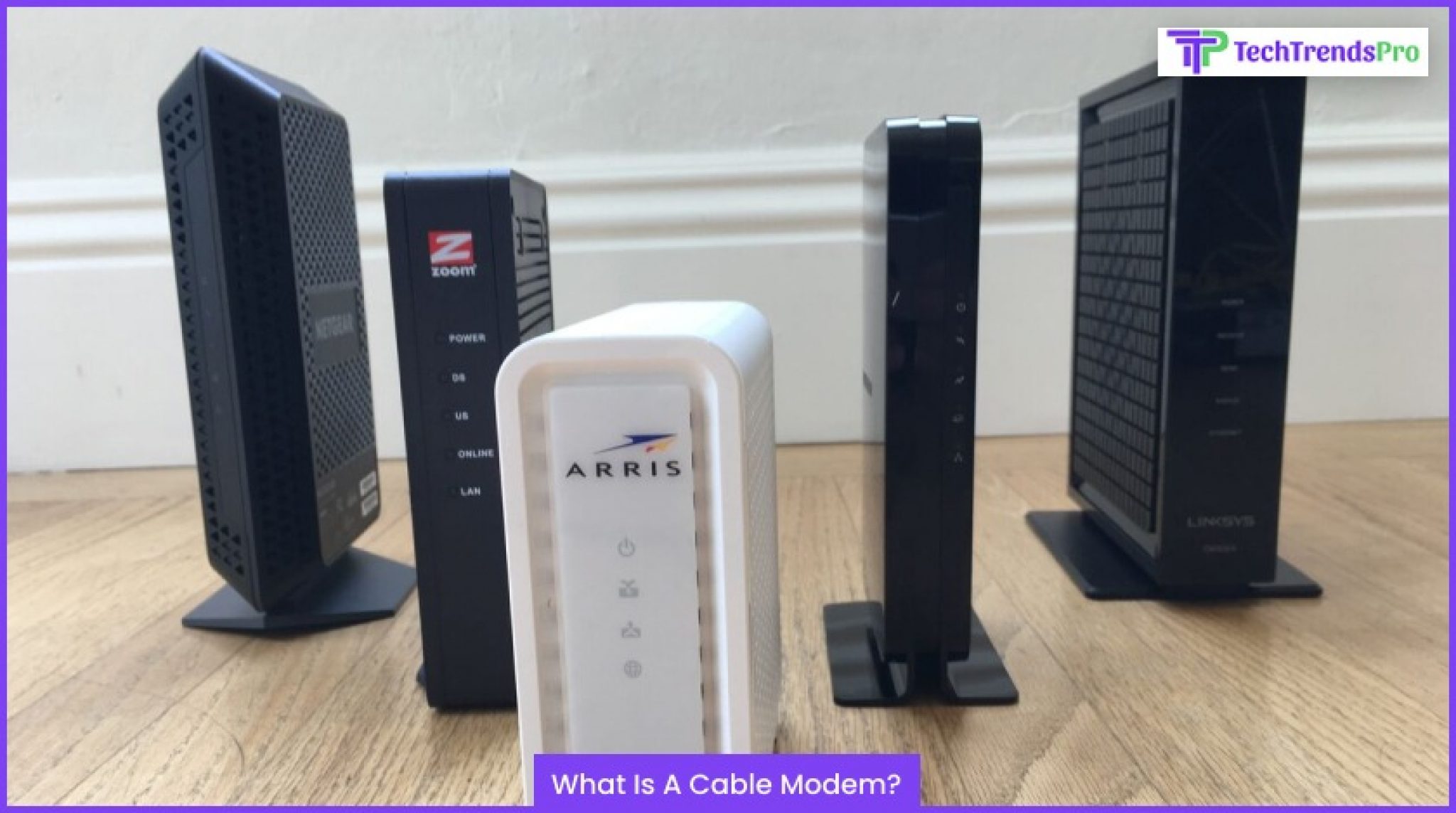
- The Cable Modem: This device is the bridge between the coaxial network and the home's local network. It performs modulation (converting digital data from a computer into RF signals to send out) and demodulation (converting incoming RF signals back into digital data).
- The Router: While the modem provides the connection, the router manages the traffic within the home. It assigns local IP addresses to devices via DHCP (Dynamic Host Configuration Protocol) and provides Wi-Fi connectivity. In many modern setups, the modem and router are combined into a single "gateway" device.
Performance Factors and Limitations
While cable internet is robust, several technical factors influence the actual speeds a user experiences.
Shared Bandwidth and Over-subscription
Cable internet is a shared medium. The bandwidth coming from a single optical node is shared among all the houses in a local "node segment" (often 250 to 500 homes). If every neighbor is streaming 8K video simultaneously, the available capacity for each user can decrease. This is often referred to as the "neighborhood effect." Providers manage this through "node splitting," where they add more fiber and nodes to reduce the number of homes sharing a single segment.
Signal-to-Noise Ratio (SNR)
Because coaxial cable uses electrical signals, it is prone to "noise" or interference. If a neighbor has a loose connector or a damaged cable, it can leak RF noise back into the system (ingress), potentially slowing down the internet for everyone on that node. Cable providers use sophisticated monitoring tools at the headend to identify these noise spikes and dispatch technicians to "harden" the network.
Comparison of Internet Access Technologies (2026 Status)
| Feature | Cable (DOCSIS 4.0) | Fiber-to-the-Home (FTTH) | DSL | 5G Fixed Wireless |
|---|---|---|---|---|
| Max Download | Up to 10 Gbps | Up to 10+ Gbps | 100 Mbps | 1 Gbps |
| Max Upload | Up to 6 Gbps | Up to 10+ Gbps | 20 Mbps | 100 Mbps |
| Latency | Low (10-20ms) | Ultra-Low (<5ms) | High (30-50ms) | Variable (20-40ms) |
| Reliability | High | Excellent | Moderate | Variable (Weather/Obstacles) |
| Infrastructure | HFC (Fiber + Coax) | Full Fiber | Copper Phone Lines | Cellular Towers |
The Data Flow: A Step-by-Step Example
To visualize how the provider works, consider the process of loading a website:
- Request: Your computer sends a request through the router to the modem.
- Upstream Modulation: The modem converts this digital request into an RF signal on an upstream frequency channel.
- Transit: The signal travels through the house wiring, out the tap, through the neighborhood coaxial lines, and into the local optical node.
- Conversion: The optical node converts the RF signal into a light pulse and sends it via fiber to the headend.
- Routing: The CMTS at the headend receives the signal, recognizes your modem's MAC address, and routes the request onto the global internet backbone.
- Return: The website's data returns to the headend, where the CMTS "packages" it for your specific modem and sends it back down the fiber-to-node-to-coax path.
Maintenance and Network Management
A cable internet access provider does not just build the network; they must actively manage it. This involves:
- IP Address Management: Providers assign IP addresses to modems. Most residential customers receive a dynamic IP, which can change periodically.
- Provisioning: When you pay for a specific speed tier (e.g., 1 Gbps), the provider sends a configuration file to your modem that tells it to limit its data throughput to that specific rate.
- Spectrum Management: Providers must constantly balance the spectrum between TV, internet, and phone services (VoIP). As more customers cut the cord on traditional TV, providers reallocate those TV frequencies to provide more internet bandwidth.
Frequently Asked Questions
Why does cable internet have slower upload speeds than download speeds?
Traditionally, cable networks were designed for television, which is a one-way broadcast. When internet was added, engineers allocated significantly more frequency "channels" to downstream traffic because most users consume more data (streaming, downloading) than they send. While DOCSIS 4.0 is enabling symmetrical speeds in 2026, many older systems still prioritize download capacity.
Can I use my own modem with a cable provider?
In most cases, yes. The Federal Communications Commission (FCC) and similar regulators generally require providers to allow customer-owned equipment, provided it is "certified" for their network. Using your own modem can save on monthly rental fees, but you must ensure it matches the provider's DOCSIS version (e.g., using a DOCSIS 3.1 modem on a 3.1 network).
How does weather affect cable internet?
Unlike satellite or fixed wireless, cable is largely shielded from rain or wind. However, extreme temperature fluctuations can cause coaxial cables to expand or contract, which can slightly alter signal levels. High-quality providers use "Automatic Gain Control" (AGC) in their amplifiers to compensate for these changes automatically.
What is the difference between a modem and a gateway?
A modem is a bridge between the cable network and your home. A gateway is a "2-in-1" device that contains both a modem and a wireless router. While gateways are convenient and take up less space, standalone routers often provide better Wi-Fi coverage and more advanced security features for power users.
Is cable internet still relevant with the rise of 5G?
Yes. While 5G Fixed Wireless is a viable alternative in some areas, cable internet (especially with DOCSIS 4.0) offers significantly higher total capacity and more consistent speeds. Physical wires—whether fiber or coaxial—remain less susceptible to the congestion and atmospheric interference that can affect wireless signals in densely populated areas.
Next Steps for Consumers
If you are looking to optimize your cable internet connection, start by verifying that your hardware is up to date. Check if your provider has rolled out DOCSIS 3.1 or 4.0 in your area; if they have, and you are still using an older DOCSIS 3.0 modem, you are likely missing out on significant speed and stability improvements. Additionally, ensure that all coaxial connections in your home are hand-tight and that you are using high-quality splitters rated for at least 1000MHz (1GHz) or higher to prevent signal loss.
Image Gallery