Best Medical Practice Management Software for Workers' Compensation in 2026
The best medical practice management software for workers' compensation integrates specialized e-billing, state-specific clinical documentation, and automated fee schedule tracking. In 2026, top-tier solutions like AdvancedMD, Tebra, a...
The best medical practice management software for workers' compensation integrates specialized e-billing, state-specific clinical documentation, and automated fee schedule tracking. In 2026, top-tier solutions like AdvancedMD, Tebra, and NextGen Healthcare lead the market by automating complex workflows, ensuring regulatory compliance, and accelerating reimbursement cycles for work-related injury claims.
Contents
Understanding the Unique Demands of Workers’ Compensation Software
Managing workers' compensation cases is fundamentally different from handling traditional commercial health insurance or Medicare. While standard practice management software (PMS) focuses on HIPAA compliance and standard ICD-10 coding, workers' comp requires a deep integration of legal, clinical, and financial workflows. The "best" software must bridge the gap between a medical record and a legal document.
In the 2026 landscape, the primary hurdle for providers is the "causality" requirement. Every note must explicitly link the injury to the workplace environment. Failure to do so results in immediate claim denial. Consequently, the software must offer specific templates that prompt providers to document the mechanism of injury, the date of the incident, and the patient's job duties with granular detail.
Furthermore, workers' compensation involves multiple stakeholders beyond the patient and the doctor. Payers, employers, case managers, and attorneys all require specific documentation. A high-performing practice management system acts as a centralized communication hub, ensuring that Work Status Reports and Primacy of Care documents are dispatched automatically to the correct parties.
Essential Features for Workers’ Comp Success in 2026
To qualify as a top-tier solution for work-injury management, a software platform must move beyond basic scheduling and billing. It requires specific modules designed for the high-friction environment of occupational medicine.
State-Specific Form Automation
Each state has its own regulatory body—such as the Division of Workers' Compensation (DWC) in California or the Workers' Compensation Board in New York. These entities require specific forms (e.g., PR-2, PR-4, or Doctor’s First Report of Occupational Injury). The best software automatically populates these forms using data pulled directly from the clinical encounter, reducing administrative overhead and minimizing transcription errors.
Advanced E-Billing and E-Attachments
In 2026, paper billing is obsolete for efficient practices. However, workers' comp billing requires more than just an electronic 837P file. It necessitates e-attachments—sending the supporting clinical notes alongside the bill. Software that integrates with specialized clearinghouses allows for "clean" submissions where the bill and the medical report are tethered, significantly reducing the "missing documentation" denials that plague the industry.
Real-Time Fee Schedule Tracking
Workers' compensation reimbursement is governed by state-mandated fee schedules (such as the Official Medical Fee Schedule or OMFS). These rates are updated annually or even quarterly. Modern software must include an integrated fee schedule engine that automatically calculates the expected reimbursement based on the CPT codes used and the specific state's multipliers. This allows for accurate accounts receivable (AR) tracking and helps identify underpayments by insurers.
Top Practice Management Software for Workers' Comp Analyzed
Selecting the right platform depends on the size of the practice and the volume of workers' comp cases handled. Below are the leading solutions evaluated for their 2026 performance.
1. AdvancedMD: The All-In-One Powerhouse
AdvancedMD remains a dominant force for medium-to-large multi-specialty practices. Its strength lies in its deep customization capabilities. The platform offers a dedicated "Work Comp" module that includes specialized patient intake flows where the "Work-Related" flag triggers a different set of mandatory fields.
- Pros: Robust reporting, highly scalable, and excellent integration with third-party billing services.
- Cons: Higher price point and a steeper learning curve for administrative staff.
2. Tebra (Kareo & PatientPop): Ideal for Independent Clinics
For smaller, independent practices, Tebra offers a more intuitive, user-friendly interface. While it is a general-purpose PMS, its billing rules engine is highly configurable. Practices can set up specific "case-based" billing, ensuring that personal health insurance and workers' comp claims for the same patient are never commingled.
- Pros: Mobile-friendly, easy to implement, and includes strong patient engagement tools.
- Cons: Form automation for obscure state requirements may require manual template building.
3. NextGen Healthcare: Best for High-Volume Orthopedics
NextGen is frequently the choice for orthopedic groups that deal primarily with musculoskeletal work injuries. Their clinical templates are among the most detailed in the industry, allowing for precise tracking of Maximum Medical Improvement (MMI) and Permanent Partial Disability (PPD) ratings.
- Pros: Deep clinical depth, excellent for specialized reporting, and strong interoperability with hospitals.
- Cons: Can be cumbersome for simple "med-legal" evaluations.
4. DrChrono: The Mobile-First Innovator
DrChrono’s iPad-based EHR and PMS are preferred by physicians who move quickly between exam rooms. In 2026, their use of AI-assisted dictation is particularly useful for workers' comp, as it helps doctors narrate the complex "History of Present Illness" required for work-related claims without spending hours typing.
- Pros: Exceptional user interface, strong API for integrations, and customizable medical forms.
- Cons: Billing features sometimes require third-party add-ons for complex work-comp fee schedules.
Comparative Overview of Top Platforms
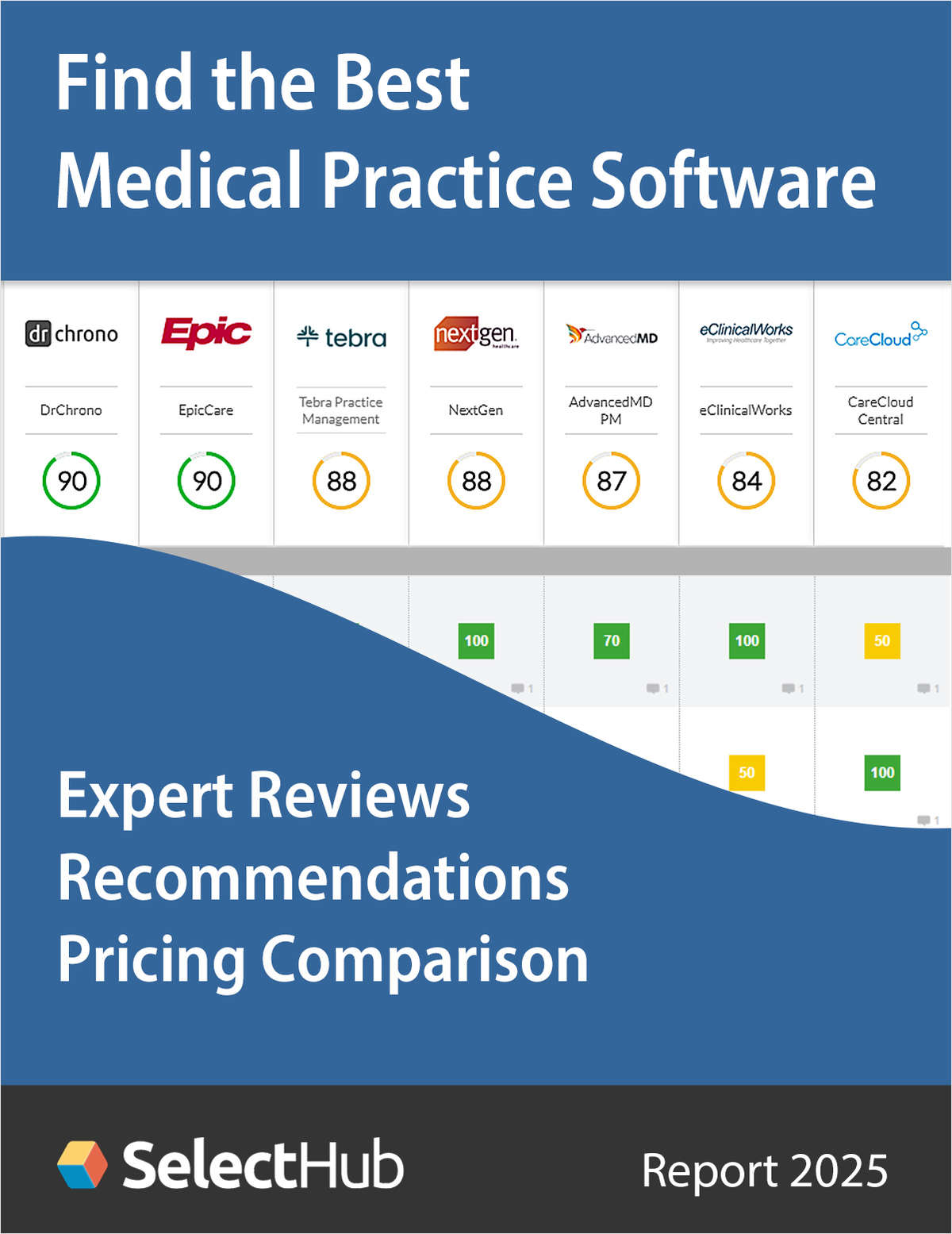
| Software Platform | Primary Target Audience | Workers' Comp Strength | E-Attachment Capability |
|---|---|---|---|
| AdvancedMD | Mid-to-Large Practices | State-specific form library & workflow triggers | Native integration with major clearinghouses |
| Tebra | Small/Solo Practices | Case-based billing architecture | Supports standard e-attachments |
| NextGen | Large Orthopedic/Multi-specialty | MMI/PPD rating tools & clinical depth | Advanced EDI capabilities |
| DrChrono | Mobile/Modern Physicians | AI-driven narrative documentation | Requires integration for complex billing |
| Athenahealth | Enterprise Systems | Massive payer rules engine for denials | Integrated document management |
Managing the Workflow: From Intake to Final Rating
The lifecycle of a workers' compensation claim is a marathon, not a sprint. The best practice management software facilitates every stage of this journey.
Step 1: Specialized Intake
The process begins at the front desk. Software must capture the Employer of Record, the Insurance Carrier, and the Third-Party Administrator (TPA). If the software cannot distinguish between the patient's employer and the insurer, the billing will fail before the patient is even seen.
Step 2: Clinical Documentation with "Causality"
During the encounter, the provider must document the "Who, What, Where, and When." Top-tier 2026 systems use macro-driven templates that ensure no required field is left blank. For instance, if a provider marks an injury as "work-related," the system should force the entry of the "Date of Injury" (DOI) before the note can be signed.
Step 3: Utilization Review (UR) Integration
In many states, specific treatments (like MRIs or surgeries) require Prospective Review or Request for Authorization (RFA). The best software allows staff to track the status of these requests directly within the patient chart, preventing the practice from performing non-reimbursable services.
Step 4: Final Ratings and MMI
Once a patient reaches Maximum Medical Improvement, the provider must issue a final report. This is often a complex legal document. Software that includes "AMA Guides" calculators or specific templates for permanent disability ratings provides a massive advantage to the practice and the patient.
Integration with Specialized Billing Services
Even the best general practice management software can sometimes struggle with the sheer complexity of workers' comp billing. In 2026, many practices use a hybrid approach: they use a standard PMS for scheduling and clinical notes, but they integrate it with a specialized workers' comp billing platform like DaisyBill.
These specialized integrations handle the "heavy lifting" of the Workers’ Comp Fee Schedule and the legal requirements for "timely filing." When a bill is generated in the PMS, it is pushed to the specialized billing tool, which scrubs it for state-specific errors, attaches the clinical note, and tracks the exact 15-day or 30-day payment deadline mandated by state law.
Common Pitfalls to Avoid
When selecting or upgrading your software in 2026, be wary of "Generalist" platforms that claim to "do workers' comp" but lack the following:
- Lack of E-Attachments: If you have to mail or fax clinical notes separately from your electronic bill, your denial rate will skyrocket.
- Missing Fee Schedules: Without an integrated fee schedule, you are essentially guessing if you were paid correctly.
- Poor Case Management: If the software cannot keep a patient's personal health records separate from their work injury records, you risk HIPAA violations by sending private medical info to an employer.
Frequently Asked Questions
Can I use the same software for private insurance and workers' comp?
Yes, most top-tier practice management systems are designed for multi-payer environments. However, you must ensure the software supports "Case Management" or "Episodes of Care," allowing you to separate different injuries or insurance types for the same patient.
How does AI improve workers' comp documentation in 2026?
AI now assists in extracting data from patient intake forms and "scribing" the mechanism of injury into the clinical note. This ensures that the specific language required by insurers to prove causality is present, reducing the likelihood of a claim being contested.
What is the average cost of workers' comp-ready software?
Pricing typically ranges from $300 to $700 per provider, per month. However, for workers' comp, the "hidden cost" is often in the clearinghouse fees for e-attachments. Always ask if e-attachment functionality is included in the base price or if it is a per-transaction fee.
Does the software handle "lien" cases?
Some software is better suited for the "Lien" or "Personal Injury" model common in states like California. If your practice works on a lien basis, ensure the software has a robust legal tracking module to manage attorney communications and settlement distributions.
Final Recommendation
For most practices in 2026, AdvancedMD remains the most comprehensive "off-the-shelf" solution for workers' compensation due to its deep state-specific form library and robust billing engine. However, smaller clinics may find Tebra more cost-effective, provided they are willing to do some initial template customization. Regardless of the platform chosen, the key to success lies in the ability to submit e-bills with e-attachments and the rigorous tracking of state fee schedules. Practices should prioritize a system that reduces administrative friction, allowing providers to focus on what matters most: returning the injured worker to health and productivity.
Image Gallery