Crafting an Effective Email Autoresponder Template: A Comprehensive Guide for 2026
To craft an effective email autoresponder template, you must define a specific trigger, establish a clear objective, and write concise, personalized copy that drives a single call to action. By utilizing dynamic tags and mobile-respons...
To craft an effective email autoresponder template, you must define a specific trigger, establish a clear objective, and write concise, personalized copy that drives a single call to action. By utilizing dynamic tags and mobile-responsive design, you ensure your automated messages provide immediate value while maintaining high deliverability and engagement standards.
Contents
Understanding the Role of Autoresponders in 2026
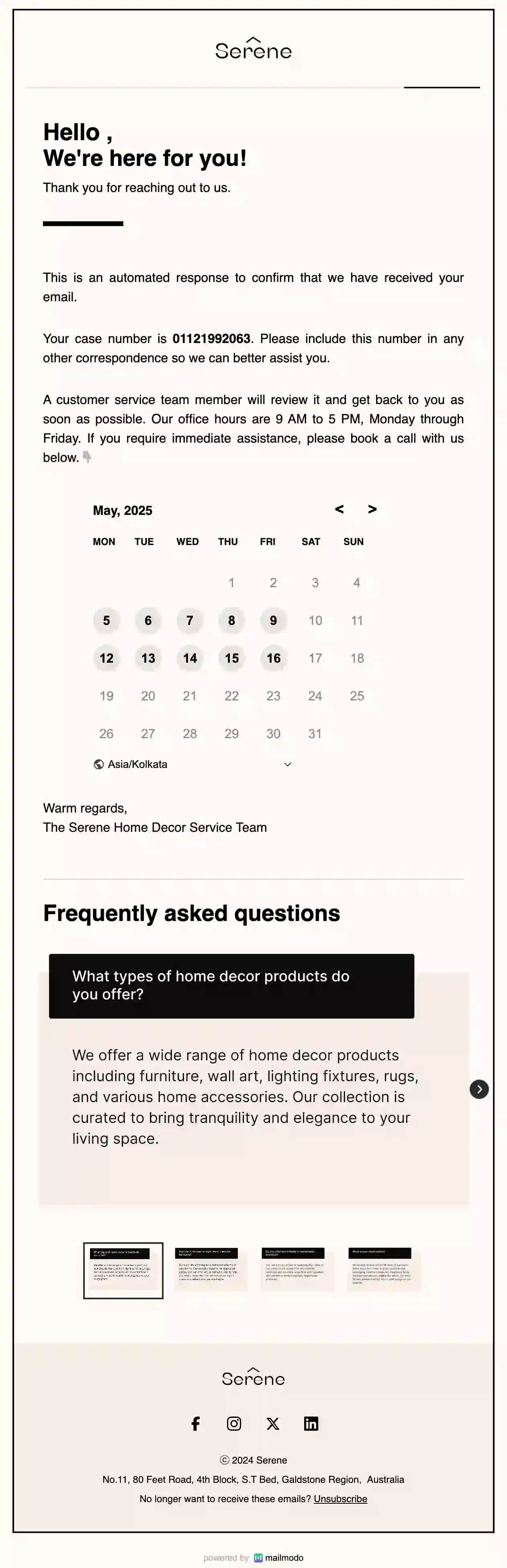
In the current digital landscape of 2026, the email autoresponder has evolved from a simple "out of office" reply into a sophisticated tool for behavioral marketing and customer lifecycle management. An autoresponder is a script or a sequence of emails sent automatically to a specific segment of your mailing list, triggered by a specific user action—such as signing up for a newsletter, downloading a white paper, or making a purchase.
The primary benefit of a well-crafted autoresponder template is the ability to provide an immediate touchpoint without manual intervention. This "set-and-forget" mechanism ensures that no lead goes cold and every customer receives a consistent brand experience. However, the "forget" part only applies to the execution; the strategy behind the template requires meticulous planning to ensure the content remains relevant, helpful, and compliant with modern privacy regulations.
Prerequisites for Building a High-Performing Template
Before you begin writing copy or designing layouts, you must establish the technical and strategic foundation. Attempting to craft a template without these prerequisites often leads to disjointed messaging and poor conversion rates.
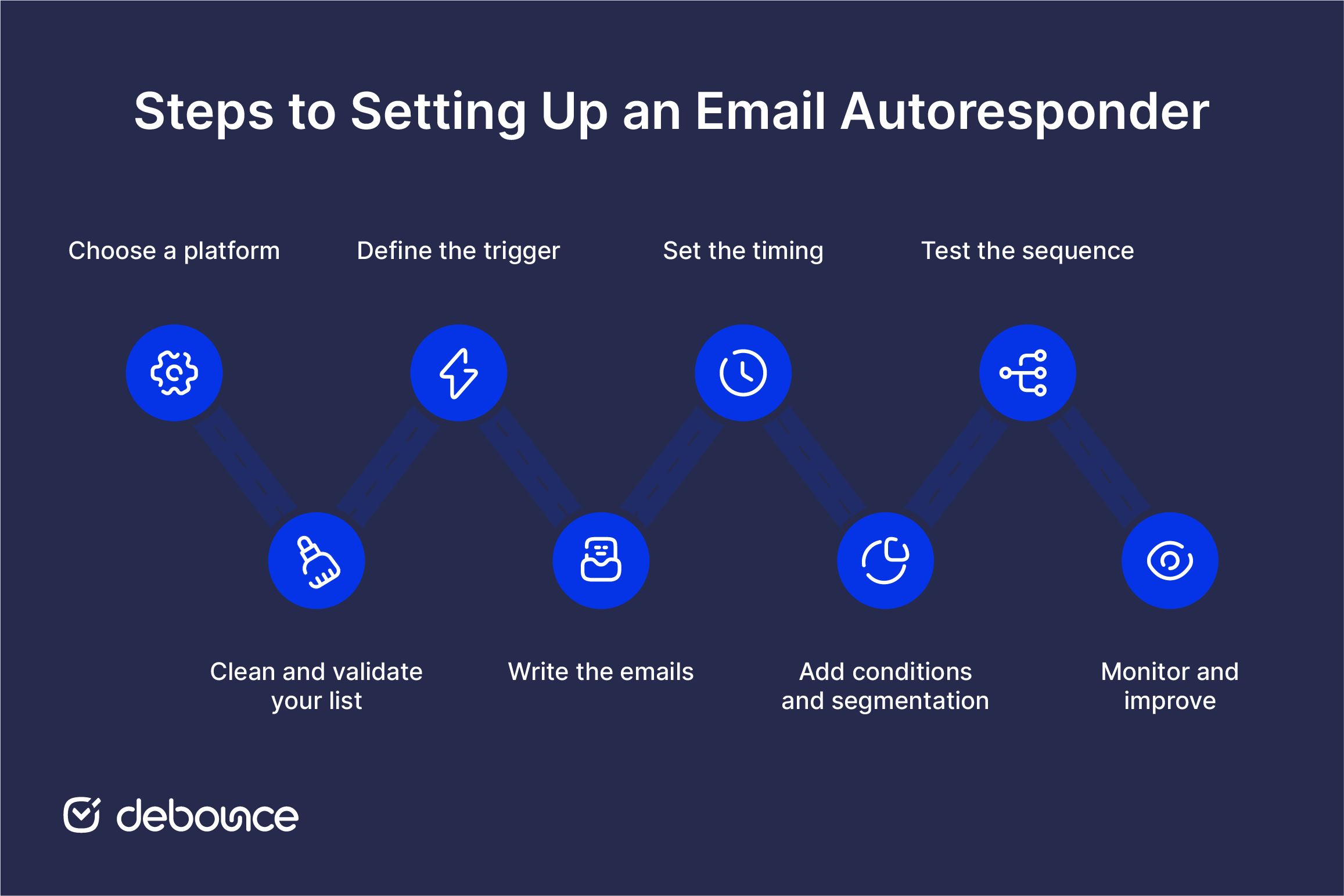
Selecting the Right Email Service Provider (ESP)
Your choice of ESP dictates the technical capabilities of your autoresponder. In 2026, most leading platforms offer AI-integrated features that can suggest send times or optimize subject lines based on historical data. Ensure your provider supports:
- Dynamic Content Blocks: To swap out images or text based on the recipient's location or past behavior.
- Robust Segmentation: The ability to trigger different templates for different user categories.
- A/B Testing: To test variations of your template against each other.
Defining the Trigger and Goal
Every template must serve a singular purpose. Are you welcoming a new subscriber? Delivering a lead magnet? Re-engaging a dormant user?
- The Trigger: This is the "If This" part of the automation (e.g., "If a user joins the 'SaaS Tips' list").
- The Goal: This is the desired outcome (e.g., "The user clicks the link to book a demo").
Data Privacy and Compliance
By 2026, global privacy standards such as the GDPR (General Data Protection Regulation) and various North American privacy acts have become more stringent. Your template must include a clear, one-click unsubscribe link and a physical mailing address to comply with the CAN-SPAM Act and international equivalents.
The Anatomy of an Effective Autoresponder Template
A successful template is more than just words on a screen; it is a structured journey designed to move the reader from curiosity to action. Each element must be optimized for both human psychology and technical deliverability.
The Subject Line: The Gateway to Engagement
In 2026, inboxes are more crowded than ever, and AI-driven filters are highly sensitive to "spammy" language. Your subject line should be concise (typically under 40 characters) and offer immediate value. Avoid all-caps, excessive punctuation, and misleading "RE:" or "FWD:" prefixes.
Pro-Tip: Use the preheader text—the short snippet of text that follows the subject line in most email clients—to provide context that complements the subject line rather than repeating it.
The Opening and Personalization
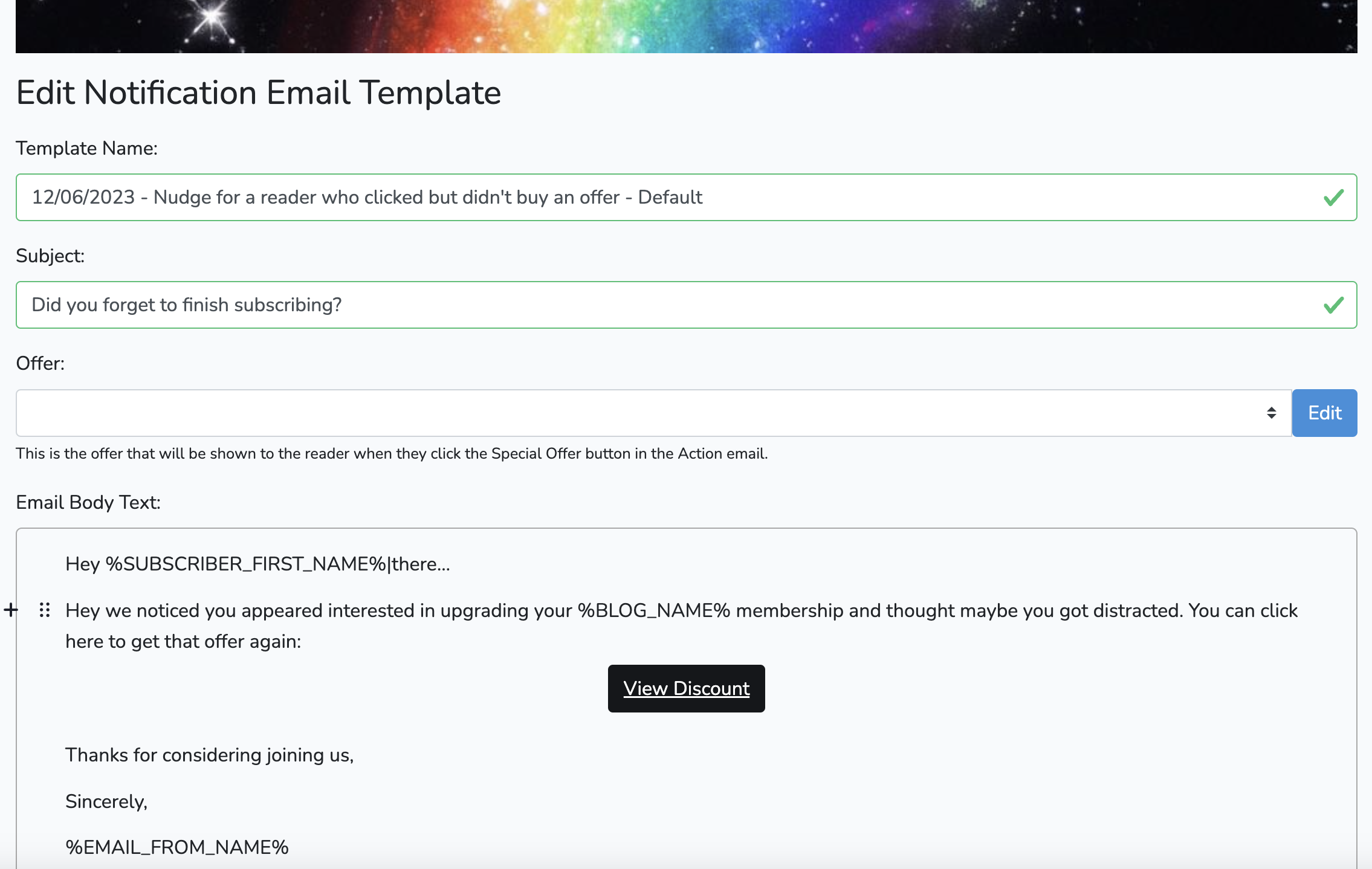
Generic "Dear Customer" greetings are obsolete. Modern templates use Liquid tags or similar placeholder syntax to insert the recipient's first name, company, or even a reference to the specific action they just took. The opening should acknowledge the trigger immediately: "Thanks for downloading our 2026 Industry Report! Here is your copy."
The Body Copy: Value-First Architecture
The body of your autoresponder should follow a logical flow. A common framework is the Problem-Agitate-Solve (PAS) model or the Benefit-Feature model.
- Acknowledge the Need: Confirm why they are receiving the email.
- Provide Value: Deliver the promised content (link, code, or information).
- Establish Authority: Briefly explain why your organization is the right source for this solution.
- Keep it Brief: Ideally, an autoresponder body should be between 50 and 150 words. Long-form content is better suited for newsletters or blog posts, not automated triggers.
The Call to Action (CTA)
Every template must have one primary CTA. Multiple buttons or links can confuse the reader and dilute the click-through rate. The CTA should be a high-contrast button rather than just a text link, as buttons are significantly easier to tap on mobile devices. Use action-oriented language like "Get My Guide" or "Start My Trial" instead of passive words like "Click Here."
Technical Implementation and Logic
Once the copy is written, the template must be coded or built using a drag-and-drop editor. Technical precision ensures that the email looks correct across the hundreds of possible device and email client combinations.
Mobile-First Design
Statistics in 2026 confirm that over 70% of initial email opens occur on mobile devices. Your template should use a single-column layout to prevent horizontal scrolling. Ensure that font sizes are at least 16px for body text to maintain readability on small screens.
HTML vs. Plain Text
While beautifully designed HTML emails are standard for marketing, plain-text autoresponders often see higher engagement in "nurture" sequences because they feel more personal and less like an advertisement. Many advanced marketers use "Hybrid" templates—HTML that is styled to look like a personal plain-text email from a specific individual within the company.
Using Placeholders and Fallbacks
When crafting your template, you will use tags like {{first_name}}. It is critical to set a fallback value (e.g., "there" or "friend") in case the user's data is missing. An email that starts with "Hello {{first_name}}!" looks unprofessional and can trigger spam filters.
Comparison of Autoresponder Features by Platform (2026 Standards)
The following table compares the automation and templating capabilities of leading platforms as of 2026.
| Feature | HubSpot | ActiveCampaign | Mailchimp | Klaviyo |
|---|---|---|---|---|
| Primary Focus | Enterprise CRM | Advanced Automation | Small Business / Ease | E-commerce / Retail |
| Template Flexibility | High (Modules) | Moderate | High (Drag-and-Drop) | Very High (Dynamic) |
| AI Copy Assistance | Integrated | Basic | Integrated | Advanced Predictive |
| Behavioral Triggers | Complex / Multi-channel | Deep Logic | Standard | Purchase-focused |
| 2026 Starting Price | $450/mo (Professional) | $49/mo | $13/mo | $20/mo |
Common Types of Autoresponder Templates
Depending on your business goals, you will likely need a library of different templates. Each requires a slightly different tone and structure.
1. The Welcome Email
This is sent immediately after someone joins your list. It has the highest open rate of any email you will ever send.
- Goal: Set expectations and deliver a "quick win."
- Key Element: A clear "What to expect next" section.
2. The Lead Magnet Delivery
When someone trades their email address for a resource, this template delivers that resource.
- Goal: Confirm the transaction and encourage immediate consumption of the content.
- Key Element: A prominent, unmistakable download button.
3. The Abandoned Cart Sequence
Specific to e-commerce, this triggers when a user leaves items in their digital shopping cart without checking out.
- Goal: Recover lost revenue by addressing potential objections.
- Key Element: A dynamic image of the item they left behind and a sense of gentle urgency.
4. The Feedback or Survey Request
Triggered after a customer has had time to use a product or service.
- Goal: Gather social proof or identify service gaps.
- Key Element: A simple, low-friction way to provide a rating (e.g., 1-5 stars directly in the email).
Troubleshooting Common Issues
Even the most carefully crafted templates can run into issues. Regular auditing is necessary to maintain performance.
- Low Open Rates: Usually indicates a problem with the subject line or sender reputation. Check your DMARC and SPF records to ensure your domain is authenticated.
- Broken Layouts: Email clients like Outlook 2026 may render HTML differently than Gmail. Always use a tool like Litmus or Email on Acid to test how your template looks across different platforms.
- High Unsubscribe Rates: This often happens if the autoresponder is sent too long after the trigger event. Ensure your "delays" are set correctly—welcome emails should be near-instant.
- Link Tracking Failures: Ensure that your ESP’s tracking pixels and link wrappers are not being blocked by the recipient's privacy settings. Using descriptive anchor text helps users feel safe clicking.
FAQs about Email Autoresponders
How many emails should be in an autoresponder sequence?
For a standard welcome series, 3 to 5 emails are typically effective. The first delivers the promise, the second provides additional value, the third introduces your core product, and subsequent emails handle objections or offer social proof. Avoid overwhelming the recipient; space them 1-2 days apart.
Should I use images in my autoresponder template?
Images can enhance branding, but they should be used sparingly. Many email clients block images by default. Ensure your template still makes sense and remains functional if the images do not load, and always include "Alt Text" for every image to assist with accessibility and SEO.
What is the best time of day to send an automated email?
For behavior-based autoresponders, the best time is immediately after the trigger. If someone signs up for your list at 2:00 AM, they are engaged at that moment. For follow-up nurture sequences, AI-driven "send-time optimization" features in your ESP can determine the best window based on the individual recipient's past behavior.
How often should I update my templates?
You should audit your autoresponder templates at least once every six months. Check for broken links, outdated branding, and mentions of past years or expired offers. Refreshing the copy can also prevent "creative fatigue" for long-term leads who might see multiple sequences.
Can I include attachments in an autoresponder?
It is generally discouraged to include direct attachments (like PDFs) in automated emails. They increase the file size, which can trigger spam filters and slow down loading times. Instead, host the file on your website or a cloud service and provide a direct link in the email.
Next Steps for Implementation
After crafting your template, the most important next step is verification. Send a test version to your own inbox and view it on both a desktop and a mobile device. Click every link to ensure it goes to the correct landing page. Once verified, activate the trigger with a test email address to ensure the automation logic is firing correctly. Monitor your analytics for the first 30 days, paying close attention to the "Click-to-Open" (CTO) rate, which is the most accurate measure of how well your template's content is performing.
Image Gallery