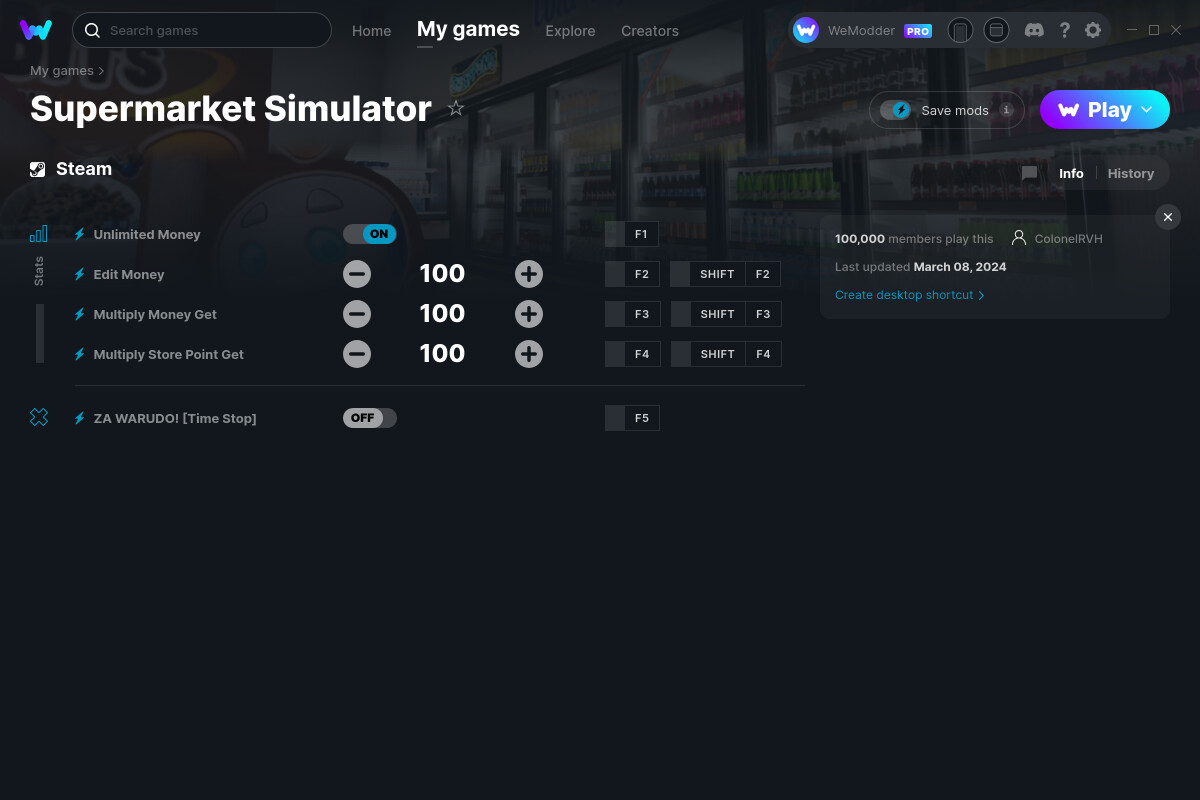
Why the Best Cheats for Supermarket Simulator Cost Nothing
The best cheats for Supermarket Simulator cost nothing because the game's architecture relies on local file structures, open-source script injectors, and community-driven development that thrives on free sharing rather than commercial...
The best cheats for Supermarket Simulator cost nothing because the game's architecture relies on local file structures, open-source script injectors, and community-driven development that thrives on free sharing rather than commercial monetization.
Contents
As Supermarket Simulator continues to capture the attention of simulation management enthusiasts, players frequently look for ways to bypass the grind of stocking shelves, paying daily bills, and expanding storefronts. While the gaming industry is saturated with microtransactions, paywalled expansions, and subscription-based trainers, the modifying ecosystem surrounding this title remains entirely open-source and free. Understanding why these top-tier modifications and console commands cost nothing requires examining the technical mechanics of the game, the psychology of the simulation modding community, and the open-source ethos that governs PC sandbox experiences.
Understanding the Architecture of Supermarket Simulator
To understand why modifications and workarounds for Supermarket Simulator are distributed without a price tag, one must first look at how the game is built. Developed using the Unity engine, the game stores core player data, economic multipliers, and inventory parameters in locally accessible text and configuration files.
Unlike massively multiplayer online games that validate every transaction and player statistic on a secure, cloud-based server, Supermarket Simulator operates primarily offline. This local architecture means that the game state lives on your personal hard drive. When a game does not require server-side authentication for single-player progress, the barriers to modifying local variables drop to zero.
Because altering player funds, product prices, or store level requires no sophisticated server-side exploits or paid proxy tools, developers of community utilities have no technical justification to charge money. The tools used to tweak these values are simply text editors, memory scanner tables, or lightweight script hooks that interface directly with the local Unity framework.
The Open-Source Ethos of the Simulation Modding Community
The modding community for simulation games has historically operated on a gift economy rather than a capitalist marketplace. When independent developers or hobbyist programmers create a utility to make a game more enjoyable, their primary motivations are peer recognition, community contribution, and personal problem-solving.
Platforms like Nexus Mods, GitHub, and specialized gaming forums enforce strict guidelines against paywalled modifications. Charging money for game trainers, script hooks, or save editors often violates the terms of service of these hosting platforms and alienates the very community the creator aims to reach. Consequently, the best cheats—ranging from infinite money scripts to employee speed modifiers—are shared freely as open-source projects or freeware utilities.
Community-Driven Platforms vs. Paywalled Trainers
While commercial trainer websites occasionally lock advanced features or high-speed execution options behind a monthly subscription fee, the PC gaming community routinely bypasses these paywalls by turning to community-verified, free alternatives.
- Commercial Trainers: Often require monthly fees, bundle unnecessary software, and can trigger false-positive anti-cheat alerts due to obfuscated code.
- Open-Source Script Hooks: Completely free, transparently coded, inspectable by any user, and updated rapidly by passionate community members.
- Manual File Edits: Cost zero dollars, require no external software downloads, and give players granular control over their save files.
| Modification Method | Cost | Technical Skill Required | Risk Level |
|---|---|---|---|
| Save File Editing (JSON/Text) | Free | Low | Low (with backups) |
| MelonLoader / BepInEx Scripts | Free | Moderate | Low |
| Community Cheat Tables (Cheat Engine) | Free | Moderate | Low |
| Paid Commercial Trainers | Subscription | Low | Moderate |
How Free Supermarket Simulator Cheats Work
Instead of paying for third-party software, understanding how free modifications operate empowers players to alter their gameplay safely. The methods available at zero cost generally fall into three distinct technical categories: manual save file manipulation, memory injection, and custom mod loaders.
1. Manual Save File Editing
The most reliable and cost-free method for altering Supermarket Simulator involves editing the local save file. The game typically stores progress data in a JSON or plain-text format within the user's local AppData directory. By locating this file using a standard text editor like Notepad++, players can directly change variables such as bank balance, daily XP, and license levels.
Because this method utilizes native operating system tools, it costs nothing, requires no downloads from unverified sources, and carries zero risk of malware infection.
2. Cheat Engine Tables
For players seeking real-time modifications—such as freezing time, altering customer movement speed, or infinitely spawning stock—community-built tables for Cheat Engine serve as the industry standard. Cheat Engine is a completely free, open-source memory scanner and debugger.
The tables created for Supermarket Simulator point directly to specific memory addresses within the running Unity process. Because the creators of these tables share them on public forums out of goodwill, users never have to input credit card information or subscribe to premium tiers to access them.
3. Unity Mod Loaders (BepInEx and MelonLoader)
More advanced modifications require custom code injection via frameworks like BepInEx or MelonLoader. These tools hook into the Unity engine runtime, allowing community-made plugins to alter game logic, add new management features, or remove tedious mechanics entirely. Like the game engines they support, these mod loaders are open-source projects maintained by volunteer developers and distributed freely to the global gaming community.
Why Charging for Simulation Cheats Fails
From an economic perspective, attempting to monetize modifications for a single-player simulation game is unsustainable. The market tolerance for paying for cheats in a game that costs a modest amount on Steam is practically nonexistent.
If a website attempts to charge a monthly subscription for a trainer that grants infinite money in a supermarket management game, users will simply seek out free alternatives hosted on GitHub or open forums within hours. The low barrier to entry for scripting in Unity ensures that proprietary paywalls are easily circumvented by independent programmers who publish identical functionality for free. Furthermore, the competitive nature of open-source development means that free tools are often updated faster and with greater transparency than commercial alternatives.
Safety and Best Practices When Using Free Modifications
While the best cheats cost nothing, downloading files from the internet always requires caution. To ensure your system remains secure while enhancing your gameplay, adhere to established safety protocols:
- Always Back Up Your Save Files: Before editing local JSON files or attaching memory scanners, copy your save directory to a safe backup folder to prevent corruption.
- Download Only from Reputable Sources: Stick to established modding communities, GitHub repositories, and verified community forums rather than obscure download links found in video descriptions.
- Scan Files Locally: Run any downloaded script or executable through an updated local antivirus scanner before execution.
- Disable Cloud Sync Temporarily: If experimenting with radical save file edits, temporarily pause Steam Cloud synchronization to prevent corrupted states from overwriting your cloud backups.
Frequently Asked Questions
Are free cheats for Supermarket Simulator safe to use?
Yes, provided you download them from reputable, community-moderated platforms like GitHub or established modding forums. Because these tools are open-source, their code can be publicly inspected, minimizing the risk of hidden malware compared to obscure commercial software.
Will using free cheats get my Steam account banned?
Supermarket Simulator is primarily a single-player offline game without competitive multiplayer matchmaking or invasive kernel-level anti-cheat software. Using local save edits or memory trainers does not trigger VAC (Valve Anti-Cheat) bans.
Do I need to pay for Cheat Engine to use community tables?
No. Cheat Engine is a completely free, open-source software project. Any website attempting to charge you for downloading Cheat Engine or its associated tables is unauthorized and should be avoided.
Why do some websites charge for trainers if free ones exist?
Some commercial trainer aggregation sites capitalize on casual users who do not know how to find open-source alternatives. They lock basic utility features behind subscriptions, relying on search engine optimization to attract players unfamiliar with community-driven modding hubs.
Can I use these free methods on the Steam Deck?
Yes. Because Steam Deck runs on a Linux-based operating system with a accessible desktop mode, players can manually edit local save files or deploy Linux-compatible script frameworks at no cost.
Conclusion and Next Action
The reality of PC gaming modification is rooted in community collaboration, transparency, and accessibility. Because Supermarket Simulator utilizes an accessible local file structure and runs on the Unity engine, top-tier modifications will always be developed, shared, and maintained for free by passionate players. To enhance your gameplay safely today, locate your local save directory, back up your progress files, and explore open-source community forums for verified, cost-free optimization scripts.
Image Gallery