How the Reporter in Jira Shapes Issue Flow
In Jira, the Reporter field identifies the user who submitted an issue or on whose behalf a request was logged. Beyond serving as metadata, the Reporter dynamically shapes issue flow by governing visibility in permission schemes, trigg...
In Jira, the Reporter field identifies the user who submitted an issue or on whose behalf a request was logged. Beyond serving as metadata, the Reporter dynamically shapes issue flow by governing visibility in permission schemes, triggering automated routing, dictating notification dispatch, enforcing workflow conditions (such as segregation of duties), and establishing Service Level Agreement (SLA) tracking in Jira Service Management.
Contents
Understanding the Reporter Field in Jira Architecture
To optimize Jira project configuration, administrators must distinguish between the Reporter, the Assignee, and the Creator. While these three roles often overlap during issue creation, Jira treats them distinctly within its backend framework:
- Creator: The system-generated, immutable account that physically executed the issue creation event. This field cannot be altered after creation.
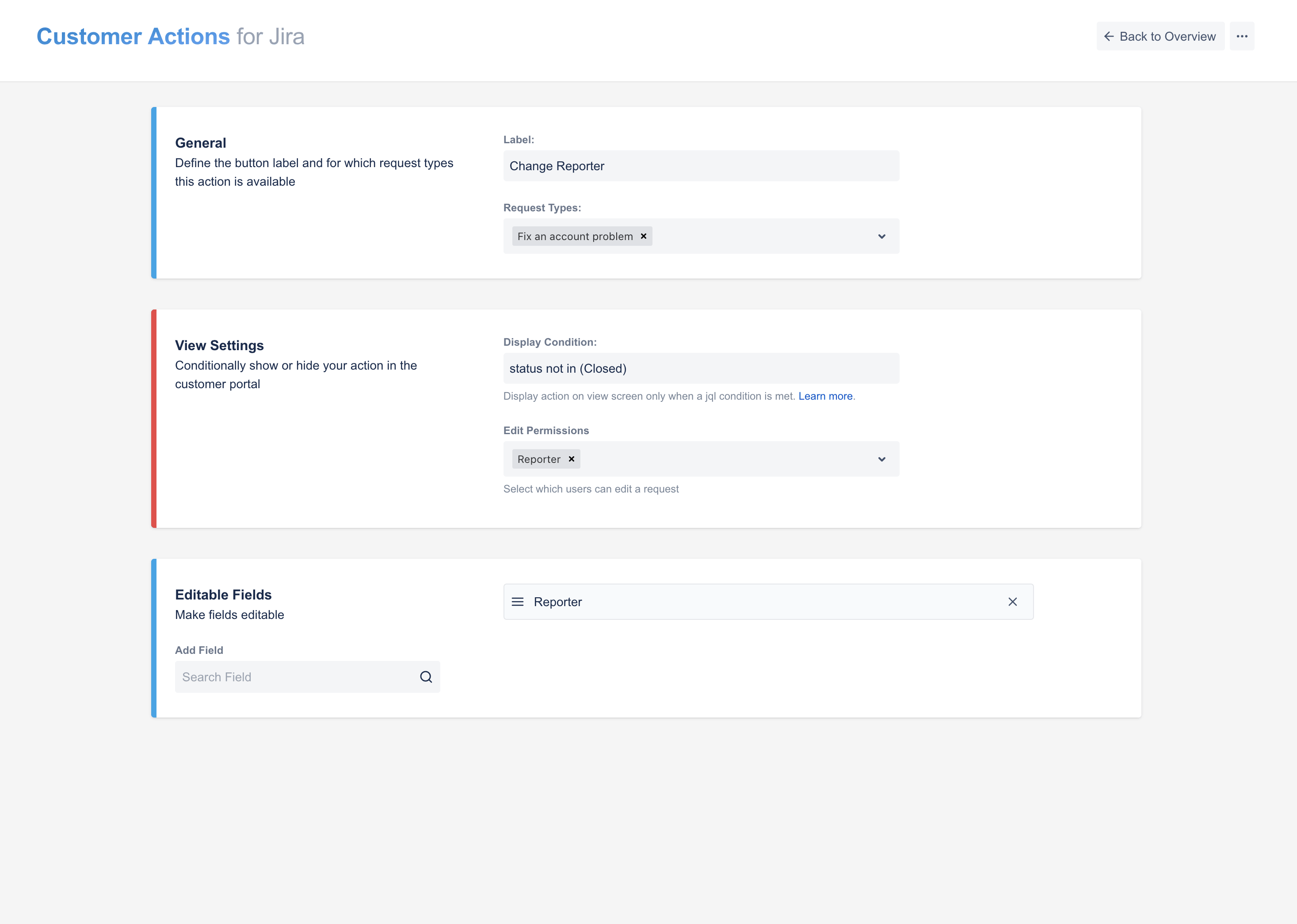
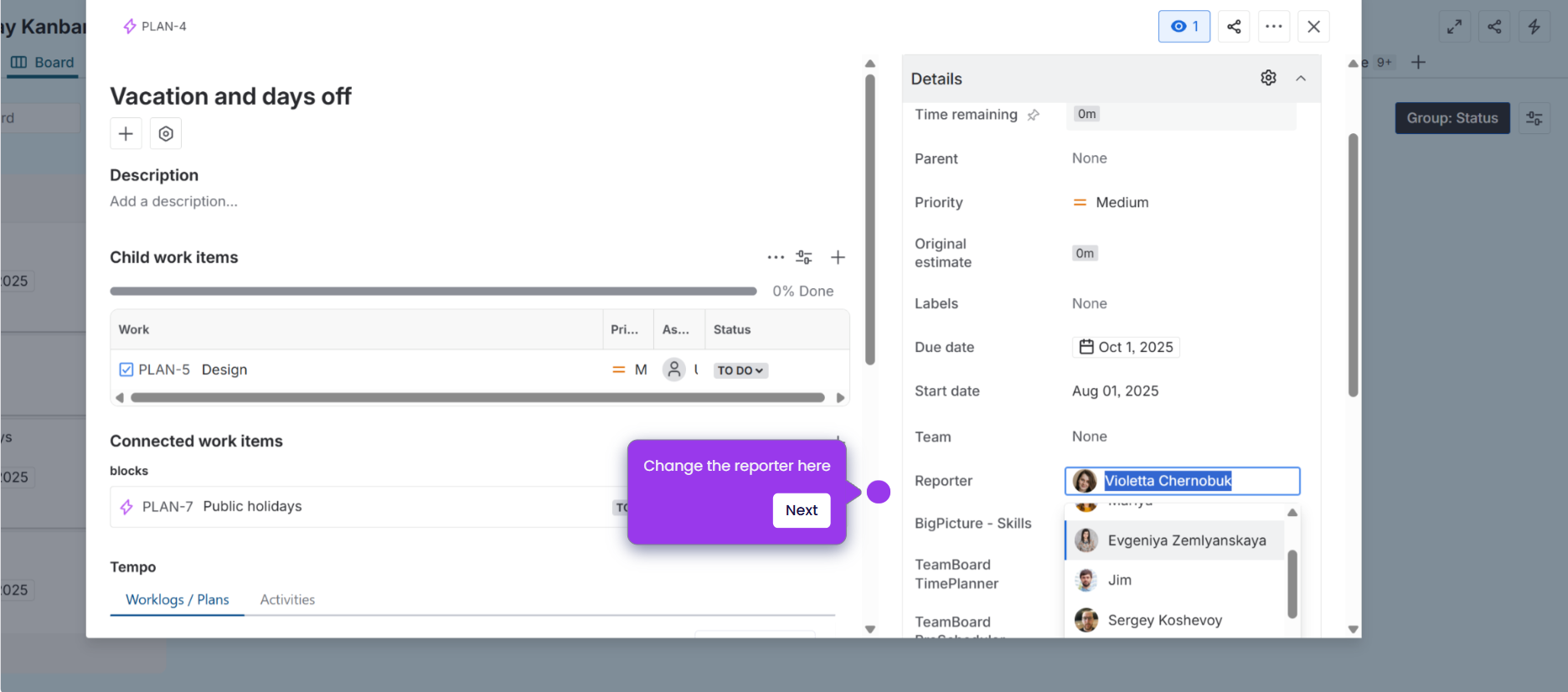
- Reporter: The individual user or customer account designated as the origin of the issue. Unlike Creator, the Reporter can be changed post-creation by users who possess the Modify Reporter permission.
- Assignee: The individual responsible for executing the required work to bring the issue to resolution.
Because Jira uses the Reporter to represent the source of business demand, this field acts as a critical pivot point across security policies, communications, and administrative rules. When an issue enters a Jira project, the system queries the Reporter's identity, group memberships, project roles, and organizational associations to evaluate how the issue should move through its lifecycle.
Core Mechanisms: How the Reporter Influences Issue Lifecycle
The Reporter field directly controls four administrative engines in Jira: workflow logic, permission schemes, notification schemes, and automation triggers.
1. Workflow Conditions, Validators, and Approvals
Jira workflows utilize conditions and validators to restrict transitions based on the user performing the action or the attributes of the issue itself. The Reporter field plays a vital structural role in governance and regulatory compliance:
- Segregation of Duties (SoD): In regulated environments (such as financial audit trails or ISO 27001 compliance), companies often prevent reporters from approving or closing their own requests. Workflow conditions—such as comparing
ReporteragainstAssigneeor current user—can block transitions (e.g., moving a ticket to "Approved" or "Done") if the user attempting the transition matches the Reporter. - Reporter-Only Actions: Certain transitions, such as reopening a resolved ticket or providing additional customer info, can be configured so that only the assigned Reporter can execute them.
- Approval Routing: In Jira Service Management (JSM), approval steps can automatically dynamically omit or require approval depending on whether the Reporter belongs to specific management tiers or active directory groups.
2. Permission Schemes and Issue Security Levels
Issue Security Schemes and Permission Schemes allow Jira administrators to build access policies using the Reporter field as a primary actor.
- Single Issue Security: By defining an Issue Security Level where Security relies on the
Reporter, administrators ensure that only the assigned Reporter and designated project members (such as project leads or assignees) can view sensitive tickets. This is standard in HR, legal, and internal IT helpdesk projects. - Browse Projects & Edit Issues: Permission schemes can grant specific rights exclusively to the Reporter. For example, non-licensed or restricted portal users may be granted permission to view and edit only the issues where
Reporter = CurrentUser().
3. Notification Schemes and Stakeholder Communication
Communication flow in Jira depends heavily on the Notification Scheme applied to a project. The Reporter is a standard default recipient across major events:
- Issue Created / Updated: Notifies the Reporter that their submission was received or modified.
- Issue Resolved / Closed: Informs the original requester that work is complete, prompting customer satisfaction (CSAT) surveys.
- User Comments: Distinguishes between internal comments (visible only to agents/assignees) and public comments, which trigger email or portal updates directly to the Reporter.
If the Reporter field is configured incorrectly (e.g., set to a generic system account during automated integrations), critical notification loops break, leaving human stakeholders unaware of ticket progress.
4. Jira Automation and Dynamic Routing
Jira Automation leverages smart values and trigger conditions linked directly to the Reporter field to accelerate ticket triage:
Trigger: Issue Created Condition: Reporter in Group ("VIP-Clients") Action: Set Priority to "High" AND Edit Component to "Priority Escalations"
Automation rules routinely inspect the Reporter's metadata—such as their department, location, or organization—to route issues instantly to specialized queues, auto-assign regional support staff, or adjust SLA targets before human agents evaluate the queue.
Jira Service Management (JSM) and Customer Portal Routing
In Jira Service Management, the impact of the Reporter field expands significantly beyond traditional Jira Software projects.
Portal Visibility and Customer Rights
In JSM, non-licensed Jira users interact with the system as Portal Customers. When a customer submits a form via the JSM Customer Portal, Jira automatically assigns them as the Reporter.
The Reporter field dictates request visibility in three ways:
- Individual Requests: By default, customers can view requests where they are designated as the Reporter.
- Organization Sharing: If the Reporter belongs to a JSM Customer Organization, they can share the issue with all members of that organization, granting team-wide visibility into issue progress.
- Group-Based Portal Access: Access to specific request types within the portal can be restricted based on the Reporter's active account permissions.
SLA Timers and Escalations
Service Level Agreements (SLAs) measure the time taken to resolve issues or respond to customers. JSM SLA goals frequently use JQL (Jira Query Language) filters that incorporate the Reporter field:
Reporter in membersOf("Enterprise-Support")can trigger a 1-hour Response Time SLA.Reporter in membersOf("Standard-Support")triggers a 4-hour Response Time SLA.
Changing the Reporter field after ticket creation can alter or recalculate active SLA clocks if the underlying goal relies on Reporter attributes, making accurate initial designation critical for service operations.
Reporter Field Control and Governance Best Practices
To maintain workflow integrity, organizations must implement robust governance over who can modify the Reporter field and how it behaves across automated channels.
Permissions and Governance Matrix
| Role / Actor | Default Permission | Impact on Issue Flow | Best Practice Recommendation |
|---|---|---|---|
| System Administrator | Full Modify Reporter rights | Can change reporter on any issue across all projects. | Limit to core admin accounts; log changes for audit trails. |
| Project Administrator | Granted via Permission Scheme | Manages team assignment rules and workflow transitions. | Grant Modify Reporter permission only to lead agents/scrum masters. |
| Assignee / Agent | Configurable via Project Permissions | Can update reporter when logging tickets on behalf of end users. | Enable Modify Reporter to allow agents to fix mistagged requesters. |
| Portal Customer | None (Cannot change reporter) | Submits requests as self; cannot alter reporter field after submission. | Keep restricted to prevent unauthorized ownership spoofing. |
| Automation Engine | Runs as Rule Actor / System | Modifies reporter based on API calls or webhook payloads. | Ensure service accounts executing rules hold appropriate project permissions. |
Common Pitfalls in Reporter Management
- Generic Service Account Reporting: When integrations (e.g., email-to-ticket tools or monitoring alerts like Nagios/Datadog) create Jira tickets under a single generic administrative user, all notification alerts, SLA targets, and reporting metrics funnel through one account. This obfuscates root cause analytics and breaks individual user communication loops.
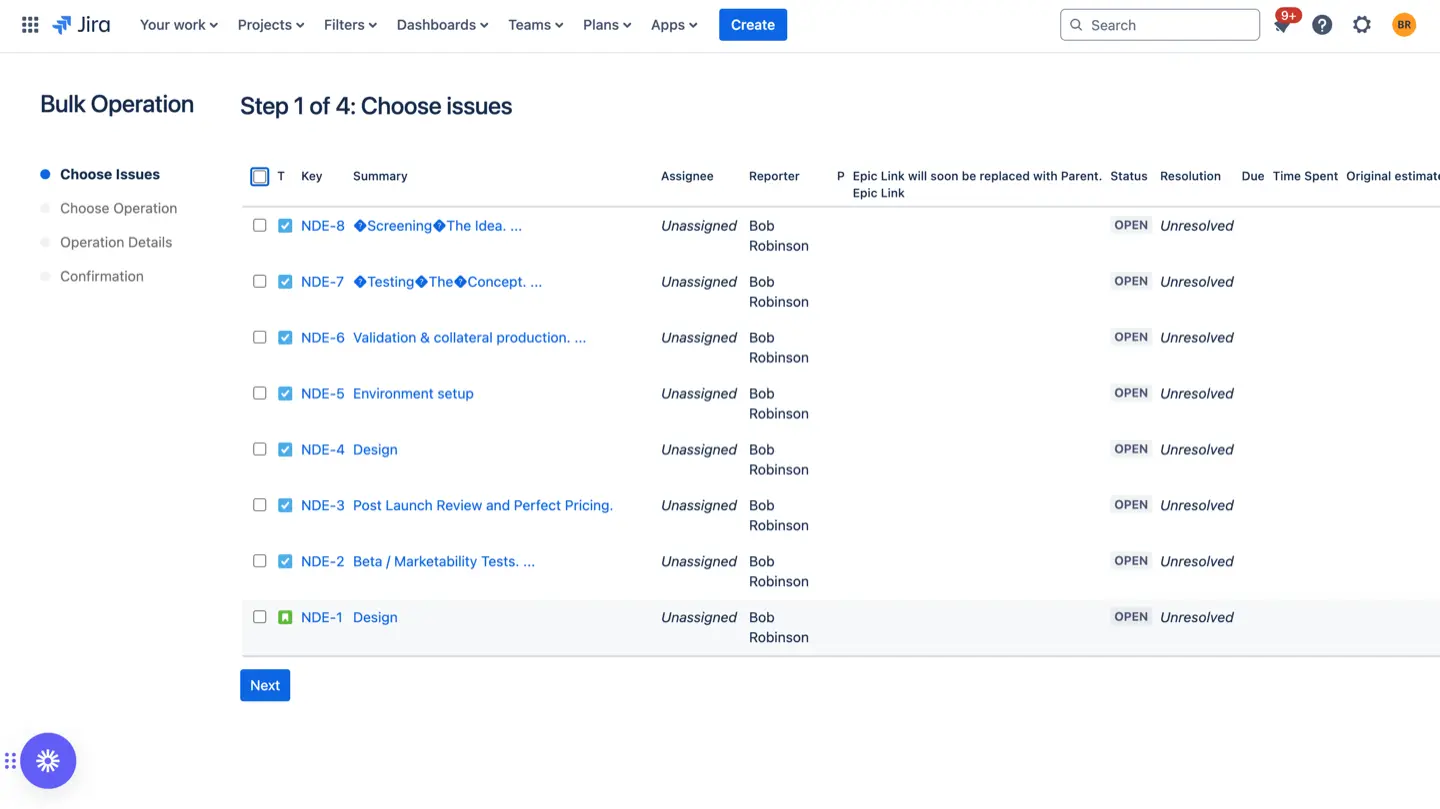
- Bulk Updates Overwriting Reporters: Executing a bulk edit on Jira tickets without unchecking the Reporter field can accidentally reassign hundreds of tickets to the administrator performing the action, destroying historical data and skewing team performance metrics.
- Over-Granting "Modify Reporter": If standard end users possess the Modify Reporter permission, they can bypass Segregation of Duties workflow conditions by reassigning the Reporter field to another account prior to triggering approvals.
Advanced Automation Patterns Involving Reporters
Administrators can use Jira Automation to build advanced operational flows contingent on the Reporter field. Below are two practical patterns frequently deployed in Jira Cloud and Data Center environments.
Pattern 1: Segregating Approval Duties (Preventing Self-Approval)
To enforce corporate governance, approval steps must prevent the Reporter from approving their own request.
- Trigger: Issue transitioned to
Pending Approval. - Condition:
{{issue.reporter.accountId}}equals{{initiator.accountId}}. - Action:
- Transition issue to
Flagged / Audit Review. - Add Comment: "Self-approval detected. Issue transitioned to manual audit queue."
- Send Slack / Email notification to compliance lead.
- Transition issue to
Pattern 2: Auto-Assigning Based on Reporter Attributes
To speed up triage in large enterprise environments, tickets can be auto-routed based on the Reporter's organizational metadata:
- Trigger: Issue Created.
- JQL Condition:
reporter in membersOf("APAC-Region") - Action:
- Edit Issue Field: Set Component to
APAC Helpdesk. - Assign Issue: Round-robin load balancing among active members of the
APAC Support Agentsrole.
- Edit Issue Field: Set Component to
Frequently Asked Questions
What is the difference between Creator and Reporter in Jira?
The Creator is the immutable account that physically generated the issue in the system. The Reporter is the user account designated as the origin or requester of the work. While they are identical upon issue creation, the Reporter field can be edited by authorized users, whereas the Creator field can never be changed.
Can a Jira issue have multiple Reporters?
No. Standard Jira architecture permits only a single user account per issue in the Reporter field. To involve multiple requesters or stakeholders on a single ticket, administrators typically use custom multi-user picker fields (e.g., "Request Participants", "Watchers", or "Stakeholders").
Why can't a user see their ticket even if they are listed as the Reporter?
This usually occurs due to Issue Security Schemes or restrictive Project Permission Schemes. If the project's Browse Projects permission or the specific Issue Security Level does not explicitly include the "Reporter" role, the system will hide the issue from that user, regardless of their status as the submitter.
Does changing the Reporter impact open Jira SLAs?
Yes. If an active Service Level Agreement (SLA) condition relies on JQL filters that check Reporter attributes (such as user group, organization, or priority tier), updating the Reporter field can instantly trigger recalculations, alter the target deadline, or pause/resume SLA timers.
How do I prevent users from changing the Reporter field on closed issues?
You can restrict field modifications by applying the jira.permission.editable.group or jira.permission.editable.projectrole workflow properties to the closed workflow state. Setting these properties ensures that issue fields—including the Reporter—cannot be edited once an issue reaches a finalized status.
Recommended Next Steps for Jira Administrators
To ensure the Reporter field effectively drives issue flow without causing workflow bottlenecks or security risks, audit your Jira instance using these targeted steps:
- Audit Permission Schemes: Verify that the Modify Reporter permission is restricted to project administrators and triage agents, preventing general end users from altering request attribution.
- Review JSM Customer Organizations: Ensure customers are assigned to correct organizations so that Reporter-based sharing functions correctly without exposing sensitive data to external parties.
- Validate Segregation of Duties Rules: Check critical workflows (such as change management or financial approvals) to confirm that conditions prevent the Reporter from executing self-approval transitions.
- Standardize Service Integration Accounts: Replace generic monitoring integration accounts with dedicated, domain-specific service users to preserve accurate reporting and notification target routing.
Image Gallery