Top-Tier iOS Game Development Tools and Engines for 2026
The landscape of mobile gaming is shifting rapidly as we enter 2026. Developers seeking to deploy on Apple hardware must navigate an ecosystem defined by the latest iterations of Swift, the Metal graphics API, and hardware-accelerated...
The landscape of mobile gaming is shifting rapidly as we enter 2026. Developers seeking to deploy on Apple hardware must navigate an ecosystem defined by the latest iterations of Swift, the Metal graphics API, and hardware-accelerated ray tracing on A-series and M-series chips. This guide focuses on the professional-grade toolsets required to build high-performance, commercially viable games for iOS and iPadOS.
Contents
Strategic Selection of Engines for 2026 Requirements
Choosing the right development tool is no longer just about the language support; it is about the integration with Apple’s specific hardware pipeline. By 2026, the industry standard has converged on three primary categories: High-fidelity 3D engines, 2D-focused frameworks, and native Metal-based custom engines.
- Unity 2026 LTS: Remains the industry workhorse. With the 2026 release cycle, Unity has deeply integrated the Apple Vision Pro’s spatial computing frameworks and improved the DOTS (Data-Oriented Technology Stack) to maximize performance on the M4 silicon family.
- Unreal Engine 5.5+: Known for the Nanite and Lumen systems, Unreal Engine has become the baseline for "console-quality" mobile experiences. As of 2026, the mobile rendering path has been optimized specifically for the latest iOS thermal constraints.
- Godot 4.4+: A rapidly maturing open-source alternative. Its lightweight nature is increasingly favored by indie developers who want to avoid the royalty structures of larger corporate engines.
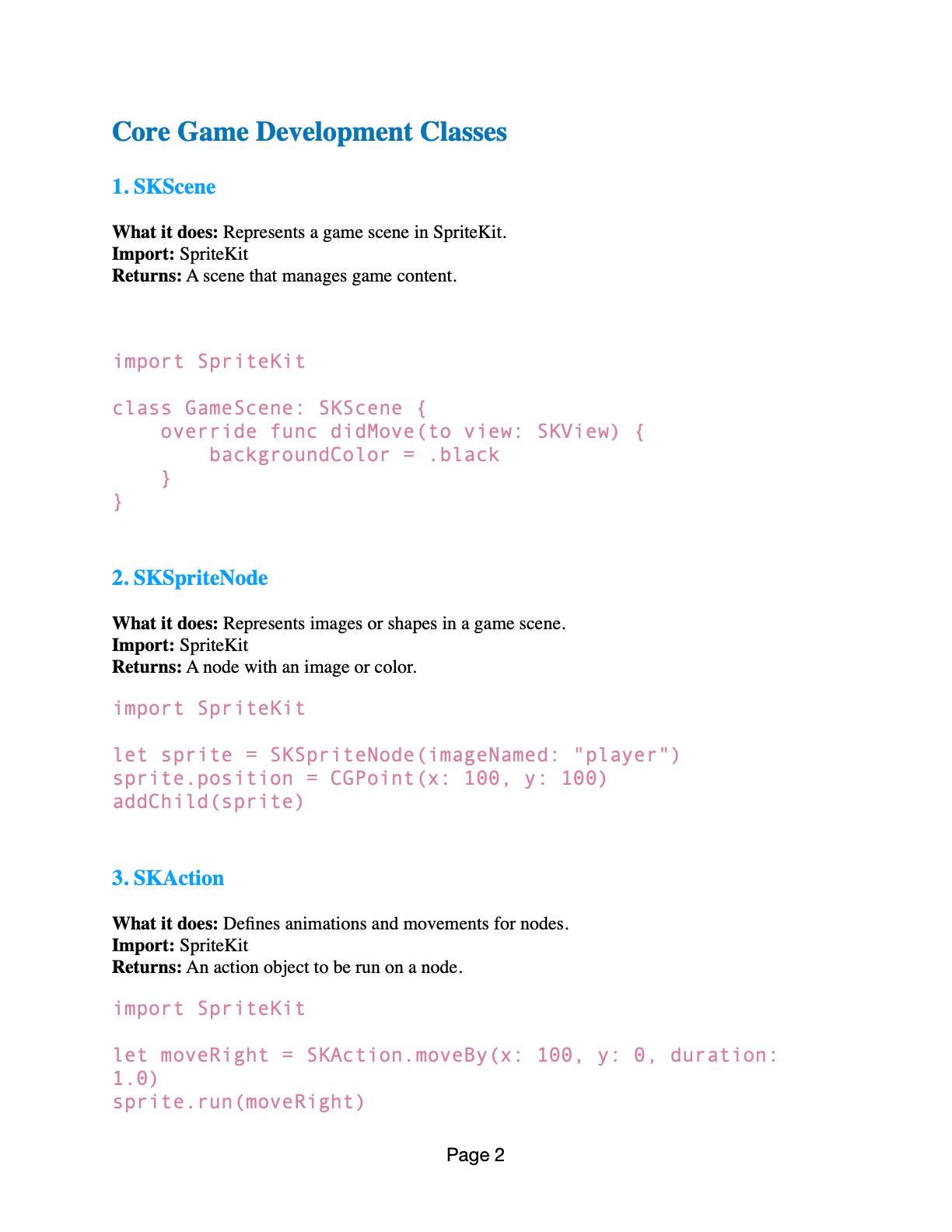
- Swift and Metal: For developers requiring absolute performance, bypassing traditional engines for a custom framework built on native Apple APIs remains the only way to achieve maximum frame rates and minimal battery drain.
Comparative Analysis of 2026 iOS Development Ecosystems
Selecting the correct framework depends on your studio’s technical proficiency, target audience, and the desired graphical fidelity of the project. The following table provides a breakdown of the primary tools based on industry-standard metrics for 2026.
| Tool | Primary Language | Rendering API | Learning Curve | Performance Ceiling |
|---|---|---|---|---|
| Unity | C# | Metal / Vulkan | Moderate | High |
| Unreal Engine | C++ | Metal / RHI | Steep | Extreme |
| Godot | GDScript / C++ | Metal / Vulkan | Low | Moderate |
| Native (Metal) | Swift / C++ | Metal | Very Steep | Maximum |
Maximizing Performance Through Native Integration
A common pitfall for modern developers is over-reliance on abstraction layers. While engines provide speed in the prototyping phase, the 2026 mobile market demands granular control over the iOS power envelope. To ensure your game does not hit thermal throttling limits—a frequent cause of user churn—developers must leverage the following:
- Xcode 18 Profiling: Use the 2026 suite of instruments to monitor GPU utilization and memory bandwidth in real-time.
- Metal Shading Language (MSL): For high-end graphical tasks, writing custom shaders in MSL rather than relying on engine-default shaders is mandatory for achieving 120 FPS on Pro-tier devices.
- SwiftUI Integration: For game meta-menus and UI layers, utilizing Apple’s declarative SwiftUI framework significantly reduces binary size and improves input responsiveness compared to legacy UI systems.
Hardware Optimization Standards
Thermal Management: Developers must implement dynamic resolution scaling that reacts to the thermal state of the iOS device. Targeting a locked 60 FPS is standard, but professional builds in 2026 now include adaptive frame-capping to preserve battery life during extended gameplay sessions.
Memory Budgeting: Apple devices maintain strict memory overhead limits. For 2026, apps exceeding 2GB of active RAM are prioritized for background termination by iOS. Developers are encouraged to use asset bundles and addressable memory management to ensure stability across both the latest iPhone 18 models and legacy devices still in circulation.
Addressing the Shift Toward Spatial Computing
The integration of iOS development with visionOS is now a baseline requirement for major studios. In 2026, tools that do not support "Volumetric Rendering" are considered legacy. When selecting an engine, verify that the toolchain provides a direct export path to the RealityKit framework. This allows developers to port their 2D and 3D game assets into a 3D space with minimal overhead, leveraging the depth-sensing capabilities of modern iPad and iPhone LiDAR sensors.
Frequently Asked Questions for iOS Developers
Which engine is best for a beginner in 2026? Godot 4.4 is widely considered the best entry point due to its low barrier to entry and straightforward language syntax. Its architecture is less bloated than major commercial engines, allowing beginners to focus on logic rather than complex build pipelines.
Does native Swift development offer better performance than Unity? Yes, for specific high-performance applications, native Swift and Metal offer superior performance because they eliminate the overhead of an engine’s abstraction layer. However, for 95% of game projects, the development time trade-off favors using a mature engine like Unity or Unreal.
Are there royalties involved with the top 2026 engines? Unity and Unreal both operate on tiered royalty and subscription models that have been updated for 2026. Always review the latest licensing agreements, as they change annually based on revenue thresholds and seat counts.
What is the minimum hardware for professional iOS testing in 2026? To accurately test the performance limits of your game, you must test on the latest iPhone Pro model and an M-series iPad. Testing on older hardware is recommended only for verifying compatibility and "low-spec" optimization settings.
How do I handle in-app purchases (IAP) in 2026? You must use the StoreKit 2 framework. Apple has deprecated older IAP systems, and StoreKit 2 is now the only officially supported, secure method for handling transactions and subscription verification on iOS.
Final Strategic Recommendation
The choice of an iOS development tool in 2026 should be dictated by your long-term scalability goals. If you are building for a single mobile title, choose the engine that your team is most fluent in. If you are building a studio roadmap, prioritize tools that provide high-performance Metal integration and seamless compatibility with Apple’s evolving spatial computing APIs. Start your development process by setting up a robust CI/CD pipeline using the 2026 version of Xcode Cloud to ensure your builds remain stable across the entire Apple ecosystem.
Image Gallery