How to Choose a Brochure Print Service
To choose the right brochure print service, evaluate providers based on their printing technology (offset vs. digital), paper stock variety, and finishing options like spot UV or soft-touch lamination. Prioritize companies that offer p...
To choose the right brochure print service, evaluate providers based on their printing technology (offset vs. digital), paper stock variety, and finishing options like spot UV or soft-touch lamination. Prioritize companies that offer physical proofs, provide transparent pricing for shipping and setup, and maintain high sustainability standards through FSC-certified materials.
Contents
In the marketing landscape of 2026, the physical brochure remains a cornerstone of high-touch brand engagement. While digital channels offer reach, a well-crafted brochure provides a tactile experience that conveys authority and permanence. However, the gap between a professional marketing piece and a low-quality flyer often comes down to the printer you select. Choosing a brochure print service is not merely about finding the lowest price; it is about finding a technical partner capable of translating your digital design into a high-fidelity physical product.
Understanding Printing Technologies: Offset vs. Digital
The first technical hurdle in choosing a print service is understanding which printing method best suits your project. Most modern services in 2026 offer both, but they serve different purposes.
Offset Lithography
Offset printing involves transferring (or "offsetting") ink from a metal plate to a rubber blanket and then onto the paper. This is the gold standard for high-volume orders, typically exceeding 1,000 units.
- Pros: It offers the lowest per-unit cost for large runs and provides superior color accuracy, especially when using the Pantone Matching System (PMS).
- Cons: The initial setup involves creating physical plates, which makes it expensive and slow for small batches.
Digital Printing
Digital printing functions much like a high-end laser or inkjet printer, applying ink directly to the substrate. By 2026, high-speed inkjet technology has narrowed the quality gap between digital and offset significantly.
- Pros: There is virtually no setup time, allowing for "print on demand" and low minimum order quantities (MOQs). It also supports Variable Data Printing (VDP), allowing you to customize each brochure with a different recipient name or unique QR code.
- Cons: The cost per unit remains relatively static regardless of volume, making it more expensive than offset for large-scale distributions.
Evaluating Paper Stock and Weight
The "feel" of your brochure is determined by the substrate. When reviewing a service, check their inventory of paper weights and types. Paper is generally measured in GSM (Grams per Square Meter) or by point (pt) thickness.
- Standard Weight (130–170 GSM): Best for mass distribution or inserts. It is thin enough to fold easily without cracking but heavy enough to feel professional.
- Premium Weight (200–300 GSM): Often called "cover stock." This is ideal for high-end corporate brochures or folders. It provides a rigid, durable feel.
- Coated vs. Uncoated: Coated papers (Gloss, Silk, or Matte) have a surface sealant that prevents ink from soaking into the fibers. This results in sharper images and more vibrant colors. Uncoated paper is more porous, offering a tactile, "organic" feel that is currently popular for boutique brands.
The Importance of Finishing and Folding
A brochure print service’s capability is often defined by its finishing department. Finishing refers to everything that happens after the ink is on the paper.
- UV Coating: A liquid coating cured by ultraviolet light. It provides a high-gloss finish and protects the brochure from scratches and fading.
- Soft-Touch Lamination: A specialty finish that gives the paper a velvet-like texture. This is a premium option often used in luxury real estate or high-fashion marketing.
- Spot UV: The application of gloss to only specific areas of the brochure (like a logo or a headline), creating a contrast between matte and shiny surfaces.
- Folding Precision: Brochures come in various configurations: Tri-fold, Z-fold, Gatefold, and Accordion fold. Ensure the printer uses automated folding machines with "creasing" capabilities. Creasing prevents the paper fibers from cracking along the fold, which is a common sign of a low-quality print job.
Comparing Commercial Print Service Tiers
| Feature | Budget Online Printers | Local Commercial Printers | Enterprise Print Partners |
|---|---|---|---|
| Best For | Small businesses, low budgets | Quick turnarounds, local pickup | Large corporations, complex jobs |
| Minimum Order | Very low (often 25–50) | Moderate (100–250) | High (500+) |
| Color Matching | Standard CMYK only | CMYK + some Pantone | Full Pantone & Custom Inks |
| Proofing | Digital (PDF) only | Hard copy (Physical) | Press checks & Prototypes |
| Sustainability | Variable | Usually FSC compliant | Full Carbon Neutral options |
Verifying Pre-press and Proofing Protocols
Before you commit to a full print run, you must understand the service's proofing process. In 2026, many services use AI-driven Pre-press Checkers to catch common errors like low-resolution images or missing bleeds.
The "Bleed" and "Quiet Zone"
A professional printer will require a "bleed" area—usually 3mm or 0.125 inches—where the design extends past the trim line. This ensures that if the cutting blade shifts slightly, there are no white borders. If a service does not mention bleeds in their artwork guidelines, it is a significant red flag regarding their technical standards.
Digital vs. Hard Proofs
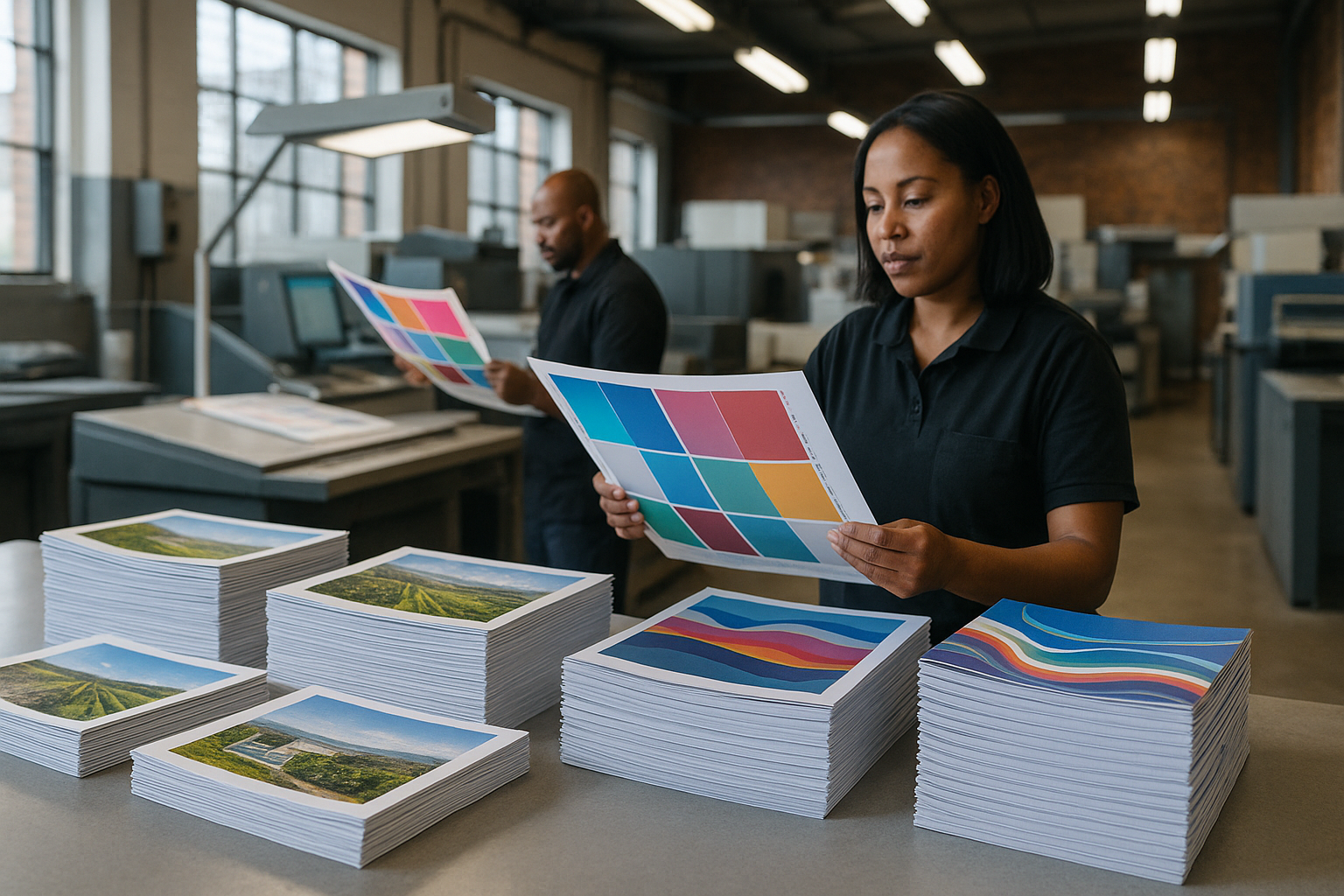
A Digital Proof is a PDF that shows you what the layout looks like. However, it cannot accurately represent color because every computer monitor is calibrated differently. A Hard Proof (or "Physical Proof") is a single printed copy of your brochure. While it may cost an extra $50–$100, it is essential for high-stakes projects to verify color density and paper texture.
Sustainability and Ethical Sourcing
As of 2026, environmental considerations are a primary factor in choosing a vendor. Many organizations now mandate that marketing materials meet specific green standards. Look for the following certifications and practices:
- FSC Certification: The Forest Stewardship Council ensures the paper comes from responsibly managed forests.
- Soy or Vegetable-Based Inks: Traditional petroleum-based inks release Volatile Organic Compounds (VOCs). Soy inks are more sustainable and often produce more vibrant colors.
- Carbon Neutral Shipping: Leading print services now offer carbon-offsetting programs for the delivery of heavy paper goods.
Cost Considerations and Hidden Fees
When comparing quotes, ensure you are looking at the "all-in" price. Common hidden costs include:
- File Correction Fees: If your artwork isn't "print-ready," some services charge $75+/hour to fix it.
- Packaging: Some budget printers ship brochures loosely in boxes, leading to damaged corners. Premium services use shrink-wrapping or custom padding.
- Shipping Costs: Paper is heavy. A low quote can quickly become expensive once 50 lbs of shipping is added.
- Tariffs and Customs: If you are ordering from an international service to save money, be aware of potential import duties that may apply in 2026.
Frequently Asked Questions
What is the standard resolution for brochure printing?
The industry standard is 300 DPI (Dots Per Inch) at the actual size of the print. Using images from the web (which are typically 72 DPI) will result in "pixelated" or blurry brochures. Most professional services will flag files with lower resolutions during the pre-flight stage to prevent a poor result.
Should I use CMYK or RGB color profiles?
You must use CMYK (Cyan, Magenta, Yellow, and Key/Black). Digital screens use RGB (Red, Green, Blue) to create colors with light, while printers use CMYK to create colors with ink. If you send an RGB file to a printer, the colors will often appear dull or shifted when converted to ink.
How do I know if a paper weight is right for me?
If you are unsure, most reputable print services provide a Sample Pack. This is a folder containing various paper stocks, weights, and finishes. Requesting a sample pack is the best way to feel the difference between 100lb text and 100lb cover stock before placing an order.
Can I print brochures on recycled paper?
Yes, but be aware of the "brightness" level. Recycled paper often has a slightly grey or off-white tint compared to virgin paper. If your design relies on bright, crisp whites, you should request a high-brightness recycled stock (often labeled as 90+ brightness).
What is a "Self-Cover" vs. a "Plus-Cover" brochure?
In a Self-Cover brochure, the cover is printed on the same paper weight as the internal pages. In a Plus-Cover brochure, the cover is printed on a heavier, thicker cardstock, while the internal pages remain thinner. Self-cover is more economical, while plus-cover feels significantly more premium and durable.
Final Recommendation for Selection
To ensure the best outcome, begin by identifying your primary goal: volume or quality. For a high-volume direct mail campaign where cost-per-unit is king, a large-scale Online Digital Printer with automated workflows is your best bet. However, if you are producing a limited-edition brochure for a high-value sales presentation, seek a Local Commercial Printer that allows for a "press check"—where you can physically visit the facility and approve the first sheet off the press.
Always verify the service's reputation by checking independent review platforms and asking for a portfolio of recent work. A service that is transparent about its equipment (e.g., using Heidelberg or HP Indigo presses) and its quality control protocols is far more likely to deliver a product that aligns with your brand's standards in 2026.
Image Gallery