Free Conference Call Programs for Businesses: Top Options, Features, and Free Tier Limits
Businesses seeking reliable communication channels without initial capital expenditure can utilize free conference call programs to host virtual meetings, client presentations, and team huddles. Top free services—such as FreeConference...
Businesses seeking reliable communication channels without initial capital expenditure can utilize free conference call programs to host virtual meetings, client presentations, and team huddles. Top free services—such as FreeConferenceCall.com, Google Meet, Zoom, Microsoft Teams, and Cisco Webex—provide essential audio, video, and screen-sharing tools. Selecting the right program requires balancing participant caps, call duration limits, dial-in options, and security protocols against organizational requirements.
Contents
Key Factors When Choosing Free Business Conference Call Software
Free conferencing platforms offer substantial utility, but their features vary significantly depending on vendor monetization models and platform architecture. When evaluating software for commercial use, technical decision-makers must weigh core capabilities against operational limitations.
Audio Bridge vs. VoIP Video Infrastructure
Conferencing solutions generally divide into PSTN (Public Switched Telephone Network) audio bridges and VoIP (Voice over Internet Protocol) video platforms.
- Audio-First Services: Rely primarily on telephone infrastructure, assigning local dial-in numbers and PINs. This ensures high voice fidelity without depending on participant internet bandwidth.
- VoIP-First Platforms: Prioritize web-based audio, video streams, and screen sharing. While offering richer visual collaboration tools, performance depends heavily on the network connection and hardware specs of each participant.
Participant Limits and Session Duration Caps
Free software tiers enforce operational thresholds that directly impact business meetings:
- Meeting Duration: Most video-centric platforms cap free group meetings between 40 and 60 minutes. Reaching this limit automatically disconnects all attendees unless the host restarts the session or upgrades to a paid license.
- Attendee Capacity: Free video tiers typically cap attendance at 100 participants. Dedicated audio bridges can often host hundreds or even up to 1,000 callers on a single free bridge.
Security and Administrative Governance
Free software tiers must meet basic organizational security requirements to protect business discussions and corporate data:
- Access Control: Core features must include host controls, room locking, meeting passcodes, and waiting rooms to prevent unauthorized access.
- Data Encryption: Web sessions should enforce TLS/SSL transport encryption, while media streams should utilize SRTP (Secure Real-time Transport Protocol). End-to-end encryption (E2EE) availability varies by vendor on free tiers.
Comparison of Leading Free Conference Call Programs for Businesses
The table below outlines technical specifications, operational caps, and primary deployment models across leading free conference call solutions.
| Platform | Max Free Participants | Group Meeting Duration Limit | Dial-in Telephone Support | Screen Sharing & Collaboration | Best Suited For |
|---|---|---|---|---|---|
| FreeConferenceCall.com | Up to 1,000 | 6 hours per session | Free local PSTN dial-in numbers | Yes (Screen share, video, recording) | High-capacity audio calls and large webinars |
| Google Meet | Up to 100 | 60 minutes | Limited (US dial-in available) | Yes (Screen share, digital whiteboard) | Browser-native meetings and Google Workspace users |
| Zoom Meetings | Up to 100 | 40 minutes | Paid add-on / standard VoIP | Yes (Screen share, whiteboards, breakout rooms) | Interactive workshops and standard video meetings |
| Microsoft Teams (Free) | Up to 100 | 60 minutes | VoIP audio only | Yes (Screen share, integrated team chat) | Internal team collaboration and file sharing |
| Cisco Webex Free | Up to 100 | 40 minutes | Toll dial-in / VoIP audio | Yes (Screen share, interactive polling) | High-security video calls and corporate environments |
Top Free Conference Call Platforms Reviewed
FreeConferenceCall.com
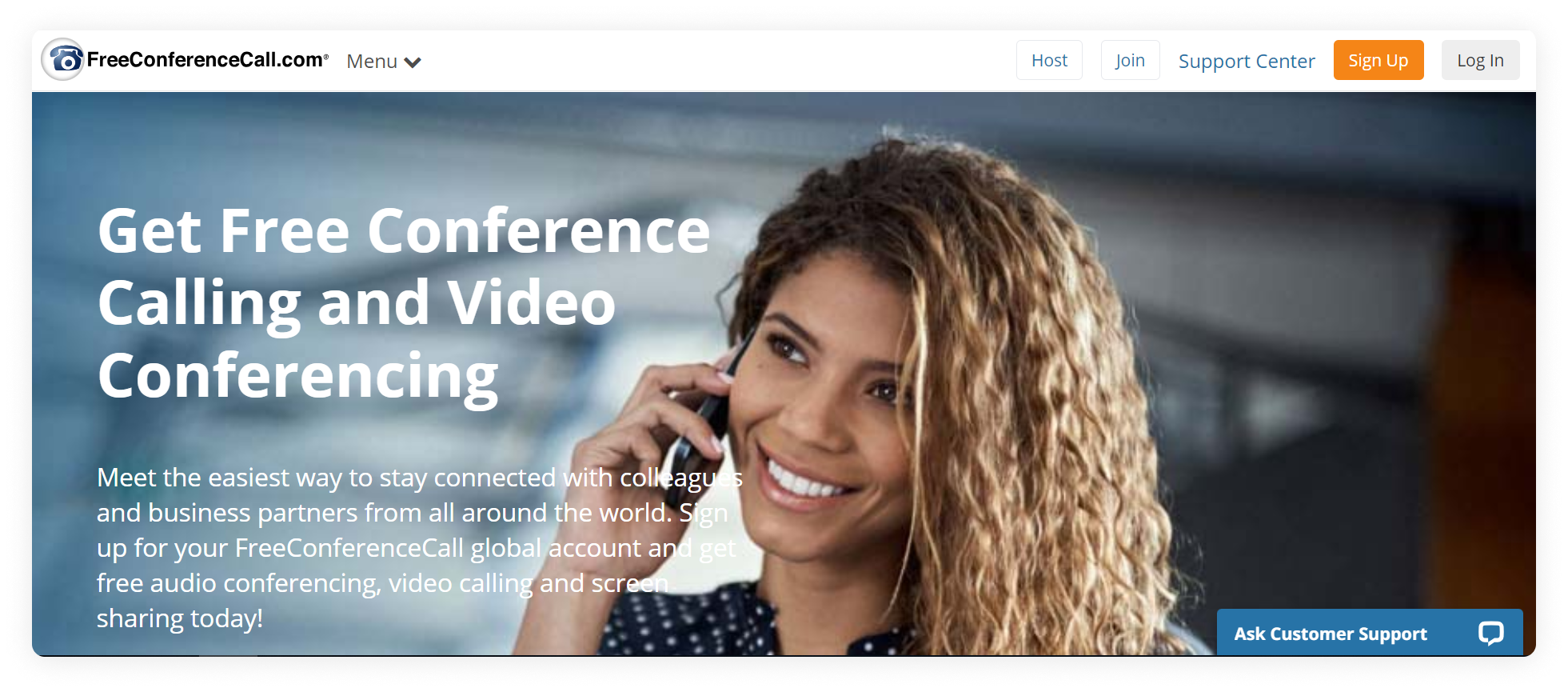
FreeConferenceCall.com offers broad participant capacity for organizations that rely on traditional audio conferencing. Unlike video-first platforms that limit free accounts to 100 attendees, this service permits up to 1,000 participants per session with a maximum meeting length of six hours.
FreeConferenceCall.com
- Audio Bridge (PSTN)
- Up to 1,000 Callers
- Global Access Numbers
- Web Interface (VoIP)
- HD Video & Screen Share
- Meeting Recording Tools
- Centralized Administrative Control
- Audio Bridge (PSTN)
Core Features: High-definition audio bridge, global dial-in numbers in over 75 countries, host control panels, desktop screen sharing, and audio meeting recording.
Technical Considerations: Audio dial-ins utilize standard domestic telephone rates for participants. Video capabilities exist within the desktop client and mobile apps, though the primary infrastructure optimization remains centered on PSTN audio transport.
Business Utility: Ideal for shareholder updates, large team announcements, training webinars, and organizations with field workers who rely on mobile cellular connections rather than high-speed internet data.
Google Meet
Google Meet provides a frictionless, web-based video conferencing experience for businesses integrated into the Google ecosystem. It runs natively in modern web browsers without requiring desktop application installation.
- Core Features: 100-participant capacity, 60-minute cap on group calls (3 or more attendees), 24-hour duration for 1-on-1 calls, real-time closed captioning powered by speech recognition, and live digital whiteboarding via Google Jamboard integration.
- Technical Considerations: Requires all hosts to maintain a Google Account. Attendees can join via web browser, mobile apps, or dedicated Google Meet hardware systems. Encryption in transit is active by default.
- Business Utility: Best suited for agile teams that favor browser-native workflows, quick impromptu video discussions, and organizations operating within Google Workspace environments.
Zoom Meetings
Zoom remains one of the most widely recognized video conferencing solutions, offering a clean interface and robust interactive features even on its free tier.
- Core Features: Accommodates up to 100 participants with a strict 40-minute limit on all group calls. Includes screen sharing, meeting recording (local storage only on free tier), breakout rooms, digital whiteboards, and in-meeting chat.
- Technical Considerations: Optimal performance requires the installation of the Zoom desktop client or mobile application, though web browser joining is supported with limited client features. Uses AES 256-bit GCM encryption.
- Business Utility: Excellent for client-facing meetings where participant familiarity with the platform minimizes onboarding friction, as well as interactive training sessions requiring breakout group work.
Microsoft Teams (Free)
Microsoft Teams (Free) acts as a collaborative hub combining video conferencing with persistent chat and file repository capabilities.
- Core Features: 60-minute meeting duration limit for group meetings, hosting up to 100 participants. Includes persistent group chat, file sharing with 5 GB of cloud storage per user, screen sharing, and inline message translation.
- Technical Considerations: Requires a Microsoft account. Best experienced via desktop client or dedicated mobile application, though browser access is fully functional on modern web engines.
- Business Utility: Suited for small businesses needing a unified communication environment that links real-time video conferencing directly with project management and document collaboration.
Cisco Webex Free Tier
Cisco Webex brings enterprise-grade audio and video security standards to its free tier, delivering reliable connectivity and background noise suppression.
- Core Features: Supports up to 100 participants for up to 40 minutes per group session. Offers screen sharing, interactive polling (via Slido integration), digital whiteboarding, web-based host controls, and AI-powered background noise removal.
- Technical Considerations: Requires desktop application installation for full administrative controls. Employs strong security protocols, making it suitable for organizations with stringent data privacy standards.
- Business Utility: Ideal for businesses handling sensitive conversations, consulting services, and legal or financial advisory calls requiring high audio clarity and tight session management.
Hidden Operational Limits and Compliance Considerations
While free conference call programs eliminate upfront software licensing costs, businesses must evaluate potential operational trade-offs, technical limitations, and compliance responsibilities.
BUSINESS COMPLIANCE MATRIX
| COMMUNICATION COST | SECURITY PROTOCOLS | REGULATORY STANDARD |
|---|---|---|
| PSTN Audio Rates | TLS Transport Security | HIPAA Compliance |
| Toll-Free Premium Add-on | SRTP Media Streams | GDPR Data Sovereignty |
| Mobile VoIP Data Usage | End-to-End Encryption | SOC 2 Audit Logging |
Telephony Costs and Dial-In Access
- Toll vs. Toll-Free Dial-In: Free conferencing programs generally do not offer free toll-free (800-number) bridges. Participants dialing in via PSTN lines use standard local numbers, which may incur standard airtime or long-distance rates on their landline or mobile plans.
- International Connectivity: When hosting international attendees, verify whether the platform provides localized access numbers. PSTN calls into foreign access nodes without international carrier plans can result in high carrier charges for meeting attendees.
Data Privacy, Regulatory Compliance, and Governance
Free software tiers often restrict the compliance features available on enterprise tiers:
- Regulatory Constraints: Businesses subject to regulations like HIPAA (healthcare) or GDPR (EU data privacy) must exercise caution. Free software tiers rarely include signed Business Associate Agreements (BAAs) or explicit data sovereignty guarantees required for compliant operation.
- Audit Logs and Administrative Controls: Free accounts typically lack centralized administrative dashboards, user provisioning (SSO/SAML), system log exports, and automated audit trails necessary for corporate IT compliance.
Meeting Interruption Management
Reaching automated time limits mid-call disrupts client negotiations and internal workflows. To avoid unexpected meeting terminations:
- Designate a Timekeeper: Monitor call duration on platforms with 40-minute caps (such as Zoom and Cisco Webex).
- Pre-Issue Alternate Links: Provide a follow-up link in the calendar invitation if extended discussions are anticipated.
- Select Appropriate Platforms: Utilize platforms like FreeConferenceCall.com (6-hour limit) or Google Meet / Microsoft Teams (60-minute limit) for longer sessions.
Step-by-Step Selection Framework for Small Businesses
Selecting the right free conferencing platform involves assessing user needs, technical constraints, and security standards across four sequential steps:
SELECTION IMPLEMENTATION PATH
- Step 1: Audit Requirements: Determine participant counts & meeting length
- Step 2: Evaluate Audio Options: Assess PSTN dial-in vs internet/VoIP audio
- Step 3: Test Accessibility: Test browser joining vs client installations
- Step 4: Establish Security: Enforce passcodes, waiting rooms, and controls
Step 1: Audit Audience Size and Session Duration Requirements
Map out typical meeting formats across your organization. If your company hosts large company-wide meetings exceeding 100 participants, standard free video tiers will not suffice; a dedicated bridge service like FreeConferenceCall.com is required. If your team primarily conducts quick internal huddles under 40 minutes, platforms like Zoom or Webex provide richer interactive features.
Step 2: Determine Primary Audio Access Modes
Identify how your attendees join meetings. If team members work in the field with unreliable mobile internet connections, prioritize platforms that offer reliable PSTN phone dial-in access numbers. Conversely, if all attendees work from structured office environments with broadband internet, internet audio (VoIP) via Google Meet, Microsoft Teams, or Zoom will deliver better sound quality.
Step 3: Assess Installation Constraints and Client Friction
Evaluate whether your clients or external partners can easily install third-party applications. Organizations operating under strict corporate IT policies may block the installation of executable files (such as .exe or .dmg installers). In these environments, select browser-native platforms like Google Meet that require zero software downloads.
Step 4: Implement Basic Security Protocols
Establish standardized administrative rules across all free accounts to protect company meetings:
- Enable compulsory meeting passcodes and activation of virtual waiting rooms.
- Restrict screen sharing permissions to the meeting host by default.
- Prohibit the sharing of raw meeting links on public-facing websites or social media channels.
Frequently Asked Questions
Are free conference call services truly free for business use?
Yes, platforms like FreeConferenceCall.com, Google Meet, Zoom, Microsoft Teams, and Cisco Webex offer legitimate free tiers that can be used for commercial operations. However, these free plans enforce operational caps on session duration, maximum participant counts, administrative controls, and cloud recording storage.
Can participants join a free conference call using a standard telephone line?
Yes, but accessibility depends on the chosen platform. FreeConferenceCall.com provides standard domestic PSTN dial-in numbers on its free plan. Video-first platforms like Zoom, Google Meet, and Webex primarily emphasize VoIP audio over the internet on their free tiers, though basic toll-dial-in options may be available depending on geographical location.
What happens when a meeting reaches the time limit on a free tier platform?
When a meeting reaches its designated time limit (such as 40 minutes on Zoom or Cisco Webex, or 60 minutes on Google Meet), the meeting automatically terminates for all participants. To resume the discussion, the host must start a new session and have participants rejoin using a new or recurring meeting link.
Is screen sharing supported on free conference calling software?
Yes. Screen sharing is a standard core feature supported across all major free platforms, including FreeConferenceCall.com, Google Meet, Zoom, Microsoft Teams, and Cisco Webex. Hosts and permitted attendees can share their full desktop view, specific application windows, or browser tabs.
Are free conference call platforms secure enough for sensitive business discussions?
Free plans include standard security measures, such as encryption in transit, host waiting rooms, and meeting passcodes. However, they generally lack advanced enterprise security features, such as single sign-on (SSO), comprehensive audit logging, regulatory compliance certifications (e.g., HIPAA BAAs), and granular administrative policy controls.
Can I record conference calls on a free tier platform?
Local recording—saving the meeting audio or video file directly to the host's computer hard drive—is supported on free tiers by platforms like Zoom and FreeConferenceCall.com. However, automatic cloud-based recording, cloud storage, and automated transcriptions generally require a paid subscription upgrade.
Next Steps for Business Implementation
To deploy a free conference call solution effectively across your business:
- Standardize on Two Complementary Platforms: Select one primary browser-native platform for video meetings (e.g., Google Meet or Microsoft Teams for internal collabs) and one secondary high-capacity audio platform (e.g., FreeConferenceCall.com for large team calls or dial-in needs).
- Publish an Internal Meeting Protocol Document: Outline session duration limits, authorized client platforms, mandatory passcodes, and security guidelines for all staff.
- Monitor Usage Thresholds: Track how frequently your team hits time duration limits or participant caps. Use these operational metrics to determine when your business needs to upgrade to paid business tiers.
Image Gallery