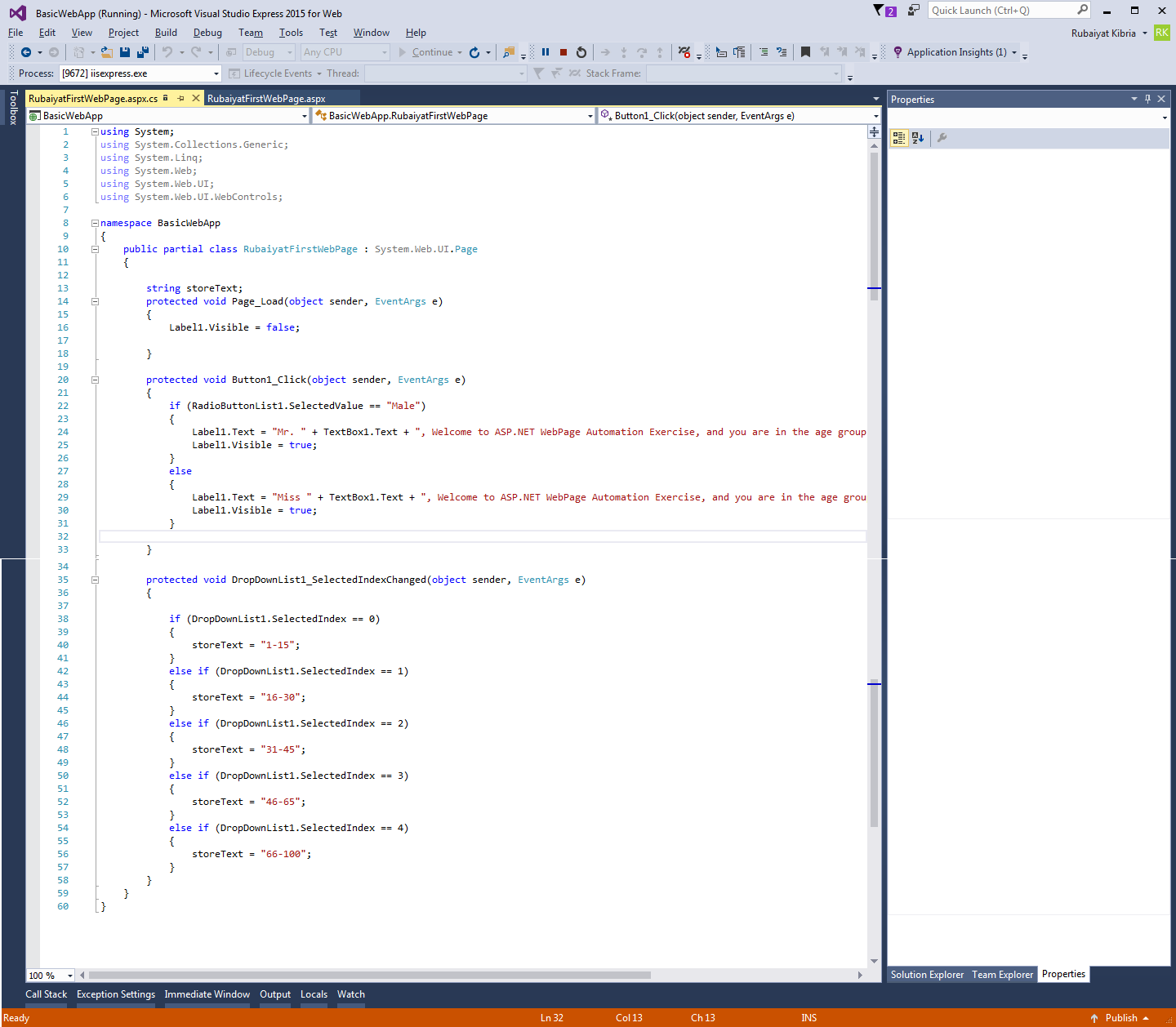
Understanding the Basics of ASP.NET Coding: A Comprehensive Guide for Beginners
Understanding the basics of ASP.NET coding involves mastering Microsoft’s open-source web framework for building modern server-side applications using C#. It requires learning core architectural patterns like MVC, Razor Pages, and Mini...
Understanding the basics of ASP.NET coding involves mastering Microsoft’s open-source web framework for building modern server-side applications using C#. It requires learning core architectural patterns like MVC, Razor Pages, and Minimal APIs, alongside essential concepts such as dependency injection, request-processing middleware, and database integration through Entity Framework Core.
Contents
What Is ASP.NET and How Does It Work?
ASP.NET is a free, cross-platform, open-source web framework developed by Microsoft for building web applications, services, and dynamic content. While the original framework (ASP.NET Web Forms and early MVC versions) was tied strictly to Windows environments running the full .NET Framework, modern ASP.NET (commonly referred to as ASP.NET Core) runs across Windows, macOS, and Linux operating systems. It provides developer tooling, high execution performance, and a modular architecture suitable for enterprise cloud deployments and small-scale web APIs alike.
At its foundation, ASP.NET code executes within the .NET runtime. When a developer writes code for an ASP.NET application, they write source code primarily in C#—a modern, object-oriented language. This source code compiles into Intermediate Language (IL) bytecode. When the application runs, the Common Language Runtime (CLR) converts this bytecode into native machine code using Just-In-Time (JIT) compilation.
An ASP.NET web application functions on a standard request-response model. When a client browser or HTTP client sends a web request, it reaches a cross-platform web server called Kestrel, which is embedded directly into ASP.NET applications. Kestrel processes incoming TCP connections, parses HTTP headers, and passes the request into the application's processing pipeline. Within this pipeline, your custom C# code inspects incoming data, interacts with databases or external APIs, executes business rules, and returns an HTTP response back to the client in formats such as HTML, JSON, or XML.
Architectural Patterns in Modern ASP.NET
One of the strengths of ASP.NET is its support for multiple architectural patterns within the same core ecosystem. Choosing the right pattern depends on whether you are building web pages, backend microservices, or complex enterprise systems.
Razor Pages
Razor Pages is an application model focused on page-centric web applications. Introduced to simplify web page development, it links an HTML template (ending in .cshtml) directly with a code-behind class file (ending in .cshtml.cs). The HTML template utilizes Razor syntax—a hybrid markup language that allows C# code to be embedded directly within HTML tags using the @ symbol.
In Razor Pages, page logic and request handlers (such as OnGet() and OnPostAsync()) reside in the paired code-behind file. This organization keeps page rendering logic close to the data it displays, making it an excellent choice for server-rendered administrative dashboards, content management interfaces, and multi-page form workflows.
Model-View-Controller (MVC)
The Model-View-Controller pattern divides an application into three distinct components to enforce separation of concerns:
- Model: Represents the application's data structure, validation rules, and core domain logic.
- View: Manages the user interface presentation layer using Razor templates to display data sent from controllers.
- Controller: Handles incoming HTTP requests, processes input parameters, calls service layers, updates the model, and selects the appropriate view to render.
MVC is well-suited for large enterprise web applications where design teams and backend development teams work independently on templates and business logic. It provides clear separation, making large codebases easier to test using unit testing frameworks.
Minimal APIs
Minimal APIs represent a lightweight paradigm designed to build HTTP REST microservices with minimal overhead and boilerplate code. Instead of creating full controller classes with decorators and routing attributes, developers define HTTP endpoints directly inside the entry-point file (Program.cs).
Using C# lambda functions, Minimal APIs map HTTP verbs like GET, POST, PUT, and DELETE directly to routing endpoints. This approach significantly reduces initial application footprint and memory overhead, making it ideal for microservice architectures, cloud-native containerized applications, and lightweight backend services.
Core Building Blocks of an ASP.NET Application
Writing code in ASP.NET requires understanding how the framework initializes and processes each request. Three primary pillars form the backbone of modern ASP.NET applications: the bootstrapping file, the middleware pipeline, and dependency injection.
The Entry Point: Program.cs
Every modern ASP.NET application starts execution inside the Program.cs file. This file uses top-level C# statements to set up the host, configure services, establish logging parameters, and build the HTTP request pipeline.
The application initialization sequence follows two main phases:
- Building the Service Container: A
WebApplicationBuilderobject collects and registers services (such as database contexts, security services, and custom business classes) into an internal container. - Configuring the Middleware Pipeline: The builder generates a
WebApplicationinstance (app), which configures how incoming requests flow through the application using chained middleware calls.
Middleware and the Request Pipeline
Middleware components are modular blocks of C# code executed sequentially whenever an HTTP request arrives. Each middleware component can perform tasks before passing the request to the next component in the chain, or it can terminate the pipeline directly (short-circuiting) by returning an immediate HTTP response.
Common built-in middleware services include:
- Authentication and Authorization: Verifies user identity tokens and enforces permission policies before allowing access to private resources.
- Routing: Inspects request URLs and matches them to specific Razor Pages, MVC actions, or Minimal API endpoints.
- Static File Serving: Delivers static assets like CSS files, JavaScript scripts, and images directly to the client without executing application logic.
- Exception Handling: Catches unhandled errors globally and converts them into standardized error pages or structured JSON error responses.
Dependency Injection (DI) and Service Lifetimes
ASP.NET includes native support for Dependency Injection (DI), an object-oriented design pattern that decouples class construction from direct object dependencies. Rather than creating instances of helper services directly using the new keyword within your code, services are registered during application startup and injected into controllers or page models via class constructors.
ASP.NET manages service instances across three primary lifetime scopes:
- Transient: A new instance of the service is created every time it is requested from the dependency injection container. Best for lightweight, stateless services.
- Scoped: A single instance of the service is created once per HTTP request. All classes that request this service within the same request lifecycle share that instance. Best for data access repositories and unit-of-work classes.
- Singleton: A single instance is created when the application starts and remains active for the entire application lifespan across all incoming requests. Best for application caching services or global configuration handlers.
Comparing ASP.NET Coding Frameworks
The following table outlines the key operational differences between the primary coding models available in ASP.NET to help guide structural decisions.
| Application Pattern | Ideal Use Case | Complexity Level | File Structure Style | State Management Approach |
|---|---|---|---|---|
| Razor Pages | Server-side rendered web pages, CRUD applications, forms | Low to Moderate | Page and Code-Behind paired files (.cshtml and .cshtml.cs) |
Handled via PageModels, TempData, and Session |
| MVC | Large enterprise web apps, complex domain logic separation | Moderate to High | Separated folders for Models, Views, and Controllers | Managed via ViewModels, ViewBag, and Session state |
| Minimal APIs | Microservices, RESTful backends, lightweight web APIs | Low | Single file or centralized endpoint route files | Stateless HTTP handling with token authorization |
| Blazor (Interactive) | Rich single-page applications (SPAs) built entirely in C# | Moderate to High | Component-based Razor files (.razor) |
WebSockets (Blazor Server) or WebAssembly memory state |
Data Access with Entity Framework Core (EF Core)
Most modern ASP.NET web applications rely on database storage to persist application state. Microsoft provides Entity Framework Core (EF Core), an Object-Relational Mapper (ORM), to handle data operations directly in C# without requiring manual SQL query writing.
Data Models and DbContext
In EF Core, database tables are represented by standard C# classes known as entity models. For example, a Product class with properties like Id, Name, and Price corresponds directly to a database table structure.
The central connection between application code and the database is the DbContext class. This class manages database connections, tracks entity changes, and maps object relationships to relational database tables. Developers define DbSet properties on their custom DbContext to expose queries and save operations for each model.
Database Migrations
EF Core uses a feature called Migrations to keep database schemas synchronized with C# code models. When a developer adds or modifies a property on a C# entity model, they run a command through the .NET Command-Line Interface (CLI) or Package Manager Console. EF Core analyzes the change and generates C# code migration scripts that alter the underlying database schema safely without manual database manipulation.
Essential Prerequisites and Development Environment
To begin writing ASP.NET code effectively, developers should set up a modern development environment and ensure foundational C# knowledge.
Tools and SDKs
- .NET SDK: The official Software Development Kit includes the C# compiler, runtime, CLI tools, and project templates.
- Integrated Development Environment (IDE):
- Visual Studio: A feature-rich IDE available on Windows with built-in debuggers, EF Core tooling, and direct IIS integration.
- Visual Studio Code: A lightweight, cross-platform code editor that uses C# extensions to provide debugging, IntelliSense, and project management.
- JetBrains Rider: A cross-platform .NET IDE popular for performance, static code analysis, and refactoring tools.
Key C# Language Concepts to Learn First
Before writing complex ASP.NET logic, developers should be comfortable with basic C# concepts:
- Object-Oriented Programming (OOP): Understanding classes, interfaces, inheritance, and encapsulation.
- Asynchronous Programming (
async/await): Essential for non-blocking I/O operations, such as calling remote databases or external Web APIs without freezing web server threads. - Language-Integrated Query (LINQ): A expressive C# syntax used to filter, project, and sort data collections directly in memory or through EF Core.
Common Pitfalls and Best Practices
Avoiding initial implementation mistakes ensures ASP.NET applications remain performant, secure, and easy to maintain.
Avoiding Incorrect Service Lifetimes
A common issue occurs when injecting a short-lived service (such as a Scoped service like a database DbContext) into a long-lived service (such as a Singleton service). This mistake, known as a captive dependency, causes the database context to remain active far longer than intended, leading to memory leaks, stale database state, and concurrency crashes. Always ensure Singleton services only depend on other Singletons or use factory patterns to resolve temporary dependencies.
Preventing Blocking Asynchronous Code
ASP.NET relies heavily on asynchronous handling to scale effectively across incoming requests. Calling .Result or .Wait() on an asynchronous task forces the running thread to block while waiting for execution to complete. This can exhaust the web server's thread pool under heavy traffic, causing application freezes. Always use await natively when invoking asynchronous operations.
Configuration and Secret Management
Hardcoding sensitive information, such as database connection strings or API keys, directly inside C# source code creates major security vulnerabilities. ASP.NET provides a structured configuration framework that loads values from an appsettings.json file, environment variables, or local Secret Managers. Sensitive keys should remain out of source control systems entirely.
Frequently Asked Questions
Do I need to learn C# before starting ASP.NET coding?
Yes. ASP.NET is a web framework built on top of the .NET platform, and its server-side code is written almost exclusively in C#. Understanding core C# syntax, type systems, interfaces, and asynchronous programming concepts will make learning ASP.NET significantly easier.
What is the main difference between ASP.NET and ASP.NET Core?
Original ASP.NET (versions 1.0 through 4.8) ran exclusively on Windows systems using the legacy .NET Framework. Modern ASP.NET Core (introduced in .NET 5 and continued through later unified .NET versions) is a ground-up rewrite that is open-source, modular, and cross-platform, capable of running natively on Windows, Linux, and macOS.
How does middleware work in an ASP.NET application?
Middleware consists of linked C# code modules configured during application startup. When an HTTP request enters the web server, it passes sequentially through each registered middleware component. Each module can inspect or modify the request, execute code, pass execution to the next module, or short-circuit the request by generating a response immediately.
Can I build microservices using ASP.NET?
Yes. ASP.NET offers Minimal APIs, a streamlined model specifically targeted at building fast RESTful services and microservices. Because ASP.NET applications run efficiently inside Docker containers on Linux, it is widely used for building containerized microservice architectures.
What is Kestrel in ASP.NET?
Kestrel is the high-performance, cross-platform HTTP web server built into ASP.NET by default. It accepts raw HTTP requests and forwards them directly to the application's processing pipeline. In production environments, Kestrel can be exposed directly to the internet or placed behind reverse proxy servers such as Nginx, Apache, or IIS.
Next Steps for Mastering ASP.NET Coding
To build solid practical skills in ASP.NET coding, start by creating a simple application rather than focusing solely on theoretical reading:
- Install the latest .NET SDK and set up your preferred code editor (Visual Studio Code or Visual Studio).
- Generate a sample template using the .NET CLI command
dotnet new webappfor Razor Pages ordotnet new webapifor API development. - Build a basic CRUD application (Create, Read, Update, Delete) that connects to a local database using Entity Framework Core.
- Implement core features like dependency injection, structured logging, and form validation to understand how framework components interact in real-world scenarios.
Image Gallery