How to Use Fun Google Maps Coordinates to Explore the World
To use fun Google Maps coordinates, you must enter a specific string of latitude and longitude numbers directly into the Google Maps search bar. Whether using the mobile app or desktop browser, these numeric identifiers allow you to na...
To use fun Google Maps coordinates, you must enter a specific string of latitude and longitude numbers directly into the Google Maps search bar. Whether using the mobile app or desktop browser, these numeric identifiers allow you to navigate instantly to precise landmarks, hidden Easter eggs, and natural formations that do not have a standard street address.
Contents
Understanding Geographic Coordinate Formats
Before diving into specific locations, it is essential to understand the data formats Google Maps accepts. As of 2026, the platform continues to support three primary standards for geographic data. Accuracy in punctuation and spacing is critical for the search engine to resolve the location correctly.
Decimal Degrees (DD)
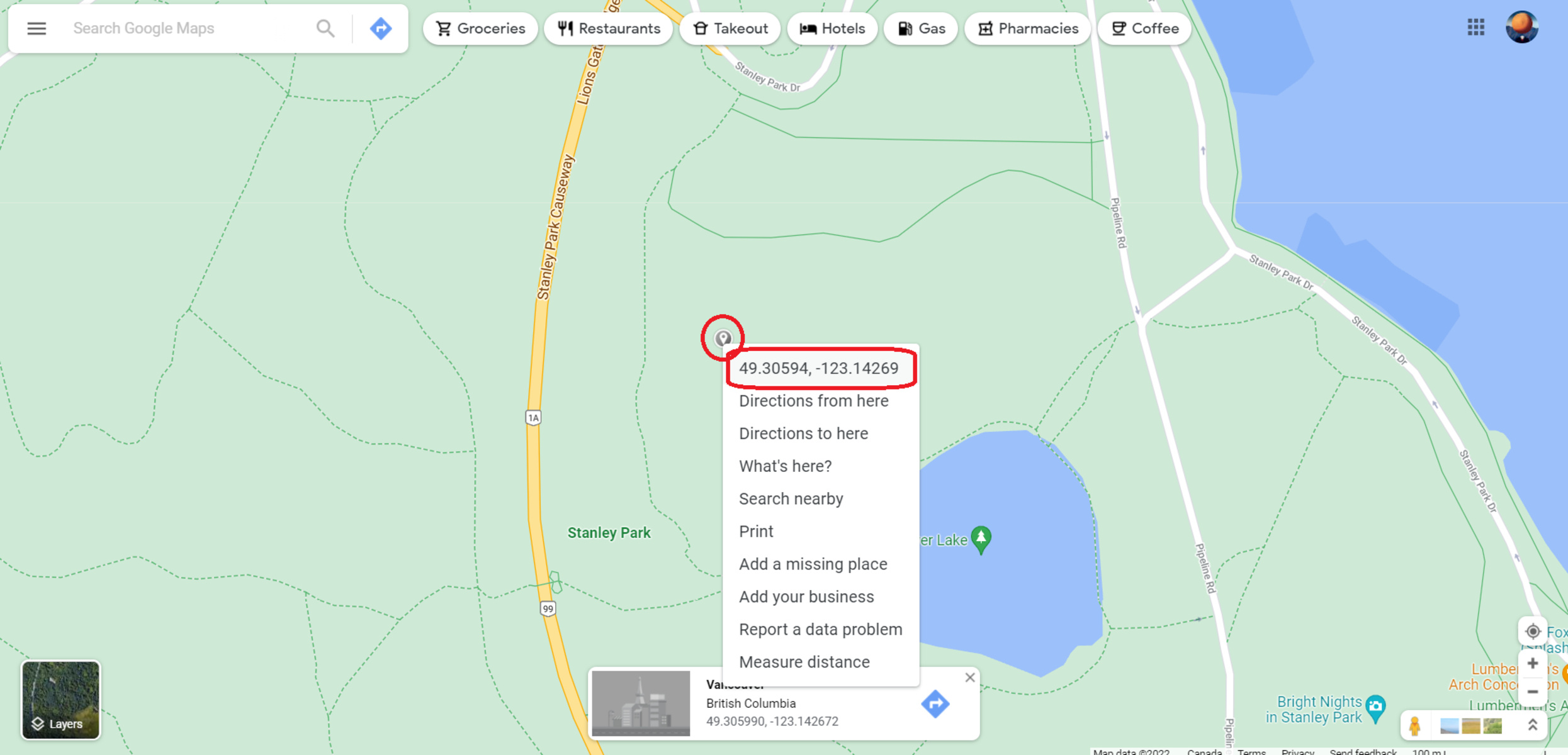
This is the most common format used in digital mapping. It consists of two numbers: the latitude followed by the longitude, separated by a comma. For example: 40.4411, -80.0000. Positive numbers represent North or East, while negative numbers represent South or West.
Degrees, Minutes, and Seconds (DMS)
This format is often used in traditional navigation and professional surveying. It looks like this: 41°24'12.2"N 2°10'26.5"E. When using DMS, you must ensure the symbols for degrees (°), minutes ('), and seconds (") are present, or the system may fail to parse the input.
Degrees and Decimal Minutes (DMM)
Less common for casual users but still supported, this format combines the two above: 41 24.2028, 2 10.4418.
Step-by-Step Guide to Inputting Coordinates
Accessing specific sites via coordinates is a straightforward process, but the interface nuances differ slightly between devices.
Using Coordinates on a Desktop Browser
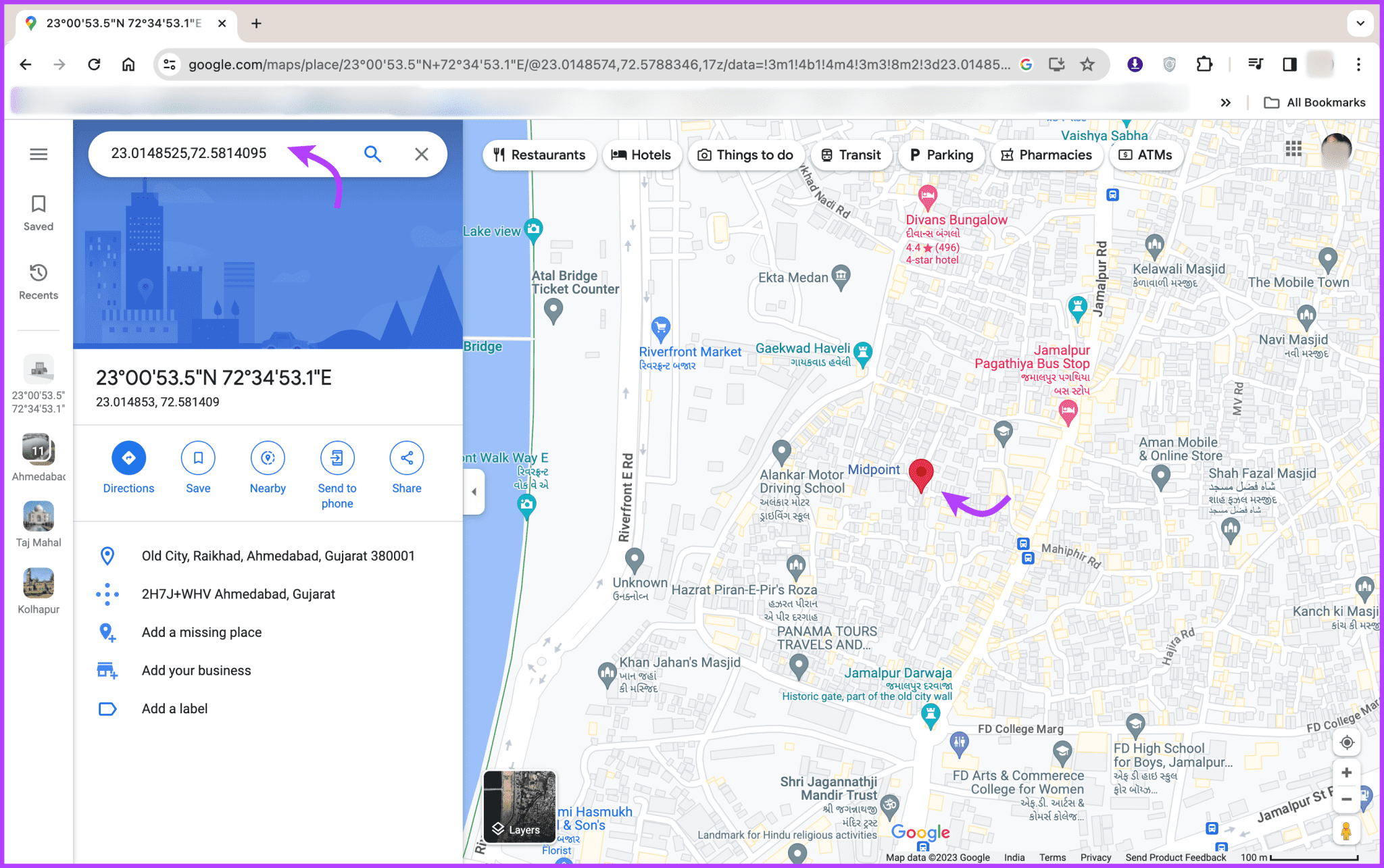
- Open your preferred web browser and navigate to Google Maps.
- Locate the search box in the top-left corner of the screen.
- Type or paste the specific coordinates into the box.
- Press Enter or click the magnifying glass icon.
- A digital pin will drop on the exact location. You can then use the "Pegman" icon to drag and drop into Street View if the area has ground-level imagery.
Using Coordinates on Mobile (Android and iOS)
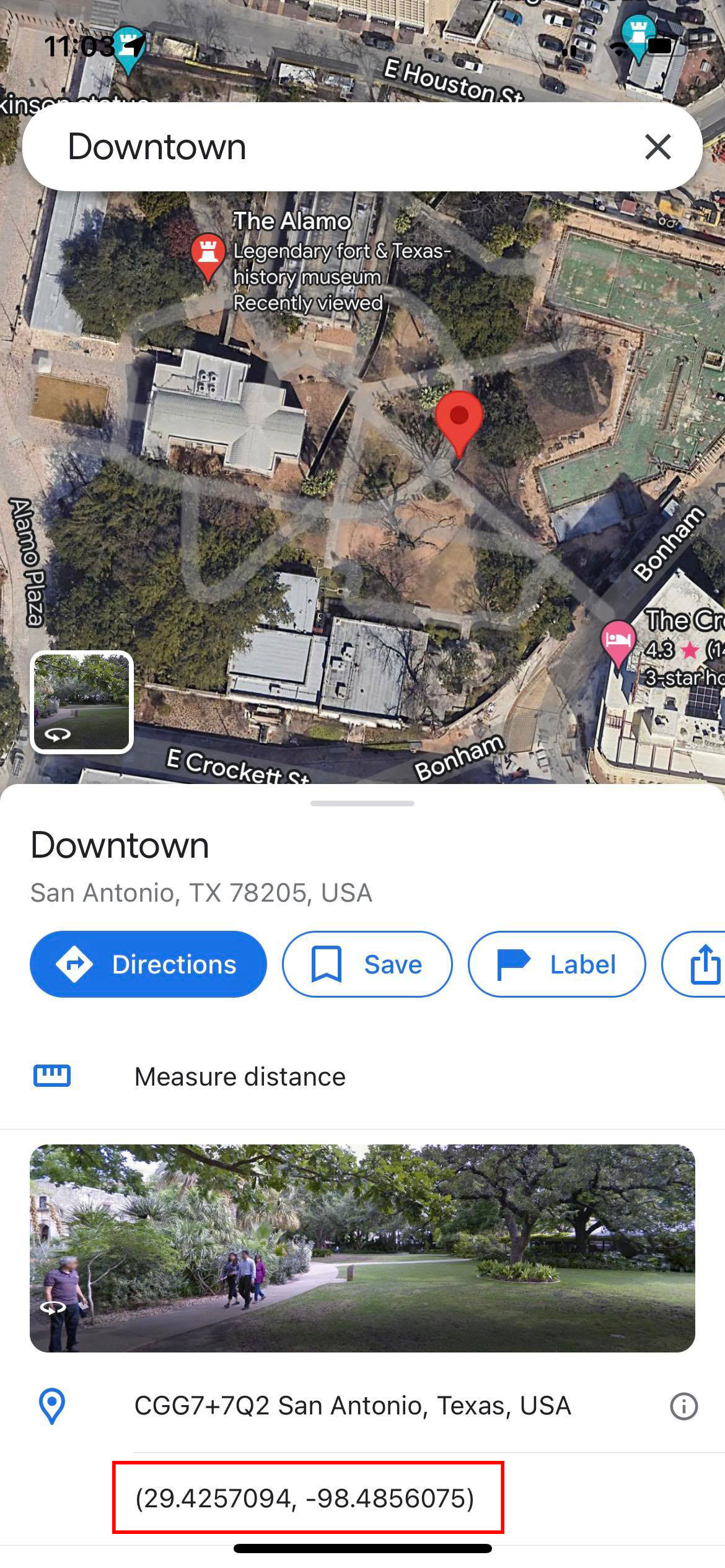
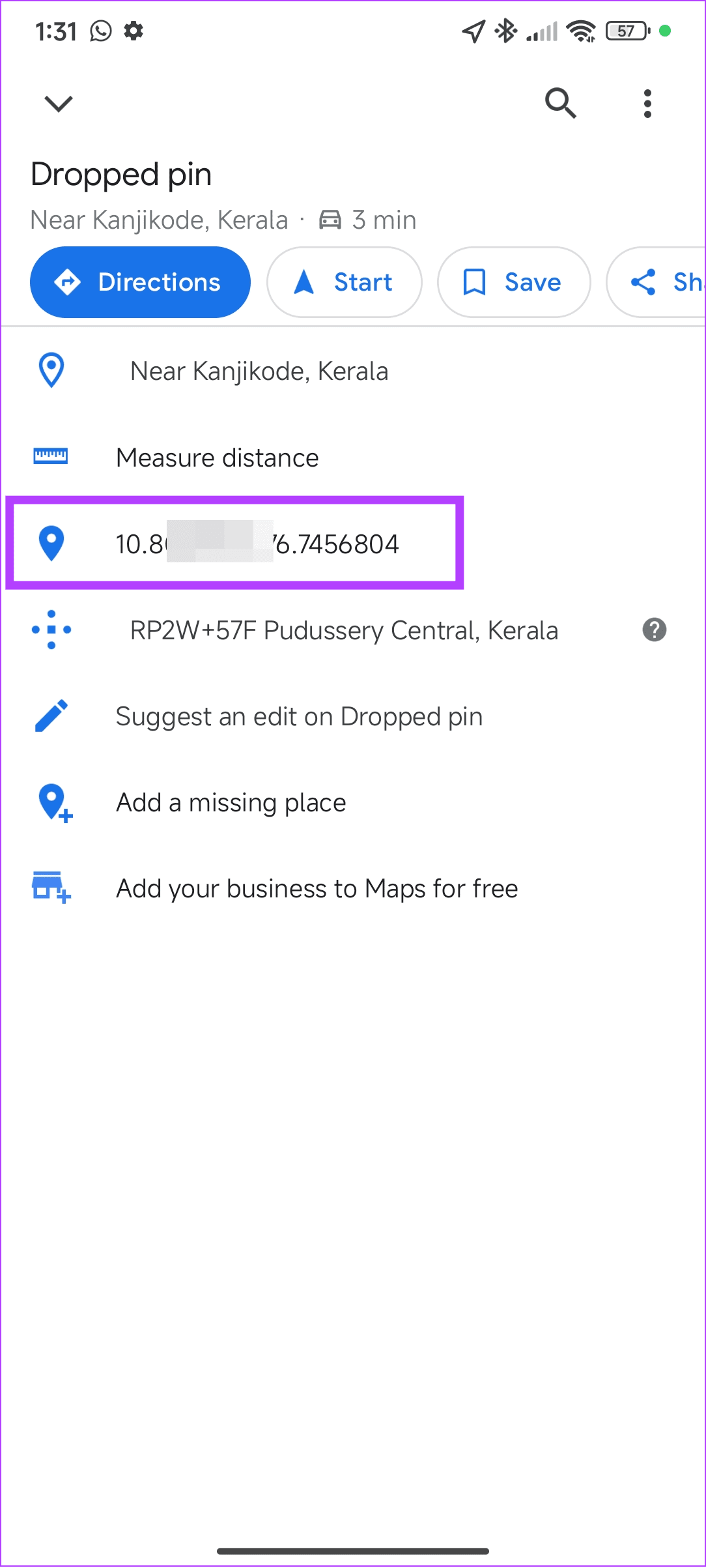
- Launch the Google Maps application.
- Tap the search bar at the top of the screen.
- Enter the coordinates. Ensure you use a period for decimals, not a comma (unless the comma is separating the latitude from the longitude).
- Tap Search.
- The app will center the map on the coordinates. In the 2026 version of the app, you can often trigger "Immersive View" for these locations if they are high-traffic landmarks.
Curated List of Fun Google Maps Coordinates
To get started, here are several verified coordinates that point to some of the most interesting, bizarre, and beautiful sights visible through satellite imagery.
| Location Name | Coordinates | What You Will See |
|---|---|---|
| The Badlands Guardian | 50°00'38.2"N 110°06'48.3"W | A natural geomorphological feature in Alberta, Canada, that resembles a human head wearing an indigenous headdress. |
| Guitar-Shaped Forest | -33.867886, -63.987002 | A forest in Argentina planted by a farmer in memory of his wife, consisting of over 7,000 cypress and eucalyptus trees. |
| The Desert Breath | 27°38'05.8"N 33°37'54.5"E | A massive spiral art installation in the Egyptian desert near the Red Sea, covering 100,000 square meters. |
| Giant Triangular Pattern | 37.401437, -116.86773 | A mysterious, massive triangle found in the Nevada desert, often linked to historical aerial calibration tests. |
| Shipwreck in Basra | 30.541634, 47.825445 | A large, capsized cargo ship resting on its side in the Shatt al-Arab river in Iraq. |
| Heart-Shaped Lake | 41.303921, -81.901693 | A perfectly heart-shaped body of water located in Columbia Station, Ohio. |
| The Giant of Tarapacá | -19.949156, -69.633844 | A large anthropomorphic geoglyph in the Atacama Desert, Chile, representing an ancient deity. |
| Niagara Falls | 43.0781, -79.0758 | Provides a high-resolution top-down view of the Horseshoe Falls and the surrounding tourist infrastructure. |
Troubleshooting Common Coordinate Errors
If you enter a coordinate and Google Maps returns a "No results found" error or points to the middle of the ocean, check for these common mistakes:
- Coordinate Reversal: The most frequent error is swapping latitude and longitude. Latitude (North/South) must always come first, followed by Longitude (East/West).
- Incorrect Symbols: Ensure you are using the correct degree symbol (°). On most keyboards, this is done via a shortcut (Alt+0176 on Windows, Option+Shift+8 on Mac).
- Missing Negative Signs: In the DD format, a missing negative sign can move your search to the opposite hemisphere. For example,
40.0, 70.0is in Kyrgyzstan, while40.0, -70.0is in the Atlantic Ocean off the coast of the United States. - Data Privacy and Redaction: In 2026, certain coordinates may lead to "blurred" or low-resolution zones. These are typically sensitive government sites or private residences where owners have requested privacy via Google's blurring policy.
Leveraging Immersive View and Street View in 2026
When exploring "fun" coordinates, the overhead satellite view is only half the experience. Modern Google Maps features allow for deeper exploration:
Immersive View
For major landmarks (like the Eiffel Tower or the Great Pyramids), Google now offers "Immersive View." After entering the coordinates, look for the Immersive View card. This uses AI to fuse billions of images, allowing you to fly through a 3D digital twin of the location and even see how it looks at different times of the day or in various weather conditions.
Street View Easter Eggs
Some coordinates are intended for Street View rather than satellite view. For example, searching for specific coordinates in the UK might allow you to "enter" the TARDIS from Doctor Who if the Easter egg is currently active in the Google database. To check these, drag the yellow "Pegman" to the blue highlighted lines or dots on the map.
Ethical Considerations and Privacy
While searching for fun coordinates is a popular hobby, it is important to remain mindful of privacy and local laws.
- Private Property: Many "weird" houses or structures found via coordinates are private residences. If you choose to visit these locations in person, remain on public roads.
- Environmental Sensitivity: Some natural formations (like the Desert Breath) are fragile. Virtual exploration is encouraged, but physical trekking to these remote coordinates can sometimes lead to site degradation.
- Reporting Imagery: If you discover something concerning or a violation of privacy while browsing coordinates, Google provides tools within the map interface to "Report a Problem."
Frequently Asked Questions
Can I find hidden military bases using coordinates?
While you can enter the coordinates for known sites like Area 51 (37.2431° N, 115.8112° W), Google often censors or blurs high-security installations. Satellite imagery for these locations is typically provided at a lower resolution or is outdated to comply with national security regulations.
Why do some fun coordinates look different than they did years ago?
Satellite imagery is updated on a rolling basis. Some "fun" sightings, such as the "Prada Marfa" store or temporary crop circles, may change over time due to weather, construction, or decommissioning. Google Earth's "Historical Imagery" feature (available on the desktop Pro version) is often required to see coordinates as they appeared in previous years.
How accurate are Google Maps coordinates?
Google Maps uses the WGS84 (World Geodetic System 1984) datum. The precision depends on the number of decimal places used. Four decimal places are accurate to approximately 11 meters, while six decimal places provide sub-meter precision. For "fun" coordinates, five or six decimal places are usually sufficient to center the object perfectly.
Are there coordinates that trigger "Easter eggs" in the interface?
Yes. Historically, Google has included software Easter eggs. For example, searching for specific locations in the past changed the "Pegman" into a spaceship or a character from a movie. In 2026, these are often seasonal or tied to specific product launches, so it is worth checking the "Google Maps Blog" for current active features.
Can I save a list of fun coordinates in the app?
You can save any coordinate location by tapping the "Save" icon on the location card and adding it to a custom list (e.g., "Cool Places to See"). This syncs across your Google account, allowing you to build a personal library of geographic anomalies.
Recommendation for Next Actions
To maximize your experience with fun coordinates, start by exploring the Badlands Guardian or the Guitar-Shaped Forest listed above, as these are consistently visible and high-resolution. After finding a site, use the "Share" function to send the exact coordinate link to others. For those interested in more technical exploration, downloading Google Earth Pro on a desktop provides additional layers, such as 3D topography and historical imagery, which can reveal how these fun locations have evolved over the last several decades.
Image Gallery