Scratches on iPhone Screen: Safe Fixes, Repair Costs, and What to Avoid
Scratches on an iPhone screen cannot be safely buffed out without damaging the display's protective oleophobic coating. Minor hairline scratches can be visually hidden by applying a high-quality tempered glass screen protector with sil...
Scratches on an iPhone screen cannot be safely buffed out without damaging the display's protective oleophobic coating. Minor hairline scratches can be visually hidden by applying a high-quality tempered glass screen protector with silicone or LOCA adhesive. For deep grooves or crack hazards, a full screen replacement through Apple or an authorized provider is required.
Contents
Understanding iPhone Glass: Why Ceramic Shield Still Scratches
Modern iPhone displays utilize advanced glass formulations designed to minimize damage from drops and impacts. Beginning with the iPhone 12 generation and continuing through current models, Apple incorporated Ceramic Shield technology, developed in partnership with Corning. This material embeds nano-ceramic crystals within the glass matrix to dramatically increase toughness and drop resistance.
However, drop resistance does not mean scratch resistance. Materials engineering requires balancing toughness (resistance to fracturing under sudden impact) with hardness (resistance to surface penetration and abrasion). While Ceramic Shield excels at absorbing shock, its surface hardness remains subject to the physics of everyday abrasive elements.
Note: The terms "toughness" and "hardness" represent distinct metallurgical and material properties. A surface optimized against cracking may still yield to harder minerals.
Oleophobic Coating vs. Structural Glass Scratches
Before determining a course of action, it is essential to distinguish between scratches in the structural glass and degradation of the oleophobic coating:
- Oleophobic Coating Scratches: Apple applies an oil-repellent fluoropolymer layer to the exterior glass surface during manufacturing. This coating reduces fingerprint smudges and allows fingers to glide smoothly across the display. Over months of normal use, friction from pockets, fingers, and microfiber cloths wears down this layer non-uniformly. Scratches occurring strictly within the oleophobic layer are super-ficial micro-abrasions that appear as dull streaks under direct light.
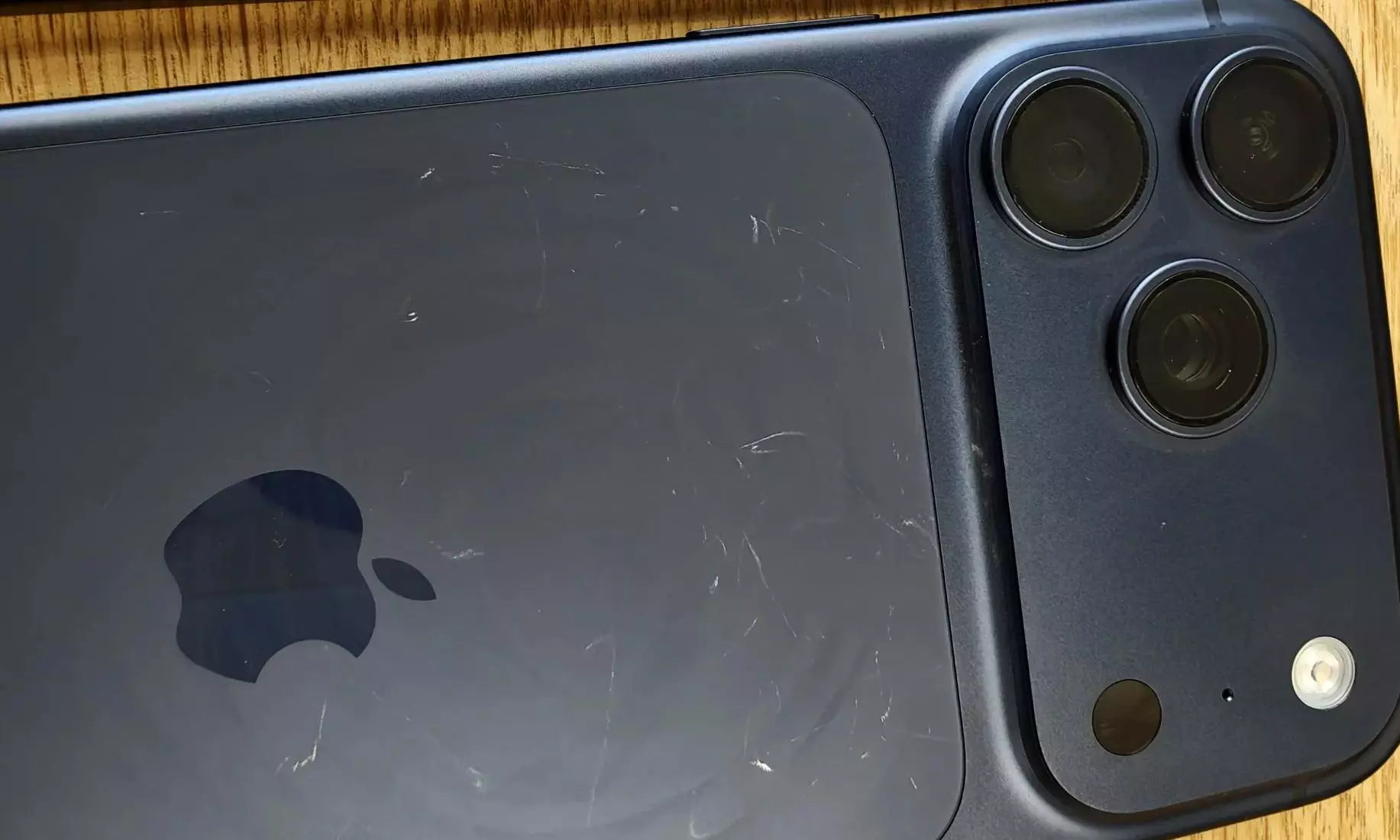
- Structural Glass Scratches: These are physical grooves cut directly into the glass substrate. They occur when materials harder than the glass surface are pressed across the screen. Structural scratches range from light hairline marks to deep grooves that catch a fingernail and compromise structural integrity.
Mohs Hardness Scale and Everyday Scratch Hazards
Mineral hardness is measured on the Mohs scale, which ranks materials from 1 (talc) to 10 (diamond). Standard smartphone glass and Ceramic Shield typically resist scratches up to level 5 on the Mohs scale, with visible marking beginning at level 6 and deeper grooves appearing at level 7.
Common items like keys, loose coins, and aluminum edge trim are made of metals with a Mohs hardness ranging between 3.5 and 5. Contrary to popular belief, brass keys or iron coins rarely scratch a modern iPhone screen directly. The primary culprit for everyday scratches is quartz sand.
Common sand and dust contain quartz, which rates at level 7 on the Mohs scale. Microscopic quartz particles resting inside pockets, purses, or on polishing cloths act like sandpaper when wiped across the screen under pressure. Even brief exposure to gritty dust can leave fine hairline scratches across an unprotected display.
The Danger of DIY Myths: Why You Should Avoid Toothpaste and Abrasives
The internet contains numerous guides suggesting home remedies for removing display scratches, including toothpaste, baking soda pastes, metal polish, and abrasive pads. Applying these materials to an iPhone screen almost always causes permanent, irreversible damage.
Destruction of the Oleophobic Layer
Toothpaste and homemade baking soda mixtures act as mild mechanical abrasives. When rubbed against a touch screen:
- The abrasive particles strip away the factory-applied oleophobic coating around the scratch area.
- Stripping the coating creates a large, permanently matte or cloudy patch on the screen.
- Removing the fluoropolymer layer increases surface friction, making the screen gather oil, fingerprints, and smudge marks rapidly.
- The actual glass scratch remains untreated underneath the ruined coating.
Risk of Liquid Ingress and Display Haze
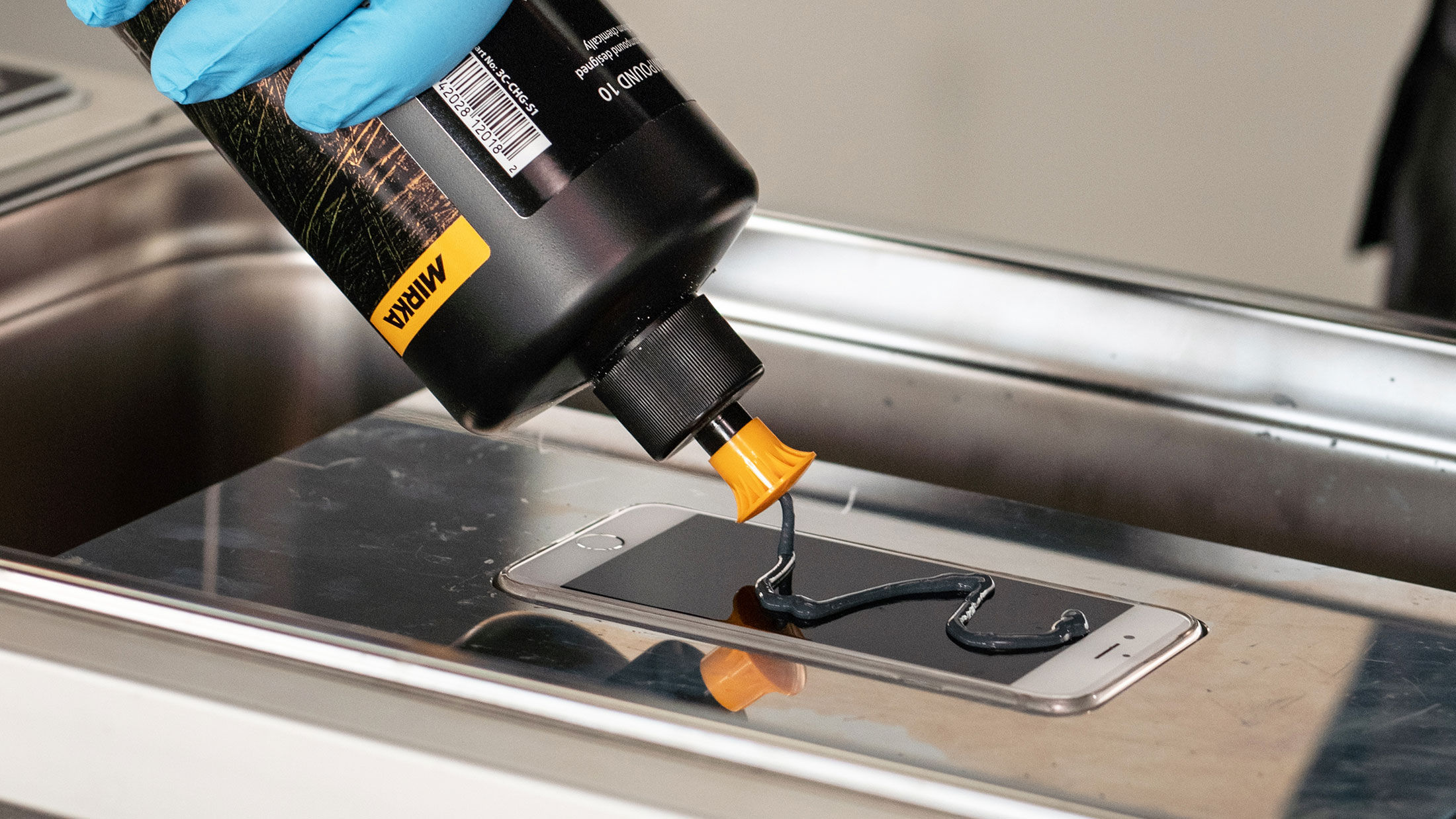
Aggressive polishing techniques often utilize liquid compounds or chemical polishes, such as cerium oxide suspensions. Attempting to buff glass with cerium oxide requires consistent mechanical force, water, and heat. Applying this technique to a fully assembled smartphone creates severe hazards:
- Slurry Ingress: Microscopic abrasive slurry can easily penetrate the earpiece speaker mesh, microphone ports, and perimeter display seals. Once inside, dried slurry can deaden speakers, ruin microphones, or short-circuit internal components.
- Display Haze and Uneven Refraction: Manual buffing removes glass material unevenly. This creates localized microscopic depressions that warp light passing through the OLED or LCD panel beneath, causing permanent rainbow effects, visual distortion, and display haze.
- Thermal Stress: High-speed rotary buffing tools generate intense friction heat. Direct thermal energy can ruin the underlying OLED panel, causing permanent black spots, discoloration, or touch-layer failure.
Safe Methods to Hide or Mitigate Surface Scratches
While glass cannot be safely un-scratched without physical replacement, optical optics allow users to render minor scratches nearly invisible without risking device functionality.
Standard Tempered Glass Protectors (Silicone Adhesion)
For light, hairline scratches, applying a high-quality tempered glass screen protector is the safest and most effective solution. Standard high-end screen protectors use a microscopic layer of clear, flexible silicone adhesive on their underside.
When applied to the display, the flexible silicone adhesive flows under light pressure into the micro-cavities formed by surface scratches. Because the optical refractive index of the silicone closely matches that of the display glass, light passes through the filled scratch with minimal scattering. This optical filling effect makes light hairline scratches virtually imperceptible while restoring a smooth touch surface and adding a fresh oleophobic layer.
UV/LOCA Adhesive Protectors for Deeper Hairline Scratches
When scratches are deep enough to catch a fingernail but have not cracked the glass substrate, standard dry-apply protectors may trap small air bubbles inside the scratch channel. In these situations, protectors using Liquid Optically Clear Adhesive (LOCA) cured by ultraviolet (UV) light provide superior optical filling.
The LOCA application process operates through specific steps:
- Preparation: Speaker grills, buttons, and port openings are masked with liquid-proof tape to prevent liquid adhesive from entering the chassis.
- Liquid Dispersion: A measured drop of liquid acrylic adhesive is placed directly onto the clean screen.
- Protector Placement: A curved or flat tempered glass overlay is lowered onto the liquid. Capillary action distributes the adhesive evenly across the glass, fully submerging deep surface scratches.
- UV Curing: Exposure to an ultraviolet lamp polymerizes the liquid acrylic into a solid, optically clear plastic layer.
Because the liquid fully fills deep channels before hardening, it eliminates optical refraction at the scratch boundary, successfully disguising deep scratches without mechanical grinding.
AppleCare+ Policies and Professional Replacement Costs
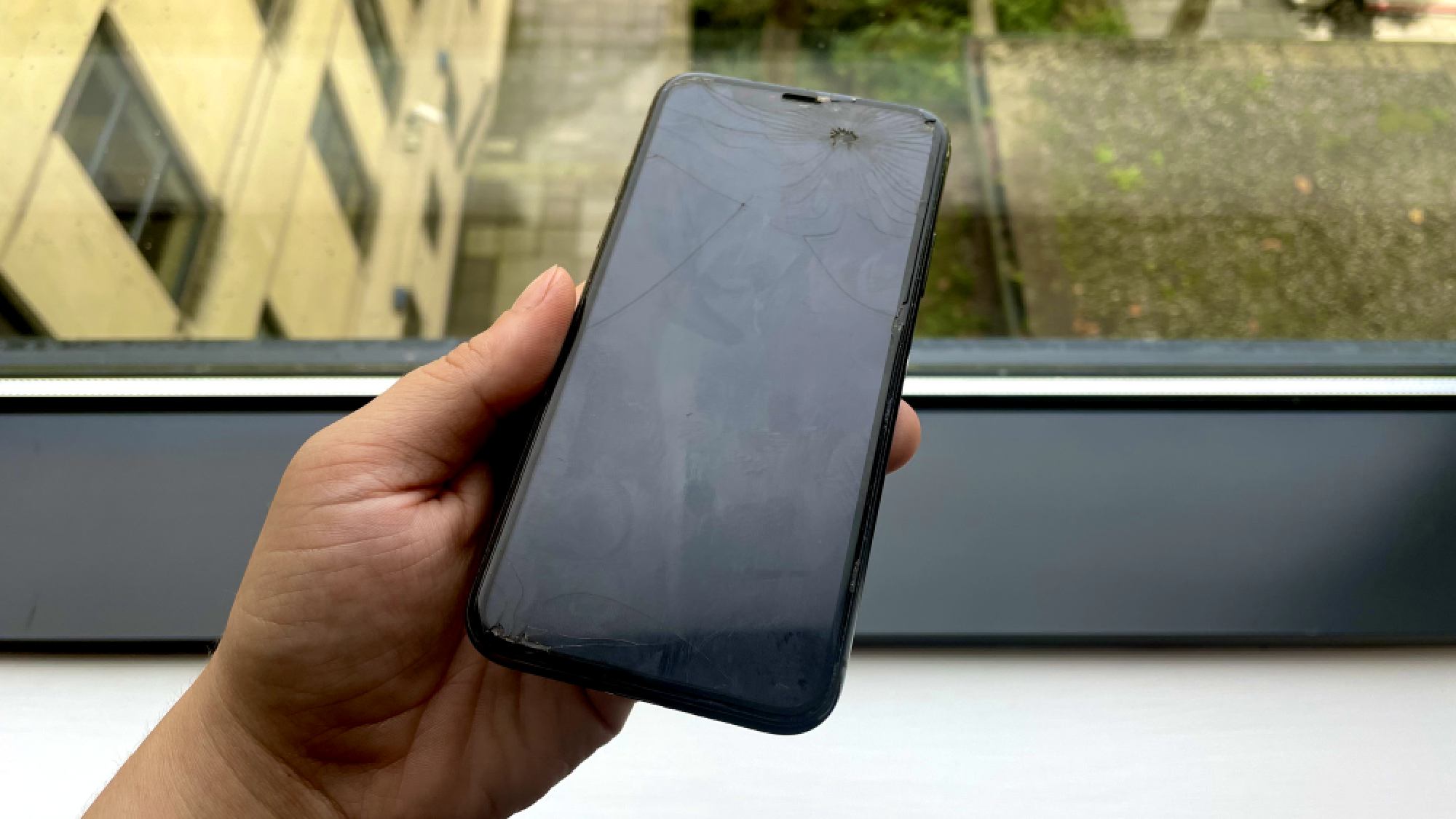
When a scratch is too severe to be disguised, or if structural integrity is compromised, replacing the screen unit is the only true fix. Understanding repair policies helps users navigate service options efficiently.
Cosmetic Damage vs. Covered Screen Replacement
Official warranty policies differentiate between functional damage and cosmetic imperfections:
- Standard 1-Year Limited Warranty: Apple's standard limited warranty covers manufacturing defects in materials and workmanship. It explicitly excludes cosmetic damage, including scratches, dents, and broken plastic on ports, unless failure has occurred due to a defect in materials or workmanship.
- AppleCare+ Coverage: AppleCare+ covers unlimited incidents of accidental damage handling. However, Apple's official service terms specify that purely cosmetic damage—such as minor scratches that do not impair device operation or structural safety—is generally not eligible for claim processing.
If a scratch is accompanied by a crack, or if the user requests a screen replacement for a severely gouged display under an active AppleCare+ plan, the standard accidental damage service fee applies. Under standard AppleCare+ pricing terms, screen-only damage carries a fixed service fee of $29 (plus applicable local tax).
Out-of-Warranty Replacement Cost Breakdown
If a device is not covered by AppleCare+ or an active extension plan, screen replacement costs vary based on the specific iPhone model, screen technology (Super Retina XDR OLED vs. Liquid Retina LCD), and display size.
The following repair pricing tiers reflect standard out-of-warranty screen replacement costs through official Apple Service Channels:
- Base/Compact Models (iPhone 13 mini, iPhone 14, iPhone 15, iPhone 16 base models): Approximately $229 to $279.
- Plus Models (iPhone 14 Plus, iPhone 15 Plus): Approximately $329.
- Pro Models (iPhone 14 Pro, iPhone 15 Pro, iPhone 16 Pro): Approximately $329 to $379.
- Pro Max Models (iPhone 14 Pro Max, iPhone 15 Pro Max, iPhone 16 Pro Max): Approximately $379 to $429.
Independent third-party repair shops may offer lower pricing. However, third-party repairs using non-genuine displays can result in the loss of features such as True Tone, automatic brightness calibration, and display warning messages within iOS Settings regarding component authenticity.
Method Comparison: Scratch Mitigation Options
The table below summarizes the effectiveness, cost, risk profile, and impact on warranty for each approach to handling screen scratches.
| Mitigation Method | Primary Purpose | Effectiveness on Scratches | Estimated Cost | Risk Level | Warranty & Feature Impact |
|---|---|---|---|---|---|
| Toothpaste / Baking Soda | DIY Polish | Ineffective; damages coating | $0 – $5 | High | Strips oleophobic layer; leaves permanent matte haze. |
| Cerium Oxide Polishing | Mechanical Glass Removal | Partial on minor marks; creates haze | $15 – $30 | Extreme | Risk of liquid ingress, thermal OLED damage, and total warranty voiding. |
| Standard Tempered Glass | Masking & Surface Protection | Excellent for light hairline scratches | $10 – $30 | Very Low | None; fully reversible and protects against future drops. |
| UV / LOCA Glass Protector | Deep Scratch Masking | High for moderate to deep grooves | $25 – $50 | Low to Moderate | Requires careful port masking to prevent glue ingress into speakers. |
| Official Apple Screen Replacement | Total Hardware Restoration | 100% (Full assembly replacement) | $29 (AppleCare+) / $229–$429 (Out of Warranty) | None | Restores original factory spec, liquid resistance seals, and full warranty status. |
How to Prevent Future Display Scratches
Preventing surface abrasions is significantly simpler and more cost-effective than attempting hardware repairs or optical masking.
Protective Accessories and Material Choices
- Install Glass Protection Immediately: Apply a high-quality tempered glass protector immediately upon unboxing a new device. Replacing a damaged $15 screen protector is infinitely easier than repairing original display glass.
- Select Cases with Raised Bezel (Lip): Choose protective phone cases featuring a raised perimeter lip (at least 1.0 mm to 1.5 mm above the glass surface). This raised edge prevents the screen glass from making contact with flat surfaces when the phone is placed face-down.
Safe Cleaning Routines and Environmental Precautions
Incorrect cleaning methods cause a large percentage of fine hairline scratches. Follow these safe cleaning practices:
- Blow Away Debris: Before wiping a screen, blow soft air across the surface to dislodge loose sand or quartz dust particles. Wiping a dusty screen directly drags hard particulates across the glass.
- Use Microfiber Only: Wipe the display exclusively with clean, high-density microfiber cloths. Avoid paper towels, tissues, shirts, or shop rags, which often contain coarse wood fibers or trapped particulate matter.
- Apply Approved Cleaners: Never spray household glass cleaners, bleach, ammonia solutions, or pure isopropyl alcohol directly onto the glass, as harsh solvents break down the oleophobic coating rapidly. Use a specialized screen cleaner or a microfiber cloth lightly dampened with distilled water.
- Dedicated Pockets: Establish a dedicated pocket or bag compartment for your iPhone. Never store a smartphone in the same pocket as keys, coins, metallic tools, or loose cosmetics.
Frequently Asked Questions
Does toothpaste fix scratches on an iPhone screen?
No. Toothpaste acts as a mild abrasive that strips away the screen's factory oleophobic (oil-repellent) coating without removing scratches from the glass beneath. Applying toothpaste leaves a dull, permanently smudged patch on the screen and increases surface friction.
Does AppleCare+ cover minor scratches on the display?
AppleCare+ does not cover purely cosmetic damage, such as minor scratches that do not affect the functionality or structural integrity of the phone. However, if the screen glass is cracked or broken, AppleCare+ covers a complete screen replacement for a standard service fee of $29.
Will a screen protector hide existing scratches on my iPhone?
Yes, in many cases. The silicone or optical liquid adhesive on high-quality tempered glass screen protectors fills in micro-cavities caused by hairline scratches. Because the adhesive matches the refractive index of glass, light scattering is minimized, making minor scratches virtually invisible.
How much does Apple charge to replace a scratched iPhone screen out of warranty?
Depending on the specific model and screen size (such as standard OLED versus Pro Max displays), an out-of-warranty screen replacement through Apple typically costs between $229 and $429.
Can cerium oxide polish be safely used on iPhone displays?
Cerium oxide polish is not recommended for assembled smartphones. Mechanical polishing generates heat that can damage the OLED panel, wears down the glass unevenly to cause optical haze, and risks liquid slurry ingress into speakers, microphones, and internal seals.
Final Takeaway and Recommended Next Steps
If your iPhone screen has accumulated scratches, avoid abrasive DIY fixes such as toothpaste or glass polishes. These methods permanently ruin the screen's protective coating and risk secondary liquid or thermal damage to the internal hardware.
- For Hairline to Moderate Scratches: Clean the screen thoroughly with a microfiber cloth and apply a quality tempered glass screen protector (or a UV/LOCA adhesive glass protector for deeper grooves). This will safely mask existing marks while restoring smooth touch operation.
- For Deep Structural Gouges or Cracks: Schedule a service appointment through official Apple Support or an Apple Authorized Service Provider. If covered under AppleCare+, a complete display replacement can be completed for the $29 accidental damage deductible.
Image Gallery