5 Changes Shaping Dashlane Two Factor Authentication in 2026
As of 2026, Dashlane two-factor authentication (2FA) has transitioned from an optional security layer to a sophisticated, multi-modal defense system. The service now prioritizes passkey-based passwordless logins, integrated mobile push...
As of 2026, Dashlane two-factor authentication (2FA) has transitioned from an optional security layer to a sophisticated, multi-modal defense system. The service now prioritizes passkey-based passwordless logins, integrated mobile push verification, and enhanced hardware key support, effectively mitigating the risks associated with traditional SMS-based codes and social engineering attacks.
Contents
The Evolution of Authentication Standards at Dashlane
In the current landscape of 2026, the traditional methodology of entering a username and password followed by a six-digit code is increasingly viewed as a legacy system. Dashlane has historically been at the forefront of the password management industry, but the shift toward "phishing-resistant" authentication has forced a significant redesign of its internal architecture. The core of this evolution lies in the adoption of FIDO2 (Fast Identity Online) and WebAuthn standards, which move the "second factor" from a temporary code to a cryptographic handshake.
To understand the five major changes shaping Dashlane’s 2FA, one must first recognize the prerequisites for modern account security. Users no longer simply "turn on 2FA"; they manage an ecosystem of trusted devices and physical tokens. This shift reflects a broader industry movement away from shared secrets—where both you and the server know the password—toward public-key cryptography, where your private key never leaves your device.
1. The Dominance of Passkeys over Traditional TOTP
The most significant change shaping the Dashlane experience in 2026 is the full-scale integration of passkeys. While Dashlane began supporting passkeys as early as 2023, the current implementation treats them as the primary method of both authentication and second-factor verification.
A passkey is a digital credential that uses biometrics (like FaceID or TouchID) or a device PIN to authenticate the user. Unlike traditional Time-based One-Time Passwords (TOTP) used by apps like Google Authenticator, passkeys are inherently resistant to phishing. In the past, a user could be tricked into typing a 2FA code into a fraudulent website. With passkeys, the browser and the Dashlane extension perform a cryptographic check that only succeeds if the URL is verified and legitimate.
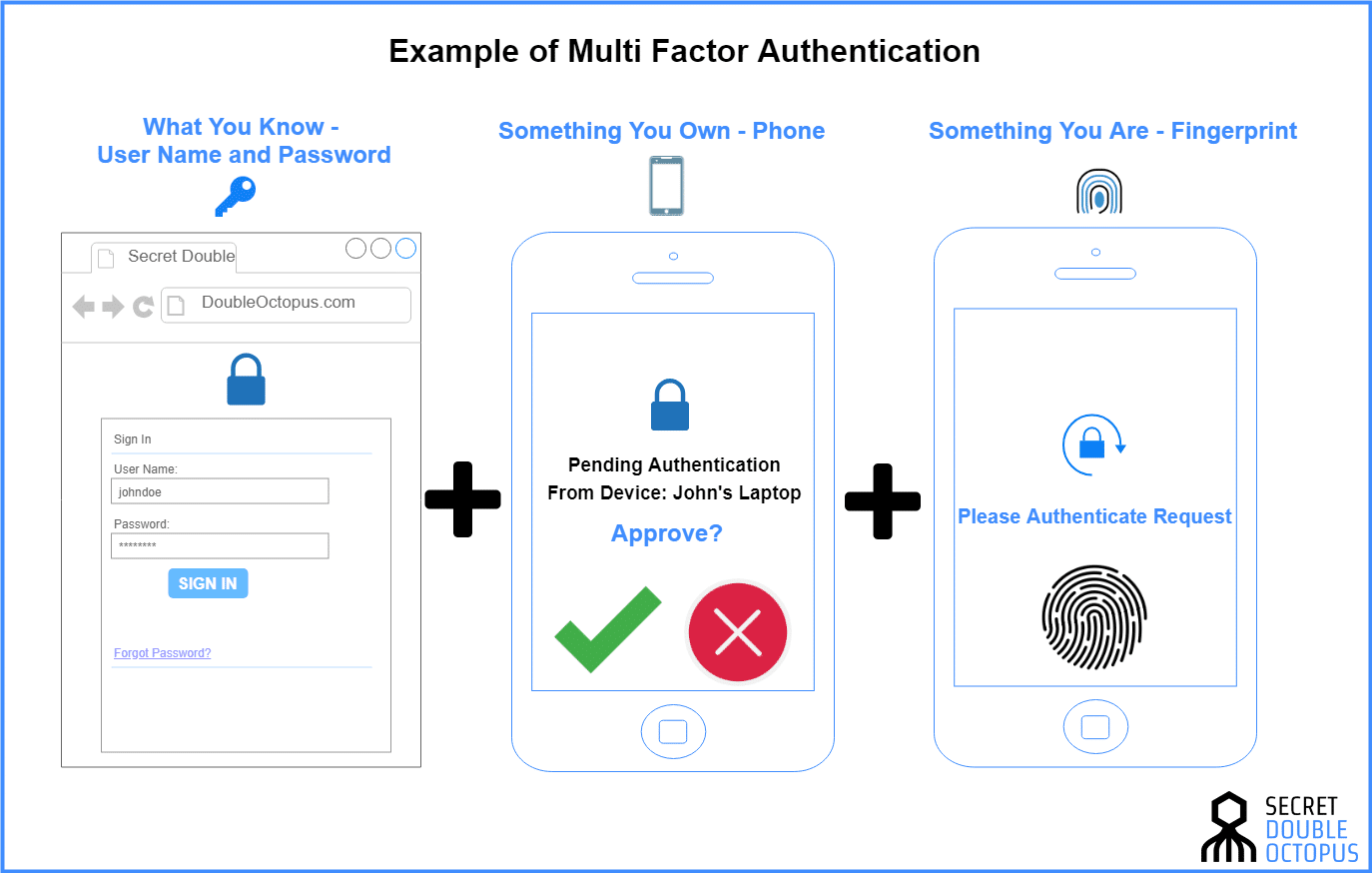
For Dashlane users, this means that the "second factor" is often invisible. When you attempt to log in to a vault on a new device, the system requests a passkey check from your mobile device. This effectively merges the "something you know" (the passkey setup) with "something you have" (the physical device) and "something you are" (the biometric scan), creating a more secure yet less intrusive user experience.
2. Integrated Mobile Verification and Secure Push
In previous years, Dashlane users often relied on third-party apps for their 2FA needs. However, the 2026 iteration of the Dashlane mobile app functions as a dedicated, proprietary authenticator. This change focuses on "Secure Push" technology, which replaces the manual entry of six-digit codes.
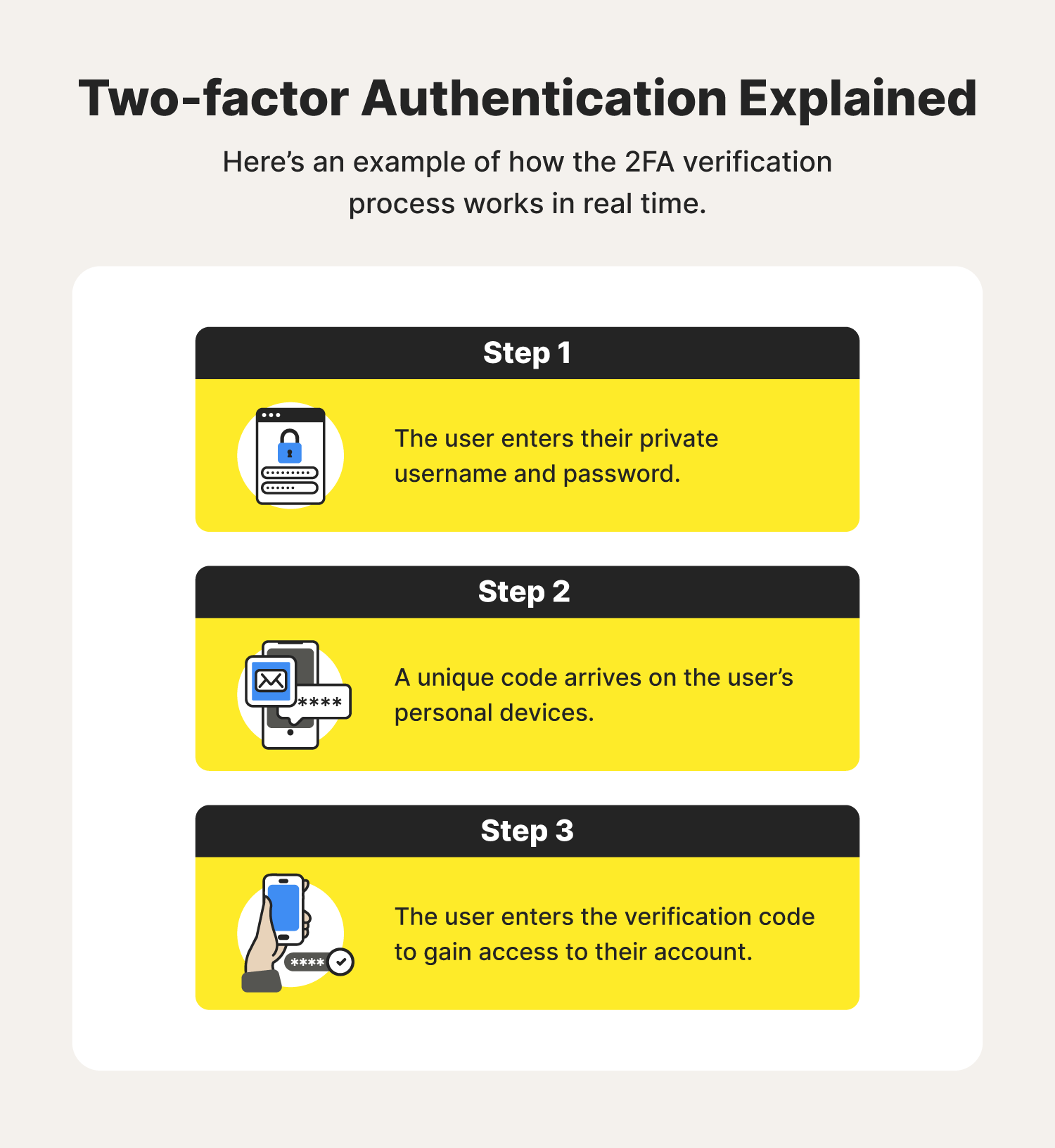
When a login attempt is detected on a desktop browser, Dashlane sends an encrypted notification to the user's registered mobile device. This notification includes critical context:
- The exact geographic location of the login attempt.
- The IP address and device type.
- A "Match Number" or "Verified Push" requirement.
The "Match Number" system is a critical security update designed to prevent "MFA fatigue" attacks. In these attacks, hackers spam a user with push notifications until the user accidentally clicks "Approve." In 2026, Dashlane requires the user to type a two-digit number displayed on the login screen into the mobile app to confirm the request is intentional. This ensures the user is physically present at the computer initiating the login.
3. Universal Hardware Key Support and NFC Integration
For high-security users and enterprise clients, Dashlane has significantly deepened its support for physical security keys, such as the YubiKey 5 Series and Google Titan keys. The current change involves the seamless transition between desktop and mobile environments using Near Field Communication (NFC).
Historically, using a hardware key on a mobile device was cumbersome. As of 2026, Dashlane’s mobile application allows users to verify their identity by simply tapping their NFC-enabled security key against the back of their smartphone. On the desktop side, Dashlane has moved beyond simple U2F support to full WebAuthn implementation, allowing these keys to serve as the "Root of Trust" for the entire vault.
This is particularly important for users who choose to disable the Master Password in favor of a "passwordless" vault. In this configuration, the hardware key acts as the primary decryption trigger. If the key is not present, the vault remains an encrypted blob that cannot be accessed even by Dashlane’s own servers, reinforcing the zero-knowledge architecture.
4. Decentralized Recovery Protocols and "Admin-Assisted" 2FA Reset
A common deterrent to using robust 2FA has always been the fear of being locked out of one's account. Dashlane has addressed this in 2026 through the implementation of decentralized recovery protocols. This change moves away from the "master reset" links that were once common (and insecure) toward a multi-signature recovery model.
When a user sets up 2FA, Dashlane now mandates the generation of a 28-character "Master Recovery Key." This key is the only way to bypass 2FA if a device is lost or a hardware key is destroyed. Furthermore, for Dashlane Business users, the "Admin-Assisted Reset" has been refined. It allows IT administrators to reset 2FA for an employee without ever gaining access to the employee's actual vault data.
This separation of "access control" (the 2FA) from "data decryption" (the Master Password/Passkey) is a technical milestone. It ensures that even if a corporate admin helps a user regain access to their account, the underlying passwords within the vault remain encrypted and private to the individual user.
5. Contextual Risk-Based Authentication (C-RBA)
The fifth change is the introduction of machine learning-driven Contextual Risk-Based Authentication. Dashlane now analyzes the environment of a login attempt to determine the "friction" required for 2FA.
If you are logging in from a "Trusted Device" on a known home Wi-Fi network, Dashlane may only require a biometric touch. However, if the system detects a login attempt from a new country, a different operating system, or a known VPN exit node, it automatically escalates the 2FA requirements. In these high-risk scenarios, the system may require both a passkey and a physical hardware key tap, even if the user typically only uses one.
This "adaptive security" prevents automated credential stuffing attacks from being successful, even if an attacker manages to bypass the first layer of security. It creates a dynamic perimeter that adjusts based on the perceived threat level in real-time.
Comparison of Dashlane 2FA Methods in 2026
The following table outlines the different 2FA options available within Dashlane and their respective security characteristics as of 2026.
| 2FA Method | Security Level | Phishing Resistance | User Effort | Best For |
|---|---|---|---|---|
| Passkeys (FIDO2) | Ultra-High | Absolute | Low | Daily use on personal devices |
| Hardware Keys (YubiKey) | Ultra-High | Absolute | Moderate | High-value accounts and admins |
| Dashlane Secure Push | High | High (with Match Number) | Low | Standard users preferring mobile apps |
| TOTP (6-Digit Codes) | Moderate | Low (Phishable) | High | Legacy sites not supporting FIDO2 |
| Master Recovery Key | Critical | N/A | High | Emergency vault access only |
Common Troubleshooting for Dashlane 2FA
Despite the advancements in 2026, users may still encounter issues when managing multi-factor authentication. Understanding the technical requirements can help resolve these friction points quickly.
2FA Code Not Accepted
The most common cause for TOTP codes being rejected is clock desynchronization. Dashlane’s 2FA relies on the "Time" part of Time-based One-Time Passwords. If your mobile device and the computer you are using are more than 30 seconds apart, the generated code will be invalid. Ensure both devices are set to "Set Time Automatically" in their respective system settings.
Lost Security Key or Mobile Device
If you lose the device that provides your second factor, you must use your Recovery Key. Dashlane does not have access to your vault and cannot "turn off" 2FA for you for security reasons. If you have lost both your 2FA device and your Recovery Key, the vault is effectively permanently locked. This is the cornerstone of a zero-knowledge security model.
Passkey Recognition Issues
Passkeys are tied to the hardware's "Secure Enclave" or "TPM" (Trusted Platform Module). If you recently cleared your browser’s hardware-level cache or disabled your device's biometric sensors, the passkey may fail to authenticate. In these cases, Dashlane will typically fall back to asking for your Master Password and a secondary 2FA method like an email code (if configured as a backup).
Frequently Asked Questions
Can I use Dashlane 2FA without a smartphone?
Yes. While the Dashlane mobile app is the most common way to manage 2FA, you can use physical hardware keys (USB-A, USB-C, or Lightning) or a desktop-based TOTP generator. However, the most secure and phishing-resistant methods in 2026 generally require either a biometric-capable laptop or a mobile device.
Is SMS 2FA still available in Dashlane?
As of 2026, Dashlane has deprecated SMS 2FA for new users and strongly discourages its use for existing ones. SMS is vulnerable to "SIM swapping" attacks, where a hacker convinces a carrier to move your phone number to their device. Dashlane prioritizes "in-app" push notifications and passkeys, which are significantly more secure.
Does 2FA protect me if my Master Password is stolen?
Absolutely. This is the primary purpose of 2FA. If an attacker obtains your Master Password (perhaps through a data breach on another site where you reused the password), they still cannot access your Dashlane vault without the second factor (your phone, passkey, or hardware key).
What is the difference between a Passkey and 2FA?
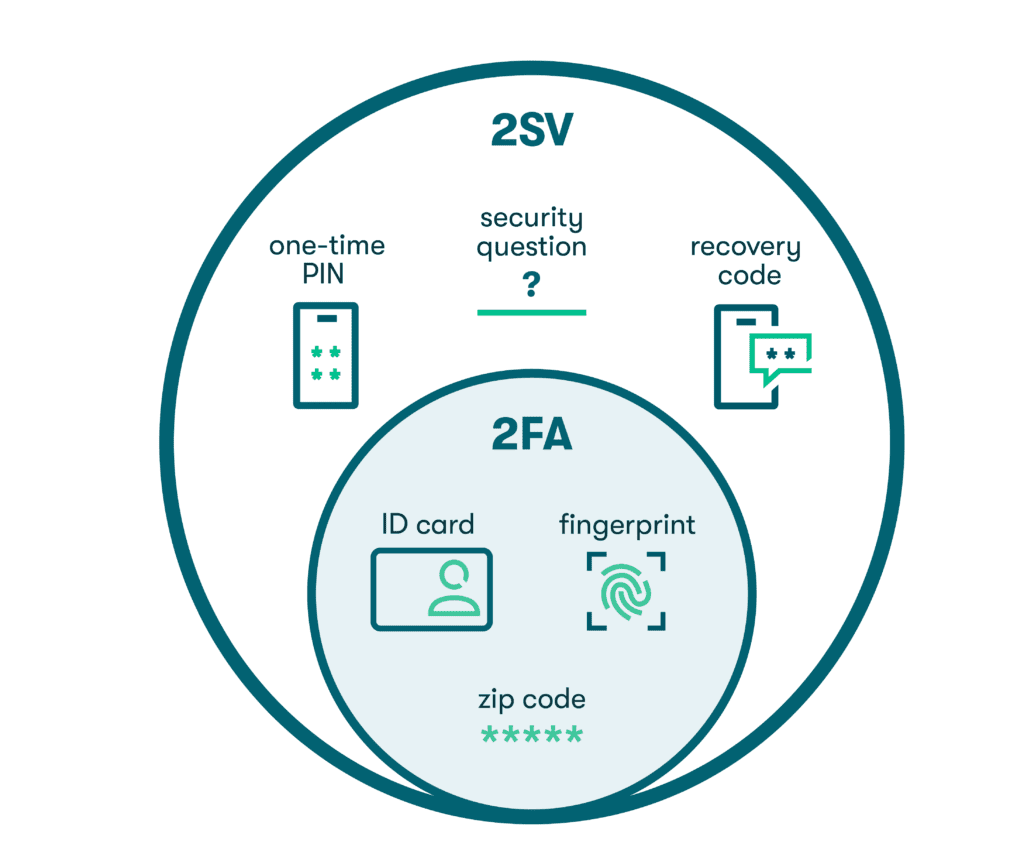
In 2026, the line has blurred. A passkey can actually replace both the password and the 2FA code because the act of creating the passkey involves a "something you have" (the device) and a "something you are" (the biometric) check. Dashlane uses passkeys both as a primary login method and as a high-security second factor.
How do I back up my 2FA settings?
The best way to back up your 2FA is to ensure you have saved your Dashlane Recovery Key in a secure, offline location (like a physical safe). Additionally, if you use hardware keys, it is an industry best practice to register at least two keys—one for daily use and one kept in a secure location as a backup.
Practical Recommendation for 2026
To maximize the security of your Dashlane vault in 2026, users should transition to a Passkey-first workflow. Begin by registering your primary mobile device and your laptop’s biometric sensor as passkeys within the Dashlane settings. Once these are active, ensure you have generated and printed your Master Recovery Key. For users holding high-value assets or sensitive corporate data, adding a physical YubiKey 5C NFC as a secondary hardware-backed factor provides the highest level of protection currently available in the cybersecurity industry.
Image Gallery