How to Activate Your Ulta Credit Card: Online, Phone, and Setup Guide
To activate your Ulta Beauty Credit Card or Ultamate Rewards Mastercard, visit the official Comenity Capital Bank activation web page or call the toll-free number printed on the sticker on the front of your new card. You must verify yo...
To activate your Ulta Beauty Credit Card or Ultamate Rewards Mastercard, visit the official Comenity Capital Bank activation web page or call the toll-free number printed on the sticker on the front of your new card. You must verify your credit card number, expiration date, 3-digit security code (CVV), ZIP code, and the last four digits of your Social Security number.
Contents
Disclaimer: This guide is for informational purposes only. Credit cards are issued by Comenity Capital Bank. Financial terms, APRs, and account management policies are governed by the credit agreement provided at approval.
Understanding Ulta Credit Card Types and Issuer Details
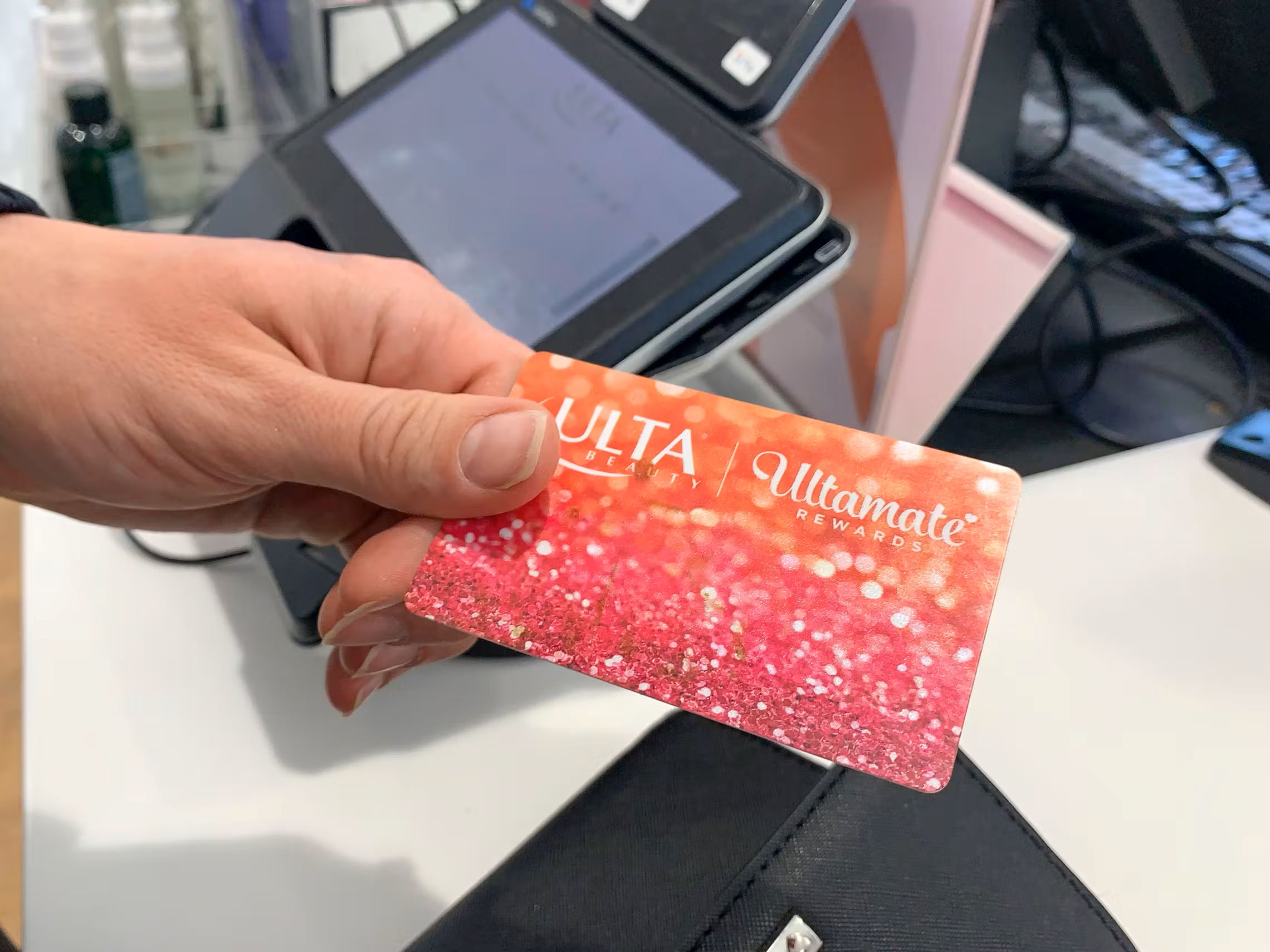
Before starting the activation process, it helps to understand which version of the Ulta credit card you hold. Ulta Beauty partners with Comenity Capital Bank to issue two distinct consumer credit cards. While both cards allow you to earn enhanced rewards within the Ulta Beauty ecosystem, their card handling and activation options share the same core banking portal but differ in terms of broader usage.
- Ulta Beauty Credit Card: A closed-loop store credit card. This card can only be used for purchases made directly at Ulta Beauty stores located within the United States or online at Ulta.com.
- Ultamate Rewards Mastercard®: An open-loop credit card. This card can be used anywhere Mastercard is accepted worldwide, in addition to Ulta Beauty retail locations and online platforms.
Both versions are managed digitally through Comenity Capital Bank’s dedicated online account management system. Regardless of whether you received the store card or the Mastercard version, activating your physical piece of plastic is mandatory before you can make offline or online transactions with the physical card.
Prerequisites for Card Activation
To complete activation quickly without timing out on the phone or online portal, gather the required personal identification and account details beforehand. Comenity Capital Bank uses encrypted identity verification protocols to ensure that the individual activating the card is the approved primary account holder or an authorized user.
Information Required:
- Your Physical Credit Card: You need the 16-digit card number printed on the back or front of the card, the expiration date, and the 3-digit Card Verification Value (CVV) security code.
- Primary Cardholder Details: The legal date of birth and the last four digits of the primary applicant's Social Security Number (SSN) or Individual Taxpayer Identification Number (ITIN).
- Billing Information: The primary billing ZIP code or postal code associated with the initial credit application.
- Contact Details: Access to the phone number or email address registered during the application phase to receive one-time passcode (OTP) security verification checks if prompted.
Step-by-Step Activation Methods
Comenity Capital Bank provides two direct activation pathways for your new card: a self-service online portal and an automated toll-free telephone activation service. If you applied in-store and received an instant approval, you may also have temporary purchasing access while awaiting your physical card.
- Receive Card in Mail
- Method 1: Online
- Visit Comenity Portal
- Enter Card & SSN Info
- Set Account Password
- Method 2: Phone
- Call Sticker Number
- Enter Card & SSN Info
- Confirm Identity
- Method 1: Online
- Card Activated
- Link to Ulta Rewards Account
Method 1: Online Activation via the Comenity Web Portal (Fastest)
Online activation allows you to activate your card and set up your ongoing web account management profile in a single session.
- Navigate to the Activation Page: Open a secure web browser and visit the official Comenity Capital Bank activation page for Ulta Beauty cards (accessible via Comenity's Account Center).
- Input Account Verification Identifiers: Enter your 16-digit credit card number, your billing ZIP code, the selected identification document type (standard is SSN), and the last four digits of that identification number.
- Validate Security Information: Enter the card's 3-digit security code (CVV) and expiration date as printed on your card.
- Confirm Identity: If requested, complete a secondary authentication step by entering a one-time passcode sent via SMS or email to your registered contact details.
- Create Online Banking Credentials: If you do not already have a Comenity online account, the system will prompt you to establish a username, a strong password, and select security recovery questions.
- Finalize Activation: Click Submit or Activate Card. You will receive an immediate on-screen confirmation indicating that your card is active and ready for use.
Method 2: Phone Activation via Automated Customer Service
If you prefer to activate your card over the phone or do not have immediate internet access, use the dedicated telephone activation system.
- Locate the Phone Number: Find the toll-free sticker placed across the front of your new physical card. If the sticker is missing, call the Comenity customer service line dedicated to your specific card type:
- Ulta Beauty Credit Card (Store Card): 1-866-257-9195
- Ultamate Rewards Mastercard: 1-866-274-9279
- Call from your Primary Phone: Dial the number using the primary telephone number you provided on your initial credit application. The automated system often uses caller ID matching to streamline authentication.
- Follow the Audio Prompts: Select the option to activate a new card.
- Key In Account Identifiers: Use your phone’s numeric keypad to enter:
- Your 16-digit credit card number.
- The last four digits of your Social Security Number.
- Your billing ZIP code.
- The 3-digit security code (CVV) on the back of the card.
- Listen for Confirmation: Stay on the line until the automated voice system confirms that your card has been successfully activated. Peel off the activation sticker from your card and sign the back panel immediately.
Method 3: In-Store Immediate Access (Temporary Shopping Pass)
When you apply and get approved for an Ulta credit card inside a physical Ulta Beauty store, the store associate can issue a Temporary Shopping Pass or process an immediate store account lookup.
- How It Works: This temporary authorization allows you to apply your new credit line to your current in-store purchase on the day of approval to claim immediate welcome discounts.
- Important Limitation: The temporary pass does not eliminate the need to activate your physical credit card once it arrives in the mail. When your permanent plastic card arrives (typically within 7 to 10 business days), you must still complete Method 1 or Method 2 before using that physical card at checkout registers or online.
Activation Methods Comparison
| Feature / Aspect | Online Activation | Telephone Activation | In-Store Temporary Pass |
|---|---|---|---|
| Speed | Instant (1–3 minutes) | Instant (2–4 minutes) | Immediate at approval |
| Requirements | Internet access, Card, SSN, ZIP | Telephone, Card, SSN, ZIP | Valid Photo ID at register |
| Creates Digital Profile? | Yes, option to set up login | No, requires separate web registration | No |
| Card Scope | Activates physical card | Activates physical card | Same-day store purchase only |
| Usable Outside Ulta? | Yes (Mastercard version only) | Yes (Mastercard version only) | No (Store-bound) |
Essential Post-Activation Setup Steps
Activating the physical piece of plastic is only the first phase of managing your credit card properly. Completing the following steps ensures you maximize account security, avoid unnecessary late fees, and collect all accrued reward points.
| Post-Activation Checklist |
|---|
| [ ] Register Comenity Online Account Management Access |
| [ ] Link Credit Line to Ulta Beauty Rewards Profile |
| [ ] Set Up Automated Recurring Payments (Autopay) |
| [ ] Select Paperless E-Statements |
| [ ] Provision Card into Digital Wallets (Mastercard) |
1. Register for Comenity Online Account Management
If you activated your card by phone, you must still set up a web account portal to view statements, make payments, and manage your account online. Visit the Comenity Ulta registration link, enter your card details, and establish your login credentials.
2. Verify Rewards Program Integration
The primary incentive for using an Ulta credit card is earning double points (2 points per $1 spent) on eligible Ulta Beauty purchases. Ensure your credit card account is linked directly to your free Ulta Beauty Rewards member account number.
- Check your receipts or online Ulta account profile to confirm your credit card and rewards program member IDs match.
- If your points fail to post after a billing cycle, call Ulta Beauty Guest Services or Comenity Customer Care to manually link the profiles.
3. Configure Autopay and Account Alerts
Store credit cards often carry higher-than-average Variable Annual Percentage Rates (APRs). To avoid unexpected interest charges and late payment penalties:
- Log into your Comenity account portal.
- Navigate to Payments and select Set Up Autopay.
- Choose to pay either the Minimum Payment Due or the Full Statement Balance automatically each month from your linked checking account.
- Enable push notifications or SMS alerts for payment due date reminders and transaction threshold notifications.
4. Enroll in Paperless Statements
Protect your personal financial information from physical mail theft by opting into paperless electronic statements (e-Statements). You will receive an email notification each month as soon as your statement is finalized and ready for viewing online.
5. Add Your Card to Digital Wallets (Mastercard Cardholders Only)
If you hold the Ultamate Rewards Mastercard, you can add your card to digital wallet platforms such as Apple Pay, Google Pay, or Samsung Pay. Open the respective wallet application on your smartphone, select Add Card, and scan or manually input your activated Mastercard details.
Troubleshooting Common Activation Issues
If you encounter obstacles while attempting to activate your Ulta credit card, review these solutions to common failure scenarios.
Mismatch Information Errors Online
- Cause: The ZIP code, date of birth, or SSN entered does not match the exact data stored in Comenity’s risk database.
- Solution: Verify that you are entering the primary cardholder's information, not an authorized user's details. If you recently moved, try using the billing ZIP code associated with your home address at the time you submitted your initial credit application.
Card Not Recognized by Automated Phone System
- Cause: Call origin mismatch or system keying delays.
- Solution: Ensure you are calling from the primary telephone number listed on your application. If using a mobile phone, ensure you have a strong signal so touch-tone Dual-Tone Multi-Frequency (DTMF) signals register clearly. If the automated prompt fails twice, remain on the line or press
0to transfer to a customer service representative.
Missing or Lost Card in Mail
- Cause: Mail delivery delays or postal diversion. Cards generally take 7 to 10 business days to arrive after approval.
- Solution: If more than 14 business days have elapsed since your application approval and your card has not arrived, do not attempt to guess activation codes. Contact Comenity Customer Care immediately to report the card as lost in transit. They will invalidate the unactivated card number and issue a replacement card with a new primary account number.
Security Practices for Cardholders
Protecting your credit account begins the moment you complete activation. Follow standard credit card security protocols to prevent unauthorized access:
- Sign the Security Panel: Use a permanent ink pen to sign your name on the signature strip on the back of the physical card immediately after activation.
- Never Share OTP Codes: Comenity Bank representatives will never call or message you asking for your online account password or one-time activation passcodes.
- Monitor Transactions Regularly: Log into your account or review your monthly billing statements to verify all charges. Report any unrecognized merchant billing items to Comenity Bank within 60 days of the statement date to preserve your rights under the Fair Credit Billing Act.
Frequently Asked Questions
Can I use my Ulta credit card immediately after approval without activating the physical card?
If approved in an Ulta store, you may receive a single-day temporary shopping pass to complete purchases at that register. However, for all subsequent transactions and for online orders on Ulta.com, you must wait for your physical card to arrive in the mail and activate it via phone or internet.
What should I do if my activation code or link fails to load?
If the Comenity activation web page displays an error, clear your internet browser's cache and cookies, or attempt the process using a private/incognito browsing window. Alternatively, complete the activation by calling the phone number listed on the front card sticker.
Does activating my Ulta credit card affect my credit score?
No. The act of activating a credit card you have already been approved for does not impact your credit score. The initial hard credit inquiry occurred when you formally applied for the account. Activating the physical card simply enables the established line of credit for secure transactions.
How do I activate an authorized user's card?
When an authorized user card arrives, it can usually be activated online through the primary account holder's Comenity portal or by calling the activation line on the card's sticker while using the primary account holder's identity verification details (such as the primary cardholder's SSN and date of birth).
Who issues the Ulta Credit Card, and who do I call for help?
The Ulta Beauty Credit Card and Ultamate Rewards Mastercard are issued by Comenity Capital Bank. For assistance with activation or account maintenance, contact Comenity directly at 1-866-257-9195 (Store Card) or 1-866-274-9279 (Mastercard).
Next Steps
Once your card is successfully activated and signed, log into your online account portal to verify your credit limit, set your payment preferences, and link your account to your Ulta Beauty Rewards profile. Taking a few minutes to configure autopay and electronic statements now will protect your credit standing while ensuring you earn maximum rewards on future purchases.
Image Gallery